
Last updated on
Oct 2, 2026
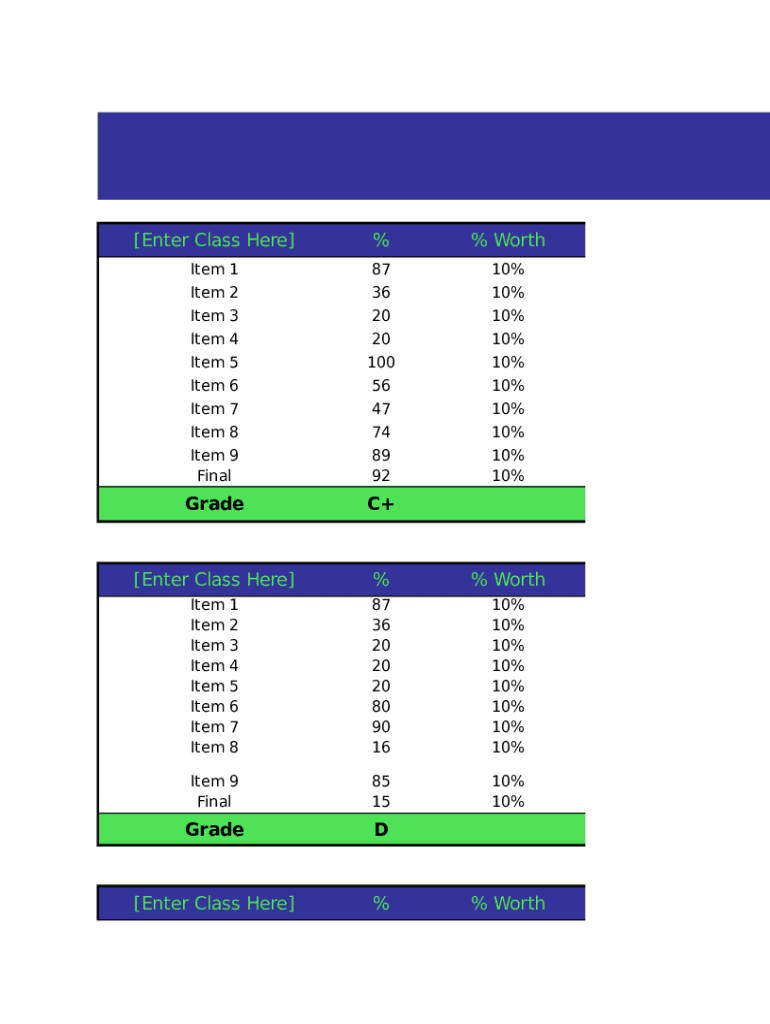
School Grading Calculator free printable template
We are not affiliated with any brand or entity on this form

Fill out
Complete the form online in a simple drag-and-drop editor.

eSign
Add your legally binding signature or send the form for signing.

Share
Share the form via a link, letting anyone fill it out from any device.

Export
Download, print, email, or move the form to your cloud storage.
Why pdfFiller is the best tool for your documents and forms


End-to-end document management
From editing and signing to collaboration and tracking, pdfFiller has everything you need to get your documents done quickly and efficiently.
Accessible from anywhere
pdfFiller is fully cloud-based. This means you can edit, sign, and share documents from anywhere using your computer, smartphone, or tablet.
Secure and compliant
pdfFiller lets you securely manage documents following global laws like ESIGN, CCPA, and GDPR. It's also HIPAA and SOC 2 compliant.
What is School Grading Calculator
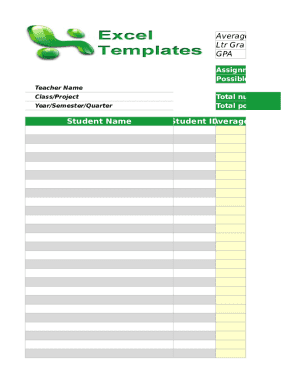
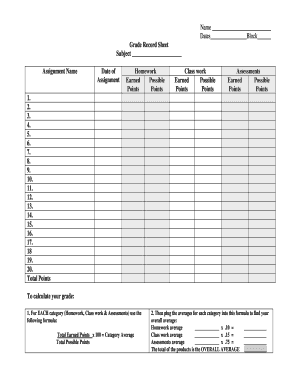
The Grading Calculator Template is a grade sheet used by educators to calculate and track student grades efficiently.
pdfFiller scores top ratings on review platforms




Who needs School Grading Calculator?
Explore how professionals across industries use pdfFiller.

School Grading Calculator is needed by:
-
Teachers looking to simplify grade tracking
-
School administrators managing academic records
-
Academic institutions implementing standardized grading
-
Tutors assisting students in grade calculations
-
Parents wanting to monitor student's academic performance
Comprehensive Guide to School Grading Calculator
What is the Grading Calculator Template?
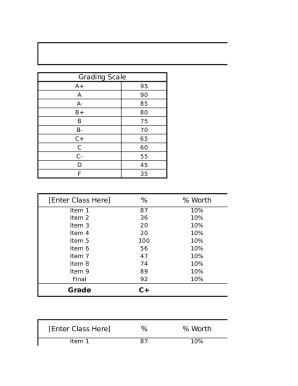
The Grading Calculator Template serves as a practical resource in academia, specifically designed to assist educators in tracking and computing student grades efficiently. This template simplifies the process of grade calculation by allowing teachers to enter individual scores and assignments methodically. Its versatility supports multiple classes, making it an ideal tool for various educational settings and including a grading scale for precise evaluations.
Purpose and Benefits of the Grading Calculator Template
Utilizing a structured template for grade calculation presents numerous benefits for educators. First, it enhances the accuracy of tracking student performance by providing a clear framework for inputting scores. Additionally, it streamlines the grading process, offering significant time savings in both grading and reporting. As a result, educators can focus more on teaching and less on administrative tasks.
Key Features of the Grading Calculator Template
The Grading Calculator Template is equipped with several essential attributes that enhance its utility:
-
Fillable fields for entering individual item scores and their percentage worth, which allows detailed tracking of student performance.
-
Functionality that facilitates easy entry of class information, ensuring a smooth user experience.
-
An included reference grading scale, which assists educators in maintaining consistency across evaluations.
Who Needs the Grading Calculator Template?
This template is beneficial for a wide array of users within the educational sector. Primarily, it serves teachers, who utilize it for daily grading tasks. Administrators and educational institutions can also reap its benefits by ensuring standardized grading practices. Furthermore, it caters to various educational levels, including K-12 and higher education, while also being relevant for homeschooling parents managing their children's academic progress.
How to Fill Out the Grading Calculator Template Online (Step-by-Step)
Filling out the Grading Calculator Template is straightforward when following these steps:
-
Begin by entering the class information at the designated fields.
-
Input each individual item score along with its corresponding percentage worth.
-
Organize your scores and percentages systematically for easier tracking.
-
Validate the accuracy of the entered data before submission.
Common Errors and How to Avoid Them
While using the Grading Calculator Template, users may encounter some common errors, including:
-
Incorrectly inputting percentages, which can lead to misleading grade calculations.
-
Omitting scores for various assignments, impacting overall grading accuracy.
To mitigate these issues, users should implement best practices such as cross-checking entries and ensuring all fields are filled prior to submission.
Security and Compliance for the Grading Calculator Template
Users can trust the Grading Calculator Template due to pdfFiller’s robust commitment to data security and privacy. The platform utilizes 256-bit encryption to safeguard sensitive information. Furthermore, it's fully compliant with regulations such as HIPAA and GDPR, ensuring that all user data, particularly student information, is handled with the utmost care.
How to Download and Save the Grading Calculator Template PDF
Once you have filled out the Grading Calculator Template, downloading and saving it is easy:
-
Select the download option to save your completed template.
-
Choose the preferred file format for saving the document securely.
-
Store the file in an organized manner for easy access in the future.
Where to Submit the Grading Calculator Template
After completion, the Grading Calculator Template needs to be submitted to the appropriate channels. This can include your school's administrative office or various online platforms designated by your institution. Be mindful of submission timelines and follow up as necessary to stay informed about grade entries.
Maximize Your Grading Efficiency with pdfFiller
Leveraging pdfFiller's services enhances your ability to fill out, manage, and submit the Grading Calculator Template. With user-friendly features tailored for educational needs, pdfFiller streamlines the grading process, allowing educators to focus on what truly matters—their students. Consider utilizing this trusted platform to efficiently handle educational templates.
How to fill out the School Grading Calculator
-
1.Start by accessing pdfFiller's website and log in to your account. If you don’t have an account, create one to get started with the Grading Calculator Template.
-
2.Once logged in, use the search function to locate the 'Grading Calculator Template'. Click on the template to open it.
-
3.Read through the instructions provided in the template carefully to understand how to fill it out properly.
-
4.Begin by identifying the classes for which you will enter grades. Make sure you have the necessary data such as individual item scores and their percentage weights at hand.
-
5.In pdfFiller, click on the fillable fields where you need to enter scores. Type in the scores accordingly, ensuring accuracy as you input the data.
-
6.Review the grading scale provided in the template to help assign appropriate final grades based on the scores entered.
-
7.After entering all necessary information, take a moment to review the entire template for any errors or missed fields.
-
8.Once you are satisfied with the entries, save your progress. You can use the save feature in pdfFiller to ensure your data is not lost.
-
9.To finalize the form, you can download the template as a PDF for your records, or submit it electronically if required.

Who can use the Grading Calculator Template?
The Grading Calculator Template is designed for educators, including teachers and school administrators, who need to calculate and track student grades effectively.
Is there a deadline for using this template?
There is no specific deadline for using the Grading Calculator Template, as it can be utilized throughout the academic year as needed.
How do I submit the completed calculator template?
Once you've completed the Grading Calculator Template on pdfFiller, you can save it as a PDF, download it, or submit it via email to relevant parties, depending on your needs.
Are there any documents required to complete the form?
No additional documents are required to complete the Grading Calculator Template; however, ensure you have access to the necessary information about student scores and their percentage weights.
What common mistakes should I avoid when filling out the template?
Common mistakes include entering incorrect scores, missing fields, or failing to review the grading scale. Double-check your entries to avoid errors.
How long does it take to complete the form?
The time it takes to complete the Grading Calculator Template depends on the number of entries but typically can be done in a short timeframe, about 10-30 minutes.
Can I edit the template after saving it?
Yes, you can edit the Grading Calculator Template anytime after saving it on pdfFiller, allowing you to make corrections or updates as needed.
Related Forms



Get the latest insights from our blog


If you believe that this page should be taken down, please follow our DMCA take down process
here
.
This form may include fields for payment information. Data entered in these fields is not covered by PCI DSS compliance.