
Last updated on
Oct 31, 2026
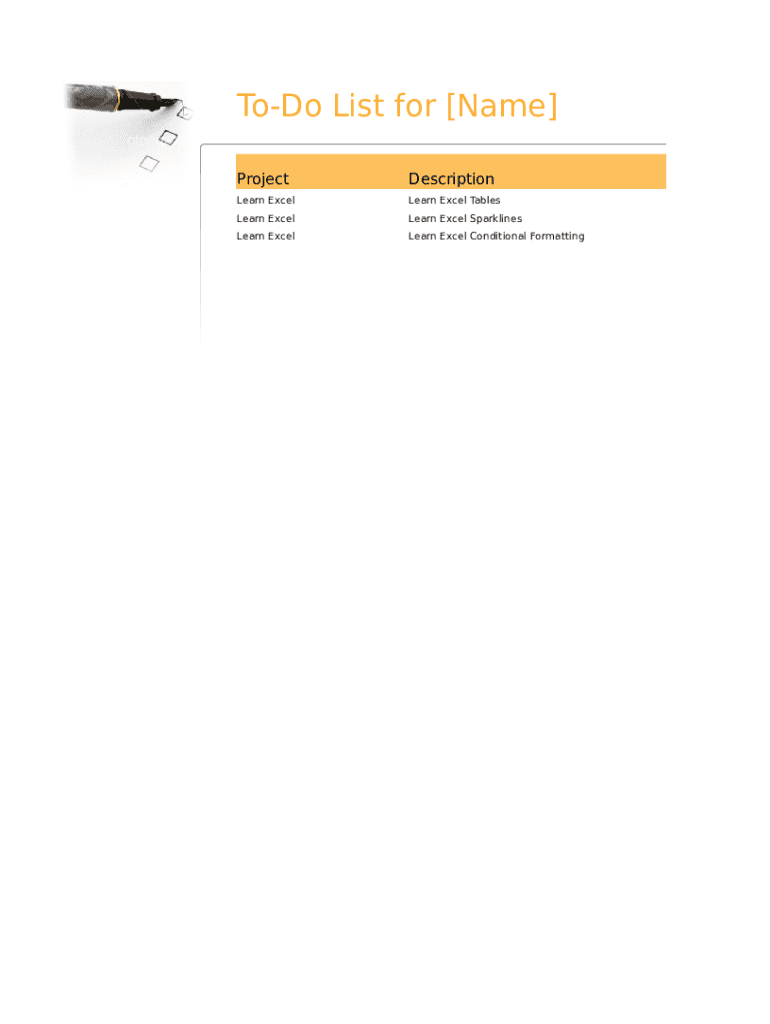
To Do List Template Form free printable template
We are not affiliated with any brand or entity on this form

Fill out
Complete the form online in a simple drag-and-drop editor.

eSign
Add your legally binding signature or send the form for signing.

Share
Share the form via a link, letting anyone fill it out from any device.

Export
Download, print, email, or move the form to your cloud storage.
Why pdfFiller is the best tool for your documents and forms


End-to-end document management
From editing and signing to collaboration and tracking, pdfFiller has everything you need to get your documents done quickly and efficiently.
Accessible from anywhere
pdfFiller is fully cloud-based. This means you can edit, sign, and share documents from anywhere using your computer, smartphone, or tablet.
Secure and compliant
pdfFiller lets you securely manage documents following global laws like ESIGN, CCPA, and GDPR. It's also HIPAA and SOC 2 compliant.
What is To Do List Template Form
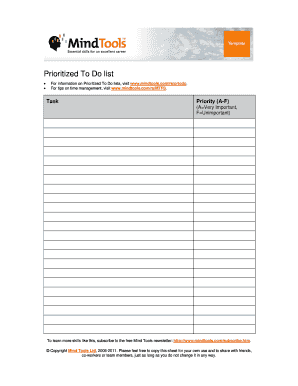
The To-Do List Template is a project management tool used by individuals and teams to organize and track tasks effectively.
pdfFiller scores top ratings on review platforms




Who needs To Do List Template Form?
Explore how professionals across industries use pdfFiller.

To Do List Template Form is needed by:
-
Project managers looking to organize tasks efficiently.
-
Students needing a tool for academic project management.
-
Small business owners managing daily tasks.
-
Freelancers tracking multiple projects and deadlines.
-
Teams collaborating on shared tasks and priorities.
Comprehensive Guide to To Do List Template Form
What is the To-Do List Template?
The To-Do List Template is a vital project management tool designed to help users organize and track their tasks efficiently. This template functions as a task tracking tool that simplifies the process of monitoring progress on various projects. Users can customize the template according to their specific needs, enhancing its usability to fit personal or professional scenarios.
Purpose and Benefits of the To-Do List Template
The primary purpose of the To-Do List Template is to enhance organization and productivity in project management. This tool allows users to effectively prioritize their tasks and monitor their progress over time. With its flexible design, it can be utilized in various contexts, including work environments and personal projects, ensuring that tasks are managed smoothly across different scenarios.
Key Features of the To-Do List Template
The To-Do List Template includes several key features that contribute to its effectiveness:
-
Fields for project descriptions, due dates, priorities, and statuses.
-
Customizable options enable users to tailor their lists.
-
Instructions provided for adding rows and adjusting column widths.
Who Needs the To-Do List Template?
This template is ideal for a diverse range of users, including:
-
Professionals managing multiple projects or tasks simultaneously.
-
Students seeking to stay organized with their assignments.
-
Anyone looking to improve their daily productivity and task management.
How to Fill Out the To-Do List Template Online (Step-by-Step)
Filling out the To-Do List Template online is straightforward. Follow these steps for successful completion:
-
Access the template and click on the project description field to input relevant details.
-
Enter the due dates for each task to maintain deadlines.
-
Utilize the priority and status columns by selecting from predefined entries in the dropdown menus.
-
Customize your list by adding new rows as necessary.
-
Adjust column widths for better visibility and organization.
Common Errors and How to Avoid Them
While using the To-Do List Template, users may encounter common errors. Here are some tips to avoid mistakes:
-
Ensure accurate data entry to prevent misunderstandings.
-
Validate information before finalizing your task list.
-
Review and adjust entries as needed to maintain accuracy.
How to Download and Save the To-Do List Template PDF
Obtaining the To-Do List Template in PDF format is simple. Follow these instructions:
-
Download the template directly from the pdfFiller platform.
-
Save the document to your device to ensure easy access.
-
Having both digital and printable versions ensures versatility in usage.
Security and Compliance for the To-Do List Template
Users can rest assured about their information security while using the To-Do List Template. Some important points regarding security and compliance include:
-
The implementation of security protocols, including 256-bit encryption.
-
Compliance with GDPR and HIPAA standards to protect sensitive information.
-
Emphasis on secure document handling practices.
How to Share Your To-Do List Template
Sharing completed templates with others is straightforward, enabling better collaboration. Consider these methods:
-
Collaborating in real-time with team members to improve accountability.
-
The benefits of shared access enhance overall team productivity.
Explore More with pdfFiller
pdfFiller provides extensive features for managing documents efficiently. Users are encouraged to explore the To-Do List Template as part of their document management strategy. The platform is designed for ease of use, enhancing user experience while filling out forms and managing their templates.
How to fill out the To Do List Template Form
-
1.To access the To-Do List Template on pdfFiller, visit the pdfFiller website and use the search bar to locate the template by name.
-
2.Once you find the template, click on it to open the form in the pdfFiller interface where you will see editable fields.
-
3.Before filling out the form, gather all necessary information including project details like descriptions, due dates, and priorities.
-
4.Start by entering your name or the name of the project in the designated area at the top of the form.
-
5.Proceed to the task fields where you can add descriptions of items on your to-do list. Use the blank spaces provided.
-
6.For due dates, look for the specific field and select the appropriate date from the calendar that appears.
-
7.In the priority and status columns, click on the arrow to choose from predefined entries for easy tracking.
-
8.You can add more rows for additional tasks by following the instructions included in the template.
-
9.Once you have filled in all necessary information, review the form to ensure everything is correct and complete.
-
10.To finalize the document, click on the save option, allowing you to download or print the completed template directly from pdfFiller.
-
11.Finally, if you need to submit the form, follow the necessary submission guidelines; you may have options for emailing or sharing after saving.

Who can use the To-Do List Template?
The To-Do List Template is suitable for anyone needing to manage tasks, including students, project managers, and small business owners.
Is the To-Do List Template fillable?
Yes, the To-Do List Template is a fillable form, allowing users to enter information directly into specified fields.
What information do I need before filling out the form?
Gather details such as project descriptions, due dates, priorities, and any specific tasks you want to include before starting the form.
How do I save and submit the To-Do List Template?
After completing the template on pdfFiller, you can save it to your device, download it as a PDF, or print it directly.
Can I customize the To-Do List Template?
Yes, the template allows customization, including adding your name, adjusting tasks, and changing priorities and statuses.
Are there any fees associated with using the form?
Using pdfFiller to fill out the To-Do List Template may involve a subscription fee, depending on the services you choose.
How do I ensure I complete the form correctly?
Review each section of the template carefully, ensuring all necessary fields are filled out accurately to avoid common mistakes.
Related Forms


Get the latest insights from our blog


If you believe that this page should be taken down, please follow our DMCA take down process
here
.
This form may include fields for payment information. Data entered in these fields is not covered by PCI DSS compliance.