
Last updated on
Oct 19, 2026

Get the free Patient Demographic Sheet
We are not affiliated with any brand or entity on this form

Fill out
Complete the form online in a simple drag-and-drop editor.

eSign
Add your legally binding signature or send the form for signing.

Share
Share the form via a link, letting anyone fill it out from any device.

Export
Download, print, email, or move the form to your cloud storage.
Why pdfFiller is the best tool for your documents and forms


End-to-end document management
From editing and signing to collaboration and tracking, pdfFiller has everything you need to get your documents done quickly and efficiently.
Accessible from anywhere
pdfFiller is fully cloud-based. This means you can edit, sign, and share documents from anywhere using your computer, smartphone, or tablet.
Secure and compliant
pdfFiller lets you securely manage documents following global laws like ESIGN, CCPA, and GDPR. It's also HIPAA and SOC 2 compliant.
What is Patient Demographic
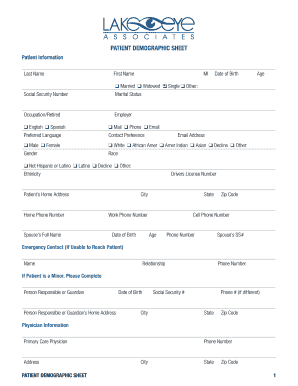
The Patient Demographic Sheet is a medical history form used by healthcare providers to collect essential patient information, including personal details and insurance data.
pdfFiller scores top ratings on review platforms




Who needs Patient Demographic?
Explore how professionals across industries use pdfFiller.

Patient Demographic is needed by:
-
Patients attending medical appointments
-
Healthcare providers for patient registration
-
Insurance companies requiring documented patient info
-
Representatives completing forms on behalf of patients
-
Administrative staff managing patient files
Comprehensive Guide to Patient Demographic
What is the Patient Demographic Sheet?
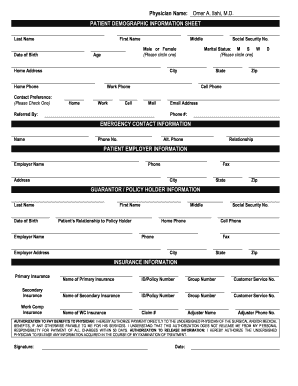
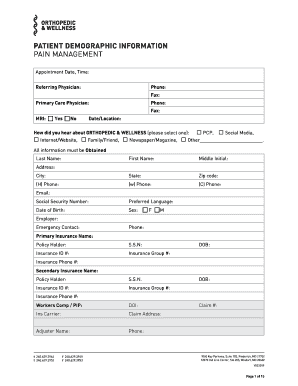
The Patient Demographic Sheet is a crucial tool in healthcare, designed to gather essential information from patients. Its relevance stems from the need for healthcare providers to know their patients comprehensively. This form collects personal details such as name, address, date of birth, and insurance information to facilitate effective treatment.
Completing this healthcare registration form often requires a patient's signature for payment authorization and medical information release, ensuring compliance and operational integrity.
Purpose and Benefits of the Patient Demographic Sheet
Completing the Patient Demographic Sheet streamlines the patient intake process significantly. For healthcare providers, this form enhances efficient data collection and improves patient management, allowing staff to focus more on care rather than paperwork.
Additionally, from a patient perspective, utilizing this medical history form saves valuable time during appointments, ultimately leading to a better healthcare experience.
Key Features of the Patient Demographic Sheet
The Patient Demographic Sheet includes several essential fields. Key sections contain personal information, insurance details, and emergency contacts that require careful attention upon completion. The form also provides clear instructions to guide users in filling out every field properly.
-
Personal identification information
-
Insurance policy details
-
Emergency contact information
-
Checkboxes for specific patient needs
-
Signature requirement for medical releases
Who Needs to Fill Out the Patient Demographic Sheet?
This form is crucial for individuals qualifying as patients, including new patients and those who need to update their information. In instances where patients cannot complete the form themselves, guardians or family members may fill it out on their behalf.
Healthcare facilities play a vital role by mandating this form be completed prior to any appointments, ensuring they have all necessary information beforehand.
How to Fill Out the Patient Demographic Sheet Online (Step-by-Step)
Filling out the Patient Demographic Sheet online using pdfFiller is straightforward. Follow these steps to ensure accurate completion:
-
Access the form on pdfFiller's platform.
-
Fill in the necessary personal details in the designated fields.
-
Provide insurance information and emergency contacts as required.
-
Review your entries for accuracy.
-
Sign the form electronically, ensuring all required signatures are included.
pdfFiller supports editing, saving, and signing, making the process user-friendly and efficient.
Important Considerations When Submitting the Patient Demographic Sheet
Prior to submitting the Patient Demographic Sheet, it's important to conduct a thorough review for accuracy. A validation checklist can help avoid common errors such as missed signatures or incorrect information.
Leveraging pdfFiller’s tools can assist you in confirming the form is completed correctly before submission. It helps ensure that all necessary fields are filled appropriately.
How to Sign the Patient Demographic Sheet
Signing the Patient Demographic Sheet can be done either through digital signatures or traditional wet signatures. Understanding the differences between these methods is important, especially in healthcare settings.
To eSign using pdfFiller, follow these steps:
-
Select the signature field in the form.
-
Choose the eSign option and create your digital signature.
-
Place your signature in the designated area.
Ensure that your signature meets any specific requirements for validity in healthcare environments.
Security and Privacy of Your Information
When using the Patient Demographic Sheet, security and privacy of your information are paramount. pdfFiller employs robust security measures, including 256-bit encryption, and complies with HIPAA and GDPR regulations to protect sensitive data.
The careful management of personal and medical data is critical, which is why pdfFiller prioritizes privacy and data protection while facilitating document handling.
Effortlessly Manage Your Patient Demographic Sheet with pdfFiller
By choosing pdfFiller for filling out the Patient Demographic Sheet, you can enjoy numerous benefits, including enhanced access, editable formats, and secure storage. The platform simplifies the form completion, signing, and sharing processes, making it a valuable tool for patients.
Start utilizing pdfFiller today for a smooth and effective healthcare experience.
How to fill out the Patient Demographic
-
1.Access the Patient Demographic Sheet by visiting pdfFiller's website and using the search function to locate the form.
-
2.Once you find the form, click to open it in the pdfFiller editor, where you can see all the editable fields clearly.
-
3.Before filling out the form, gather necessary information such as personal identification, insurance details, and emergency contact information.
-
4.Navigate through the form by clicking into each field and use the keyboard to enter the required data.
-
5.Be sure to fill in all mandatory fields marked on the form; this ensures that no essential information is left out.
-
6.Review the completed form to confirm that all sections are filled out accurately and legibly.
-
7.If there are sections that don't apply to you, follow the instructions on the form regarding how to leave those areas blank or marked correctly.
-
8.Once you have reviewed the information, use the available tools in pdfFiller to sign the form electronically where required.
-
9.To save your completed document, click the 'Save' button or choose 'Download' if you prefer to keep a local copy on your device.
-
10.Submit the form according to your healthcare provider's instructions—by email, online submission, or printing and bringing it directly to the appointment.

Who is required to fill out the Patient Demographic Sheet?
The Patient Demographic Sheet must be filled out by patients attending medical appointments, or by a designated representative on behalf of the patient.
Are there deadlines for submitting the Patient Demographic Sheet?
While there are no formal deadlines, it’s recommended that you complete and submit the Patient Demographic Sheet prior to your appointment to ensure timely processing.
How do I submit the completed form?
You can submit the completed Patient Demographic Sheet via email, online submission as directed by your healthcare provider, or by bringing a printed version to your appointment.
What documents do I need to gather before filling out the form?
Before starting the Patient Demographic Sheet, collect personal identification, insurance information, and emergency contact details for accurate completion.
What are common mistakes to avoid when filling out the form?
Common mistakes include leaving mandatory fields blank, incorrect information entry, and failing to sign the document where required. Double-checking can prevent these errors.
How long does it take to process the form once submitted?
Processing times can vary by provider, but typically it should be processed within a few business days if all required information is complete.
Can I modify my Patient Demographic Sheet after submission?
Yes, you can modify your Patient Demographic Sheet if necessary, but be sure to re-submit the updated version as per the healthcare provider's instructions.
Related Content
Related Forms



Related Catalogs
Get the latest insights from our blog


If you believe that this page should be taken down, please follow our DMCA take down process
here
.
This form may include fields for payment information. Data entered in these fields is not covered by PCI DSS compliance.