
Last updated on
Nov 7, 2026

IE TR1 2014 free printable template
We are not affiliated with any brand or entity on this form

Fill out
Complete the form online in a simple drag-and-drop editor.

eSign
Add your legally binding signature or send the form for signing.

Share
Share the form via a link, letting anyone fill it out from any device.

Export
Download, print, email, or move the form to your cloud storage.
Why pdfFiller is the best tool for your documents and forms


End-to-end document management
From editing and signing to collaboration and tracking, pdfFiller has everything you need to get your documents done quickly and efficiently.
Accessible from anywhere
pdfFiller is fully cloud-based. This means you can edit, sign, and share documents from anywhere using your computer, smartphone, or tablet.
Secure and compliant
pdfFiller lets you securely manage documents following global laws like ESIGN, CCPA, and GDPR. It's also HIPAA and SOC 2 compliant.
What is IE TR1
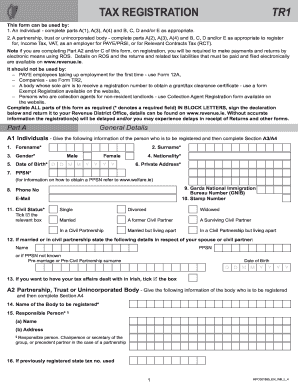
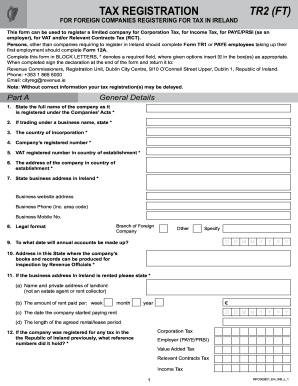
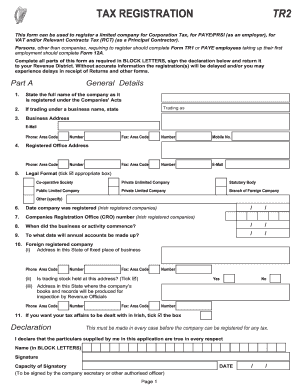
The Tax Registration Form TR1 is a business tax return used by individuals, partnerships, trusts, or unincorporated bodies in Ireland to register for income tax, VAT, PAYE/PRSI, or Relevant Contracts Tax.
pdfFiller scores top ratings on review platforms




Who needs IE TR1?
Explore how professionals across industries use pdfFiller.

IE TR1 is needed by:
-
Individuals registering for income tax
-
Partnerships starting a business
-
Trusts for tax compliance
-
Unincorporated bodies seeking tax status
-
Businesses needing VAT registration
-
Entities applying for PAYE/PRSI
Comprehensive Guide to IE TR1
What is the Tax Registration Form TR1?
The Tax Registration Form TR1 is essential for individuals, partnerships, trusts, and unincorporated bodies in Ireland. Its primary function is to facilitate registration for various tax obligations, including income tax, VAT, PAYE/PRSI, and Relevant Contracts Tax. This form serves not only as a means of compliance with tax laws but also as a gateway for entities to access essential tax services.
Any individual or entity looking to fulfill their tax responsibilities can use the TR1 form to register. This makes it a vital tool for businesses in need of proper tax registration to thrive in Ireland's regulatory environment.
Purpose and Benefits of the Tax Registration Form TR1
The advantages of completing the Tax Registration Form TR1 are significant for any entity that wishes to operate legally in Ireland. By registering, entities ensure compliance with existing tax laws, which is crucial for avoiding penalties and ensuring smooth business operations. Moreover, being registered can open the door to various governmental services and support.
To maximize the benefits of registration, it is vital to gather all pertinent information beforehand. This preparation not only speeds up the process but also minimizes the chance of errors during submission, enhancing the likelihood of approval.
Who Needs the Tax Registration Form TR1?
Understanding eligibility for the Tax Registration Form TR1 is critical for compliance. The form is required for a variety of entities, including:
-
Individuals who are self-employed or have other taxable income.
-
Partnerships that must comply with tax obligations under Irish law.
-
Trusts that generate taxable income and need to report it.
-
Unincorporated bodies that operate as educational or charitable entities.
Specific scenarios, such as beginning a new business venture or managing trust income, clearly necessitate the use of this form to stay compliant with tax regulations.
How to Fill Out the Tax Registration Form TR1 Online
Completing the Tax Registration Form TR1 online involves a straightforward process. Here’s a step-by-step guide to help you:
-
Access the tax registration form on the appropriate website.
-
Fill in the required personal and business information in the designated fields.
-
Carefully review each section for accuracy, ensuring that all data is correct and complete.
-
Submit the form digitally once you are sure it is filled out properly.
Many common mistakes can be avoided by double-checking your entries. Ensuring accuracy not only expedites processing but also reduces the likelihood of submission rejection.
Information You'll Need to Gather for the Tax Registration Form TR1
Before you start filling out the TR1 form, gather the necessary information and documentation. Important fields include:
-
Forename and Surname
-
Date of Birth
-
PPS Number
Additionally, supporting documentation may be required to verify the information provided in the application, such as proof of address or identification.
Submission Methods for the Tax Registration Form TR1
Once you have completed the Tax Registration Form TR1, there are several submission methods available. These include:
-
Online submission through the tax authority's secure portal.
-
In-person delivery at your local Revenue District Office.
-
Mail submission, requiring the form to be sent to the appropriate address.
Make sure to follow specific instructions for each method, especially regarding the correct addresses for mailing your form if you choose that option.
What Happens After You Submit the Tax Registration Form TR1?
After submitting the Tax Registration Form TR1, you can expect a processing period during which the tax authority will review your application. Here’s how you can track your submission:
-
Keep a copy of your submitted form for your records.
-
Monitor for notifications or requests for additional information.
Understanding the possible outcomes can help you remain informed; this may include receiving confirmation of your registration or additional questions from the tax office.
Security and Compliance for Your Tax Registration Form TR1
Your data's security is paramount when filling out and submitting your Tax Registration Form TR1. When using pdfFiller, you can rest assured that your information is protected by advanced security features.
pdfFiller employs 256-bit encryption and complies with stringent regulations like HIPAA and GDPR, ensuring your data's integrity during submission and storage. This level of protection is critical, especially when dealing with personal and financial information.
Utilizing pdfFiller for Your Tax Registration Form TR1
Using pdfFiller for filling out your Tax Registration Form TR1 offers several advantages. The platform provides an easy-to-use interface that allows for effective editing and e-signing of documents. Here’s how you can use pdfFiller:
-
Access the TR1 form through pdfFiller’s platform.
-
Edit and fill out the form with your information.
-
Easily sign the document within the platform for quick submission.
This streamlined process makes pdfFiller a practical choice for individuals and entities looking to simplify their tax registration efforts.
How to fill out the IE TR1
-
1.Access the Tax Registration Form TR1 on pdfFiller by searching for the form name in the search bar or navigating directly to the tax forms category.
-
2.Open the form in pdfFiller's editor, where you will see editable fields and options to add your information directly.
-
3.Gather the necessary information before filling out the form, including names, addresses, business details, financial information, and identification numbers such as PPS Number.
-
4.Start entering your personal details in the designated fields, including 'Forename Surname', 'Date of Birth', and 'PPS Number'. Ensure accuracy to prevent processing delays.
-
5.Utilize checkboxes and drop-down menus where applicable to select your business type and registration purposes, following the specific instructions provided in the form.
-
6.After completing all sections of the form, review your entries for accuracy and completeness, especially the required information like signatures and identification.
-
7.Once satisfied, save your progress on pdfFiller. You can download a copy for your records or directly submit the completed form through the platform.
-
8.If submitting electronically, follow the prompts to finalize submission to the Revenue District Office.

Who is eligible to use the Tax Registration Form TR1?
Eligibility for the Tax Registration Form TR1 includes individuals, partnerships, trusts, and unincorporated bodies in Ireland that need to register for income tax, VAT, PAYE/PRSI, or Relevant Contracts Tax.
What is the deadline for submitting the Tax Registration Form TR1?
There is no specific deadline for submitting the Tax Registration Form TR1, but it should be completed as soon as the business starts or when changing tax status to avoid penalties.
How can I submit the Tax Registration Form TR1?
You can submit the Tax Registration Form TR1 by mailing it to the appropriate Revenue District Office or electronically through platforms like pdfFiller, which simplifies the submission process.
What supporting documents do I need with the Tax Registration Form TR1?
Typically, you may need to provide identification documents, such as a PPS Number and proof of address, along with any additional documents relevant to your business structure.
What common mistakes should I avoid when filling out the TR1 form?
Ensure all provided information is accurate, particularly your PPS Number and business details. Avoid leaving mandatory fields blank and double-check your signatures to prevent processing delays.
How long does it take to process the Tax Registration Form TR1?
Processing times can vary, but it usually takes several weeks. You can contact the Revenue District Office for updates after submission if you have not received confirmation.
Do I need to notarize the Tax Registration Form TR1?
No, notarization is not required for the Tax Registration Form TR1. However, it must be signed by the relevant individual or authorized representative before submission.
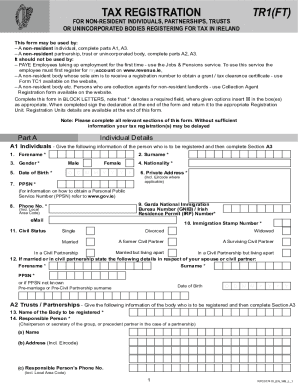
IE TR1 Form Versions
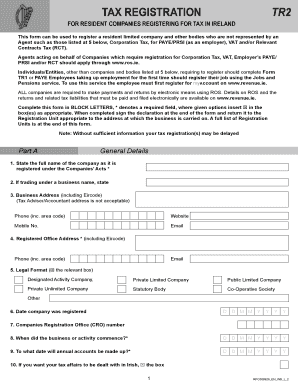
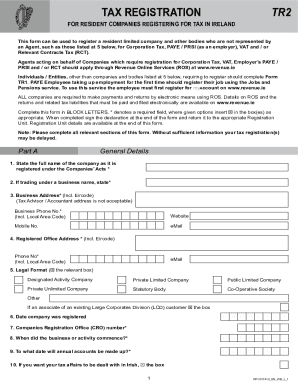
Related Forms


Get the latest insights from our blog


If you believe that this page should be taken down, please follow our DMCA take down process
here
.
This form may include fields for payment information. Data entered in these fields is not covered by PCI DSS compliance.