
Last updated on
Oct 19, 2026

Get the free Delaware Realty Transfer Tax Return Form 5402
We are not affiliated with any brand or entity on this form

Fill out
Complete the form online in a simple drag-and-drop editor.

eSign
Add your legally binding signature or send the form for signing.

Share
Share the form via a link, letting anyone fill it out from any device.

Export
Download, print, email, or move the form to your cloud storage.
Why pdfFiller is the best tool for your documents and forms


End-to-end document management
From editing and signing to collaboration and tracking, pdfFiller has everything you need to get your documents done quickly and efficiently.
Accessible from anywhere
pdfFiller is fully cloud-based. This means you can edit, sign, and share documents from anywhere using your computer, smartphone, or tablet.
Secure and compliant
pdfFiller lets you securely manage documents following global laws like ESIGN, CCPA, and GDPR. It's also HIPAA and SOC 2 compliant.
What is Delaware Tax Form 5402
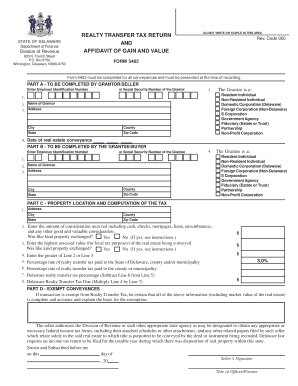
The Delaware Realty Transfer Tax Return Form 5402 is a legal document used by property sellers and buyers to report and pay the realty transfer tax in Delaware.
pdfFiller scores top ratings on review platforms




Who needs Delaware Tax Form 5402?
Explore how professionals across industries use pdfFiller.

Delaware Tax Form 5402 is needed by:
-
Home sellers in Delaware who are transferring property ownership.
-
Buyers in Delaware who need to report real estate transactions.
-
Real estate agents facilitating property sales in Delaware.
-
Title companies handling property transfer processes.
-
Legal professionals advising on real estate transactions.
-
Accountants advising clients on realty tax responsibilities.
Comprehensive Guide to Delaware Tax Form 5402
What is the Delaware Realty Transfer Tax Return Form 5402?
The Delaware Realty Transfer Tax Return Form 5402 is a crucial document for reporting and paying the realty transfer tax in Delaware. This form must be completed by both the grantor or seller and the grantee or buyer during property transactions. The requirement to submit this form ensures that applicable taxes are accounted for during the conveyance of real estate ownership.
Why You Need to Complete the Delaware Realty Transfer Tax Return Form 5402
Completing this form is essential in the context of real estate transactions in Delaware, as it reflects compliance with local tax obligations. Filing the Delaware Realty Transfer Tax Return Form 5402 is not merely recommended; it's a legal requirement at the time of recording a property conveyance. Failing to file the form on time may result in penalties, financial repercussions, or additional delays in property transactions.
Who Should Use the Delaware Realty Transfer Tax Return Form 5402?
Individuals involved in various roles within property transactions need to utilize this form, including sellers and buyers. Eligibility to use the form primarily lies with those engaged in real estate transactions within Delaware. There are specific exemptions associated with the form, such as certain types of conveyances that may not require a realty transfer tax return.
Key Features of the Delaware Realty Transfer Tax Return Form 5402
-
Includes required information fields such as identification numbers, property address, and consideration amounts.
-
Requires notarization and seller's signature for validation before submission.
-
The form is available as a fillable template via pdfFiller, making it user-friendly.
How to Fill Out the Delaware Realty Transfer Tax Return Form 5402 Online
-
Access the form through pdfFiller.
-
Enter the Employer Identification Number or Social Security Number in the designated field.
-
Complete all required fields, ensuring accuracy for proper tax documentation.
-
Review the entire form before submission to confirm that all information is correct.
Submitting the Delaware Realty Transfer Tax Return Form 5402
After filling out the form, it's important to understand the process for submitting it. The submission can be done in person or online, depending on your preference or local requirements. Be mindful of deadlines for submission, as timely filing is crucial to avoid penalties. After submission, you will receive a confirmation of filing, which serves as proof of compliance.
Security and Compliance with the Delaware Realty Transfer Tax Return Form 5402
When using pdfFiller to complete the form, users can rest assured that their data is protected through robust privacy and data protection measures. Compliance with regulations such as HIPAA and GDPR ensures that your information remains confidential. The platform uses 256-bit encryption, enhancing security when handling sensitive documents during the filing process.
Common Errors to Avoid When Filing the Delaware Realty Transfer Tax Return Form 5402
-
Omitting required fields can lead to rejection of the form.
-
Incorrect identification numbers may cause delays in processing.
-
Not notarizing the document as required can invalidate the submission.
To improve accuracy, validating information and thoroughly reviewing the completed form before submission is advisable. Addressing potential errors proactively helps ensure a smooth filing experience.
How pdfFiller Can Help with the Delaware Realty Transfer Tax Return Form 5402
pdfFiller offers various capabilities that simplify the process of filling out and managing the Delaware Realty Transfer Tax Return Form 5402. With features like editing, eSigning, and easy document management, pdfFiller streamlines the filing experience for users. Consider utilizing pdfFiller for a seamless way to navigate your realty transfer tax return needs.
Sample Completed Delaware Realty Transfer Tax Return Form 5402
For guidance, users can view a visual or downloadable example of a filled-out Delaware Realty Transfer Tax Return Form 5402. This sample highlights key areas that reflect common requirements, allowing users to understand how to properly complete the form. Access the sample to aid in accurately filling out your tax return.
How to fill out the Delaware Tax Form 5402
-
1.Access pdfFiller and search for the Delaware Realty Transfer Tax Return Form 5402 using the search bar.
-
2.Open the form in pdfFiller's editor by clicking on it from the search results.
-
3.Before filling out the form, gather the necessary information such as the grantor's and grantee's identification numbers, property address, and sale details.
-
4.Navigate to the fields in the form. Use pdfFiller's fillable fields to enter the required information in each blank section.
-
5.Follow the instructions provided within the form, completing all sections as required, including exempt conveyances if applicable.
-
6.Regularly save your progress to avoid data loss. Use the auto-save feature or manually click the save button.
-
7.Once all sections are completed, review the form for accuracy, ensuring that all fields are correctly filled.
-
8.Finalize your document by checking for any missing information or required signatures.
-
9.To save or download the completed form, click on the download button or select the preferred file format.
-
10.If you need to submit the form, follow the electronic submission procedures outlined on pdfFiller or print it for physical submission.

Who needs to complete the Delaware Realty Transfer Tax Return Form 5402?
Both sellers and buyers involved in a property conveyance in Delaware must complete this form to report and pay the required realty transfer tax.
What information is required to complete the form?
Essential information includes the grantor's and grantee's identification numbers, real estate conveyance date, property address, consideration amount, and highest assessed value.
Are there deadlines for submitting the form?
The form must be submitted at the time of recording the property transaction to ensure compliance with Delaware's real estate tax laws.
Is notarization required for this form?
Yes, the Delaware Realty Transfer Tax Return Form 5402 requires notarization along with the seller's signature for it to be valid.
What should I do if I make a mistake on the form?
If you make a mistake, review the completed form on pdfFiller, make the necessary corrections, and save the updated version before submitting.
How can I submit the completed form?
You can submit the form electronically via pdfFiller or print it out for traditional submission at the appropriate recording office.
What are common errors to avoid when filling out this form?
Common errors include missing signatures, incorrect identification numbers, and inaccurate property details. Always double-check your entries before finalizing.
Related Content
Related Forms


Related Catalogs
Get the latest insights from our blog


If you believe that this page should be taken down, please follow our DMCA take down process
here
.
This form may include fields for payment information. Data entered in these fields is not covered by PCI DSS compliance.