
Last updated on
Nov 4, 2026

Canada IA Financial Group F51-183A-1 2020-2026 free printable template
We are not affiliated with any brand or entity on this form

Fill out
Complete the form online in a simple drag-and-drop editor.

eSign
Add your legally binding signature or send the form for signing.

Share
Share the form via a link, letting anyone fill it out from any device.

Export
Download, print, email, or move the form to your cloud storage.
Why pdfFiller is the best tool for your documents and forms


End-to-end document management
From editing and signing to collaboration and tracking, pdfFiller has everything you need to get your documents done quickly and efficiently.
Accessible from anywhere
pdfFiller is fully cloud-based. This means you can edit, sign, and share documents from anywhere using your computer, smartphone, or tablet.
Secure and compliant
pdfFiller lets you securely manage documents following global laws like ESIGN, CCPA, and GDPR. It's also HIPAA and SOC 2 compliant.
What is Canada IA Financial Group F51-183A-1
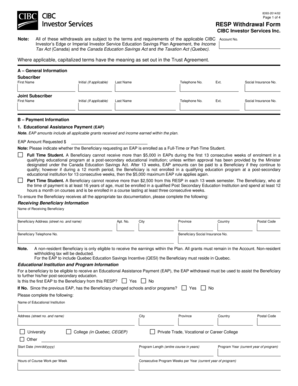
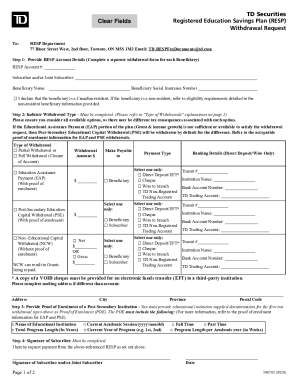
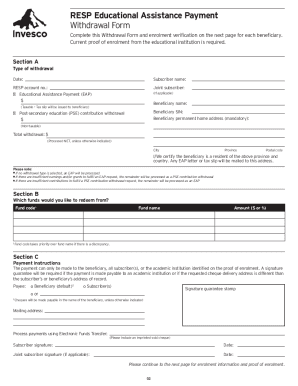
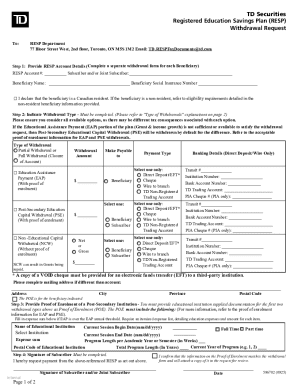
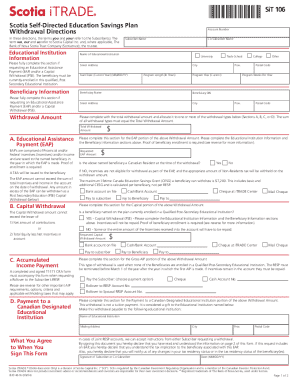
The Request to Withdraw Funds from a Registered Education Savings Plan is a form used by beneficiaries and subscribers to withdraw funds from an RESP for educational expenses.
pdfFiller scores top ratings on review platforms




Who needs Canada IA Financial Group F51-183A-1?
Explore how professionals across industries use pdfFiller.

Canada IA Financial Group F51-183A-1 is needed by:
-
Beneficiaries of the Registered Education Savings Plan
-
Subscribers looking to fund education
-
Joint subscribers managing shared funds
-
Agents assisting with educational financing
-
Educational institutions verifying enrolment
Comprehensive Guide to Canada IA Financial Group F51-183A-1
What is the Request to Withdraw Funds from a Registered Education Savings Plan?
The Request to Withdraw Funds from a Registered Education Savings Plan (RESP) is a crucial form for beneficiaries and subscribers aiming to access funds for educational purposes. This form enables individuals to request withdrawals for post-secondary education costs, ensuring a structured process for accessing the savings accumulated in the RESP.
This form is vital as it formally documents the intent to withdraw funds, safeguarding the interests of both beneficiaries and subscribers. By completing the education savings plan withdrawal form, users ensure compliance with the regulations governing RESPs while facilitating the financial support necessary for educational endeavors.
Purpose and Benefits of the Request to Withdraw Funds from an RESP
The Request to Withdraw Funds from an RESP serves multiple beneficial purposes for students pursuing post-secondary education. By using this form, beneficiaries can gain access to finances that assist in covering various educational expenses.
One of the primary advantages includes the educational assistance payment, which ensures that beneficiaries receive financial aid based on their enrollment in an approved program. This structured approach aids in streamlining the withdrawal process, providing clarity and assurance for those involved in the education savings plan withdrawal.
Who Needs the Request to Withdraw Funds from a Registered Education Savings Plan?
The individuals required to complete the Request to Withdraw Funds from an RESP include the Subscriber, Joint Subscriber, and Agent. Each of these roles has a critical part in the process, as their signatures are required for the successful submission of the form.
It's crucial that all parties involved understand their responsibilities, ensuring that the necessary signatures are gathered to validate the request and move forward with the withdrawal process smoothly.
Eligibility Criteria for Withdrawing Funds from an RESP
To withdraw funds from an RESP, beneficiaries must meet specific eligibility criteria, which primarily include being enrolled in a post-secondary program. This criterion is essential as it ensures that the funds are utilized for educational purposes.
Additionally, beneficiaries must verify their school enrollment through documentation provided by the educational institution. This verification adds a layer of legitimacy to the withdrawal request, ensuring compliance with the RESP regulations.
Step-by-Step Guide: How to Fill Out the Request to Withdraw Funds from a Registered Education Savings Plan Online
Completing the Request to Withdraw Funds from an RESP requires attention to detail and accuracy. Here is a guide to assist in filling out the form:
-
Input Subscriber name and contact information accurately.
-
Specify the Withdrawal amount clearly to prevent any confusion.
-
Provide School Information, ensuring the institution's name and contact details are included.
-
Double-check all entered fields for completeness and correctness.
-
Ensure the necessary signatures are obtained from all required roles.
By following these steps meticulously, users can avoid common pitfalls and ensure that their withdrawal request is submitted correctly, thus facilitating a smoother transaction.
Common Errors and How to Avoid Them
When filling out the Request to Withdraw Funds from an RESP, users may encounter several common errors. Identifying and addressing these mistakes is crucial for the successful submission of the form.
-
Incomplete fields, which can delay processing.
-
Incorrect signatures from any required roles, leading to invalid submissions.
To mitigate these issues, users should review the form requirements carefully and adopt best practices, such as double-checking all information and ensuring that signatures are obtained from all involved parties.
Submission Process for the Request to Withdraw Funds from a Registered Education Savings Plan
Submitting the completed Request to Withdraw Funds from an RESP can be done through several methods, each with specific steps. Users should choose between electronic submission or mailing the form to the appropriate institution.
-
For electronic submissions, ensure you follow the provided online instructions to secure timely processing.
-
If submitting by post, double-check the mailing address to avoid delays.
Knowing where to submit the form enhances the likelihood of a smooth withdrawal experience, as adhering to the submission guidelines is essential for compliance with RESP regulations.
What Happens After Submitting the Request to Withdraw Funds from an RESP?
Once submitted, the Request to Withdraw Funds from an RESP goes through a processing period. Users can expect confirmation notifications detailing the status of their request.
It's advisable to track application status proactively through the channels provided by the financial institution overseeing the RESP. This ensures that beneficiaries remain informed about any further actions or requirements needed to fulfill their withdrawal request.
Security and Compliance When Handling Your RESP Withdrawal Request
Security and compliance are paramount when handling sensitive documents like the Request to Withdraw Funds from an RESP. pdfFiller ensures that all user data is protected through robust security protocols.
With measures such as 256-bit encryption and compliance with regulations like HIPAA and GDPR, users can be confident their educational and financial information remains secure throughout the withdrawal process.
Why Use pdfFiller for Your Request to Withdraw Funds from a Registered Education Savings Plan?
Choosing pdfFiller enhances the experience of completing the Request to Withdraw Funds from an RESP by providing intuitive tools for form handling. Key features include editable form sections and eSigning capabilities that simplify the process significantly.
Additionally, with cloud storage benefits, users can conveniently manage their documents without the need for physical storage solutions, thereby streamlining the entire form-filling process.
How to fill out the Canada IA Financial Group F51-183A-1
-
1.To access the form on pdfFiller, go to the pdfFiller website and search for 'Request to Withdraw Funds from a Registered Education Savings Plan'. Click on the form to open it.
-
2.Once the form is open, familiarize yourself with the interface. Use the toolbar to navigate through different sections of the form, allowing for easy completion of various fields.
-
3.Before starting, gather all necessary information. This includes the subscriber and beneficiary names, addresses, the withdrawal amount, and verification from the educational institution regarding enrolment.
-
4.Begin filling out the form by entering the Subscriber name in the designated field. Ensure that all spelling is correct for accurate identification.
-
5.Continue to fill in the Beneficiary name and addresses. Make sure the addresses match any official documents for consistency.
-
6.Next, specify the Withdrawal Amount. Be precise to avoid any processing delays. Use numbers only, as indicated in the form.
-
7.Move to the School Information section and input the institution's name, address, and any required identification numbers. Verify this information with the school if unsure.
-
8.Check off any required checkboxes to confirm you've read the instructions carefully and agree to comply with the listed terms.
-
9.Once all fields are filled, take a moment to review the entire form. Ensure that all information is accurate and that no fields are left blank.
-
10.Finalize the form by saving it in your account. You can also download it as a PDF for personal records or printing.
-
11.When you're ready to submit, check the submission methods available on pdfFiller. You may submit directly through the platform or print the form to send via mail.

Who is eligible to use this form?
This form is available for beneficiaries of a Registered Education Savings Plan, subscribers, joint subscribers, and authorized agents managing withdrawals for educational expenses.
What information is needed to complete this form?
You will need the subscriber's and beneficiary's names, addresses, the amount you wish to withdraw, and verification of enrolment from the educational institution.
Are there submission deadlines for this form?
While specific deadlines can vary, it is important to submit your withdrawal request ahead of tuition payment dates to ensure timely access to funds.
What documents must accompany this form?
Typically, you must include verification of enrolment from the school or educational institution and possibly additional identification if required by the financial institution.
How can I avoid common mistakes when filling this form?
To avoid errors, ensure all names and addresses are accurate, don't leave fields blank, and double-check that any required checkboxes are filled before submission.
What is the processing time for withdrawals?
Processing times can vary based on the financial institution, but allow for several days to a couple of weeks for processing once submitted.
How do I submit this form after completing it on pdfFiller?
You can submit through pdfFiller directly or download and print the completed form to send to your financial institution. Check for submission methods on the website.
Canada IA Financial Group F51-183A-1 Form Versions
Related Forms





Get the latest insights from our blog



If you believe that this page should be taken down, please follow our DMCA take down process
here
.
This form may include fields for payment information. Data entered in these fields is not covered by PCI DSS compliance.