
Last updated on
Oct 2, 2026

Get the free GSA Form 3518A
We are not affiliated with any brand or entity on this form

Fill out
Complete the form online in a simple drag-and-drop editor.

eSign
Add your legally binding signature or send the form for signing.

Share
Share the form via a link, letting anyone fill it out from any device.

Export
Download, print, email, or move the form to your cloud storage.
Why pdfFiller is the best tool for your documents and forms


End-to-end document management
From editing and signing to collaboration and tracking, pdfFiller has everything you need to get your documents done quickly and efficiently.
Accessible from anywhere
pdfFiller is fully cloud-based. This means you can edit, sign, and share documents from anywhere using your computer, smartphone, or tablet.
Secure and compliant
pdfFiller lets you securely manage documents following global laws like ESIGN, CCPA, and GDPR. It's also HIPAA and SOC 2 compliant.
What is GSA 3518A
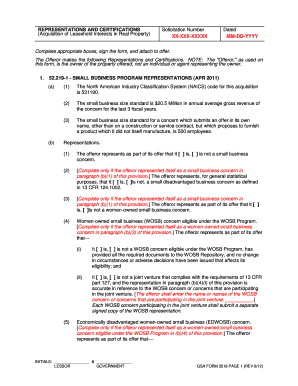
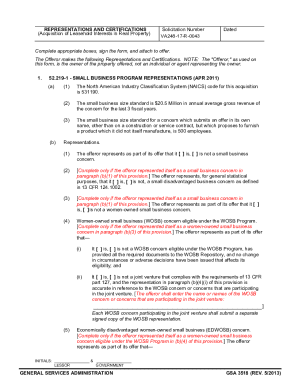
The GSA Form 3518A is a US government form used by property owners to certify their small business status and compliance with federal regulations when submitting lease offers.
pdfFiller scores top ratings on review platforms




Who needs GSA 3518A?
Explore how professionals across industries use pdfFiller.

GSA 3518A is needed by:
-
Property owners seeking federal leases
-
Small businesses applying for federal contracts
-
Individuals involved in compliance with federal regulations
-
Government contracting officers
-
Administrators of business certification processes
-
Consultants assisting in lease acquisition
Comprehensive Guide to GSA 3518A
What is GSA Form 3518A?
GSA Form 3518A is a government lease form used to verify small business status in federal contracts. This critical federal contract form plays a vital role in the government's effort to support small businesses by ensuring their representation in leasing opportunities. It often accompanies offers related to leases at or below a specified solicitation threshold and aligns with numerous compliance requirements that small businesses must meet.
Understanding the importance of GSA Form 3518A is essential for those involved in federal leasing, as it not only aids in business verification but also enhances opportunities for competitive bidding among small businesses.
Purpose and Benefits of GSA Form 3518A
The primary aim of GSA Form 3518A is to provide a certification of small business status, which is crucial for compliance with federal regulations. Completing this business certification form offers several advantages to offerors in the government leasing space.
-
Facilitates participation in leasing proposals by small businesses
-
Demonstrates compliance with federal requirements, thereby increasing credibility
-
Can significantly influence lease acquisition opportunities and enhance access to government contracts
Who Needs to Complete GSA Form 3518A?
GSA Form 3518A must be completed by various groups, primarily aimed at property owners seeking to lease to the government. Understanding who qualifies for small business participation is essential for both compliance and eligibility.
-
Property owners and entities submitting lease offers
-
Small businesses that meet necessary federal tax liability parameters
-
Individuals needing clarity on business classifications and size standards
How to Fill Out GSA Form 3518A Online (Step-by-Step)
Filling out GSA Form 3518A online can streamline the application process. Here is a simple step-by-step guide to ensure accurate completion.
-
Access the fillable PDF form and review the instructions provided.
-
Complete each section, ensuring all required fields are accurately filled.
-
Check the signature requirements and use an eSignature if available.
-
Double-check for common pitfalls before finalizing the form.
Information You'll Need to Gather for GSA Form 3518A
Before starting the process of filling out GSA Form 3518A, gather the necessary information. This preparation can facilitate a smoother completion process.
-
Business size and ownership information
-
Details for supporting documentation to validate your claims
-
Specific data for fields requiring detailed input.
What to Do After Filling Out GSA Form 3518A
Once GSA Form 3518A is completed, several key steps should follow to ensure proper submission.
-
Review the completed form for accuracy and completeness.
-
Select your submission method—email, mail, or online portal.
-
Track submission and obtain confirmation of receipt to prevent delays.
Secure and Compliant Handling of GSA Form 3518A
Handling GSA Form 3518A securely and in compliance with regulations is paramount. Utilizing tools like pdfFiller ensures your data remains protected.
-
Utilize security features compliant with HIPAA and GDPR.
-
Protect sensitive data through secure document handling practices.
-
Adhere to recommended record retention policies for compliance.
Common Errors and How to Avoid Them When Submitting GSA Form 3518A
Being aware of common errors when submitting GSA Form 3518A can prevent issues down the line. Here’s how to minimize mistakes during the process.
-
Verify all entered information against supporting documents before submission.
-
Check for common validation errors that could lead to rejection.
-
Understand the consequences of late filings, including potential amendments needed.
Utilizing pdfFiller for GSA Form 3518A
pdfFiller provides a platform that simplifies the process of completing GSA Form 3518A. With its advanced capabilities, users can enhance their form-filling experience.
-
Edit and annotate forms as needed before submission.
-
Use features that allow easy sharing and secure storage of your completed forms.
-
Benefit from user testimonials showcasing successful submissions using pdfFiller.
Engage with pdfFiller to Simplify Your GSA Form 3518A Process
Engaging with pdfFiller allows users to leverage an online PDF editor, streamlining the completion, signing, and submission of GSA Form 3518A. This resource is invaluable for navigating the complexities of government forms efficiently.
How to fill out the GSA 3518A
-
1.Access the GSA Form 3518A on pdfFiller by searching for its name in the platform's document library or entering the form number in the search bar.
-
2.Open the document to view the fillable fields. Familiarize yourself with the layout of the form, noting where to enter your business information and compliance certifications.
-
3.Before starting, gather necessary information such as your business size, ownership details, and relevant compliance documents about federal regulations and affirmative action.
-
4.Begin filling out the form by entering required information into each field. Use checkboxes where necessary, and provide clear responses to any text fields regarding your business qualifications.
-
5.Review all inputted information to ensure accuracy, paying close attention to the manual instructions provided on the form for each section.
-
6.Finalize your form by ensuring your signature is added where indicated. Utilize pdfFiller's signature feature if you prefer signing electronically.
-
7.Once completed, save your document to your pdfFiller account. You can download the form in your preferred file format or submit it directly through pdfFiller, if applicable.

What are the eligibility requirements for using GSA Form 3518A?
To use GSA Form 3518A, applicants must be property owners or representatives of small businesses seeking federal leases. They must meet specific federal standards regarding size and compliance with applicable regulations.
Is there a deadline for submitting GSA Form 3518A?
Submission deadlines for GSA Form 3518A can vary based on the lease solicitation cycles. It's best to check specific lease offers for timeline details or updates directly from the GSA.
How should one submit GSA Form 3518A once completed?
GSA Form 3518A can typically be submitted electronically through specific lease solicitations or printed and mailed as required by the individual solicitation instructions.
What supporting documents are needed along with the GSA Form 3518A?
Supporting documents often include proof of small business status, ownership documentation, and any additional certifications required by federal regulations. Refer to the specific lease solicitation for detailed requirements.
What are common mistakes to avoid when completing this form?
Common mistakes include submitting incomplete information, failing to sign the form, or misrepresenting business size. Always double-check entries against the required criteria outlined in the form and related solicitation.
How long does processing take for submissions involving GSA Form 3518A?
Processing times can vary based on the specific lease offer and agency workload. Generally, it may take several weeks, so it's advisable to submit as early as possible.
Can I make corrections after submitting GSA Form 3518A?
If you need to make corrections after submitting, reach out to the designated contact on the lease solicitation to inquire about the procedure for amendments or resubmissions.
Related Content
Related Forms


Get the latest insights from our blog


If you believe that this page should be taken down, please follow our DMCA take down process
here
.
This form may include fields for payment information. Data entered in these fields is not covered by PCI DSS compliance.