
Last updated on
Nov 9, 2026
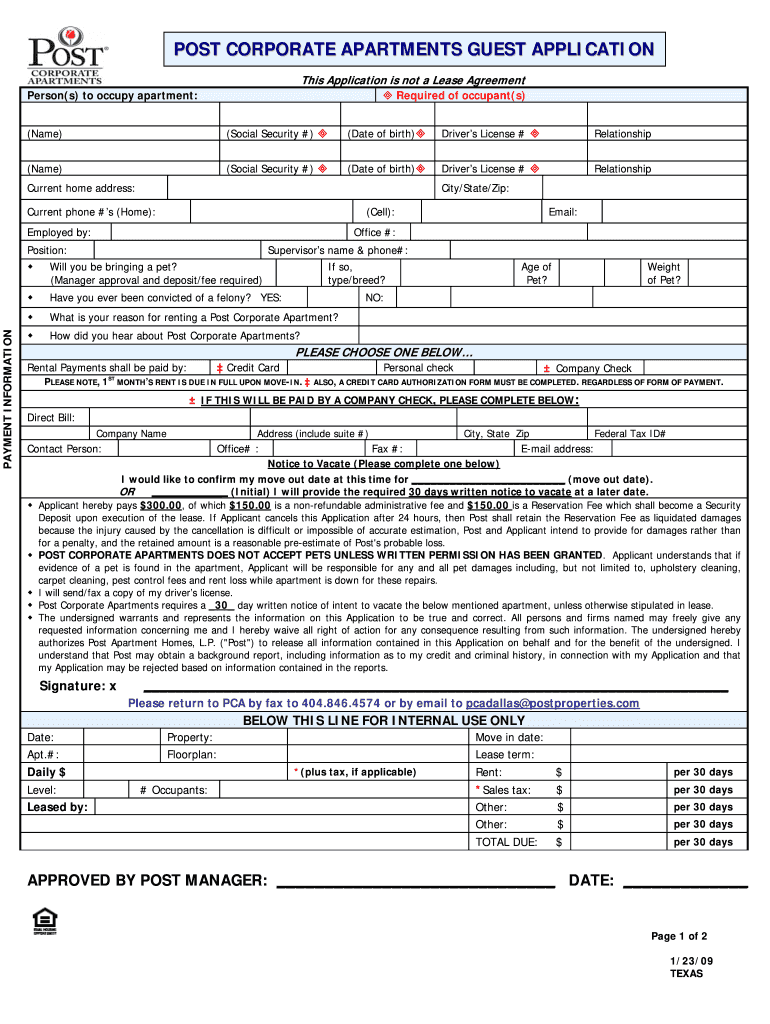
PCA Guest Application 2009 free printable template
pdfFiller is not affiliated with any government organization

Fill out
Complete the form online in a simple drag-and-drop editor.

eSign
Add your legally binding signature or send the form for signing.

Share
Share the form via a link, letting anyone fill it out from any device.

Export
Download, print, email, or move the form to your cloud storage.
Why pdfFiller is the best tool for your documents and forms


End-to-end document management
From editing and signing to collaboration and tracking, pdfFiller has everything you need to get your documents done quickly and efficiently.
Accessible from anywhere
pdfFiller is fully cloud-based. This means you can edit, sign, and share documents from anywhere using your computer, smartphone, or tablet.
Secure and compliant
pdfFiller lets you securely manage documents following global laws like ESIGN, CCPA, and GDPR. It's also HIPAA and SOC 2 compliant.
What is PCA Guest Application
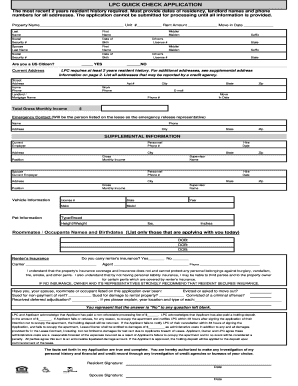
The Post Corporate Apartments Guest Application is a residential lease agreement used by individuals to apply for temporary housing at Post Corporate Apartments.
pdfFiller scores top ratings on review platforms




Who needs PCA Guest Application?
Explore how professionals across industries use pdfFiller.

PCA Guest Application is needed by:
-
Individuals seeking temporary housing in Texas
-
Corporate employees relocating to Texas
-
Property managers at Post Corporate Apartments
-
Real estate agents assisting clients with housing needs
-
Families in need of short-term rental solutions
Comprehensive Guide to PCA Guest Application
What is the Post Corporate Apartments Guest Application?
The Post Corporate Apartments Guest Application is designed for individuals seeking temporary housing. Its primary purpose is to streamline the application process for corporate apartment rentals.
This form requires personal information such as your name, social security number, date of birth, and driver's license number. Additionally, it assesses qualifications through various criteria, making it an integral step for applicants.
Purpose and Benefits of the Post Corporate Apartments Guest Application
This application form simplifies the housing application process by ensuring all relevant information is collected in one place. For tenants, it means quick, efficient access to temporary living options that meet their needs.
Property managers also benefit from this structured approach, as it enables them to review qualifications swiftly and accurately. This efficiency helps in maintaining streamlined operations and enhances satisfaction from both sides.
Key Features of the Post Corporate Apartments Guest Application
The application boasts essential components that aid in the submission process:
-
Multiple fillable fields for necessary personal information
-
Signature requirements for both the applicant and the Post Manager
-
Check boxes to indicate pet ownership
-
Information regarding any felony convictions
-
Specification of administrative and reservation fees
These features are designed to facilitate a smooth application experience, ensuring clarity and completeness in submissions.
Eligibility Criteria for the Post Corporate Apartments Guest Application
Applicants must meet specific criteria to be eligible for the Post Corporate Apartments Guest Application. This includes complying with state-based requirements and restrictions specific to Texas.
It's crucial to provide accurate information, especially regarding pet ownership and any felony convictions, as this can impact the application's approval process.
How to Fill Out the Post Corporate Apartments Guest Application Online
Filling out the application online can be done easily through pdfFiller. To successfully complete your application, follow these steps:
-
Access the Post Corporate Apartments Guest Application on pdfFiller.
-
Gather necessary documentation, including a copy of your driver’s license.
-
Carefully fill in all relevant fields, ensuring accuracy.
-
Review the form for completeness before submission.
These steps can help expedite the process and reduce the likelihood of errors.
Common Errors and How to Avoid Them
When completing the Post Corporate Apartments Guest Application, applicants often make certain mistakes. To avoid these errors:
-
Double-check your personal information for accuracy.
-
Ensure that all required fields are filled out completely.
-
Review any information regarding pets and felony convictions to ensure correctness.
-
Keep an eye on understanding the fee structures associated with the application.
Applying best practices can significantly enhance your chances of a smooth approval process.
Submission Methods and Delivery for the Post Corporate Apartments Guest Application
Applicants have several options for submitting their completed applications. These may include online submission through pdfFiller, email, or physical delivery to the Post Manager.
Processing times vary, but understanding how to track submissions can provide peace of mind and ensure you are informed about the status of your application.
What Happens After You Submit the Post Corporate Apartments Guest Application?
Once your application is submitted, you can expect a confirmation of receipt. Subsequent steps typically include the review of your information and communication regarding your application's status.
Timelines for responses may vary depending on the volume of applications but staying proactive with follow-up actions can help maintain clarity.
Security and Privacy Protection for Your Application
When submitting the Post Corporate Apartments Guest Application, security is paramount. The sensitive information provided is handled in compliance with regulations, ensuring a high level of privacy protection.
pdfFiller employs advanced security measures to safeguard your data, including 256-bit encryption, which adds an additional layer of safety during the application process.
Choose pdfFiller for Your Post Corporate Apartments Guest Application Needs
Utilizing pdfFiller for your application needs means a streamlined, secure experience. The platform's user-friendly interface makes filling out, editing, and submitting the application straightforward.
With capabilities such as eSigning and document management, pdfFiller is fully equipped to meet your temporary housing application needs effectively.
How to fill out the PCA Guest Application
-
1.Access the Post Corporate Apartments Guest Application by navigating to the pdfFiller website.
-
2.Use the search feature to locate the form by entering the form name in the search bar.
-
3.Once found, click on the form link to open it in the editor.
-
4.Before starting, gather all necessary information, including your name, Social Security number, date of birth, driver's license number, and employment information.
-
5.Begin filling out the form by clicking on each respective field and entering the required information.
-
6.Pay attention to the checkbox fields regarding pet ownership and felony conviction disclosures.
-
7.Ensure to attach a copy of your driver’s license when prompted or during submission.
-
8.Review the completed sections for accuracy and completeness before finalizing the application.
-
9.Once satisfied, click the save button to store your progress.
-
10.To download or print the completed application, click the download icon and select your preferred format.
-
11.If you are ready to submit, follow the on-screen instructions for electronic submission or print the form for mailing.

What are the eligibility requirements for this application?
Applicants must provide valid personal identification, such as a driver's license, and information regarding their employment and rental history. Additionally, they should disclose any pet ownership or felony convictions as per the requirements outlined in the form.
What fees are associated with submitting the form?
Along with the completed application, applicants must pay an administrative fee and a reservation fee, as specified in the form instructions. Make sure to review any potential fees in the application guidelines.
How long does it take to process my application?
Processing times can vary; typically, you can expect to receive a response within a few business days after submission. For immediate inquiries, consider contacting the Post Manager directly.
What documents do I need to submit with the application?
You need to provide a copy of your driver’s license along with the completed application. Be sure to gather all necessary personal information in advance to streamline the process.
Can I submit the application electronically?
Yes, you can complete the application form on pdfFiller and submit it electronically or print it for physical submission. Follow the instructions for your preferred submission method.
What should I do if I make a mistake on the form?
If you notice an error after filling out the form, you can easily edit the fields in pdfFiller. Review your form before finalizing to avoid submission errors.
Is notarization required for this application?
No, notarization is not required for the Post Corporate Apartments Guest Application. You only need the signatures of the applicant and the Post Manager on the form.
PCA Guest Application Form Versions
Related Content
Related Forms


Get the latest insights from our blog


If you believe that this page should be taken down, please follow our DMCA take down process
here
.
This form may include fields for payment information. Data entered in these fields is not covered by PCI DSS compliance.