
Last updated on
Nov 7, 2026

CMS ICN 006976 2021-2026 free printable template
We are not affiliated with any brand or entity on this form

Fill out
Complete the form online in a simple drag-and-drop editor.

eSign
Add your legally binding signature or send the form for signing.

Share
Share the form via a link, letting anyone fill it out from any device.

Export
Download, print, email, or move the form to your cloud storage.
Why pdfFiller is the best tool for your documents and forms


End-to-end document management
From editing and signing to collaboration and tracking, pdfFiller has everything you need to get your documents done quickly and efficiently.
Accessible from anywhere
pdfFiller is fully cloud-based. This means you can edit, sign, and share documents from anywhere using your computer, smartphone, or tablet.
Secure and compliant
pdfFiller lets you securely manage documents following global laws like ESIGN, CCPA, and GDPR. It's also HIPAA and SOC 2 compliant.
What is CMS ICN 006976
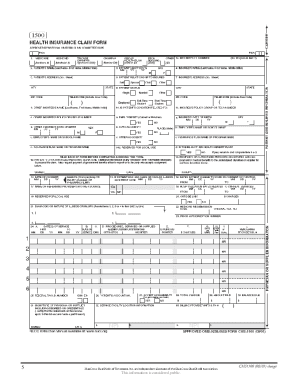
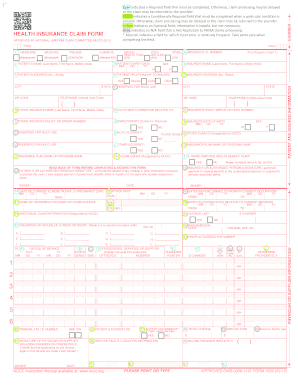
The Medicare Billing: 837P & Form CMS-1500 is a healthcare form used by medical professionals to submit Medicare claims for services rendered.
pdfFiller scores top ratings on review platforms




Who needs CMS ICN 006976?
Explore how professionals across industries use pdfFiller.

CMS ICN 006976 is needed by:
-
Healthcare administrators handling billing processes
-
Medical coders preparing claims for submission
-
Billing and claims processing personnel
-
Physicians and suppliers submitting Medicare claims
-
Medical administrative staff enforcing billing guidelines
Comprehensive Guide to CMS ICN 006976
Understanding Medicare Billing: 837P & Form CMS-1500
Medicare billing is a vital process in the healthcare sector, facilitating the reimbursement of healthcare providers for services rendered to beneficiaries. The 837P and CMS-1500 forms are essential tools for submitting claims to Medicare, ensuring that providers receive timely payments for their services. Understanding the differences between the electronic 837P claims and the paper CMS-1500 forms can streamline the billing process and enhance accuracy in submissions.
Purpose and Benefits of Medicare Billing: 837P & CMS-1500
Accurate claims submission is crucial for receiving timely reimbursements. Healthcare providers benefit from using standardized forms as they reduce errors and speed up claims processing. The forms fit into the overall claims lifecycle, ensuring that submissions are properly documented and tracked through to payment.
Who Needs to Use Medicare Billing: 837P & CMS-1500?
The primary users of the 837P and CMS-1500 forms encompass a range of professionals in the healthcare system. These include healthcare administrators, medical coders, and billing personnel. Familiarity with these forms is essential for those involved in filing claims, as understanding eligibility and specific circumstances for submission can impact reimbursement outcomes.
How to Fill Out the Medicare Billing: 837P & Form CMS-1500 Online
Completing the Medicare billing forms accurately is vital for successful claim submissions. The online process using pdfFiller simplifies filling out forms. Follow these steps:
-
Access the pdfFiller platform and select the relevant form.
-
Input required information in each designated field for both the 837P and CMS-1500 forms.
-
Ensure all necessary details, including patient and provider information, are captured accurately.
-
Add any required digital signatures as per the guidelines.
Common Errors and How to Avoid Them with Medicare Billing: 837P & CMS-1500
Submitting Medicare claims involves a risk of common errors that can lead to claim rejections. To enhance accuracy and reduce the likelihood of rejection, consider the following best practices:
-
Verify all entered information before submission.
-
Utilize a validation checklist that includes address details, patient data, and service codes.
When and Where to Submit the Medicare Billing: 837P & CMS-1500
Knowing when and where to submit Medicare claims is crucial for compliance and ensuring timely processing. Claims can be submitted through various methods:
-
Online through electronic claims submission systems.
-
By mail to the appropriate Medicare addresses based on the type of claim.
Be aware of key submission deadlines to avoid penalties for late filings.
Tracking Your Medicare Billing: 837P & CMS-1500 Submission
After submitting claims using the 837P or CMS-1500 forms, monitoring the status is essential. Employ the following methods to track claims and confirm receipt:
-
Check online portals provided by Medicare for updates on claim status.
-
Follow up with Medicare if there are any unresolved issues regarding claims.
Security and Compliance for Medicare Billing: 837P & CMS-1500
Data security and compliance with regulations like HIPAA are paramount in handling Medicare billing information. pdfFiller employs industry-leading security measures, including 256-bit encryption and compliance with HIPAA and GDPR, to protect sensitive patient data. Best practices for maintaining security include:
-
Regularly updating access controls for sensitive documents.
-
Safely storing and managing records related to claims and payments.
Realizing the Value of Accurate Medicare Billing: 837P & Form CMS-1500
Accurate and efficient submission of Medicare billing forms can significantly impact healthcare providers’ success. pdfFiller offers tools to simplify the process. With capabilities like eSigning and document editing, providers can enhance their workflow and ensure timely submissions, reinforcing their financial health.
How to fill out the CMS ICN 006976
-
1.Access pdfFiller and search for the Medicare Billing: 837P & Form CMS-1500.
-
2.Open the form in pdfFiller's editing interface.
-
3.Before starting, gather necessary information such as patient details, diagnosis codes, and service dates.
-
4.Complete the required fields by clicking on each section and inputting the relevant data as indicated by the guidelines.
-
5.Use the formatting features to ensure that information is clear and complies with Medicare billing standards.
-
6.Review the completed form for accuracy, checking all entries against supporting documents to avoid common mistakes.
-
7.Once finalized, save your changes in pdfFiller, then choose to download a copy or submit it directly through the platform if supported.

Who is eligible to use the CMS-1500 form?
The CMS-1500 form is primarily for healthcare professionals, including physicians and suppliers, who bill Medicare for services. It's used for outpatient claims for medical services.
What are the submission deadlines for Medicare claims?
Medicare claims generally need to be submitted within 12 months from the date of service. Keep track of your claim status to avoid missing deadlines.
How should I submit the completed CMS-1500 form?
You can submit the completed CMS-1500 form electronically via a clearinghouse or mail it to the designated Medicare contractor. Verify the submission method based on your practice's needs.
What supporting documents are required with the CMS-1500 form?
Common supporting documents include patient records, Medicare eligibility details, and any necessary referral forms. Ensure all documents are complete to prevent claim delays.
What are common mistakes to avoid when filling out the CMS-1500?
Common mistakes include incorrect patient information, missing signatures, and errors in code entries. double-check all information before submission to minimize rejections.
How long does it take to process claims submitted via CMS-1500?
Processing times for claims submitted using the CMS-1500 can vary but typically range from 14 to 30 days. Regularly check the claim status for updates.
Are there any fees associated with submitting the CMS-1500 form?
While there are no fees specifically for submitting the CMS-1500 form itself, there may be costs related to electronic submission services or clearinghouses. Consult your service provider for details.
CMS ICN 006976 Form Versions
Related Content
Related Forms






Get the latest insights from our blog


If you believe that this page should be taken down, please follow our DMCA take down process
here
.
This form may include fields for payment information. Data entered in these fields is not covered by PCI DSS compliance.