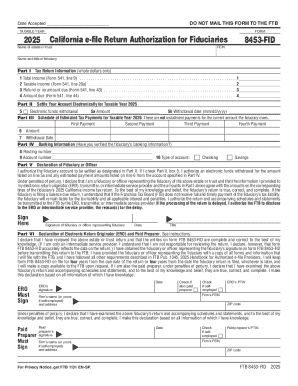
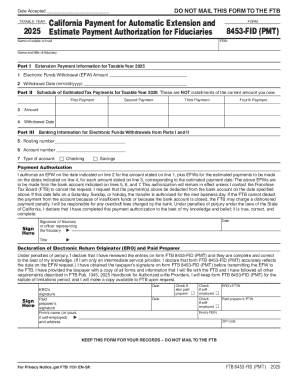
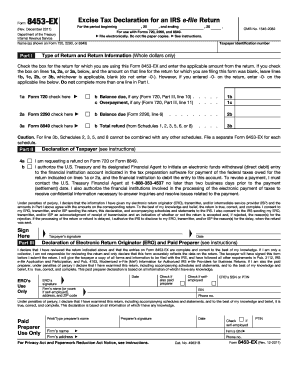
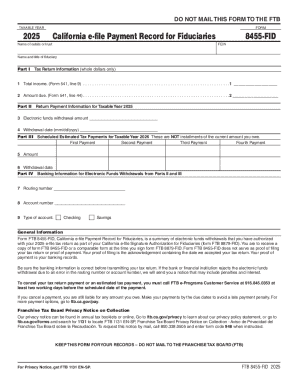
Form preview

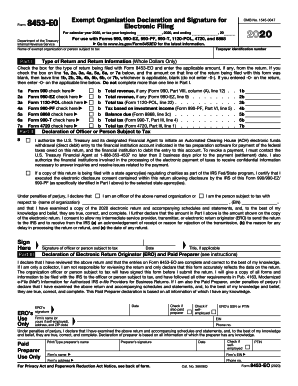
IRS 8453-FE 2021 free printable template


Get Form
pdfFiller is not affiliated with IRS
Screenshot
Screenshot
Screenshot

Get, Create, Make, and Sign IRS 8453-FE

Edit your IRS 8453-FE online
Type text, complete fillable fields, insert images, highlight or blackout data for discretion, add comments, and more.
Screenshot
Add your legally-binding signature
Draw or type your signature, upload a signature image, or capture it with your digital camera.
Screenshot
Share your form instantly
Email, fax, or share your IRS 8453-FE via URL. You can also download, print, or export forms to your preferred cloud storage service.
Screenshot

Instructions and Help about IRS 8453-FE

How to edit IRS 8453-FE

To edit the IRS 8453-FE form, begin by downloading the form from the IRS website. After downloading, you can use pdfFiller to upload the document. Use the editing tools to input your information accurately, ensuring all sections are filled out as required. Once you have made the necessary changes, save your edited form for printing or submission.

How to fill out IRS 8453-FE

Filing out the IRS 8453-FE requires that you gather all pertinent personal and financial information. Follow these steps:
01
Download the IRS 8453-FE form from the IRS official website or from trusted tax resource sites.
02
Use a pen for physical copies or fill it out digitally using pdfFiller for easier processing.
03
Start with your personal details, including your name, address, and Social Security number.
04
Fill in financial details as directed in the form, ensuring accuracy.
05
Review all entries for completeness before submitting.

About IRS 8453-FE 2021 previous version

What is IRS 8453-FE?

IRS 8453-FE is the tax form used by tax filers to submit certain e-filed returns for federal income tax purposes. The "FE" stands for "Federal Electronic" and signifies the form's specific use for electronic submissions within designated circumstances.

Who needs the form?

Taxpayers who submit their federal income tax returns electronically and are using a paid preparer or software that does not support electronic signature capabilities must file IRS 8453-FE. This includes individuals or businesses engaging with e-filing services that require authentication via this form.

Components of the form

IRS 8453-FE contains several sections including taxpayer information, electronic return information, and a declaration section. Each of these must be filled out accurately to ensure proper processing of tax returns filed electronically. Reviewing each section carefully is crucial during completion.

What information do you need when you file the form?

When filing IRS 8453-FE, you’ll need your full name, Social Security number, address, and the details of your tax return. Additionally, having your paid preparer's information or the identification number from the filing software can be essential for accurate submission. Collect all necessary tax documents and information beforehand to ensure a smooth filing process.

Where do I send the form?

IRS 8453-FE should be sent to the address specified on the form instructions. This typically depends on whether you are using the form to submit certain returns by mail or if you are attaching it to an e-filed submission. Following the address guidelines correctly will ensure your form is directed to the appropriate IRS processing center.

What is the purpose of this form?

The purpose of IRS 8453-FE is to authenticate an electronic signature and allow for the submission of certain components of a tax return electronically. This form serves as a declaration that the taxpayer understands the implications of submitting their taxes electronically.

When am I exempt from filling out this form?

You are exempt from filing IRS 8453-FE if you use tax preparation software that allows electronic signatures or if you file paper returns directly. Additionally, some specific taxpayer groups might have different reporting requirements that do not necessitate this form.

What are the penalties for not issuing the form?

Failing to issue IRS 8453-FE when required can result in processing delays and may lead to penalties imposed by the IRS. These penalties can include the loss of deductions or credits that are related to the tax return submitted without proper authentication. Furthermore, it could trigger an audit or inquiry from the IRS.

Is the form accompanied by other forms?

IRS 8453-FE may need to be filed alongside other forms, depending on the tax situation. Common forms that might accompany it include primary income tax forms like the 1040 or 1065, or any other schedules relevant to your return. Ensure you check the submission guidelines for your specific tax situation.

FAQ about IRS 8453-FE

If you discover a mistake after submitting the IRS 8453-FE, you can amend the form by filing a corrected version with the proper changes. It's crucial to promptly address any errors to maintain compliance with IRS regulations and avoid potential penalties.

To verify the status of your IRS 8453-FE, you can use the IRS's online tracking tools or call their customer service for updates. Be prepared to provide your details for effective assistance, as tracking can help you understand if your submission is being processed or has encountered issues.

In case of rejection, review the error messages provided to identify the issues. Correct the identified mistakes and resubmit the IRS 8453-FE, ensuring all details align with IRS requirements to avoid future rejections.

E-filing the IRS 8453-FE is generally safe when using reputable tax software that adheres to IRS security protocols. Ensure that your selected e-filing platform employs strong encryption and security measures to protect your sensitive information throughout the submission process.

To avoid common errors while filing the IRS 8453-FE, ensure that you correctly enter your identification information and double-check all calculations. Familiarize yourself with specific filing requirements to minimize discrepancies and streamline the filing process.


See what our users say
Trust Seal
Trust Seal
Trust Seal
Trust Seal
Trust Seal
Trust Seal
Trust Seal
Trust Seal
Rate free form
4.4
satisfied
226 votes

How to Fill Out Small Business Tax Forms Online with pdfFiller

Struggling with your Schedule C or not sure how to file business taxes as a sole proprietor, LLC, or self-employed professional? This step-by-step pdfFiller tutorial walks you through completing IRS Schedule C quickly and accurately — no printing, no scanning, no stress. Whether you're handling small business tax deductions, tracking self-employed taxes, or preparing your full business tax return, pdfFiller makes it simple right in your browser.

Related Forms

If you believe that this page should be taken down, please follow our DMCA take down process here .
This form may include fields for payment information. Data entered in these fields is not covered by PCI DSS compliance.