Form preview

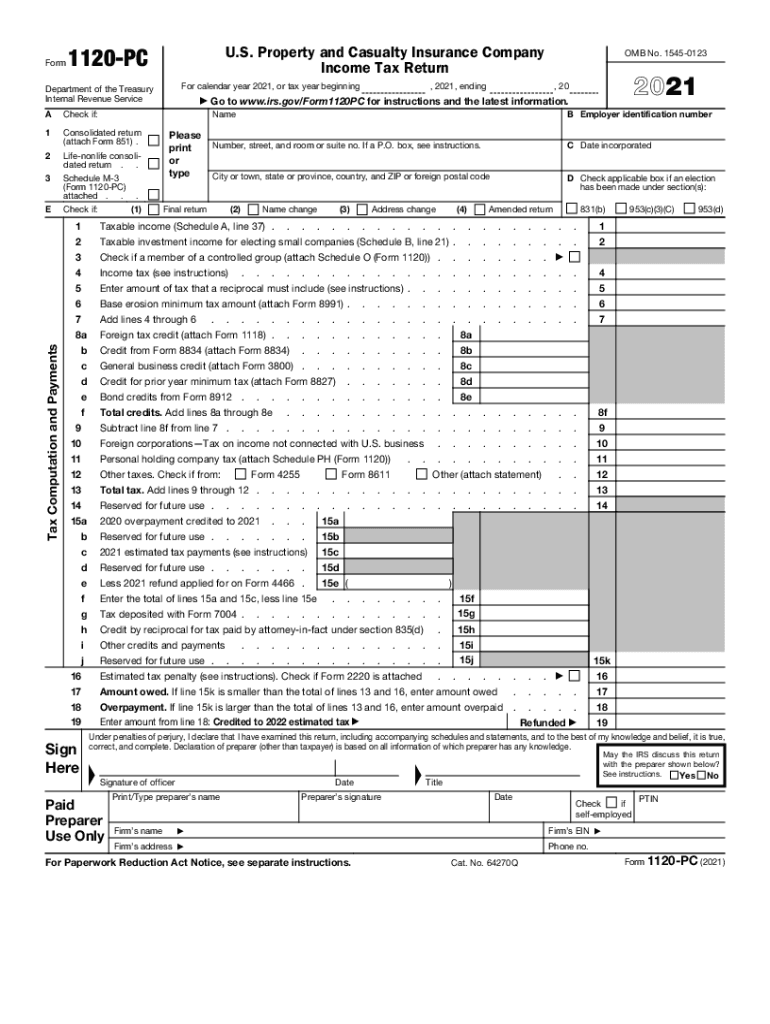
IRS 1120-PC 2021 free printable template


Get Form
pdfFiller is not affiliated with IRS
Screenshot
Screenshot
Screenshot

Get, Create, Make, and Sign IRS 1120-PC

Edit your IRS 1120-PC online
Type text, complete fillable fields, insert images, highlight or blackout data for discretion, add comments, and more.
Screenshot
Add your legally-binding signature
Draw or type your signature, upload a signature image, or capture it with your digital camera.
Screenshot
Share your form instantly
Email, fax, or share your IRS 1120-PC via URL. You can also download, print, or export forms to your preferred cloud storage service.
Screenshot

Instructions and Help about IRS 1120-PC

How to edit IRS 1120-PC

To edit the IRS 1120-PC form, first, download the form from the IRS website or access it through a reliable document editing platform like pdfFiller. Use the editing tools to fill in or modify information directly on the form. Ensure that any changes are saved properly to maintain accuracy for filing. After editing, review all entries for compliance with IRS requirements before submission.

How to fill out IRS 1120-PC

Filling out the IRS 1120-PC requires careful attention to detail. Start by entering your business name and Identification Number in the designated fields. Next, input your total income, deductions, and any applicable credits. It is crucial to follow the form's instructions meticulously and refer to the IRS guidelines for the most accurate reporting.

About IRS 1120-PC 2021 previous version

What is IRS 1120-PC?

IRS 1120-PC is the tax form used by certain insurance companies that operate under the Life Insurance Company provisions. It allows eligible entities to report their income, deductions, and tax liability for a given tax year. This form is specifically tailored for property and casualty insurance companies.

Who needs the form?

Companies that are classified as insurance providers under the appropriate IRS guidelines must complete and file Form 1120-PC. This typically includes property and casualty insurance companies that are subject to federal income taxes. Eligibility is contingent upon the type of insurance and business operations conducted.

Components of the form

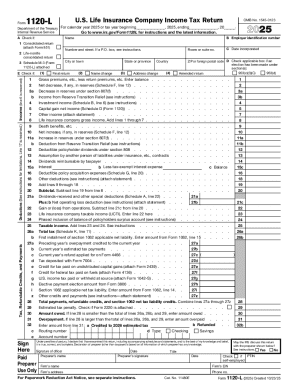
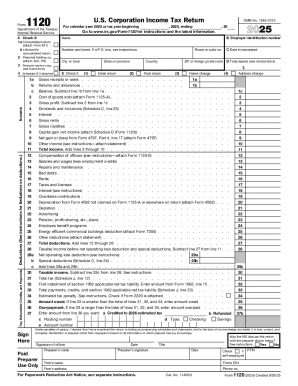
The IRS 1120-PC form consists of several sections, including a breakdown of income, deductions, and credits, as well as a calculation of taxable income and tax liability. Essential components include Schedule D, which covers tax adjustments, as well as various statements that accompany the core form to provide comprehensive financial information.

What are the penalties for not issuing the form?

Failure to file IRS 1120-PC by the due date can result in substantial penalties. The IRS imposes fines based on the duration of the delay and the size of the corporation's gross receipts. Additionally, interest may accrue on any unpaid taxes. It is advisable to file timely to mitigate these financial repercussions.

Is the form accompanied by other forms?

Yes, IRS 1120-PC may require additional forms and schedules depending on your company's specific reporting needs. Commonly included forms can be Schedule D and Form 4621, depending on deductions claimed or specific insurance tax provisions. Always check IRS guidelines for up-to-date requirements for supplemental documentation.

What is the purpose of this form?

The primary purpose of IRS 1120-PC is to provide the IRS with a detailed account of the financial activities of qualified insurance companies. This includes reporting premiums, losses, fees, and dividends received during the tax year. Accurate reporting is essential for determining tax obligations.

When am I exempt from filling out this form?

Filing IRS 1120-PC is not required for companies that do not meet the definition of a property and casualty insurance provider, as specified by IRS regulations. Additionally, companies that do not have taxable income or that fall below certain income thresholds may be exempt from this filing requirement. Always verify your specific circumstances against IRS guidelines.

Due date

The due date for filing IRS 1120-PC is typically the 15th day of the third month following the end of the tax year. For corporations with a calendar year-end, this means the form should be filed by March 15. It's crucial to file on time to avoid any potential penalties.

What information do you need when you file the form?

When completing IRS 1120-PC, you will need specific financial data, including total premiums received, losses incurred, expenses, and any applicable deductions. Accurate documentation of these figures is essential to ensure compliance and to substantiate your financial reporting. Collect necessary information from your accounting records prior to filing.

Where do I send the form?

IRS 1120-PC must be mailed to the appropriate IRS address specified in the form instructions. Generally, the location will depend on whether your company is including a payment. Ensure that you verify the correct mailing address for timely processing, as errors can delay your submission.

FAQ about IRS 1120-PC

If you've submitted your mn property tax refund and later discover an error, you’ll need to file an amended return. Be sure to clearly indicate on the amended form that it is a correction and provide any necessary explanations to avoid confusion during processing.

You can check the status of your mn property tax refund by utilizing the state's online tracking system or contacting their office directly. Keep in mind that you may need to provide your Social Security number and other identifying information for verification.

Yes, common e-file rejection codes include mismatched Social Security numbers, missing income information, or not adhering to format requirements. It's essential to review the rejection code carefully and correct the identified issues before resubmitting.

If you receive an audit notice for your mn property tax refund, carefully read the letter for specific instructions. Gather the requested documentation and consider consulting a tax professional to assist in preparing your response and ensuring compliance with all requirements.

Yes, e-filing your mn property tax refund using compatible third-party software is permitted. Make sure that the software adheres to the Minnesota Department of Revenue's requirements to ensure that your submission is accepted and processed correctly.


See what our users say
Trust Seal
Trust Seal
Trust Seal
Trust Seal
Trust Seal
Trust Seal
Trust Seal
Trust Seal
Rate free form
4.2
satisfied
56 votes

How to Fill Out Small Business Tax Forms Online with pdfFiller

Struggling with your Schedule C or not sure how to file business taxes as a sole proprietor, LLC, or self-employed professional? This step-by-step pdfFiller tutorial walks you through completing IRS Schedule C quickly and accurately — no printing, no scanning, no stress. Whether you're handling small business tax deductions, tracking self-employed taxes, or preparing your full business tax return, pdfFiller makes it simple right in your browser.

If you believe that this page should be taken down, please follow our DMCA take down process here .
This form may include fields for payment information. Data entered in these fields is not covered by PCI DSS compliance.