
Last updated on
Nov 9, 2026
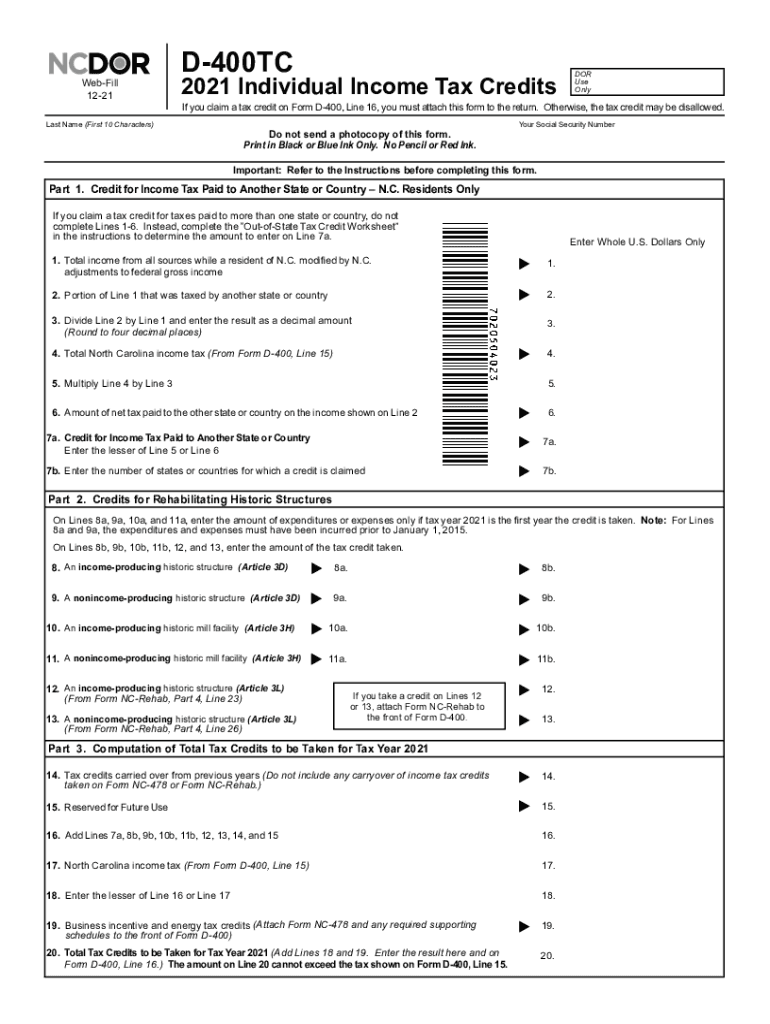
NC DoR D-400TC 2021 free printable template
pdfFiller is not affiliated with any government organization

Fill out
Complete the form online in a simple drag-and-drop editor.

eSign
Add your legally binding signature or send the form for signing.

Share
Share the form via a link, letting anyone fill it out from any device.

Export
Download, print, email, or move the form to your cloud storage.
Why pdfFiller is the best tool for your documents and forms


End-to-end document management
From editing and signing to collaboration and tracking, pdfFiller has everything you need to get your documents done quickly and efficiently.
Accessible from anywhere
pdfFiller is fully cloud-based. This means you can edit, sign, and share documents from anywhere using your computer, smartphone, or tablet.
Secure and compliant
pdfFiller lets you securely manage documents following global laws like ESIGN, CCPA, and GDPR. It's also HIPAA and SOC 2 compliant.
What is NC DoR D-400TC
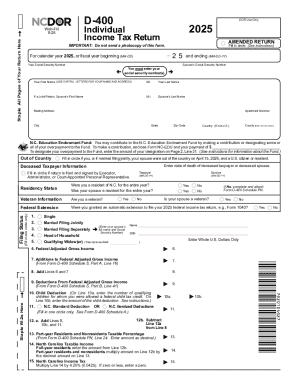
The NC DoR D-400TC is a tax form used by North Carolina residents to report income and determine their tax obligations.
pdfFiller scores top ratings on review platforms




Love It!!! Very easy and straight to the point!
It's Great!! I use it all the time. My son recently graduated and he is on his way to college. I have used PDF filler for almost all his enrolment forms and rental agreement. It has been a great help comunicating with his college. Thank you.
This is an awesome website that actually allows you to save your work is a time saver will recommend it !!
I LOVE HOW NICE THE FORM LOOKS AND THAT YOU CAN SAVE IT OFFLINE
GREAT PRODUCT - WISH IT WERE LESS EXPENSIVE.
FIRST TIME TO USE THIS
FIRST TIME TO USE THIS, I'M VERY SATISFIED
Who needs NC DoR D-400TC?
Explore how professionals across industries use pdfFiller.

NC DoR D-400TC is needed by:
-
North Carolina residents filing state taxes
-
Individuals with additional tax credits claims
-
Tax preparers assisting clients in North Carolina
-
Small business owners in North Carolina
-
Finance professionals handling personal tax matters
Comprehensive Guide to NC DoR D-400TC
What is the NC DoR D-400TC?
The NC DoR D-400TC is a crucial form used in North Carolina tax filings. It serves as a means for taxpayers to report specific tax information to the North Carolina Department of Revenue. This form is significant for ensuring that taxpayers accurately document their eligibility for various deductions and credits.
The essential details contained within the form include personal identification information, income details, and applicable claim credits or deductions, all of which play a vital role in determining the overall tax liability.
Benefits of Using the NC DoR D-400TC
Using the NC DoR D-400TC offers several advantages to taxpayers. One of the primary benefits is the potential for tax deductions and credits, which can significantly reduce the overall tax burden. Timely submission of the form is essential in ensuring that these financial benefits are realized.
Moreover, accuracy in filing is critical. Errors can lead to delays or rejection of the claim, making it vital to follow the proper procedures when using this form.
Who Needs the NC DoR D-400TC?
The target audience for the NC DoR D-400TC includes various taxpayers who may need to file specific claims. Individual taxpayers with qualifying expenses or businesses that qualify for deductions should consider using this form. Additionally, certain groups, such as charitable organizations or non-profits, may also find this form beneficial.
Understanding who should file is important for compliance and accuracy in North Carolina tax management.
When and How to File the NC DoR D-400TC
The filing process for the NC DoR D-400TC requires adherence to specific deadlines. Typically, the form must be submitted alongside the annual tax return. It is advisable to check for any updates or changes to deadlines each tax year.
To file the form, follow these steps:
-
Gather all necessary documents and information.
-
Complete the NC DoR D-400TC form accurately.
-
Submit the completed form either online through the North Carolina Department of Revenue website or via physical mail.
Completing the NC DoR D-400TC: A Step-by-Step Guide
Filling out the NC DoR D-400TC correctly is essential for a successful submission. Each field in the form must be carefully examined and accurately filled out. For example, personal identification fields require accurate names and Social Security numbers.
Some common mistakes include overlooking required fields or calculating credits incorrectly. To avoid these errors, reviewing the guidelines thoroughly and double-checking all entries can ensure precision in your submission.
Required Documents and Information for the NC DoR D-400TC
Before completing the NC DoR D-400TC, users should gather several essential documents. These documents include prior tax returns, proof of income, and receipts for any deductions being claimed.
A checklist of required information includes:
-
Personal identification information
-
Income documentation (W-2s, 1099s)
-
Proof of deductions or credits
Submission Methods for the NC DoR D-400TC
Once the NC DoR D-400TC form is completed, it can be submitted in several ways. Taxpayers can choose to file online, through traditional mail, or in person at designated locations. Each method has its own set of procedures for confirming submission.
To track the status of your submitted form:
-
Online submissions typically provide immediate confirmation.
-
Mail submissions may take longer; ensure to send via a traceable method.
Security and Privacy When Using the NC DoR D-400TC
Concerns about data security when handling the NC DoR D-400TC are legitimate. pdfFiller implements robust security measures to protect sensitive information, including 256-bit encryption and compliance with HIPAA and GDPR regulations.
This focus on security ensures that users can confidently complete and submit their forms without compromising their personal data.
Why Choose pdfFiller for Completing the NC DoR D-400TC?
pdfFiller simplifies the NC DoR D-400TC form-filling process through its user-friendly platform. Users can easily edit, sign, and manage documents online without the need for complex software installations.
Additional benefits of using pdfFiller include:
-
Cloud-based accessibility from any device
-
Comprehensive document management features
Get Started with Your NC DoR D-400TC Today
To efficiently fill out and submit the NC DoR D-400TC, consider utilizing pdfFiller to streamline the process. The platform enhances document management and allows users to handle their tax forms with ease.
How to fill out the NC DoR D-400TC
-
1.To access the NC DoR D-400TC form, visit the pdfFiller website and search for the form by its name in the search bar.
-
2.Once located, click on the form to open it in the pdfFiller editor.
-
3.Before filling the form, gather necessary financial documents like W-2s, 1099s, and records of any deductions or credits you plan to claim.
-
4.Begin completing the form by clicking into each field to enter your personal information, including your name, address, and social security number.
-
5.Make sure to accurately report your income from all sources and any additional deductions or tax credits.
-
6.Utilize pdfFiller's tools to add notes or comments if you need reminders or explanations for specific entries.
-
7.After completing the fields, review all information for accuracy and completeness using pdfFiller's built-in review options.
-
8.Once satisfied with the form, save your progress regularly through the 'Save' option in pdfFiller.
-
9.Download a copy of the completed form to your device or submit it electronically directly through pdfFiller, following any provided submission guidelines.

Who is eligible to file the NC DoR D-400TC?
North Carolina residents who have incurred state tax obligations and are eligible for any applicable tax credits can file this form. It is primarily designed for individuals reporting personal income.
What is the deadline for submitting this form?
Typically, the NC DoR D-400TC must be submitted by April 15th of each year for the preceding calendar year. It is advisable to check the North Carolina Department of Revenue website for any updates on deadlines.
What methods can I use to submit the completed form?
You can submit the NC DoR D-400TC either electronically via e-filing through approved platforms like pdfFiller or by mailing a paper copy to your local North Carolina Department of Revenue office. Ensure that all necessary signatures are included.
What supporting documents are required with this form?
When submitting the D-400TC form, be prepared to include all supporting documentation such as W-2 statements, 1099 forms, proof of deductions, and tax credit eligibility documentation. Check the form instructions for specific requirements.
What are common mistakes to avoid when filling out the form?
Common mistakes when completing the NC DoR D-400TC include incorrect personal information, overlooking income sources, and miscalculating deductions or credits. Make sure to double-check all entries before submission.
How long does it take to process the D-400TC once submitted?
Processing times can vary, but generally, you can expect to receive a confirmation of your submission within a few weeks. For refunds, allow up to eight weeks from the date of filing.
Where can I find assistance if I have questions about the D-400TC?
For assistance with the NC DoR D-400TC, you can contact the North Carolina Department of Revenue directly or consult a certified tax professional for guidance specific to your situation.
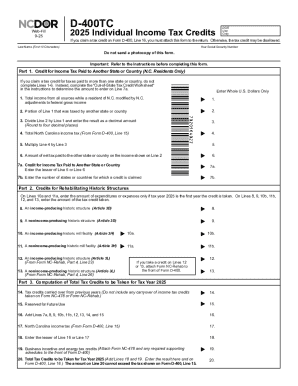
NC DoR D-400TC Form Versions
Related Content
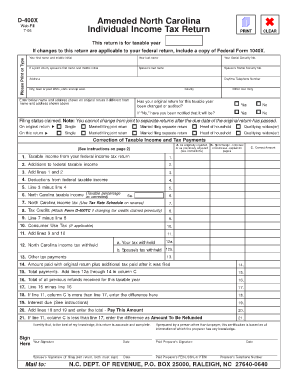
Related Forms



Get the latest insights from our blog


If you believe that this page should be taken down, please follow our DMCA take down process
here
.
This form may include fields for payment information. Data entered in these fields is not covered by PCI DSS compliance.