
Last updated on
Nov 7, 2026
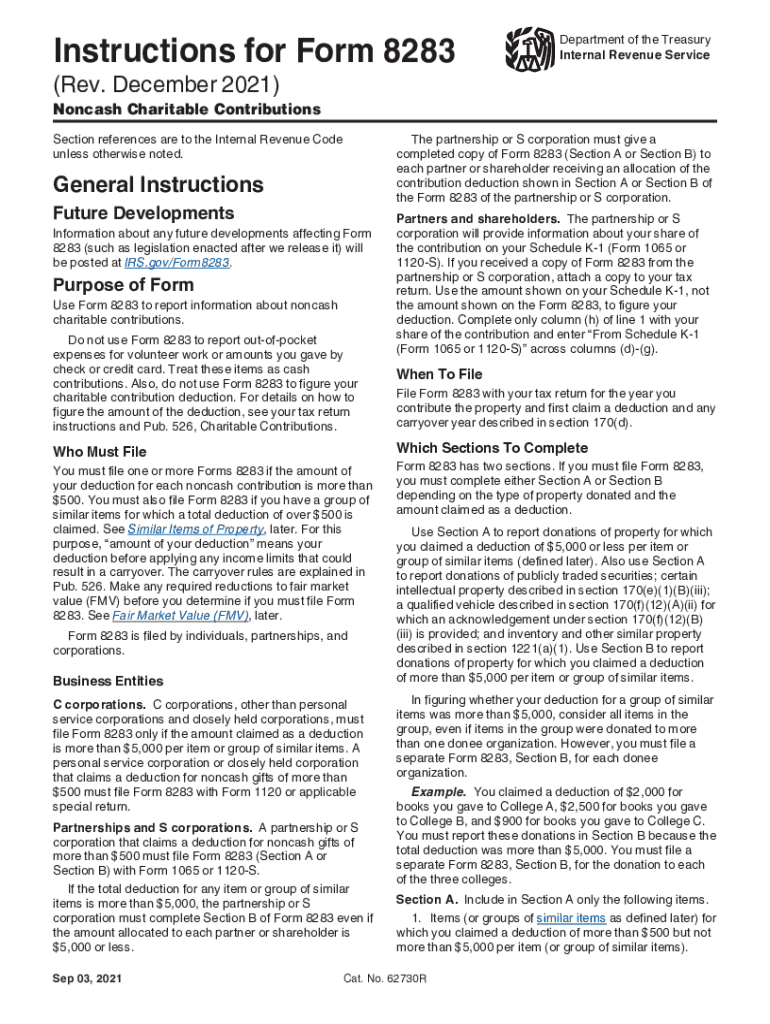
IRS Instruction 8283 2021 free printable template
pdfFiller is not affiliated with IRS

Fill out
Complete the form online in a simple drag-and-drop editor.

eSign
Add your legally binding signature or send the form for signing.

Share
Share the form via a link, letting anyone fill it out from any device.

Export
Download, print, email, or move the form to your cloud storage.
Why pdfFiller is the best tool for your documents and forms


End-to-end document management
From editing and signing to collaboration and tracking, pdfFiller has everything you need to get your documents done quickly and efficiently.
Accessible from anywhere
pdfFiller is fully cloud-based. This means you can edit, sign, and share documents from anywhere using your computer, smartphone, or tablet.
Secure and compliant
pdfFiller lets you securely manage documents following global laws like ESIGN, CCPA, and GDPR. It's also HIPAA and SOC 2 compliant.
What is IRS Instruction 8283
The IRS Form 8283 is a tax document used by individuals, partnerships, and corporations to report noncash charitable contributions over $500.
pdfFiller scores top ratings on review platforms




Who needs IRS Instruction 8283?
Explore how professionals across industries use pdfFiller.

IRS Instruction 8283 is needed by:
-
Individuals donating noncash items valued over $500
-
Partnerships making charitable contributions
-
Corporations involved in charitable giving
-
Tax preparers assisting clients with donations
-
Nonprofit organizations receiving noncash contributions
Comprehensive Guide to IRS Instruction 8283
What is IRS Form 8283?
IRS Form 8283 serves a critical role in reporting noncash charitable contributions, as it enables individuals, partnerships, and corporations to claim deductions for donations exceeding $500. This form is essential for documenting the value of noncash donations in compliance with IRS regulations. Taxpayers who intend to deduct these contributions must understand the filing requirements associated with Form 8283.
To file Form 8283, the deduction must relate to noncash charitable contributions, ensuring proper reporting of assets donated. The financial threshold for submission stands at deductions greater than $500, making this form indispensable for those making substantial charitable donations.
Purpose and Benefits of IRS Form 8283
Form 8283 is vital for individuals looking to maximize their tax savings through noncash donations. It streamlines the process of reporting charitable contributions, ensuring taxpayers can effectively communicate this information to the IRS. By utilizing this form, individuals can fulfill their reporting requirements while also benefiting from potential tax deductions, significantly impacting their overall tax returns.
Some benefits of using Form 8283 include the ability to substantiate charitable contributions, thus potentially lowering taxable income and enhancing financial planning. Employing this charitable deduction form ultimately aids taxpayers in optimizing their financial situations while complying with IRS guidelines.
Understanding the Two Sections of IRS Form 8283
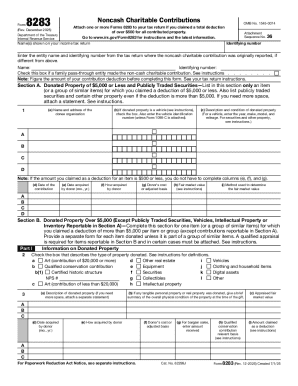
IRS Form 8283 contains two distinct sections designed for different types of noncash contributions. Section A is designated for donations valued at $5,000 or less per item, while Section B pertains to contributions exceeding this threshold. Understanding the requirements for each section ensures accurate and compliant filing.
-
Section A: Requires basic information about the contribution, including a description and value.
-
Section B: Requires more detailed documentation, including a qualified appraisal for items valued over $5,000.
Examples of contributions might include clothing or household items categorized under Section A, while valuable artwork or real estate would typically fall under Section B.
Who Needs to File IRS Form 8283?
This form must be filed by individuals and entities that make substantial noncash charitable contributions. Specific situations necessitating the submission of Form 8283 include donations exceeding the aforementioned financial threshold. Among those most likely to file are individuals engaged in charitable giving, as well as partnerships and corporations involved in philanthropy.
Common misconceptions may lead to confusion regarding who is required to file this form. It is essential for taxpayers to assess their contributions and understand the eligibility criteria for utilizing IRS Form 8283.
How to Fill Out IRS Form 8283 Online
Filling out IRS Form 8283 electronically can simplify the process considerably. Before getting started, gather all necessary information, including details about the contribution and its appraisal value if applicable. Follow these step-by-step instructions for accurate completion:
-
Access the online form through a reliable platform.
-
Enter details about the donor and recipient organizations.
-
Provide specific information regarding each noncash contribution.
-
Attach any necessary documentation, such as appraisals for Section B items.
To avoid typical mistakes, double-check that all fields are completed accurately and ensure that you have reviewed your entries before submission.
Submission Methods and Deadlines for IRS Form 8283
Once IRS Form 8283 is completed, users have several options for submission. Acceptable methods include:
-
E-filing through tax preparation software.
-
Mailing a hard copy to the appropriate IRS address.
Key filing deadlines generally coincide with individual tax return deadlines, which vary based on the tax year. Late filing can result in penalties or delay the processing of deductions; hence, it is crucial to adhere to timelines.
Common Errors and How to Avoid Them
Taxpayers often encounter pitfalls when completing IRS Form 8283. Typical errors include omissions of necessary information, miscalculation of the contribution value, or failure to attach required documentation. To minimize these errors, consider implementing the following strategies:
-
Thoroughly review all entries before submission.
-
Utilize checklists to ensure all information is accurate and complete.
Encouraging a review process among peers or financial advisors can also enhance the accuracy of submissions.
Security and Compliance Considerations
Security is paramount when handling IRS Form 8283, especially given the sensitivity of the information involved. Utilizing secure platforms, such as pdfFiller, ensures that personal data remains protected through robust security features, including 256-bit encryption.
Additionally, compliance with tax regulations is necessary to maintain the integrity of digital documents. Taxpayers should prioritize platforms that align with HIPAA and GDPR standards to safeguard their information and establish trust during the form-filling process.
Benefits of Using pdfFiller for IRS Form 8283
pdfFiller offers a comprehensive solution for individuals needing to complete IRS Form 8283. With capabilities that extend beyond mere editing, users can enjoy features such as eSigning and secure sharing of tax documents. The user-friendly interface simplifies the form completion process, making it accessible for all users.
By utilizing pdfFiller, individuals can streamline their form-filling journey from start to finish, ensuring that the necessary tax forms are prepared and submitted efficiently.
Get Started with Your IRS Form 8283 Today!
To begin your journey with IRS Form 8283, explore pdfFiller's features that facilitate easy form completion. Harnessing efficient document management can significantly improve your tax preparation process.
Accessing IRS Form 8283 through pdfFiller is straightforward, allowing you to manage your charitable contributions with ease.
How to Fill Out Small Business Tax Forms Online with pdfFiller
Struggling with your Schedule C or not sure how to file business taxes as a sole proprietor, LLC, or self-employed professional? This step-by-step pdfFiller tutorial walks you through completing IRS Schedule C quickly and accurately — no printing, no scanning, no stress. Whether you're handling small business tax deductions, tracking self-employed taxes, or preparing your full business tax return, pdfFiller makes it simple right in your browser.

How to fill out the IRS Instruction 8283
-
1.To access the IRS Form 8283 on pdfFiller, visit the pdfFiller website and use the search bar to find 'IRS Form 8283'.
-
2.Once you locate the form, click to open it in the pdfFiller editor, where you can begin filling in the required fields.
-
3.Before starting to fill out the form, gather all necessary details, including appraisals for items being donated and the amount of the deduction for each contribution.
-
4.Navigate the pdfFiller interface to enter information in Section A or B as applicable, making sure to fill out all required fields accurately.
-
5.Double-check each entry for accuracy, ensuring all necessary details are included according to the IRS guidelines for noncash contributions.
-
6.After completing the form, review it one last time to ensure all entries are correct and that you have included any required supporting documents.
-
7.Save your form regularly to prevent data loss, then once finalized, download the completed document or submit it directly through pdfFiller as per your preference.

Who is eligible to use IRS Form 8283?
Eligible users of IRS Form 8283 include individuals, partnerships, and corporations that have made noncash charitable contributions with values exceeding $500.
What is the deadline for filing Form 8283?
The deadline for submitting IRS Form 8283 coincides with your tax return due date, typically April 15th for individuals, unless an extension is filed.
How do I submit IRS Form 8283?
You can submit IRS Form 8283 along with your annual tax return by mail or electronically through tax software that supports e-filing.
What documents do I need to support my contributions?
When filing Form 8283, you must include a qualified appraisal for items reported in Section B, as well as any relevant receipts and documentation proving your donations.
What are common mistakes to avoid when filling out Form 8283?
Common mistakes include failing to include proper appraisals, incorrectly valuing contributions, and leaving required fields incomplete or inaccurate.
How long does it take to process IRS Form 8283?
Processing times for IRS Form 8283 can vary, but it generally takes the IRS several weeks to process tax returns, which could include Form 8283.
Are there any fees for filing IRS Form 8283?
There are no direct fees for filing IRS Form 8283; however, additional costs may arise if you seek professional tax preparation services or qualified appraisals.
IRS Instruction 8283 Form Versions
Related Content
Related Forms






Get the latest insights from our blog


If you believe that this page should be taken down, please follow our DMCA take down process
here
.
This form may include fields for payment information. Data entered in these fields is not covered by PCI DSS compliance.