
Last updated on
Nov 7, 2026

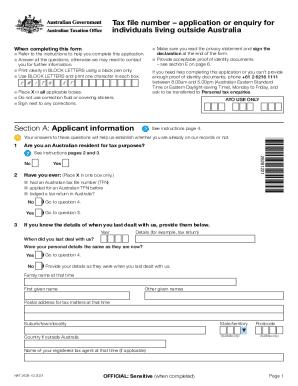
AU NAT 3092 2013 free printable template
pdfFiller is not affiliated with any government organization

Fill out
Complete the form online in a simple drag-and-drop editor.

eSign
Add your legally binding signature or send the form for signing.

Share
Share the form via a link, letting anyone fill it out from any device.

Export
Download, print, email, or move the form to your cloud storage.
Why pdfFiller is the best tool for your documents and forms


End-to-end document management
From editing and signing to collaboration and tracking, pdfFiller has everything you need to get your documents done quickly and efficiently.
Accessible from anywhere
pdfFiller is fully cloud-based. This means you can edit, sign, and share documents from anywhere using your computer, smartphone, or tablet.
Secure and compliant
pdfFiller lets you securely manage documents following global laws like ESIGN, CCPA, and GDPR. It's also HIPAA and SOC 2 compliant.
What is AU NAT 3092
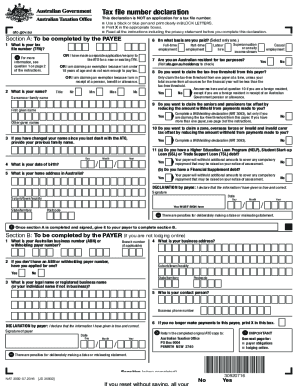
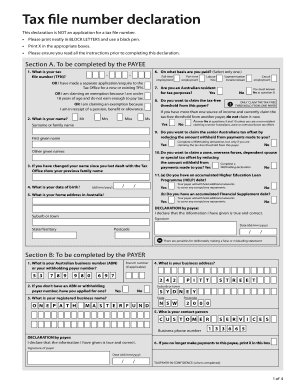
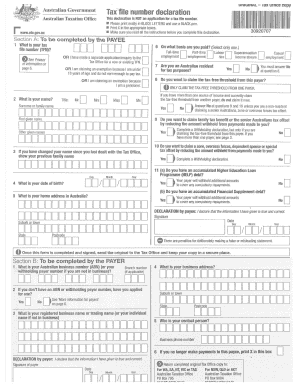
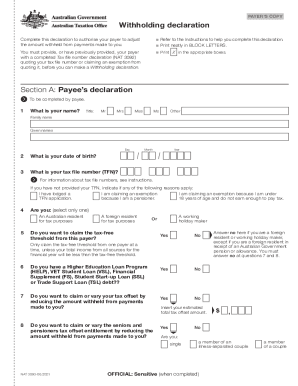
The Tax File Number Declaration is a tax form used by Australian taxpayers to provide their tax file number (TFN) to their payer, ensuring proper tax processing.
pdfFiller scores top ratings on review platforms




Good product. Wish it would have been around for many years.
A great help! Has helped me tremendously, understanding and filing all my divorce documents.
Great program. Has made current AIA project much easier!
Its very helpful for training I am giving!
Easy to use and easy to understand. This is a great product!
Convenient on many different document transactions.
Who needs AU NAT 3092?
Explore how professionals across industries use pdfFiller.

AU NAT 3092 is needed by:
-
Australian employees needing to provide a TFN to their employers
-
Self-employed individuals filing for tax benefits
-
Students applying for scholarships that require tax documentation
-
Freelancers who must declare their income for tax purposes
-
Businesses paying employees and needing accurate tax records
Comprehensive Guide to AU NAT 3092
What is the Tax File Number Declaration?
The Tax File Number Declaration is a crucial form used in Australia to facilitate effective tax processing. This form allows payees to provide their Tax File Number (TFN) to their payers, ensuring accurate tax calculations and compliance with Australian tax laws. The TFN itself is a unique identifier for individuals in the tax system, making it essential for tax-related processes.
Within the context of this form, a "payee" refers to the individual receiving payments, while a "payer" is the entity making those payments. The form serves to establish the necessary information for both parties to comply with tax regulations.
Purpose and Benefits of the Tax File Number Declaration
The primary purpose of the Tax File Number Declaration is to streamline the tax process for both payees and payers. By accurately filling out this form, payees can claim tax offsets, which may significantly reduce their overall tax liability.
Moreover, the form ensures that payees can declare any debts related to HELP or Financial Supplement schemes, reinforcing compliance with Australian tax laws. This structured approach not only benefits individuals but also aids payers in managing tax withholding accurately.
Who Needs to Complete the Tax File Number Declaration?
Both payees and payers are required to complete the Tax File Number Declaration to ensure proper tax handling. Payees include employees and individuals receiving any form of income or financial aid, which necessitates the completion of this form to facilitate accurate tax deductibility.
Payers, such as employers and financial institutions, must also complete relevant sections. It is essential for anyone who receives payments in Australia to understand when this form is required, including specific instances like job commencement or applying for financial aid.
How to Fill Out the Tax File Number Declaration Online
Filling out the Tax File Number Declaration online is a straightforward process. Here’s how to complete the form using pdfFiller’s platform:
-
Access pdfFiller’s website and navigate to the Tax File Number Declaration template.
-
Fill in your personal information, such as name, date of birth, and your TFN.
-
Declare any applicable tax offsets and debts related to HELP or Financial Supplement programs.
-
Review all entries for accuracy before submitting.
This online process offers ease of use and optimal security for personal information, ensuring peace of mind while completing tax-related documentation.
Field-by-Field Instructions for the Tax File Number Declaration
Completing the Tax File Number Declaration requires accuracy in several critical fields. Here are essential instructions for filling out the form:
-
Name: Enter your full name as it appears on official documents.
-
Date of Birth: Ensure the date format adheres to Australian standards.
-
Tax File Number: Enter your TFN without any spaces or formatting.
-
Offsets: Carefully indicate any tax offsets you intend to claim.
For the payer section, business details must be accurately filled in, alongside a declaration confirming the information’s correctness. It’s vital to double-check entries to avoid common filing errors.
How to Submit the Tax File Number Declaration
Submitting the Tax File Number Declaration can be done through multiple methods. You may choose between electronic submission or physical mailing, depending on your preferences and requirements.
If opting for electronic submission, ensure you have a reliable internet connection. When submitting by mail, find out if there are any associated fees or anticipated processing times. Tracking your submission and obtaining confirmation can provide assurance that it has been received and processed.
What Happens After You Submit the Tax File Number Declaration?
Once you submit the Tax File Number Declaration, you will enter a processing phase by the Australian Taxation Office (ATO). Typically, you can expect feedback within a specific timeline, which varies based on the submission method.
It’s crucial to monitor the application status through the ATO’s official channels. In the event of any issues or rejections, you will need to be prepared to address them promptly. Additionally, retaining a copy of your submission is important for your records, ensuring compliance and privacy are maintained throughout the process.
Security and Compliance for the Tax File Number Declaration
Concerns regarding the handling of sensitive information are valid, particularly with financial documents like the Tax File Number Declaration. PdfFiller implements stringent security measures, including 256-bit encryption and compliance with regulations such as HIPAA and GDPR.
Users can make their submissions with confidence, knowing that privacy is prioritized during the filing process. Ensuring the security of personal tax information not only protects individual data but also upholds compliance with Australian tax laws.
Use pdfFiller to Simplify Your Tax File Number Declaration Process
PdfFiller offers a user-friendly platform designed to streamline the Tax File Number Declaration process. With features such as fillable forms, eSigning capabilities, and comprehensive document management, users can efficiently complete their tax forms.
Many users have shared positive testimonials about how pdfFiller has enhanced their experience with form management. Accessing and managing forms is effortless on our platform, allowing you to focus on what matters most—your tax obligations.
How to fill out the AU NAT 3092
-
1.Access pdfFiller and search for the Tax File Number Declaration form to open it in your browser.
-
2.Once opened, familiarize yourself with the layout, including fields for both payee and payer details.
-
3.Gather necessary information such as your name, date of birth, tax file number (TFN), and any applicable tax offset or debt declarations before starting to fill out the form.
-
4.Begin by filling in the payee section, entering personal information accurately in the designated fields.
-
5.Next, navigate to sections for claiming tax offsets or declaring HELP debts, ensuring all relevant checkboxes are correctly selected.
-
6.Switch to the payer section and input the required business details, confirming the accuracy of the information entered.
-
7.Review all completed sections for correctness and completeness to avoid any submission errors.
-
8.Once satisfied with your inputs, save the form on pdfFiller to keep a copy for your records.
-
9.You may also download the form in your preferred file format or submit it directly through pdfFiller's sharing options.

Who is eligible to fill out the Tax File Number Declaration?
Any individual who is earning income in Australia and needs to provide their Tax File Number (TFN) to their payer, such as employees or contractors, is eligible to fill out this form.
What is the deadline for submitting the Tax File Number Declaration?
It is advisable to submit the Tax File Number Declaration as soon as you begin new employment or start receiving other taxable income to ensure correct tax withholding from your payments.
How do I submit the Tax File Number Declaration once completed?
You can submit the completed Tax File Number Declaration form directly to your employer or payer. If using pdfFiller, you may download the form and send it via email or upload it through their online system.
What supporting documents do I need to provide when submitting this form?
Usually, you will need to provide your Tax File Number (TFN) and personal identification information. There is no requirement for additional documentation unless specified by your employer.
What common mistakes should I avoid when filling out this form?
Be cautious not to provide incorrect personal information, such as your name or TFN, and ensure you check all boxes accurately, especially regarding offsets and debts to avoid processing delays.
How long does it take for the Tax File Number Declaration to be processed?
Processing times can vary, but generally, if submitted correctly, your employer will update your records with the information in a timely manner. Delays might occur if the form is incomplete.
Are there any fees associated with using the Tax File Number Declaration?
No, there are typically no fees associated with filling out or submitting the Tax File Number Declaration form as it is a standard document for tax compliance.
AU NAT 3092 Form Versions
Related Content
Related Forms




Related Catalogs
Get the latest insights from our blog


If you believe that this page should be taken down, please follow our DMCA take down process
here
.
This form may include fields for payment information. Data entered in these fields is not covered by PCI DSS compliance.