
Last updated on
Nov 7, 2026

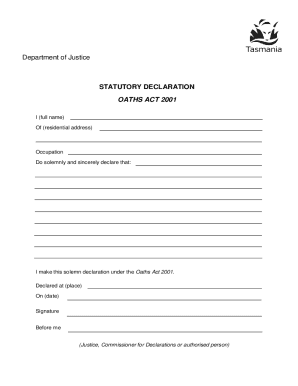
AU Form 1 Statutory Declaration - Queensland 2022 free printable template
We are not affiliated with any brand or entity on this form

Fill out
Complete the form online in a simple drag-and-drop editor.

eSign
Add your legally binding signature or send the form for signing.

Share
Share the form via a link, letting anyone fill it out from any device.

Export
Download, print, email, or move the form to your cloud storage.
Why pdfFiller is the best tool for your documents and forms


End-to-end document management
From editing and signing to collaboration and tracking, pdfFiller has everything you need to get your documents done quickly and efficiently.
Accessible from anywhere
pdfFiller is fully cloud-based. This means you can edit, sign, and share documents from anywhere using your computer, smartphone, or tablet.
Secure and compliant
pdfFiller lets you securely manage documents following global laws like ESIGN, CCPA, and GDPR. It's also HIPAA and SOC 2 compliant.
What is AU Form 1 Statutory Declaration - Queensland
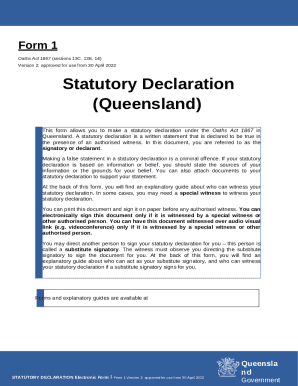
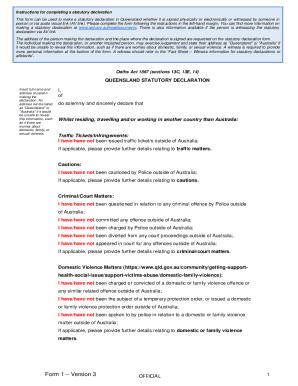
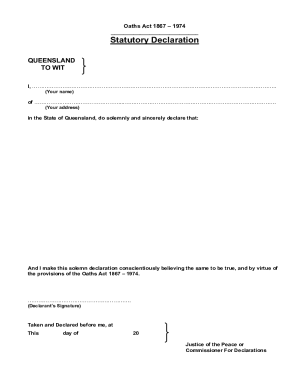
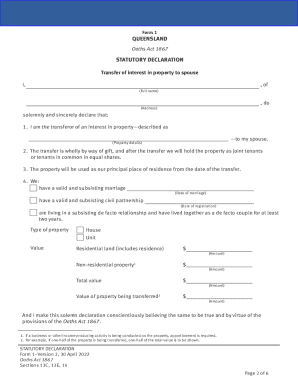
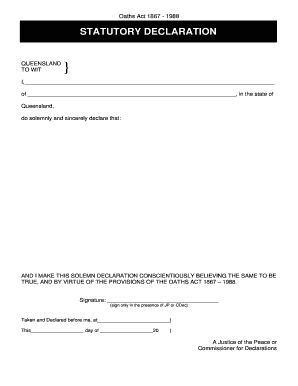
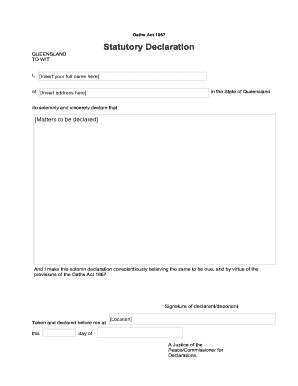
The Queensland Statutory Declaration Form 1 is a legal document used by residents in Queensland, Australia to make a statutory declaration under the Oaths Act 1867.
pdfFiller scores top ratings on review platforms




Who needs AU Form 1 Statutory Declaration - Queensland?
Explore how professionals across industries use pdfFiller.

AU Form 1 Statutory Declaration - Queensland is needed by:
-
Individuals making a personal declaration for legal purposes.
-
Witnesses who need to validate the declaration.
-
Substitute signatories for document execution.
-
Lawyers or legal advisors assisting with declarations.
-
Organizations requiring statutory declarations for official purposes.
-
Professionals conducting transactions that require legal affirmation.
Comprehensive Guide to AU Form 1 Statutory Declaration - Queensland
What is the Queensland Statutory Declaration Form 1?
The Queensland Statutory Declaration Form 1 is a legal document governed by the Oaths Act 1867. This form allows individuals to make a solemn declaration regarding various truths in a legal context. Truthfulness is paramount, as false declarations can lead to significant legal consequences, including potential penalties.
Purpose and Benefits of the Queensland Statutory Declaration Form 1
This form serves several purposes, especially in legal situations where formal acknowledgment is essential. By utilizing a statutory declaration, individuals gain clarity on their statements, which can be critical in various scenarios, such as court proceedings or applications for licenses. Benefits include:
-
Enhancing the legality of personal statements.
-
Providing a formal acknowledgment of facts.
-
Offering protection against fraud or misrepresentation.
Key Features of the Queensland Statutory Declaration Form 1
The Queensland Statutory Declaration Form 1 includes several critical sections designed for different roles. Each form consists of:
-
Declarant: This section requires personal details and the declaration statement.
-
Witness: An authorized individual must sign to validate the declaration.
-
Substitute Signatory: This optional section allows another person to sign on behalf of the declarant.
Additionally, the form supports electronic signing and witnessing via audio-visual links, providing flexibility in the signing process.
Who Needs to Use the Queensland Statutory Declaration Form 1?
Multiple audiences may find the Queensland Statutory Declaration Form 1 necessary. This includes:
-
Individuals needing to affirm the truth of a statement for personal matters.
-
Professionals requiring the document for business sanctions or legal proceedings.
-
Organizations needing declarations from clients or partners.
Common situations that necessitate the use of this form include legal disputes, applications for various permits, and personal matters involving property or custody.
How to Fill Out the Queensland Statutory Declaration Form 1 Online (Step-by-Step)
Filling out the Queensland Statutory Declaration Form 1 using pdfFiller is straightforward. Follow these steps to ensure accurate completion:
-
Access the form template on pdfFiller.
-
Input your full name and address in the designated fields.
-
Clearly state your declaration in the provided section.
-
Sign the document digitally or prepare for in-person witnessing.
-
Review the form for any inaccuracies before submission.
Pay special attention to fields that require your full name, address, and the essence of the declaration to avoid common errors.
Signing and Witnessing the Queensland Statutory Declaration Form 1
To validate the Queensland Statutory Declaration Form 1, both the declarant and an authorized witness must fulfill their signing obligations. Key requirements include:
-
The declarant must sign in front of an authorized individual.
-
Witnessing can occur through traditional wet signatures or digitally.
-
For remote witnessing, ensure compliance with state regulations regarding online verification.
Where and How to Submit the Queensland Statutory Declaration Form 1
The Queensland Statutory Declaration Form 1 can be submitted in various ways. Submission methods include:
-
Online through designated legal portals.
-
In-person at relevant legal offices or governmental agencies.
Be aware of state-specific submission requirements and any deadlines that may be pertinent to your situation.
Post-Submission: What to Expect After Filing the Queensland Statutory Declaration Form 1
After submitting the Queensland Statutory Declaration Form 1, you can expect confirmation of your submission. It is essential to monitor the status of your form through the appropriate channels. Potential outcomes include:
-
Approval of your declaration, allowing your statement to stand legally.
-
Notification for corrections if any issues arise.
-
Details about common reasons for rejections.
Security and Privacy Considerations for Queensland Statutory Declarations
Security and confidentiality are paramount when handling statutory declarations. pdfFiller employs robust security measures, including:
-
256-bit encryption to protect sensitive information.
-
Compliance with regulations such as HIPAA and GDPR.
Always ensure that any platform you use for handling statutory declarations adheres to these security standards.
Streamlining Your Process with pdfFiller
Using pdfFiller can significantly enhance your experience in completing and managing the Queensland Statutory Declaration Form 1. With features that simplify the process, benefits include:
-
Ease of use with a user-friendly interface.
-
Robust editing tools for modifying content as needed.
-
Secure electronic signing options.
Leveraging pdfFiller can lead to more efficient and accurate completion of your legal documents.
How to fill out the AU Form 1 Statutory Declaration - Queensland
-
1.To begin, visit pdfFiller's website and search for the Queensland Statutory Declaration Form 1 in the search bar.
-
2.Once located, click on the form to open it in pdfFiller's editing interface.
-
3.Before filling the form, gather necessary information such as your full name, address, and details about the declaration being made.
-
4.Navigate through the form fields using the intuitive interface of pdfFiller. Click on each blank field to input your details, ensuring accuracy.
-
5.Use the provided checkboxes to indicate whether you are signing electronically or in person.
-
6.If you are including a substitute signatory, complete their section as well, providing all required information.
-
7.After completing all sections, carefully review the form for any errors or missing information to ensure validity.
-
8.Once you are satisfied with your entries, use the option to save or download the completed form, selecting your preferred format.
-
9.Finally, if required, submit the form through the appropriate method outlined for your situation, whether electronically or by mail.

Who is eligible to use the Queensland Statutory Declaration Form 1?
Any resident of Queensland who needs to make a statutory declaration under the Oaths Act 1867 can use this form, including individuals who require witness validation.
What are the submission methods for this form?
The Queensland Statutory Declaration Form 1 can be submitted electronically if signed online or physically mailed to the required authority after signing in person.
Do I need to provide supporting documents with the form?
Typically, supporting documentation is not required with the statutory declaration itself, but check specific requirements based on your declaration purpose.
What common mistakes should I avoid when filling out this form?
Ensure that all fields are completed accurately, double-check the declaration’s contents for truthfulness, and confirm that all required signatures are obtained.
What is the processing time for submitted forms?
Processing times may vary depending on the agency or organization receiving the declaration, but they typically process statutory declarations promptly upon receipt.
Can I fill out this form electronically?
Yes, the Queensland Statutory Declaration Form 1 can be completed electronically using pdfFiller, allowing for easy editing, signing, and submission.
What are the fees associated with using this form?
There are generally no fees for completing the statutory declaration itself; however, fees may apply if you require document witnessing or legal assistance.
AU Form 1 Statutory Declaration - Queensland Form Versions
Related Forms

Get the latest insights from our blog


If you believe that this page should be taken down, please follow our DMCA take down process
here
.
This form may include fields for payment information. Data entered in these fields is not covered by PCI DSS compliance.