
Last updated on
Nov 7, 2026

MI Form 518 Schedule A - Liability Questionnaire 2018-2026 free printable template
pdfFiller is not affiliated with any government organization

Fill out
Complete the form online in a simple drag-and-drop editor.

eSign
Add your legally binding signature or send the form for signing.

Share
Share the form via a link, letting anyone fill it out from any device.

Export
Download, print, email, or move the form to your cloud storage.
Why pdfFiller is the best tool for your documents and forms


End-to-end document management
From editing and signing to collaboration and tracking, pdfFiller has everything you need to get your documents done quickly and efficiently.
Accessible from anywhere
pdfFiller is fully cloud-based. This means you can edit, sign, and share documents from anywhere using your computer, smartphone, or tablet.
Secure and compliant
pdfFiller lets you securely manage documents following global laws like ESIGN, CCPA, and GDPR. It's also HIPAA and SOC 2 compliant.
What is MI Form 518 Schedule A - Liability Questionnaire
The UIA Schedule A - Liability Questionnaire is a mandatory document used by employers in Michigan to evaluate their unemployment tax liability.
pdfFiller scores top ratings on review platforms




Who needs MI Form 518 Schedule A - Liability Questionnaire?
Explore how professionals across industries use pdfFiller.

MI Form 518 Schedule A - Liability Questionnaire is needed by:
-
Michigan business owners
-
Employers subject to unemployment taxes
-
Human resources personnel
-
Tax professionals preparing unemployment reports
-
Those registering for Michigan taxes
-
Businesses completing Form 518
Comprehensive Guide to MI Form 518 Schedule A - Liability Questionnaire
What is the UIA Schedule A - Liability Questionnaire?
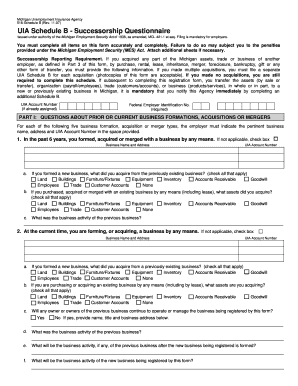
The UIA Schedule A form is a critical document for Michigan employers, originating from the Michigan Employment Security Act of 1936. This form is designed to determine an employer's liability concerning unemployment taxes. Employers must accurately complete this form to ascertain their financial obligations under state regulations. It is crucial to note that the UIA Schedule A is associated with other forms, such as Form 518, Registration for Michigan Taxes, and UIA Schedule B, the Successorship Questionnaire.
Purpose and Benefits of the UIA Schedule A - Liability Questionnaire
The UIA Schedule A is essential for Michigan employers as it identifies financial obligations tied to unemployment taxes. By ensuring compliance with state regulations, employers help prevent potential penalties that may arise from inaccuracies or omissions on the form. Filling out this questionnaire correctly not only streamlines tax processes but also reinforces financial accountability for businesses.
Who Needs the UIA Schedule A - Liability Questionnaire?
Understanding who qualifies as an employer in Michigan is vital for the proper use of the UIA Schedule A. New businesses registering for unemployment insurance will need to complete this form as part of their tax obligations. Additionally, existing businesses should revisit the questionnaire to reassess their tax liabilities and ensure they remain compliant with legal requirements.
When to File the UIA Schedule A - Liability Questionnaire
Timeliness in filing the UIA Schedule A is crucial for avoiding late fees or penalties. This form must be submitted simultaneously with Form 518 during the employer's registration process. Furthermore, there are quarterly filing requirements that follow the initial submission, making it imperative for employers to be aware of deadlines for each reporting period.
How to Fill Out the UIA Schedule A - Liability Questionnaire Online
Employers can fill out the UIA Schedule A online using the pdfFiller platform, which simplifies the process. Start by accessing the form and entering the UIA Account Number and Federal Employer Identification No. It is critical to ensure that all fields are completed accurately and thoroughly to comply with the requirements outlined in the form.
Common Errors and How to Avoid Them
Common mistakes when completing the UIA Schedule A include entering incorrect account numbers and missing checkboxes. To minimize errors, it is essential to review all entries carefully before submission. Double-checking compliance with the form's requirements can prevent issues that may arise during processing.
How to Sign the UIA Schedule A - Liability Questionnaire
When signing the UIA Schedule A, employers must understand the signature requirements in Michigan. Digital signatures are an acceptable form of signing, and instructions for eSigning via pdfFiller are straightforward. Meeting these signature requirements is crucial to ensure the validity of the submission.
Where to Submit the UIA Schedule A - Liability Questionnaire
Employers have multiple submission options for the UIA Schedule A, including online, by mail, or in-person. For those choosing to submit via mail or in-person, it's important to have the contact details for the Michigan Unemployment Insurance Agency (UIA) handy. After submission, tracking the status of the submission is advisable to ensure it has been received and processed appropriately.
What Happens After You Submit the UIA Schedule A - Liability Questionnaire?
After submitting the UIA Schedule A, employers can expect notifications or confirmations from the UIA. Following submission, the next steps may involve quarterly filings or additional paperwork to maintain compliance with tax obligations. Employers should also know how and when to check their application status with the UIA to stay informed.
Your Trusted Partner for Managing the UIA Schedule A - Liability Questionnaire
pdfFiller serves as a valuable tool for simplifying the UIA Schedule A completion process. It offers capabilities for editing, filling, and eSigning the necessary forms while ensuring security through 256-bit encryption. Utilizing pdfFiller for form management allows employers to handle their documentation with ease and confidence.
How to fill out the MI Form 518 Schedule A - Liability Questionnaire
-
1.Access pdfFiller and search for 'UIA Schedule A - Liability Questionnaire' in the form repository.
-
2.Open the form by clicking on it in the search results to load it into the editor.
-
3.Familiarize yourself with the form layout, noting fields such as 'UIA Account Number' and 'Federal Employer Identification No.' which require input.
-
4.Before filling out the form, gather your payroll records, employment history, and other required information to ensure accuracy.
-
5.Start filling out the blank fields, using pdfFiller’s text fields to input your data directly into the form.
-
6.Use the checkboxes for yes/no questions as applicable, ensuring you complete each section of the questionnaire.
-
7.Review each section carefully and refer to the provided instructions to confirm that all required fields are filled correctly.
-
8.Once the form is complete, utilize pdfFiller’s review feature to check for any missing information or errors.
-
9.Save your progress frequently in case you need to pause and return later using pdfFiller’s auto-save feature.
-
10.Finalize the form when all sections are complete; use the 'Download' option to save it to your device or the 'Submit' option to send it directly to the appropriate agency through pdfFiller.

Who is required to fill out the UIA Schedule A - Liability Questionnaire?
Employers in Michigan who must determine their liability for unemployment taxes are required to fill out this questionnaire. This includes business owners and HR professionals managing payroll.
What information is needed to complete the form?
You will need detailed payroll records, your UIA account number, federal tax identification number, and employment history for accurate completion of the UIA Schedule A.
When must this form be submitted?
The UIA Schedule A must be submitted along with Form 518 when registering for Michigan taxes. Timely submission is essential to avoid penalties related to unemployment tax liabilities.
Can the UIA Schedule A be filed electronically?
Yes, the form can be completed and submitted electronically through pdfFiller, streamlining the submission process to ensure compliance with Michigan’s regulations.
What are common mistakes to avoid when filling out the form?
Common mistakes include missing required fields, incorrect information entries such as UIA account numbers, and not reviewing the form before submission.
What are the processing times for submitting the UIA Schedule A?
Processing times vary, but typically it takes several weeks for the agency to review and process your submission after the form is filed correctly.
Are there any fees associated with submitting the UIA Schedule A?
No, there are no fees for submitting the UIA Schedule A - Liability Questionnaire, but ensure all information is accurate to prevent any complications.
MI Form 518 Schedule A - Liability Questionnaire Form Versions
Related Content
Related Forms



Get the latest insights from our blog


If you believe that this page should be taken down, please follow our DMCA take down process
here
.
This form may include fields for payment information. Data entered in these fields is not covered by PCI DSS compliance.