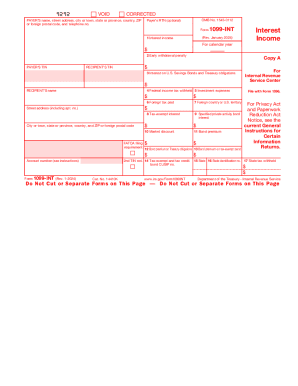
Form preview

IRS 1099-G 2022 free printable template


Get Form
pdfFiller is not affiliated with IRS
Screenshot
Screenshot
Screenshot

Get, Create, Make, and Sign IRS 1099-G

Edit your IRS 1099-G online
Type text, complete fillable fields, insert images, highlight or blackout data for discretion, add comments, and more.
Screenshot
Add your legally-binding signature
Draw or type your signature, upload a signature image, or capture it with your digital camera.
Screenshot
Share your form instantly
Email, fax, or share your IRS 1099-G via URL. You can also download, print, or export forms to your preferred cloud storage service.
Screenshot

Instructions and Help about IRS 1099-G

How to edit IRS 1099-G

To edit the IRS 1099-G form, utilize pdfFiller which provides tools for modifying text, adding signatures, and ensuring proper formatting. Simply upload your existing form, make the necessary changes, and save the updated document. Ensure all information is accurate before submission to avoid delays or errors in processing.

How to fill out IRS 1099-G

To fill out the IRS 1099-G form, follow these steps:
01
Obtain the form: You can get the IRS 1099-G either online or through the IRS office.
02
Enter payer information: Fill in the name, address, and Tax Identification Number (TIN) of the payer.
03
Enter recipient information: Provide the name, address, and TIN of the recipient.
04
Report payment amounts: Include the total amount of unemployment compensation, state or local tax refunds, and other relevant payments.
05
Check for accuracy: Review all entries to ensure they are correct.

About IRS 1099-G 2022 previous version

What is IRS 1099-G?

IRS 1099-G is a tax form used by states and local governments to report certain payments made to individuals. This includes unemployment compensation and state or local income tax refunds. The form is essential for taxpayers who need to report this income accurately on their federal tax returns.

Who needs the form?

Individuals who received unemployment compensation, tax refunds, or other governmental payments during the tax year must receive a 1099-G form. This is crucial for anyone who is required to report the income on their federal tax returns.

Components of the form

The key components of IRS 1099-G include:
01
Payer's name and TIN
02
Recipient's name and TIN
03
Box 1: Unemployment compensation
04
Box 2: State or local tax refunds
05
Additional boxes for other types of payments

What information do you need when you file the form?

When filing IRS 1099-G, you will need the payer's and recipient's names, addresses, and Tax Identification Numbers (TINs). You also need to know the total amount paid in unemployment compensation or any other reportable payments, which must be accurately reported on the form.

Where do I send the form?

The completed IRS 1099-G form should be sent to the IRS if you are the payer. The recipient keeps a copy of the form for their records and includes the information on their tax return. Ensure to verify the correct IRS mailing address based on the instructions provided for the specific tax year.

What is the purpose of this form?

The purpose of IRS 1099-G is to disclose income received by taxpayers from government sources, particularly unemployment benefits and tax refunds. It helps the IRS track payments made to individuals and ensures that these amounts are reported correctly for tax purposes.

When am I exempt from filling out this form?

You may be exempt from filling out IRS 1099-G if you did not receive any reportable payments, such as unemployment compensation or state tax refunds, during the tax year. Additionally, some states may have specific eligibility criteria for not needing the form if the amounts are below a certain threshold.

What are the penalties for not issuing the form?

Failure to issue IRS 1099-G forms when required can lead to penalties for the payer. The penalties vary based on how late the form is filed and can range from nominal fines for late submissions to more significant fines for not filing at all. It’s essential to comply with all deadlines to avoid these penalties.

Is the form accompanied by other forms?

IRS 1099-G is typically not submitted with other forms unless mandated by specific tax situations. However, recipients should be aware of possible accompanying documents if they are required to report multiple forms of income or deductions.

FAQ about IRS 1099-G

If you find a mistake on your IRS 1099-G after submission, you must file a corrected form. Be sure to mark the form as 'Corrected' and submit it to the IRS. Additionally, inform the recipient of the corrections you've made to ensure they have the updated information.

To check the status of your submitted IRS 1099-G, you can contact the IRS directly. They can provide updates on the processing status and advise you on any rejections you may encounter during e-filing. Having your submission details handy will help expedite this process.

Yes, when filing your IRS 1099-G electronically, ensure that you use a secure connection and trusted e-filing software. Additionally, it's crucial to maintain strong passwords and keep sensitive information safe to protect your data privacy while submitting tax information.

If you cannot meet the deadline for filing your IRS 1099-G, you can request an extension. However, be aware that an extension to file does not extend the time to pay any taxes due. Therefore, make sure to pay any estimated tax owed to avoid penalties.

Yes, you can authorize someone else, such as an accountant or tax preparer, to file your IRS 1099-G on your behalf. You will need to provide them with the necessary permissions, often through a Power of Attorney (POA) form, to ensure they can act on your behalf regarding this filing.

See what our users say

Read user feedback and try pdfFiller to explore all its benefits for yourself
I love every thing about this. I just wish you could also do a flip book.
Rebecca M
This program was easy to work with; however, I misunderstood that the forms I was trying to use were copyrighted and had to be completed in another manner. Customer service was very prompt in responding to questions; and, for the right forms, this would be an awesome service.
Karen H
See what our users say
Trust Seal
Trust Seal
Trust Seal
Trust Seal
Trust Seal
Trust Seal
Trust Seal
Trust Seal
Rate free form
4.8
satisfied
172 votes

How to Fill Out Small Business Tax Forms Online with pdfFiller

Struggling with your Schedule C or not sure how to file business taxes as a sole proprietor, LLC, or self-employed professional? This step-by-step pdfFiller tutorial walks you through completing IRS Schedule C quickly and accurately — no printing, no scanning, no stress. Whether you're handling small business tax deductions, tracking self-employed taxes, or preparing your full business tax return, pdfFiller makes it simple right in your browser.

If you believe that this page should be taken down, please follow our DMCA take down process here .
This form may include fields for payment information. Data entered in these fields is not covered by PCI DSS compliance.