
Last updated on
Nov 7, 2026
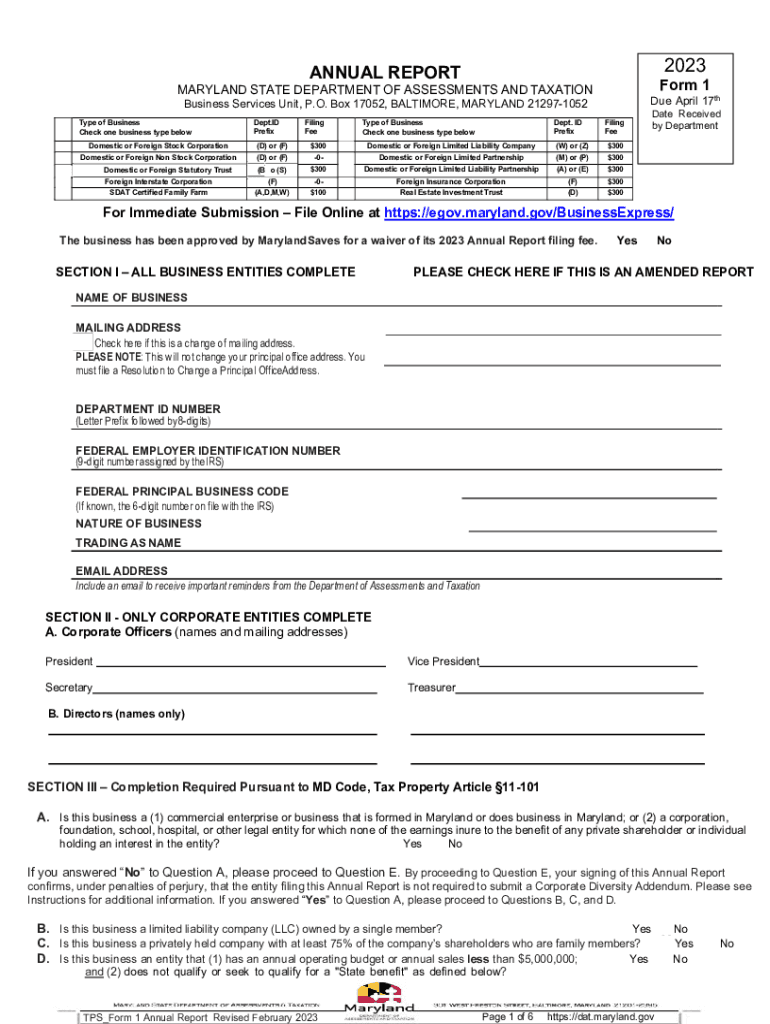
MD SDAT 1 2023 free printable template
pdfFiller is not affiliated with any government organization

Fill out
Complete the form online in a simple drag-and-drop editor.

eSign
Add your legally binding signature or send the form for signing.

Share
Share the form via a link, letting anyone fill it out from any device.

Export
Download, print, email, or move the form to your cloud storage.
Why pdfFiller is the best tool for your documents and forms


End-to-end document management
From editing and signing to collaboration and tracking, pdfFiller has everything you need to get your documents done quickly and efficiently.
Accessible from anywhere
pdfFiller is fully cloud-based. This means you can edit, sign, and share documents from anywhere using your computer, smartphone, or tablet.
Secure and compliant
pdfFiller lets you securely manage documents following global laws like ESIGN, CCPA, and GDPR. It's also HIPAA and SOC 2 compliant.
What is MD SDAT 1
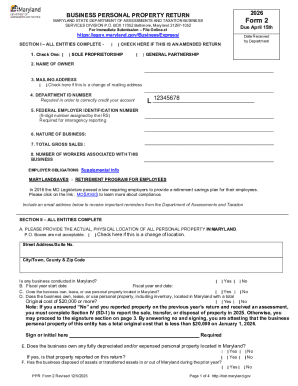
The Maryland Business Annual Report Form 1 is a tax document used by businesses in Maryland to report their annual business information to the Maryland State Department of Assessments and Taxation.
pdfFiller scores top ratings on review platforms




Only ever used Adobe in the past. Found this affordable option. It is fantastic. User friendly and effective app. I applied for a rental with a heap of forms to fill out and now our family are living in it. I accidentally signed the 1year subscription. Advised that I only wanted to use it during the trial period for a purpose and happy to pay for one month. They communication was quick and on point. They summarised and actioned exactly what I requested. Only charged me $30 for the month and cancelled my future subscription. I would happily use this again. Thank you.
Great assistance, quickly solved my problem.
very nice
Good
It was great
really easy to work with it and get the paper work done. I did recommended to some of my frieds.
Who needs MD SDAT 1?
Explore how professionals across industries use pdfFiller.

MD SDAT 1 is needed by:
-
Corporate Officers of Maryland businesses
-
Principal Entity members filing on behalf of the business
-
Business Owners in Maryland needing to declare their annual data
-
Accountants or Tax Preparers working with Maryland firms
-
Individuals preparing Personal Property Tax Returns for their enterprises
Comprehensive Guide to MD SDAT 1
What is the Maryland Business Annual Report Form 1?
The Maryland Business Annual Report Form 1 is a crucial document that businesses in Maryland must submit to report their annual information to the Maryland State Department of Assessments and Taxation. This form plays a vital role in ensuring compliance with state regulations, allowing businesses to maintain their active status.
Filing the Maryland form 1 is essential for demonstrating adherence to statutory obligations, and it includes essential information such as the business name, mailing address, and federal employer identification number. All submissions must meet the required filing deadlines to avoid penalties.
Purpose and Benefits of the Maryland Business Annual Report Form 1
This annual report serves not just as a compliance tool but also provides several benefits for businesses in Maryland. Timely submission ensures the company maintains good standing, which is critical for business operations and credibility.
By filing the Maryland annual report correctly and on time, businesses can avoid significant penalties. Additionally, fulfilling this requirement helps ensure adherence to local laws, which contributes to the overall health of the business entity.
Who Needs to File the Maryland Business Annual Report Form 1?
Various entities are required to submit the Maryland Business Annual Report Form 1. Typically, corporations and certain limited liability companies fall under this obligation.
-
Corporate Officers must sign the report, validating the accuracy of the information presented.
-
Principals of the entity may also be required to provide their signatures to authenticate the filing.
Understanding who needs to file is essential, as different business structures may have additional requirements based on their classification under Maryland law.
When to File the Maryland Business Annual Report Form 1
Filing deadlines for the Maryland Business Annual Report Form 1 are crucial for compliance. The due date for submission is typically April 17th of each year.
Businesses should be aware that late submissions could result in penalties. It’s advisable to track the due dates closely, especially considering any fiscal year differences that might affect filing timelines.
How to Fill Out the Maryland Business Annual Report Form 1
Filling out the Maryland Business Annual Report Form 1 involves several key steps. To ensure a smooth process, follow this step-by-step guide:
-
Gather all necessary documentation, such as the business's federal employer identification number and department ID number.
-
Access the official Maryland form 1 through the appropriate state website or platform.
-
Complete each section of the form, including the business name and address, ensuring all information is accurate.
-
Review the form for completeness before submission, focusing on signature and date requirements.
Completing the form correctly can prevent processing delays and potential issues with compliance.
Common Errors in Completing the Maryland Business Annual Report Form 1
Avoiding common pitfalls when completing the Maryland Business Annual Report Form 1 is essential for successful submission. Frequent errors include:
-
Missing signatures or incorrect dating on the form.
-
Inaccurate business information, such as incorrect federal employer identification numbers.
Utilize a review checklist to ensure all fields are correctly filled out, which can significantly reduce the chances of rejections or delays.
Submission Methods for the Maryland Business Annual Report Form 1
Once you have completed the Maryland Business Annual Report Form 1, several submission methods are available. Businesses may choose to file online through the state’s official portal or opt for traditional mailing.
-
Online filing offers immediate confirmation of submission, aiding in tracking the status of the form.
-
When mailing, ensure to keep proof of the mailing date to confirm compliance with filing deadlines.
Choosing the right submission method can simplify the filing experience and improve efficiency.
What Happens After You Submit the Maryland Business Annual Report Form 1?
After submitting the Maryland Business Annual Report Form 1, it is essential to understand the subsequent processes. Processing time can vary, but businesses should expect to wait for confirmation of receipt.
It's crucial to monitor the status of your submission, as further documentation or requirements may arise based on individual circumstances.
Why Use pdfFiller for the Maryland Business Annual Report Form 1?
pdfFiller streamlines the process of completing the Maryland Business Annual Report Form 1. This platform allows users to edit, eSign, and manage documents seamlessly from any web browser, eliminating the need for downloads.
With features that enhance usability like advanced editing tools and secure document handling, pdfFiller makes form-filling easier while ensuring compliance with filing requirements.
Get Started with Your Maryland Business Annual Report Form 1 Today!
Engaging with pdfFiller's resources provides a straightforward way to access and fill out the Maryland Business Annual Report Form 1 online. Ensuring compliance and submitting timely reports is critical for business longevity and success.
How to fill out the MD SDAT 1
-
1.To access the Maryland Business Annual Report Form 1 on pdfFiller, visit the pdfFiller website and log in or create an account if you don’t have one.
-
2.Once logged in, use the search bar to find the form by entering 'Maryland Business Annual Report Form 1'. Click on the form to open it in the editor.
-
3.Before you begin filling out the form, gather necessary information including your business name, mailing address, department ID number, federal employer identification number, and details about the nature of your business.
-
4.Navigate through the pdfFiller interface. Utilize the toolbar to fill in the required fields. Click on each field to enter information and use the checkboxes for selection where applicable.
-
5.Ensure that you complete all required sections of the form, paying particular attention to the areas designated for corporate officers and directors.
-
6.Once all fields are filled out, review the form thoroughly. Ensure that the information is accurate and complete, and that you have signed the form in the appropriate signature lines.
-
7.After completing your review, save your changes in pdfFiller. You can choose to download the document to your device or submit it directly through pdfFiller’s submission options.

Who is required to sign the Maryland Business Annual Report Form 1?
The form must be signed by a corporate officer or principal of the entity. This signature certifies the accuracy of the information provided in the report.
What is the submission deadline for the Maryland Business Annual Report Form 1?
The form is due by April 17th each year. It's important to file by this deadline to avoid penalties or late fees.
Can I file the Maryland Business Annual Report Form 1 online?
Yes, the Maryland Business Annual Report Form 1 can be filed online or submitted by mail. Online submissions can be completed through the Maryland State Department of Assessments and Taxation's website.
What information do I need to complete the form?
You will need your business name, mailing address, department ID number, federal employer identification number, and details about your business's nature. Ensure that you have all necessary data ready before starting the form.
What are common mistakes to avoid when completing the Maryland Business Annual Report?
Common mistakes include incomplete fields, incorrect business names or IDs, and missing signatures. Always double-check for accuracy and completeness before submission.
Is notarization required for this form?
No, notarization is not required for the Maryland Business Annual Report Form 1. However, a valid signature from a corporate officer or principal is mandatory.
How long does it take to process the Maryland Business Annual Report once submitted?
Processing times can vary, but typically, you should expect a response or confirmation from the Maryland State Department of Assessments and Taxation within a few weeks after submission.
MD SDAT 1 Form Versions
Related Content
Related Forms
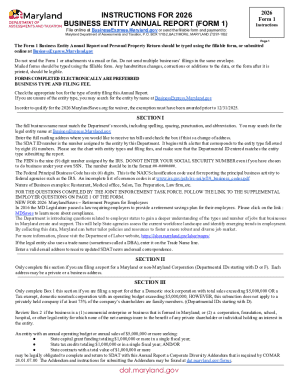
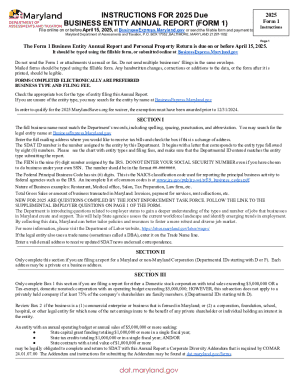


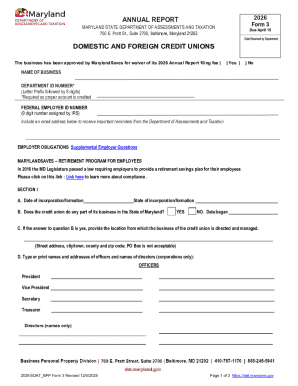


Get the latest insights from our blog


If you believe that this page should be taken down, please follow our DMCA take down process
here
.
This form may include fields for payment information. Data entered in these fields is not covered by PCI DSS compliance.