
Last updated on
Nov 7, 2026
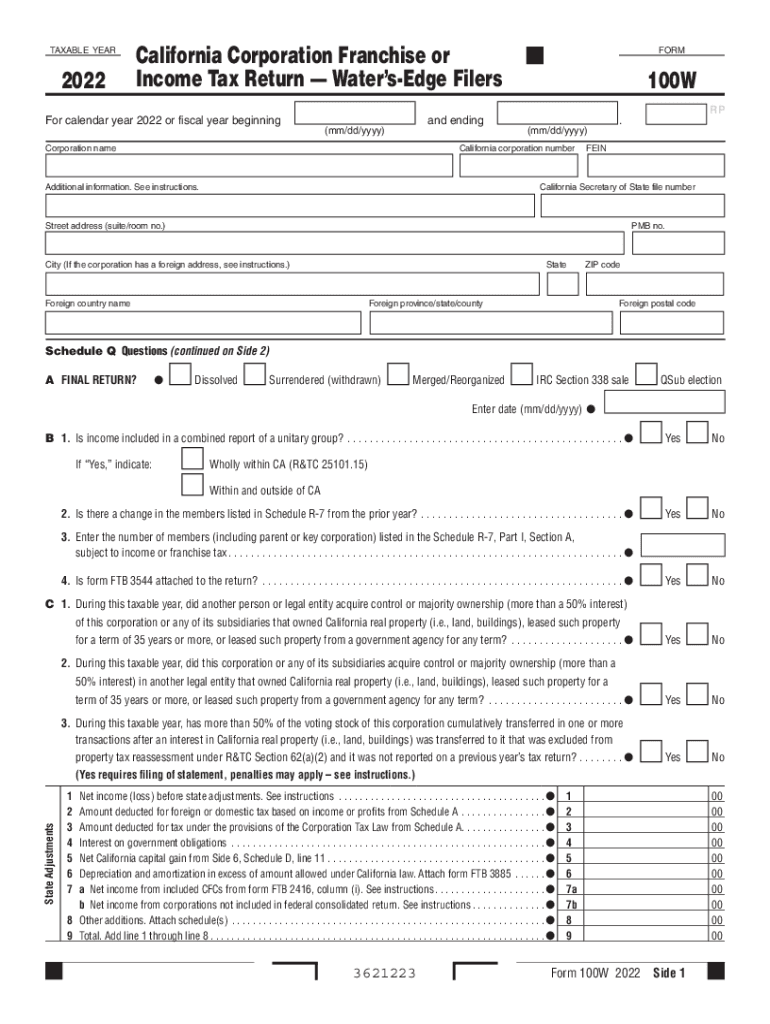
CA FTB 100W 2022 free printable template
pdfFiller is not affiliated with any government organization

Fill out
Complete the form online in a simple drag-and-drop editor.

eSign
Add your legally binding signature or send the form for signing.

Share
Share the form via a link, letting anyone fill it out from any device.

Export
Download, print, email, or move the form to your cloud storage.
Why pdfFiller is the best tool for your documents and forms


End-to-end document management
From editing and signing to collaboration and tracking, pdfFiller has everything you need to get your documents done quickly and efficiently.
Accessible from anywhere
pdfFiller is fully cloud-based. This means you can edit, sign, and share documents from anywhere using your computer, smartphone, or tablet.
Secure and compliant
pdfFiller lets you securely manage documents following global laws like ESIGN, CCPA, and GDPR. It's also HIPAA and SOC 2 compliant.
What is CA FTB 100W
The California Corporation Franchise or Income Tax Return 100W is a state income tax return used by corporations in California to report their income and calculate their tax liability for the taxable year 2022.
pdfFiller scores top ratings on review platforms




Who needs CA FTB 100W?
Explore how professionals across industries use pdfFiller.

CA FTB 100W is needed by:
-
California corporations filing income taxes
-
Officers of corporations required to sign tax forms
-
Tax professionals assisting corporate clients
-
Businesses with state tax obligations in California
-
Corporations reporting income adjustments and deductions
-
Companies needing to ensure franchise tax compliance
Comprehensive Guide to CA FTB 100W
What is the California Corporation Franchise or Income Tax Return 100W?
The California Corporation Franchise or Income Tax Return 100W is a fundamental tax form designed specifically for corporations operating within California. This form plays a critical role in ensuring that corporations accurately report their income and calculate their tax obligations for taxable year 2022. By utilizing this form, California corporations comply with state tax regulations and determine their tax liabilities appropriately.
Completing the California income tax form 100W is essential for corporations to ensure transparency and accuracy in reporting. Filing this form helps track income, deductions, and insights into the specifics of California's tax frameworks.
Purpose and Benefits of Filing the California 100W Tax Form
Filing the California Corporation Franchise or Income Tax Return 100W serves several important purposes for corporations. First, it assists in calculating the exact tax liability that a corporation may owe to the state. Second, compliance with this filing allows companies to avoid potential penalties and interest due to underreporting or late submissions.
Moreover, the form facilitates state adjustments, which can lead to potential refunds or tax credits. For corporations seeking to optimize their tax outcomes, understanding and leveraging the benefits of filing the California 100W tax form is invaluable.
Who Needs to File the California Corporation Franchise or Income Tax Return 100W?
Eligibility to file the California 100W tax form primarily includes various types of corporations operating within the state. Corporations must determine their necessity to file based on specific criteria outlined by the California Franchise Tax Board.
Water's-edge filers must pay particular attention to additional requirements unique to their situation. Understanding which corporate structures are mandated to submit this tax return ensures compliance with state tax laws.
When and How to File the California Corporation Franchise or Income Tax Return 100W
Corporations must be aware of key deadlines associated with the filing of the California 100W tax form. Timely submissions are crucial for avoiding penalties that may result from late filings. Corporations can submit their forms either online or via paper submission, with each method having its specific guidelines.
The required documentation for filing includes any supporting materials necessary to substantiate income claims and deductions. Failing to provide adequate documentation can disrupt the filing process and create compliance challenges.
How to Fill Out the California Corporation Franchise or Income Tax Return 100W Online
Using a platform such as pdfFiller simplifies the process of completing the California 100W tax form. Begin by accessing the fillable PDF and gather necessary information such as the corporation name and California corporation number.
-
Open the California 100W tax form on pdfFiller.
-
Input your corporation's identifying information into the specified fields.
-
Complete sections related to income and deductions with accurate data.
-
Review the form for any common errors before submission.
How to Sign and Submit Your California 100W Tax Form
The completion of the California 100W tax form requires a signature from an officer of the corporation. There are differing requirements for digital signatures compared to traditional wet signatures, and corporations must ensure compliance with these regulations.
Corporations can submit their completed form through various methods, which are outlined on the California Franchise Tax Board website. Tracking options are available post-submission to confirm that your filing has been received and is being processed.
Common Issues and Solutions When Filing the California Corporation 100W
Filing the California 100W tax form can present several challenges, often leading to common rejection reasons. Understanding these issues is key to resolving them effectively.
-
Withholding items such as complete support documentation may lead to filing rejection.
-
Submitting an incomplete form or incorrect calculations can necessitate amendments.
-
Maintaining proper record retention is crucial for compliance with state regulations.
Security and Compliance When Using the California 100W Tax Form
When handling sensitive documents like the California Corporation Franchise or Income Tax Return 100W, security is paramount. pdfFiller ensures the use of 256-bit encryption, adhering to HIPAA and GDPR standards, which protects your personal and corporate information during the filing process.
Additionally, corporations must be mindful of privacy considerations and data protection while operating within the filing framework. Retaining records post-filing in alignment with state requirements fortifies compliance and security.
Enhance Your Filing Experience with pdfFiller
Utilizing pdfFiller significantly enhances the experience of completing the California 100W tax form. The platform offers user-friendly features that streamline filling, editing, and signing processus online.
Many users have reported a positive experience with pdfFiller for their tax form needs, benefiting from its versatility and ease of use for complex tax filings such as the California 100W tax form.
How to fill out the CA FTB 100W
-
1.To access the California Corporation Franchise or Income Tax Return 100W on pdfFiller, go to the website and search for the form by entering its name or form number in the search bar.
-
2.Once you find the form, click on it to open it in the pdfFiller editor. You will see the form displayed with interactive fields where you can enter your information.
-
3.Before filling out the form, gather the necessary information such as your corporation's name, address, California corporation number, and details on income, deductions, and any state adjustments.
-
4.Begin completing the form by clicking on each field to enter the required information. Use pdfFiller's tools to fill out blank spaces or select checkboxes where applicable.
-
5.As you complete sections related to your income and tax calculations, ensure you input accurate numbers to prevent mistakes that could lead to complications later.
-
6.After filling out the form, take a moment to review the information to ensure everything is correct. You can use the 'Preview' feature to see the completed document as it will look when printed.
-
7.To finalize your form, you can save it directly to your pdfFiller account or download it to your device in PDF format for printing.
-
8.If required, you can submit the form directly through pdfFiller by using their e-signature option, or you can print it out and mail it according to California's submission guidelines.

Who needs to file the California Corporation Franchise or Income Tax Return 100W?
California corporations that need to report their income and calculate their tax obligations for the taxable year must file this return. It is specifically required for corporations that have income or deductions to report.
What is the deadline for submitting the California 100W tax return?
The California Corporation Franchise or Income Tax Return 100W is typically due on the 15th day of the 4th month after the end of the corporation's fiscal year. Ensure to check specific deadlines based on your corporation's tax year.
What documents do I need to prepare to complete the 100W form?
You will need your corporation's financial records, including income statements, deduction details, and any prior tax filings related to state income. Collect these documents before starting to ensure a smooth filling process.
How can I submit the California 100W form once completed?
You can submit the California 100W form electronically via pdfFiller, or you can print it for mailing. Be sure to follow California’s guidelines for submission methods to ensure proper filing.
What are common mistakes to avoid while filling out the 100W form?
Common mistakes include forgetting to sign the form, entering incorrect financial information, or failing to include necessary attachments. Double-check all entries and ensure your officer signs where required to avoid issues.
What are the processing times for the California Corporation Tax Return?
Processing times for the California Corporation Franchise or Income Tax Return can vary based on the submission method. E-filing typically results in faster processing compared to paper submissions, which can take longer.
Is notarization required for the California 100W tax return?
No, notarization is not a requirement for submitting the California Corporation Franchise or Income Tax Return 100W. However, it must be signed by an authorized officer of the corporation.
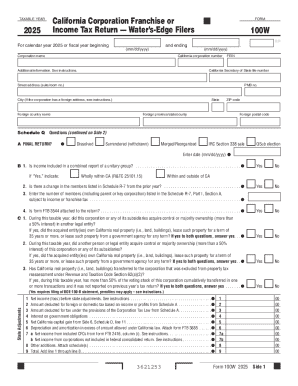
CA FTB 100W Form Versions
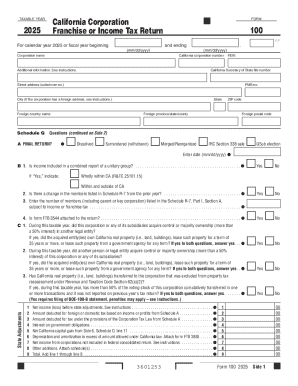
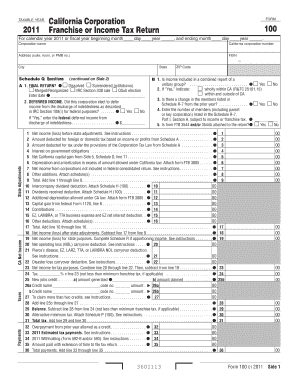
Related Forms



Get the latest insights from our blog


If you believe that this page should be taken down, please follow our DMCA take down process
here
.
This form may include fields for payment information. Data entered in these fields is not covered by PCI DSS compliance.