
Last updated on
Nov 9, 2026
73080-R1-V1 free printable template
We are not affiliated with any brand or entity on this form

Fill out
Complete the form online in a simple drag-and-drop editor.

eSign
Add your legally binding signature or send the form for signing.

Share
Share the form via a link, letting anyone fill it out from any device.

Export
Download, print, email, or move the form to your cloud storage.
Why pdfFiller is the best tool for your documents and forms


End-to-end document management
From editing and signing to collaboration and tracking, pdfFiller has everything you need to get your documents done quickly and efficiently.
Accessible from anywhere
pdfFiller is fully cloud-based. This means you can edit, sign, and share documents from anywhere using your computer, smartphone, or tablet.
Secure and compliant
pdfFiller lets you securely manage documents following global laws like ESIGN, CCPA, and GDPR. It's also HIPAA and SOC 2 compliant.
What is 73080-R1-V1
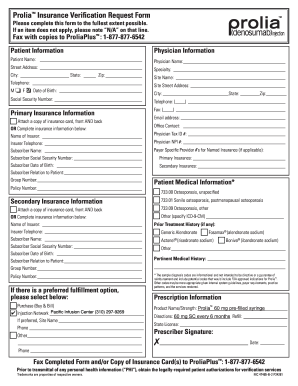
The Prolia Insurance Verification Request Form is a patient consent form used by patients and physicians to verify insurance coverage for Prolia®, a medication for osteoporosis.
pdfFiller scores top ratings on review platforms




Who needs 73080-R1-V1?
Explore how professionals across industries use pdfFiller.

73080-R1-V1 is needed by:
-
Patients interested in Prolia® treatment
-
Healthcare providers and physicians prescribing Prolia®
-
Insurance companies processing medical benefit inquiries
-
Pharmacies dispensing Prolia®
-
Medical office personnel handling insurance verifications
-
Clinical staff involved in patient care documentation
Comprehensive Guide to 73080-R1-V1
What is the Prolia Insurance Verification Request Form?
The Prolia Insurance Verification Request Form is designed to facilitate the verification of insurance coverage for Prolia®, an effective treatment for osteoporosis. This form collects essential patient and physician information to confirm insurance reimbursement and ensure a smooth treatment process.
Prolia® is a medication that helps strengthen bones and reduce the risk of fractures in individuals diagnosed with osteoporosis. Verifying insurance coverage using this form is critical, as it ensures that patients can access necessary treatments without undue delays.
Purpose and Benefits of the Prolia Insurance Verification Request Form
This form is crucial for patients and physicians for several reasons. First, it streamlines the insurance verification process, allowing for quicker approvals and reduced waiting periods. Second, effective communication between patients, healthcare providers, and insurance companies is facilitated, helping everyone stay informed.
Another significant benefit is its role in ensuring that patients have timely access to Prolia® treatment, which is vital for managing osteoporosis effectively.
Key Features of the Prolia Insurance Verification Request Form
The Prolia Insurance Verification Request Form includes several key features that enhance its functionality:
-
Required fields for essential information, such as Patient Name and Physician Name.
-
A fillable format that allows for easy completion and clarity.
-
Instructions for filling out the form to ensure accuracy and thoroughness.
Providing complete and correct information is imperative for efficient insurance verification.
Who Needs the Prolia Insurance Verification Request Form?
Various stakeholders benefit from using the Prolia Insurance Verification Request Form. Primary users include:
-
Patients seeking Prolia® treatment, who play a role in submitting the form.
-
Physicians who are responsible for signing and verifying the provided patient information.
-
Insurance providers who process and respond to the completed forms.
This collaborative effort is essential for the smooth processing of insurance claims.
How to Fill Out the Prolia Insurance Verification Request Form Online (Step-by-Step)
Filling out the Prolia Insurance Verification Request Form online involves several steps:
-
Visit the form on the pdfFiller platform.
-
Enter the Patient Name and Physician Name in the designated fields.
-
Fill out the rest of the required information, ensuring all sections are complete.
-
Review the details to avoid inaccuracies.
-
Submit the form electronically for processing.
Before starting, gathering necessary information will streamline the process and enhance accuracy.
Common Errors and How to Avoid Them When Filling Out the Prolia Insurance Verification Request Form
There are several common errors that users should be mindful of when completing the form:
-
Omitting required signatures from the patient or physician.
-
Providing incorrect or incomplete insurance information.
-
Failing to double-check all entries before submission.
To avoid these issues, best practices include thorough reviews of all submitted information and confirming that all signatures are in place.
Where and How to Submit the Prolia Insurance Verification Request Form
Once the Prolia Insurance Verification Request Form is completed, users have several submission options:
-
Online submission through pdfFiller for immediate processing.
-
Email submission to the designated insurance provider.
-
Traditional mail for users who prefer paper submissions.
It's advisable to track your submission to confirm receipt and avoid potential delays associated with late submissions.
What Happens After You Submit the Prolia Insurance Verification Request Form?
After submitting the Prolia Insurance Verification Request Form, insurance companies take specific actions. Here’s what to expect:
-
The submitted form will be reviewed by the insurance provider.
-
Patients and physicians will receive a confirmation of receipt, usually within a specific waiting period.
-
If the form is rejected or requires correction, you should be prepared to take further action as instructed by the insurance representative.
Understanding this process helps manage expectations for all parties involved.
Security and Compliance for the Prolia Insurance Verification Request Form
When utilizing the Prolia Insurance Verification Request Form, security is a top priority. pdfFiller employs several security measures, including:
-
256-bit encryption to protect sensitive information.
-
Compliance with HIPAA regulations, ensuring patient privacy.
-
Adherence to data protection standards, reinforcing user trust.
These steps are crucial for maintaining the integrity of medical documents and the confidentiality of patient information.
Experience Seamless Form Filling with pdfFiller
Using pdfFiller for your Prolia Insurance Verification Request Form offers several advantages. The platform is cloud-based, allowing easy access without needing downloads. Users can enjoy features such as:
-
eSigning capabilities for outright consent and approval.
-
Direct online editing and filling of forms.
Embrace the convenience of pdfFiller to enhance your form submission experience efficiently.
How to fill out the 73080-R1-V1
-
1.Access and open the Prolia Insurance Verification Request Form on pdfFiller by searching for its title in the document library or using a direct link provided by your healthcare provider.
-
2.Once the form is open, navigate through the document using pdfFiller's user-friendly interface. Click on the fields to fill in the necessary information.
-
3.Before completing the form, gather all required information including patient details, physician information, and insurance provider specifics to ensure accuracy.
-
4.Carefully enter the patient name, physician name, and any other required information in the blank fields provided. Utilize checkboxes where applicable based on your insurance coverage specifics.
-
5.Review all entered information thoroughly to confirm accuracy. Ensure the physician's signature field is completed by the authorized physician.
-
6.Once the form is fully completed, save your progress to avoid losing any entered information. You can also download a copy for your records.
-
7.To submit the form, follow the submission instructions provided, which may include sending the completed form via email or fax to the appropriate insurance company.

Who is eligible to use the Prolia Insurance Verification Request Form?
The Prolia Insurance Verification Request Form is designed for patients needing Prolia treatment and their physicians to verify insurance coverage.
What is the deadline for submitting the form?
While this form does not specify a deadline, it is advisable to submit it as soon as possible to avoid delays in treatment approval.
How do I submit the completed Prolia Insurance Verification Request Form?
After completing the form, you typically submit it directly to your insurance provider via email or fax. Confirm the correct submission method with your provider.
What supporting documents are required with this form?
In most cases, you may need to attach a copy of your insurance card and any medical records related to your osteoporosis treatment. Check with your insurance provider for specifics.
What common mistakes should I avoid when filling out this form?
Common errors include missing signatures, incorrect patient or physician information, and failing to check all necessary boxes. Ensure all fields are completed before submitting.
How long does it take to process the insurance verification?
Processing times may vary by insurer but typically range from a few days to several weeks. Always follow up with your provider to check the status.
Is notarization required for the Prolia Insurance Verification Request Form?
No, notarization is not required for this form, making the process simpler for patients and providers.
Related Forms


Related Catalogs
Get the latest insights from our blog


If you believe that this page should be taken down, please follow our DMCA take down process
here
.
This form may include fields for payment information. Data entered in these fields is not covered by PCI DSS compliance.