
Last updated on
Oct 30, 2026

CT PC-211 2013 free printable template
pdfFiller is not affiliated with any government organization

Fill out
Complete the form online in a simple drag-and-drop editor.

eSign
Add your legally binding signature or send the form for signing.

Share
Share the form via a link, letting anyone fill it out from any device.

Export
Download, print, email, or move the form to your cloud storage.
Why pdfFiller is the best tool for your documents and forms


End-to-end document management
From editing and signing to collaboration and tracking, pdfFiller has everything you need to get your documents done quickly and efficiently.
Accessible from anywhere
pdfFiller is fully cloud-based. This means you can edit, sign, and share documents from anywhere using your computer, smartphone, or tablet.
Secure and compliant
pdfFiller lets you securely manage documents following global laws like ESIGN, CCPA, and GDPR. It's also HIPAA and SOC 2 compliant.
What is CT PC-211
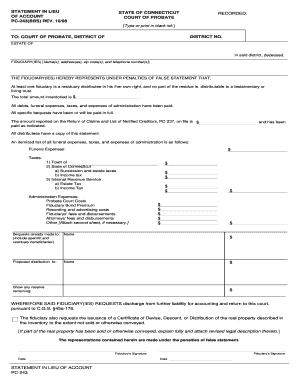
The Affidavit for Filing Will Not Submitted for Probate is a legal document used by Connecticut residents to file a will with the Probate Court when probate is not required.
pdfFiller scores top ratings on review platforms




Who needs CT PC-211?
Explore how professionals across industries use pdfFiller.

CT PC-211 is needed by:
-
Individuals settling an estate without assets
-
Family members of the deceased needing to file a will
-
Legal representatives or attorneys assisting with estate matters
-
Probate court officials reviewing filed wills
-
Estate executors fulfilling filing requirements
Comprehensive Guide to CT PC-211
Understanding the Affidavit for Filing Will Not Submitted for Probate
The Affidavit for Filing Will Not Submitted for Probate is a critical legal document in Connecticut that serves to notify the Probate Court about a will that will not undergo formal probate proceedings. This affidavit encapsulates key legal implications, particularly for situations where the deceased has not left any assets requiring administration.
This affidavit utilizes the specific form known as the PC-211. By understanding its purpose, individuals can better navigate the complexities of estate management and ensure compliance with Connecticut laws.
Purpose and Benefits of Using the Affidavit for Filing Will Not Submitted for Probate
Completing the affidavit correctly is essential for various reasons, particularly when there are no assets to undergo administration. By filing this document, you can simplify the probate process and ensure adherence to legal requirements.
Using this affidavit also facilitates the finalization of an estate without needing to engage in formal probate proceedings, which can be both time-consuming and costly.
Who Needs to Complete the Affidavit for Filing Will Not Submitted for Probate?
The primary individual required to complete the affidavit is the subscriber, who typically has a direct relationship with the deceased. Additionally, the roles of the judge or assistant clerk are integral to the signing process.
Subscribers must understand their responsibilities regarding the deceased's estate, and they should confidently determine when and if this affidavit is relevant to their situation.
Eligibility Criteria and Requirements for the Affidavit
Eligibility to file the affidavit is primarily determined by the relationship with the deceased. In Connecticut, the law sets specific requirements, such as having no assets that necessitate formal administration.
The affidavit mandates signatures from both the subscriber and an official such as a judge or assistant clerk, ensuring that the filing complies with legal standards.
How to Fill Out the Affidavit for Filing Will Not Submitted for Probate: A Step-by-Step Guide
Filling out the affidavit requires careful attention to detail in each section of the form. You'll need to provide information such as the name and address of the subscriber as well as their relationship to the deceased.
To minimize errors, follow these steps:
-
Start with the subscriber's information including name and address.
-
Clearly state the relationship to the deceased.
-
Complete each required field accurately to avoid common pitfalls.
-
Review the provided checklist to ensure all information is correct before submission.
Filing and Submission Process for the Affidavit in Connecticut
After completing the affidavit, it is essential to submit it to the appropriate Probate Court. Check for any associated fees that may apply during the filing process.
Understanding the deadlines for submission and what to expect post-filing can help streamline your interaction with the court system and track the status of your application.
Utilizing pdfFiller for Your Affidavit for Filing Will Not Submitted for Probate
pdfFiller provides a user-friendly platform for filling out the affidavit online, offering many advantages such as ease of use and enhanced security features. Users benefit from capabilities like eSigning and downloading without needing to download additional software.
By utilizing pdfFiller, you can enjoy a streamlined digital experience that simplifies legal form handling, making it accessible to anyone tasked with filing the affidavit.
Security and Compliance When Handling the Affidavit
When sharing sensitive information online, it is crucial to prioritize security. pdfFiller implements robust security measures, including 256-bit encryption, to protect your data.
Additionally, the platform complies with HIPAA and GDPR regulations, ensuring that users can trust pdfFiller for safe document management throughout the affidavit process.
What to Do After Filing Your Affidavit for Filing Will Not Submitted for Probate
Upon filing the affidavit, be prepared for various outcomes, including timelines for approval. Understanding these processes can help you manage expectations and navigate any subsequent steps.
If you need to correct or amend the affidavit, familiarize yourself with the procedures for making changes. Being aware of potential rejection reasons will also help ensure successful processing of your filing.
How to fill out the CT PC-211
-
1.Access the Affidavit for Filing Will Not Submitted for Probate (PC-211) on pdfFiller by searching for the form in the template library or entering the form name in the search bar.
-
2.Once the form loads, provide the required information by clicking on each field and entering the appropriate data as prompted.
-
3.Gather essential information beforehand, such as the name, address, and relationship of the subscriber to the deceased, along with the date.
-
4.Carefully fill in the fields such as 'Subscriber' and ensure that you complete any necessary checkboxes or sections as required.
-
5.Review your entries to ensure all information is accurate and complete before proceeding to submit the form.
-
6.Once satisfied with the information, save your progress on pdfFiller using the 'Save' function found in the toolbar.
-
7.Finally, you can download the completed form to your device, or submit it directly to the appropriate court through the provided submission options.

Who is eligible to use the Affidavit for Filing Will Not Submitted for Probate?
Any individual in Connecticut who is settling an estate where a will is involved but probate is not required can use this affidavit, including family members or legal representatives.
What is the deadline for submitting this affidavit?
There is no specific deadline for submitting the Affidavit for Filing Will Not Submitted for Probate; however, it is advisable to file it promptly after the death of the individual to ensure compliance with state laws.
How do I submit the completed affidavit?
You can submit the completed Affidavit for Filing Will Not Submitted for Probate by delivering it in person to the Probate Court in your district or by following any electronic submission methods provided by the court.
What supporting documents are needed with this affidavit?
Typically, no additional supporting documents are required with the affidavit itself, but having a copy of the deceased's will may be beneficial for reference.
What common mistakes should I avoid when filling out this form?
Ensure all fields are filled out completely, provide accurate information, and make sure to sign the document where required. Double-check for signature completion by both the subscriber and the judge or assistant clerk.
How long does it take for the Probate Court to process this affidavit?
Processing times can vary by district, but it is generally faster than full probate. You should contact your local Probate Court for specific processing timelines.
Is it necessary to notarize this document?
No, the Affidavit for Filing Will Not Submitted for Probate does not require notarization, which simplifies the filing process.
CT PC-211 Form Versions
Related Forms





Get the latest insights from our blog


If you believe that this page should be taken down, please follow our DMCA take down process
here
.
This form may include fields for payment information. Data entered in these fields is not covered by PCI DSS compliance.