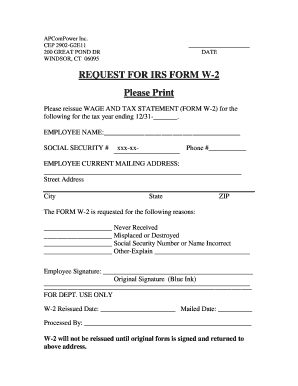
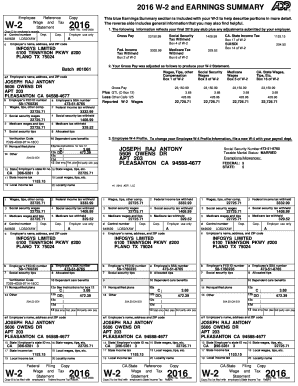
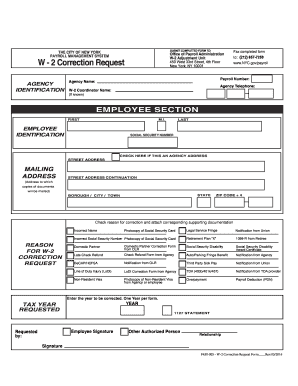
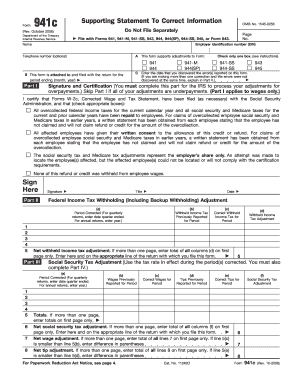
Form preview

IRS W-2c 2023 free printable template


Get Form
pdfFiller is not affiliated with IRS
Screenshot
Screenshot
Screenshot

Get, Create, Make, and Sign IRS W-2c

Edit your IRS W-2c online
Type text, complete fillable fields, insert images, highlight or blackout data for discretion, add comments, and more.
Screenshot
Add your legally-binding signature
Draw or type your signature, upload a signature image, or capture it with your digital camera.
Screenshot
Share your form instantly
Email, fax, or share your IRS W-2c via URL. You can also download, print, or export forms to your preferred cloud storage service.
Screenshot

Instructions and Help about IRS W-2c

How to edit IRS W-2c

To edit the IRS W-2c tax form, start by accessing the document through a platform that allows form modification, such as pdfFiller. Ensure that you input accurate information in the designated fields, correcting any errors from the original W-2 form. After making the necessary edits, review the changes thoroughly to avoid any additional discrepancies before printing or submitting the form.

How to fill out IRS W-2c

Filling out the IRS W-2c requires clear and specific information. Follow these steps to complete the form:
01
Obtain the form from the IRS website or a trusted tax service provider.
02
Enter the corrected data in the relevant boxes, such as employee's Social Security number and tax information.
03
Double-check the accuracy of the new entries against the original W-2 form.
Make sure to include a reason for the corrections in the provided section to clarify why a W-2c was issued. Once complete, save or print the document for submission.

About IRS W-2c 2023 previous version

What is IRS W-2c?

IRS W-2c stands for the “Corrected Wage and Tax Statement.” This form is used by employers to correct errors on previously issued W-2 forms. If any discrepancies are found in the earnings, tax withholding, or employee details, a W-2c should be filed to ensure accurate reporting to the IRS and the employee.

Who needs the form?

Employers are required to use IRS W-2c if they have issued a W-2 with errors that need rectification. Employees who notice discrepancies in their W-2 should notify their employer, who can then file the W-2c to amend the records. This is important for ensuring that reported income and taxes match IRS records.

Components of the form

The IRS W-2c consists of various sections that track wage and tax information. Key components include fields for the employee’s corrected name and Social Security number, as well as areas to report any revised amounts for wages, federal income tax withheld, and Social Security wages. Each correction must be clearly indicated to avoid confusion.

What information do you need when you file the form?

When filing the IRS W-2c, you'll need specific details including the original W-2 information, corrected wages, and the reasons for the changes. Additionally, it is essential to have the employee's original Social Security number and details about taxes withheld for accurate reporting.

Where do I send the form?

The completed IRS W-2c should be sent to the Social Security Administration (SSA) and a copy should be provided to the employee. The mailing address for the SSA varies by the employer's location, so it's best to consult the IRS instructions for the correct submission address. Additionally, ensure that electronic submission options are available if you are using software for filing.

What is the purpose of this form?

The primary purpose of the IRS W-2c is to correct previously filed wage and tax information. This form allows employers to fix mistakes such as incorrect names, Social Security numbers, or wage amounts reported on the initial W-2. Filing the W-2c helps maintain accurate tax records and ensures compliance with IRS regulations.

When am I exempt from filling out this form?

You may be exempt from filing IRS W-2c if there are no errors to correct on the original W-2 forms issued. Additionally, if the W-2 was accurate and in compliance with IRS guidelines, there is no need to submit a W-2c. Employers should also refrain from filing a W-2c for minor changes that do not affect tax liability or employee classification.

What are the penalties for not issuing the form?

Failure to issue IRS W-2c forms when corrections are necessary can lead to penalties imposed by the IRS. Employers may incur fines that may vary based on how late the forms are submitted, with potential charges ranging from $50 to $270 per form depending on the delay. These penalties emphasize the importance of timely and accurate correction filings.

Is the form accompanied by other forms?

The IRS W-2c does not require any additional forms unless specified by the IRS for particular situations. However, if the corrections affect other tax documents, such as 941 forms, it is advisable to file those concurrently to ensure full compliance with tax obligations.

FAQ about IRS W-2c

If you find a mistake after submission, it's essential to file an amended IRS W-2c promptly. This ensures that all incorrect information is updated in the IRS records, helping to avoid any potential issues with tax assessments or information matching.

To track your IRS W-2c, you can use the IRS's online tools or contact their support. It's important to keep your confirmation number and any relevant details handy, as this can help in verifying receipt and processing status more efficiently.

Common errors include incorrect employee information, missing signatures, and failing to check the correct box for the type of correction. Double-checking your entries can help prevent these issues and ensure accurate processing.

Yes, you'll need compatible software that adheres to IRS guidelines. Ensure that your browser is updated and that any security settings or firewalls won't block your submission. This helps ensure a smooth filing process.

See what our users say

Read user feedback and try pdfFiller to explore all its benefits for yourself
This program is so easy to use...any document can be converted in to a fillable form, and even saved as a Word doc. Really love this program!
Cindi S
Amending the future The software is designed to edit PDFs. Makes updating documents and personal files very easy. I wouldn't change anything for this product.
Kory O.
See what our users say
Trust Seal
Trust Seal
Trust Seal
Trust Seal
Trust Seal
Trust Seal
Trust Seal
Trust Seal
Rate free form
4.8
satisfied
66 votes

How to Fill Out Small Business Tax Forms Online with pdfFiller

Struggling with your Schedule C or not sure how to file business taxes as a sole proprietor, LLC, or self-employed professional? This step-by-step pdfFiller tutorial walks you through completing IRS Schedule C quickly and accurately — no printing, no scanning, no stress. Whether you're handling small business tax deductions, tracking self-employed taxes, or preparing your full business tax return, pdfFiller makes it simple right in your browser.

If you believe that this page should be taken down, please follow our DMCA take down process here .
This form may include fields for payment information. Data entered in these fields is not covered by PCI DSS compliance.