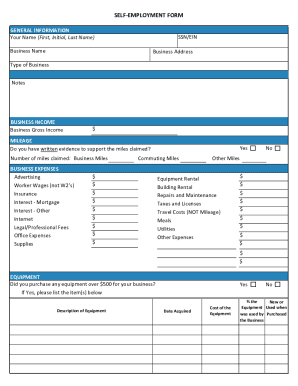
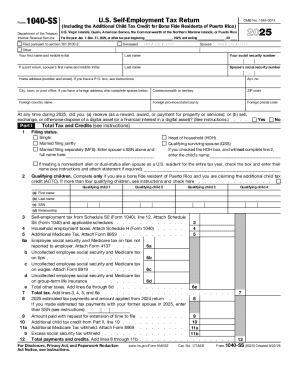
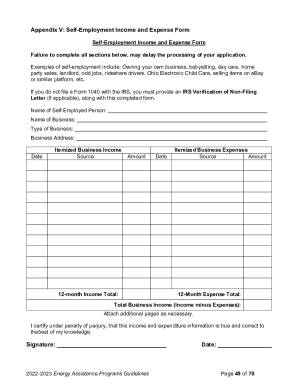
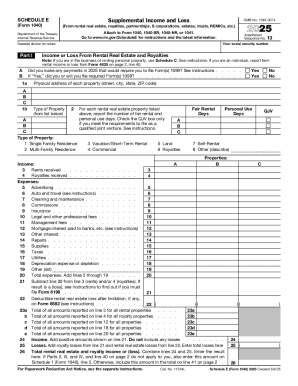
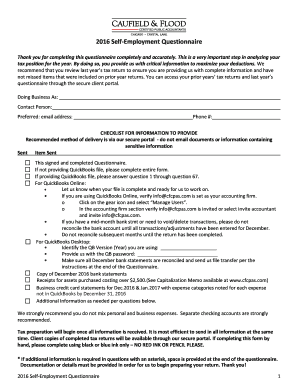
Form preview

IRS 1040 - Schedule SE 2013 free printable template


Get Form
pdfFiller is not affiliated with IRS
Screenshot
Screenshot
Screenshot

Get, Create, Make, and Sign IRS 1040 - Schedule SE

Edit your IRS 1040 - Schedule SE online
Type text, complete fillable fields, insert images, highlight or blackout data for discretion, add comments, and more.
Screenshot
Add your legally-binding signature
Draw or type your signature, upload a signature image, or capture it with your digital camera.
Screenshot
Share your form instantly
Email, fax, or share your IRS 1040 - Schedule SE via URL. You can also download, print, or export forms to your preferred cloud storage service.
Screenshot

Instructions and Help about IRS 1040 - Schedule SE

How to edit IRS 1040 - Schedule SE

To edit IRS 1040 - Schedule SE, use a reliable PDF editing tool such as pdfFiller. You can upload the form, make necessary modifications, and save the changes directly within the platform. Ensure that all information you provide is accurate and updated to avoid issues during processing.

How to fill out IRS 1040 - Schedule SE

Filling out the IRS 1040 - Schedule SE involves providing details about your self-employment income and calculating self-employment taxes. Start by entering your total net earnings from self-employment. Then, use the tax rate provided in the instructions to determine your self-employment tax. Follow the prompts to complete all required sections of the form.

About IRS 1040 - Schedule SE 2013 previous version

What is IRS 1040 - Schedule SE?

IRS 1040 - Schedule SE is the form used to calculate self-employment tax for individuals who earn income through self-employment. This form is an attachment to the main Form 1040, which reports your overall income to the IRS. The self-employment tax consists of Social Security and Medicare taxes, designed to ensure that self-employed individuals contribute to these federal programs.

When am I exempt from filling out this form?

You are exempt from filling out IRS 1040 - Schedule SE if your net earnings from self-employment are below $400. Additionally, certain religious exemptions may apply, allowing some individuals to opt-out of self-employment taxes. It is crucial to review IRS guidelines carefully to determine eligibility for any exemptions.

What are the penalties for not issuing the form?

Failure to file IRS 1040 - Schedule SE when required can result in significant penalties. The IRS may impose a penalty equal to 5% of the unpaid tax for each month the return is late, up to 25%. Additionally, interest accrues on unpaid taxes, further increasing the amount owed to the IRS. Compliance with filing requirements is critical to avoid these financial repercussions.

Is the form accompanied by other forms?

IRS 1040 - Schedule SE is often submitted alongside Form 1040, which is the main tax return for individuals. Depending on your specific tax situation, you may also need to include other schedules or forms that detail additional income or deductions. Ensure all forms are accurately completed and submitted together to meet IRS standards.

What is the purpose of this form?

The purpose of IRS 1040 - Schedule SE is to compute the self-employment tax owed by individuals with self-employment income. This tax is necessary for funding Social Security and Medicare benefits. Without this form, self-employed individuals cannot accurately report their earnings or calculate the taxes due, potentially leading to compliance issues with the IRS.

Who needs the form?

Self-employed individuals, independent contractors, and members of partnerships must file IRS 1040 - Schedule SE if they earn $400 or more in net self-employment income during the year. It is essential for anyone who receives income outside of traditional employment structures to ensure the correct taxes are reported and paid.

Components of the form

IRS 1040 - Schedule SE includes several key components that facilitate the calculation of self-employment tax. These components include your net earnings from self-employment, any applicable deductions, and the calculation sections that yield the total self-employment tax owed. Familiarizing yourself with these components can streamline the filing process.

What information do you need when you file the form?

When filing IRS 1040 - Schedule SE, you need your total self-employment earnings, any deductions related to self-employment, and total business expenses incurred throughout the year. Additionally, keep track of any applicable tax credits that may influence your overall tax calculation. Accurate documentation aids in a smoother filing process.

Where do I send the form?

Where to send IRS 1040 - Schedule SE depends on your filing method and state of residence. If filing by mail, refer to the IRS instructions for the current mailing address based on your location. For those filing electronically, ensure the form is included in your e-filing package with Form 1040 through approved tax software or services.

FAQ about IRS 1040 - Schedule SE

If you discover an error on your IRS 1040 - Schedule SE after submission, you can file an amended return using Form 1040-X. Make sure to include the correct information from your original schedule and explain the adjustments in the amendment. This process allows you to rectify any mistakes and ensure your tax records are accurate.

To verify the processing status of your IRS 1040 - Schedule SE, you can use the IRS 'Where's My Refund?' tool if expecting a refund or call the IRS directly for updates. Be prepared to provide your details such as Social Security number and filing status for inquiries.

Common errors when filing the IRS 1040 - Schedule SE include miscalculating self-employment tax, failing to report all income sources, and not applying the correct deductions. Ensuring accurate math and cross-referencing your income with supporting documents can help minimize mistakes.

If your IRS 1040 - Schedule SE is rejected, review the rejection code provided by the IRS to understand the issue. Correct the error and resubmit your form as soon as possible to avoid delays in processing your tax return.

See what our users say

Read user feedback and try pdfFiller to explore all its benefits for yourself
Great so far. Confused a bit as to the # of documents that I can store versus folders.
Jeff E
Love being able to fill out forms on computer vs printing out and handwriting in info that is sloppy and messy.
Anonymous Customer
See what our users say
Trust Seal
Trust Seal
Trust Seal
Trust Seal
Trust Seal
Trust Seal
Trust Seal
Trust Seal
Rate free form
4.3
satisfied
48 votes

How to Fill Out Small Business Tax Forms Online with pdfFiller

Struggling with your Schedule C or not sure how to file business taxes as a sole proprietor, LLC, or self-employed professional? This step-by-step pdfFiller tutorial walks you through completing IRS Schedule C quickly and accurately — no printing, no scanning, no stress. Whether you're handling small business tax deductions, tracking self-employed taxes, or preparing your full business tax return, pdfFiller makes it simple right in your browser.

If you believe that this page should be taken down, please follow our DMCA take down process here .
This form may include fields for payment information. Data entered in these fields is not covered by PCI DSS compliance.