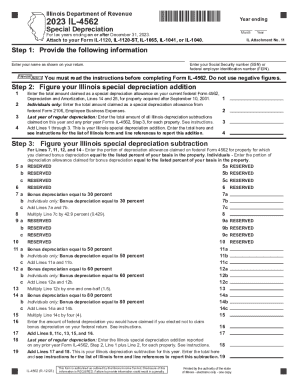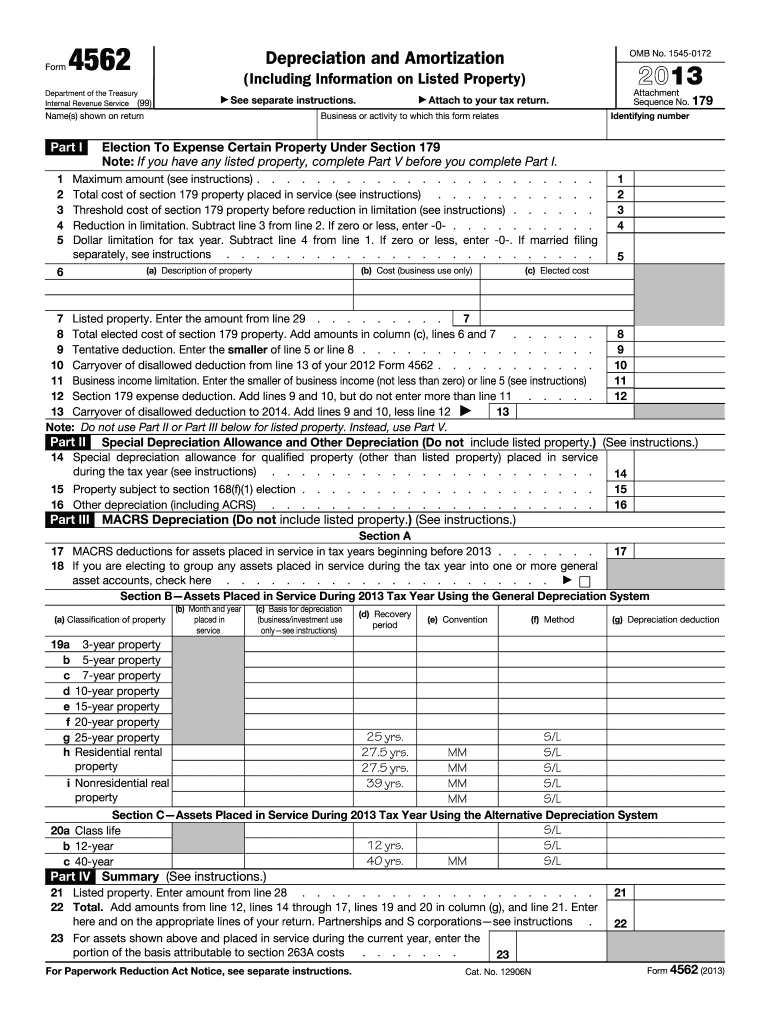
Form preview

IRS 4562 2013 free printable template


Get Form
pdfFiller is not affiliated with IRS
Screenshot
Screenshot
Screenshot

Get, Create, Make, and Sign IRS 4562

Edit your IRS 4562 online
Type text, complete fillable fields, insert images, highlight or blackout data for discretion, add comments, and more.
Screenshot
Add your legally-binding signature
Draw or type your signature, upload a signature image, or capture it with your digital camera.
Screenshot
Share your form instantly
Email, fax, or share your IRS 4562 via URL. You can also download, print, or export forms to your preferred cloud storage service.
Screenshot

Instructions and Help about IRS 4562

How to edit IRS 4562

Edit IRS 4562 using tools that allow you to modify text fields, add or remove signatures, and drop in attachments as needed. Ensure your edits are accurate, as errors can lead to penalties or delayed processing. pdfFiller offers features to make these adjustments straightforward and efficient.

How to fill out IRS 4562

To fill out IRS 4562, start by gathering all necessary information, such as the total cost of assets, depreciation methods, and any prior depreciation claimed. Completing the form involves detailing each asset, indicating its placed-in-service date, and specifying the depreciation deductions being claimed. Follow these steps:
01
Review the instructions provided with the form.
02
Enter the required asset information on the appropriate lines.
03
Calculate and list the total depreciation deductions.
04
Sign and date the form upon completion.

About IRS 4 previous version

What is IRS 4562?

IRS 4562 is the form used by taxpayers to claim depreciation on property or an asset over its useful life. This form captures related details for any property placed in service during the tax year and allows the reporting of bonus depreciation, Section 179 deductions, and other associated losses.

Who needs the form?

Taxpayers who purchase, improve, or dispose of depreciable business property during the year should complete IRS 4562. This includes both individuals and businesses seeking to deduct depreciation expenses effectively. Even if only one asset is being claimed, the form must be submitted accordingly.

Components of the form

IRS 4562 consists of several sections, including Part I for elections under Section 179, Part II for listed property, and additional parts for depreciation and amortization. Each part targets specific asset types and allows for different calculations based on the asset’s usage and applicable deductions.

What information do you need when you file the form?

When filing IRS 4562, you need to provide detailed information about each asset, including purchase date, acquisition costs, and chosen depreciation method. Records such as invoices, prior tax returns, and asset valuations will assist in accurately completing the form.

Where do I send the form?

The submission location for IRS 4562 depends on your tax filing method and state of residence. Generally, the form should be attached to your tax return and sent to the appropriate IRS address specified in the form instructions, usually based on your filing status and location.

What is the purpose of this form?

The purpose of IRS 4562 is to enable taxpayers to report information on the depreciation of property used in a trade or business. Proper completion of the form ensures compliance with the IRS regulations regarding asset depreciation and facilitates accurate tax filing.

When am I exempt from filling out this form?

You are exempt from filling out IRS 4562 if you do not have any assets subject to depreciation or your total asset acquisition costs fall below the established thresholds for reporting. It’s crucial to assess your financial activities carefully to determine your obligations accurately.

What are the penalties for not issuing the form?

Failing to issue IRS 4562 can result in substantial penalties, such as fines for underreporting income if depreciation is not adequately substantiated. Additionally, the IRS may disallow any deductions associated with the omitted asset, increasing overall tax liabilities.

Is the form accompanied by other forms?

IRS 4562 is often filed alongside Form 1040 or Form 1065, triggered by the need for asset depreciation reporting. Depending on your tax situation, other forms, such as Schedule C or Schedule E, may also require submission to define the context of your income and related deductions more clearly.

FAQ about IRS 4562

If you discover an error on your submitted IRS 4562, the best course of action is to file an amended return using Form 1040-X. Ensure that you include the corrected IRS 4562 form with the amendment to accurately reflect the changes and provide clarity to the IRS.

To check the status of your submitted IRS 4562, you can use the IRS 'Where's My Refund?' tool if you are expecting a refund, or contact the IRS directly for processing inquiries. Keep your tax information handy for verification purposes.

Yes, electronic signatures are accepted for the IRS 4562 when filed electronically. Your e-file software usually generates an electronic signature based on the information inputted, ensuring it's legally binding and secure.

In the event your IRS 4562 is rejected during e-filing, review the rejection code provided by the IRS. Address the specific issue, make the necessary corrections, and re-submit the form to ensure compliance and accuracy.

Common mistakes when filing the IRS 4562 include miscalculating depreciation amounts, failing to include necessary attachments, and incorrect reporting of asset information. Double-check your entries and consult IRS guidelines to minimize errors and omissions.

See what our users say

Read user feedback and try pdfFiller to explore all its benefits for yourself
This is the easiest PDF Filler that I have found. LOVE IT!
Fran G
So Far I am impressed with the easy to use features and cannot believe what you can do on the most complicated to simply documents. Highly recommend!!
Brittany A
Great service. Have used more than I thought I would!
Anonymous Customer
PDFfiller has saved me countless hours with converting documents to pdfs and back to word. The ability to complete forms online has been extremely useful.
Patti H
What do you like best?<br> Very easy to use, saved me many hours wasted on printing documents, signing them, scanning them. Perfect solution <br>What do you dislike?<br> Nothing to dislike the solution is complete <br>What problems are you solving with the product? What benefits have you realized?<br> Signing docs
User in Retail
Everything was easy to do. Very clear instructions. Highly recommend using this service and features.
William/B3
See what our users say
Trust Seal
Trust Seal
Trust Seal
Trust Seal
Trust Seal
Trust Seal
Trust Seal
Trust Seal
Rate free form
4.0
satisfied
22 votes

How to Fill Out Small Business Tax Forms Online with pdfFiller

Struggling with your Schedule C or not sure how to file business taxes as a sole proprietor, LLC, or self-employed professional? This step-by-step pdfFiller tutorial walks you through completing IRS Schedule C quickly and accurately — no printing, no scanning, no stress. Whether you're handling small business tax deductions, tracking self-employed taxes, or preparing your full business tax return, pdfFiller makes it simple right in your browser.

If you believe that this page should be taken down, please follow our DMCA take down process here .
This form may include fields for payment information. Data entered in these fields is not covered by PCI DSS compliance.