
Last updated on
Nov 9, 2026

DoL WH-381 2013 free printable template
pdfFiller is not affiliated with any government organization

Fill out
Complete the form online in a simple drag-and-drop editor.

eSign
Add your legally binding signature or send the form for signing.

Share
Share the form via a link, letting anyone fill it out from any device.

Export
Download, print, email, or move the form to your cloud storage.
Why pdfFiller is the best tool for your documents and forms


End-to-end document management
From editing and signing to collaboration and tracking, pdfFiller has everything you need to get your documents done quickly and efficiently.
Accessible from anywhere
pdfFiller is fully cloud-based. This means you can edit, sign, and share documents from anywhere using your computer, smartphone, or tablet.
Secure and compliant
pdfFiller lets you securely manage documents following global laws like ESIGN, CCPA, and GDPR. It's also HIPAA and SOC 2 compliant.
What is DoL WH-381
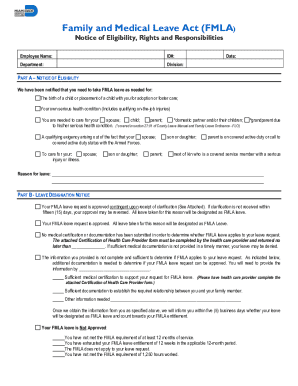
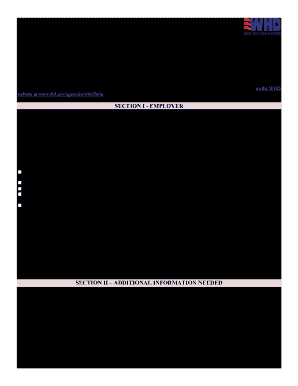
The Family and Medical Leave Act Notice of Eligibility and Rights is a government form used by employers to inform employees about their eligibility for FMLA leave and their rights under the act.
pdfFiller scores top ratings on review platforms




As a General Contractor I am loving the use of PDFfiller. I can fill PDF forms and send those to customers to sign and date.
Easy to use. Good tool to handle pdf document.
Who needs DoL WH-381?
Explore how professionals across industries use pdfFiller.

DoL WH-381 is needed by:
-
Employers required to inform employees about FMLA leave.
-
Employees considering FMLA leave in the United States.
-
HR professionals managing employee leave requests.
-
Legal advisors assisting clients with FMLA rights.
-
State and federal agencies overseeing labor regulations.
Comprehensive Guide to DoL WH-381
What is the Family and Medical Leave Act Notice of Eligibility and Rights?
The Family and Medical Leave Act (FMLA) Notice of Eligibility and Rights, expressed through the WH-381 form, serves a critical role in communicating an employee’s eligibility for FMLA leave and outlining their rights and responsibilities. This form is essential for both employers and employees, as it clarifies the legal standing regarding family and medical leave.
Key functions of this notice include informing the employee about their eligibility status and providing necessary documentation guidelines. Compliance with 29 C.F.R. § 825.300 mandates that employers supply this notice within five business days of being notified of an employee's need for leave.
Purpose and Benefits of the Family and Medical Leave Act Notice of Eligibility and Rights
The FMLA Notice of Eligibility is crucial for both employers and employees. Employees benefit from understanding their rights regarding family and medical leave, ensuring they can take necessary time without fear of losing their jobs. For employers, providing the notice is essential for compliance with federal regulations and helps in maintaining smooth workplace relations.
Non-compliance with issuing this form can lead to serious legal consequences for employers, including potential lawsuits and penalties. Thus, understanding the importance of the FMLA rights and responsibilities form is vital for both parties involved.
Key Features of the Family and Medical Leave Act Notice of Eligibility and Rights
The WH-381 form contains several essential components that streamlines the process of requesting leave. It includes checkboxes and fields that help employers designate the employee's eligibility status. Additionally, the form asks for important employee information and specifies documentation requirements in a clear manner.
Using a fillable form template can significantly benefit users by simplifying completion and reducing errors, ensuring that all required information is accurately reported.
Who Needs the Family and Medical Leave Act Notice of Eligibility and Rights?
This notice is primarily required for use by employers who must inform employees about their eligibility for family medical leave. Employees seeking FMLA leave benefits are the primary audience for this form, and it becomes essential in various scenarios, including medical emergencies and family caregiving situations.
Understanding who needs this form ensures that both parties are informed about their rights and responsibilities under the FMLA.
When to File or Submit the Family and Medical Leave Act Notice of Eligibility and Rights
The timeline for submitting the FMLA Notice of Eligibility is critical. Employers must provide this notice within a strict five-business-day window after the employee’s notification of their intent to take leave. Timely filing is significant for safeguarding employee rights, as delays can result in confusion and potential legal issues.
Best practices also include maintaining meticulous records of the notice submissions, which can serve as protective documentation in case of disputes.
How to Fill Out the Family and Medical Leave Act Notice of Eligibility and Rights Online
Filling out the FMLA Notice of Eligibility form online can be straightforward with the right guidance. Here are some steps to assist users:
-
Begin by entering the employee's personal information in the designated fields.
-
Utilize the checkboxes to indicate eligibility criteria.
-
Ensure that all required documentation sections are filled out completely.
-
Review all entered information for accuracy to avoid common errors.
-
Utilize online tools available for form completion, such as auto-fill options.
Submitting the Family and Medical Leave Act Notice of Eligibility and Rights
Proper submission of the notice is crucial for compliance. Employers can choose from various methods to submit the WH-381 form, including in-person delivery, email, or traditional mail. Alongside the form, submission of required supporting documents is often necessary to validate the leave request.
Tracking the submission ensures that confirmation is received, providing both parties peace of mind in the process.
What Happens After You Submit the Family and Medical Leave Act Notice of Eligibility and Rights
Once the form is submitted, employees can anticipate a response regarding their eligibility status. It’s important for employees to follow up if they do not receive timely feedback, as well-documented follow-ups can clarify their status more efficiently.
Failure to submit the form accurately or on time can lead to rejection of the leave request, underscoring the significance of meticulous attention to detail during the submission process.
Security and Compliance for Handling the Family and Medical Leave Act Notice of Eligibility and Rights
Handling the FMLA Notice of Eligibility requires adherence to security standards such as HIPAA and GDPR. Document security is essential to protect sensitive employee information. pdfFiller employs robust security measures, including 256-bit encryption, to ensure that user information remains confidential.
Users should take precautions when managing and sharing completed forms, following best practices for document security to prevent unauthorized access.
Maximizing Your Experience with pdfFiller for the Family and Medical Leave Act Notice of Eligibility and Rights
Utilizing pdfFiller tools can enhance the form management process significantly. The easy-to-use interface supports features like fillable forms and eSigning, which streamline the completion and submission of the WH-381 form.
pdfFiller also prioritizes document security and management, making it an invaluable resource for anyone dealing with the Family and Medical Leave Act Notice of Eligibility and Rights.
How to fill out the DoL WH-381
-
1.Access pdfFiller and search for the Family and Medical Leave Act Notice of Eligibility and Rights form using the search bar.
-
2.Open the form by clicking on it, which will then load the fillable template into the pdfFiller interface.
-
3.Before filling out the form, gather necessary information such as the employee's name, start date of leave, and any relevant medical documentation.
-
4.Begin filling out the form by entering the employee's details in the specified fields, using clear and legible writing.
-
5.Use the checkboxes provided to indicate eligibility criteria for FMLA leave based on the employee's situation.
-
6.If needed, use the instructions embedded in the form for guidance on what information is required for each section.
-
7.Review all entries on the form carefully to ensure accuracy and completeness before submitting or saving.
-
8.To finalize, click on the 'Save' button to retain a copy for records, or choose 'Download' if you need a physical file.
-
9.If required, you can also use the 'Submit' function to send the completed form directly to the employee or other relevant parties.

What are the eligibility requirements for FMLA leave?
To be eligible for FMLA leave, employees must have worked for the employer for at least 12 months and logged at least 1,250 hours of service during the past 12 months. Additionally, the employer must have at least 50 employees within a 75-mile radius.
What is the time frame for submitting the FMLA notice?
Employers must provide the Family and Medical Leave Act Notice of Eligibility and Rights form to employees within five business days after the employee notifies them of the need for FMLA leave.
How do I submit the completed FMLA notice?
After completing the FMLA notice, employers can either print it to physically hand over to the employee or use electronic submission methods available through platforms like pdfFiller.
What supporting documents are required with the FMLA form?
Employers may request medical certification or other documentation that supports the employee's leave request. This documentation should substantiate the need for FMLA leave based on the employee's specific circumstances.
What common mistakes should I avoid when completing the FMLA notice?
Common mistakes include failing to provide complete information, missing deadlines for notification, and not checking off all eligibility criteria. Always review the form thoroughly for accuracy before final submission.
How long does it take to process an FMLA leave request?
Processing times can vary, but employers are required to respond to leave requests and provide the FMLA notice within five business days of the employee's notification. After the notice is provided, the processing of medical certifications can take additional time.
Are there any fees associated with submitting the FMLA notice?
Typically, there are no fees associated with submitting the FMLA notice itself. However, employers should consult their legal advisors or HR department for any potential costs related to processing medical certifications or other leave documentation.
DoL WH-381 Form Versions
Related Content
Related Forms

Related Catalogs
Get the latest insights from our blog


If you believe that this page should be taken down, please follow our DMCA take down process
here
.
This form may include fields for payment information. Data entered in these fields is not covered by PCI DSS compliance.