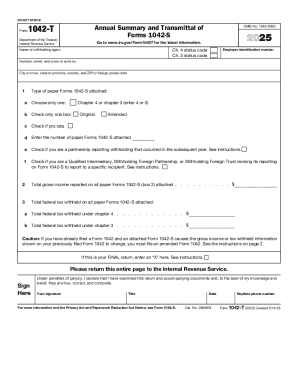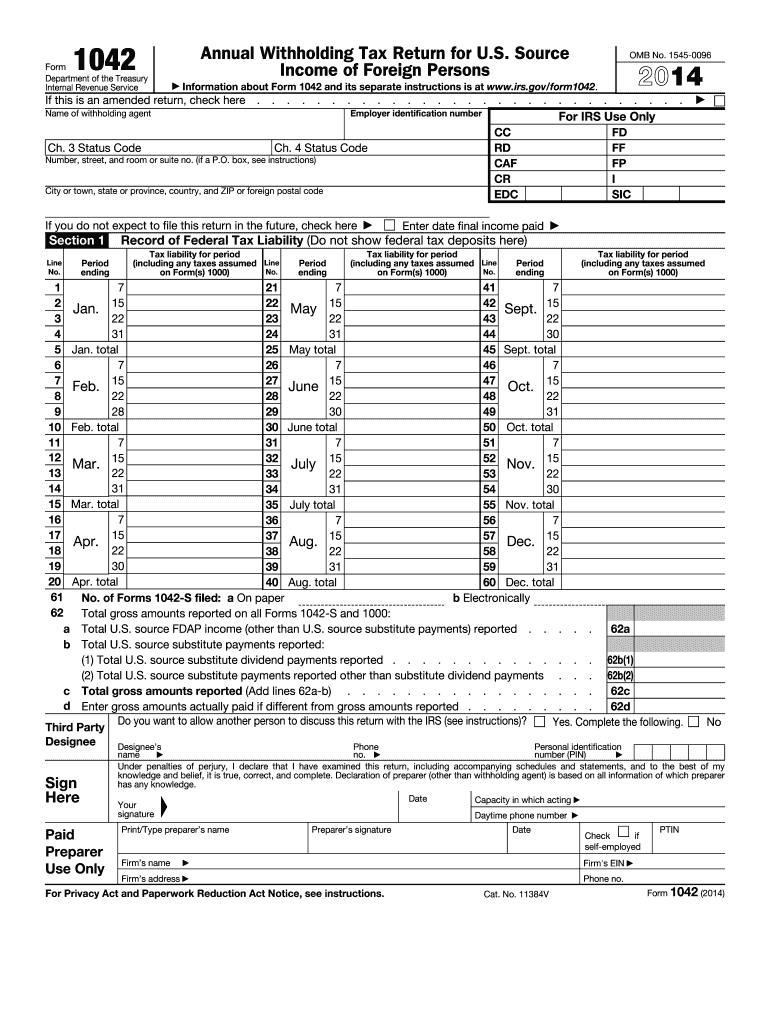
Form preview

IRS 1042 2014 free printable template


Get Form
pdfFiller is not affiliated with IRS
Screenshot
Screenshot
Screenshot

Get, Create, Make, and Sign IRS 1042

Edit your IRS 1042 online
Type text, complete fillable fields, insert images, highlight or blackout data for discretion, add comments, and more.
Screenshot
Add your legally-binding signature
Draw or type your signature, upload a signature image, or capture it with your digital camera.
Screenshot
Share your form instantly
Email, fax, or share your IRS 1042 via URL. You can also download, print, or export forms to your preferred cloud storage service.
Screenshot

Instructions and Help about IRS 1042

How to edit IRS 1042

To edit IRS 1042, use a reliable PDF editor such as pdfFiller, which allows you to make changes directly on the form. Ensure all edits are accurate and reflect the information required for your tax reporting. After editing, save the changes to maintain a record of your modifications.

How to fill out IRS 1042

Filling out IRS 1042 requires specific information about payments made to foreign entities. Here is a general guide to ensure correct completion:
01
Download the IRS 1042 form from the official IRS website.
02
Gather necessary information including names, addresses, and taxpayer identification numbers of the recipients.
03
Complete each section carefully, providing accurate details about the payments made during the tax year.
04
After filling out the form, review for any errors or missing information before submission.

About IRS previous version

What is IRS 1042?

IRS 1042 is a tax form used to report income paid to foreign persons. This includes payments such as dividends, interest, royalties, and certain other types of income. The form helps the IRS identify tax obligations of non-resident aliens and foreign partnerships regarding U.S. source income.

Who needs the form?

IRS 1042 must be filed by any U.S. withholding agent or payor who makes payments to foreign entities and individuals. This can include banks, corporations, or individuals who provide services or make payments to non-U.S. residents. If you are a foreign person receiving U.S.-sourced income, you may receive a copy of this form from the payor.

Components of the form

IRS 1042 includes several key components, such as the payer's information, the recipient's details, total amounts paid, and amounts withheld. Each section must be completed accurately to ensure the withholding tax is properly reported and paid. Incorrect information can lead to penalties and complications in tax compliance.

What information do you need when you file the form?

When filing IRS 1042, you will need the following information:
01
Identifying information of the payer, including name and tax identification number.
02
Details about the recipients, including their names and addresses.
03
Types of income paid and amounts subjected to withholding.
04
A record of any tax treaties that apply to the payments made.

What is the purpose of this form?

The purpose of IRS 1042 is to document and report income payments made to non-U.S. residents, ensuring that any applicable withholding taxes are correctly assessed. This form also provides the IRS with information to monitor compliance and verify that appropriate taxes are collected on income paid to foreigners.

When am I exempt from filling out this form?

You may be exempt from filing IRS 1042 if none of your payments are to foreign persons or if the payments meet certain exemptions under U.S. tax law. Additionally, if the payments qualify for reduced withholding rates under an applicable tax treaty, you may not need to file this form.

What are the penalties for not issuing the form?

Failure to issue IRS 1042 can result in significant penalties. The IRS may impose fines for late filing or for failing to provide the necessary information. These penalties can escalate if the delay continues, so it is critical to comply with filing requirements to avoid extra costs and legal issues.

Is the form accompanied by other forms?

IRS 1042 may be accompanied by additional forms, such as IRS Form 1042-S, which is used to report income and withholding information for each foreign payee. It is essential to complete and submit Form 1042-S alongside the 1042 to provide comprehensive reporting for each recipient.

Where do I send the form?

You should send IRS 1042 to the appropriate IRS office based on your geographic location and the nature of your business. Be sure to check the IRS guidelines for the correct mailing address, as this may change based on specific factors related to your filing situation or changes in IRS procedures.

FAQ about IRS 1042

If you discover an error after filing your 2014 form 1042, you should submit a corrected form to the IRS as soon as possible. Clearly mark the new form as 'Corrected' and ensure that it reflects the accurate information. Keep records of both the original and corrected submissions for your documentation.

To track the status of your submitted 2014 form 1042, you can use the IRS's online tracking tool or contact their support line. Make sure to have your submission details, such as the filing date and any reference number, handy for more efficient assistance.

The IRS employs several privacy measures to protect your data when you file the 2014 form 1042, including encryption and secure data transmission protocols. It’s essential to ensure that any personal information is provided only through secure channels to further protect your privacy.

Yes, some common errors include incorrect payee identification numbers and failing to report all necessary payments. Double-checking these details before submission can help to avoid delays or rejections of your 2014 form 1042.

If you receive an audit notice related to your 2014 form 1042, carefully review the notice for specific instructions. Gather all relevant documentation and consult a tax professional to help you prepare an appropriate response to the IRS.


See what our users say
Trust Seal
Trust Seal
Trust Seal
Trust Seal
Trust Seal
Trust Seal
Trust Seal
Trust Seal
Rate free form
4.4
satisfied
46 votes

How to Fill Out Small Business Tax Forms Online with pdfFiller

Struggling with your Schedule C or not sure how to file business taxes as a sole proprietor, LLC, or self-employed professional? This step-by-step pdfFiller tutorial walks you through completing IRS Schedule C quickly and accurately — no printing, no scanning, no stress. Whether you're handling small business tax deductions, tracking self-employed taxes, or preparing your full business tax return, pdfFiller makes it simple right in your browser.

If you believe that this page should be taken down, please follow our DMCA take down process here .
This form may include fields for payment information. Data entered in these fields is not covered by PCI DSS compliance.