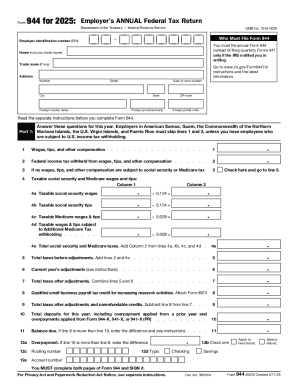
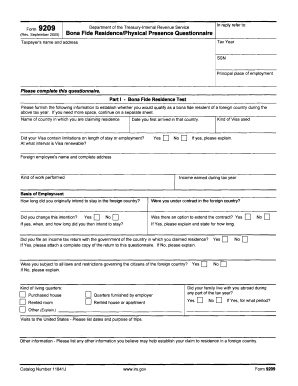
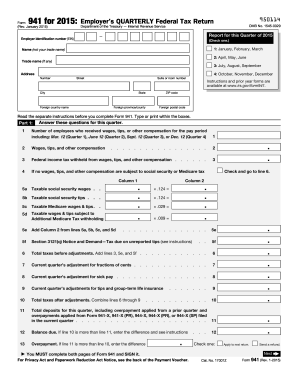
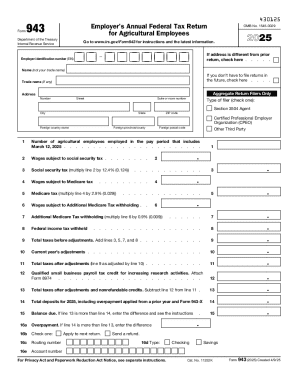
Form preview

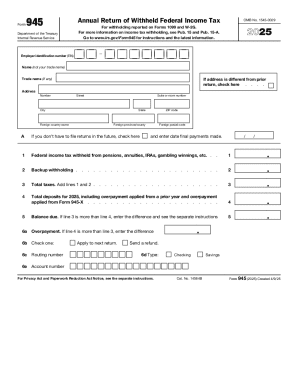
IRS 945-A 2014 free printable template


Get Form
pdfFiller is not affiliated with IRS
Screenshot
Screenshot
Screenshot

Get, Create, Make, and Sign IRS 945-A

Edit your IRS 945-A online
Type text, complete fillable fields, insert images, highlight or blackout data for discretion, add comments, and more.
Screenshot
Add your legally-binding signature
Draw or type your signature, upload a signature image, or capture it with your digital camera.
Screenshot
Share your form instantly
Email, fax, or share your IRS 945-A via URL. You can also download, print, or export forms to your preferred cloud storage service.
Screenshot

Instructions and Help about IRS 945-A

How to edit IRS 945-A

To edit IRS 945-A, you can download the form from the IRS website and use a PDF editing tool like pdfFiller to make necessary changes. Ensure all corrections are accurate and reflect the updated information required. After editing, it's essential to save the revised form correctly to avoid any filing issues.

How to fill out IRS 945-A

Filling out IRS 945-A involves several steps to ensure compliance with federal tax regulations. Start by providing details such as the employer's name, address, and Employer Identification Number (EIN). Follow these steps to complete the form:
01
Enter the total amount of nonpayroll payments that are subject to backup withholding.
02
Include any adjustments based on prior filings.
03
Sign and date the form where indicated.
Always double-check the entries for correct data to minimize the risk of errors.

About IRS 945-A 2014 previous version

What is IRS 945-A?

IRS 945-A is a tax form used by employers to report the amount of nonpayroll payments subject to backup withholding. This form is essential for ensuring that the IRS receives accurate information regarding withheld taxes on certain payments, including interest, dividends, and rents.

Who needs the form?

IRS 945-A needs to be filed by any payer that has made payments subject to backup withholding during the tax year. This typically includes businesses and organizations that pay contractors, freelancers, or interest payments and have withheld federal income tax from these payments.

Components of the form

IRS 945-A consists of the following components: payer information (including EIN), total amounts of nonpayroll payments, any adjustments to previously reported payments, and the signature of the authorized representative. Each section must be filled out carefully to ensure all taxable liabilities are accurately reported.

What information do you need when you file the form?

When filing IRS 945-A, you need the following information: payer's name and address, Employer Identification Number (EIN), the total amount of the nonpayroll payments made, and any backup withholding amounts. Additionally, you'll require the correct year for which you are reporting.

Where do I send the form?

You should send IRS 945-A to the address specified in the form instructions, which varies depending on whether you are filing the form with a payment or without. To ensure timely processing, check the latest IRS guidelines for the correct mailing address.

What is the purpose of this form?

The purpose of IRS 945-A is to report amounts withheld as backup withholding from payments made to non-employees. It ensures compliance with tax obligations by detailing the withheld amounts that should be remitted to the IRS. Accurate filling of this form helps in avoiding penalties and ensures that payments to vendors and contractors are properly reported.

When am I exempt from filling out this form?

You are exempt from filing IRS 945-A if you have not made any payments subject to backup withholding during the tax year. Additionally, if your total payments do not exceed the threshold that requires reporting (generally under $600), you may not need to file this form.

What are the penalties for not issuing the form?

If a payer fails to issue or incorrectly files IRS 945-A, they may face various penalties imposed by the IRS. These can include monetary fines based on the number of forms not filed or submitted late. Moreover, failing to report backup withholding accurately can lead to audits and further scrutiny by tax authorities.

Is the form accompanied by other forms?

IRS 945-A is typically submitted alongside IRS Form 945, which reports the total backup withholding for the year. Ensure that both forms are completed with accurate information for proper reconciliation with the IRS's records.

FAQ about IRS 945-A

If you discover an error in your filed 2014 form 945a, you need to submit an amended form. Ensure you clearly indicate the changes and provide the correct information. It's important to keep records of both the original and amended forms for your files.

To verify the status of your submitted 2014 form 945a, you can contact the IRS directly or use online tools if you e-filed. Keep your submission details handy, such as your Tax ID number and the submission date, to help facilitate your inquiry.

Yes, when filing the 2014 form 945a, it's crucial to ensure data security and privacy. Be cautious about sharing sensitive information and consider the guidelines on record retention as established by the IRS to protect taxpayer information.

In the event that your e-filed 2014 form 945a is rejected, you will receive notification detailing the reason for rejection. You can typically correct the identified issues and resubmit the form. If you incur service fees, check if they might be refunded depending on your e-filing service provider's policies.

Yes, an authorized representative or Power of Attorney (POA) can file the 2014 form 945a on behalf of an individual or business. Ensure that the POA documentation is properly executed and accompanies the submission to avoid complications.

See what our users say

Read user feedback and try pdfFiller to explore all its benefits for yourself
good service
MUJEEB R
Very easy to use, I love it.
Lelia H
See what our users say
Trust Seal
Trust Seal
Trust Seal
Trust Seal
Trust Seal
Trust Seal
Trust Seal
Trust Seal
Rate free form
4.2
satisfied
58 votes

How to Fill Out Small Business Tax Forms Online with pdfFiller

Struggling with your Schedule C or not sure how to file business taxes as a sole proprietor, LLC, or self-employed professional? This step-by-step pdfFiller tutorial walks you through completing IRS Schedule C quickly and accurately — no printing, no scanning, no stress. Whether you're handling small business tax deductions, tracking self-employed taxes, or preparing your full business tax return, pdfFiller makes it simple right in your browser.

If you believe that this page should be taken down, please follow our DMCA take down process here .
This form may include fields for payment information. Data entered in these fields is not covered by PCI DSS compliance.