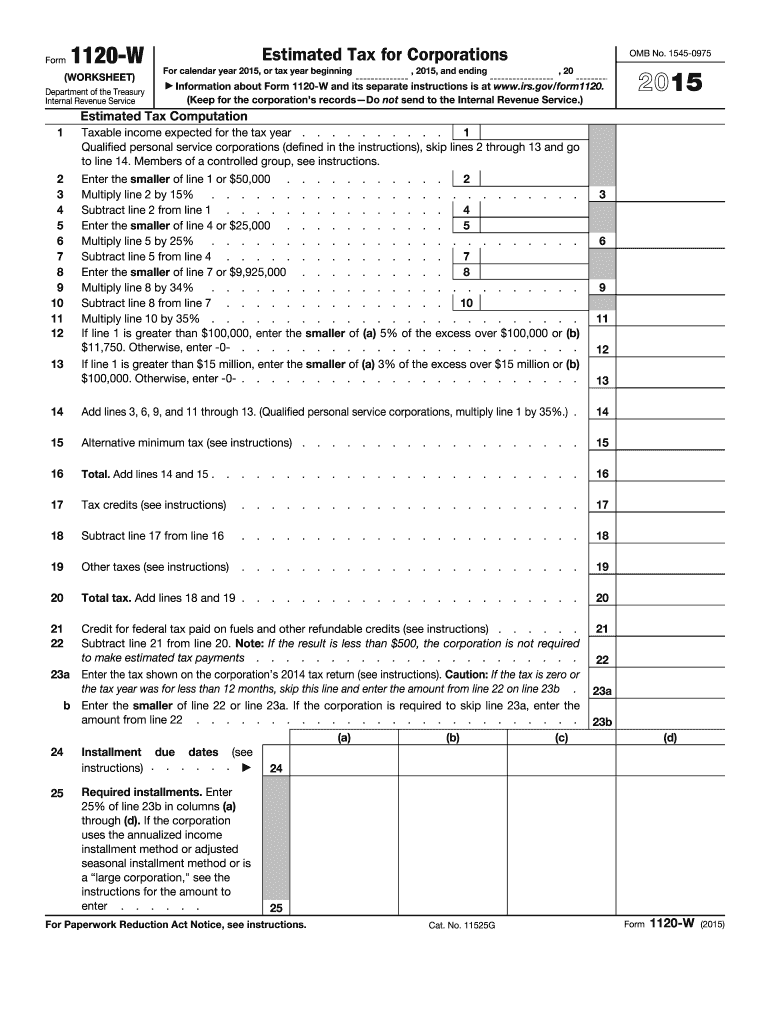
Form preview

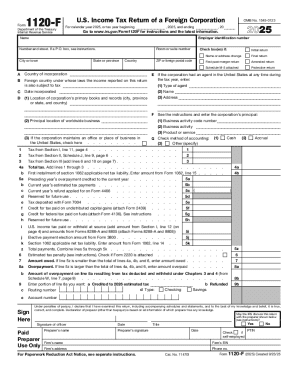
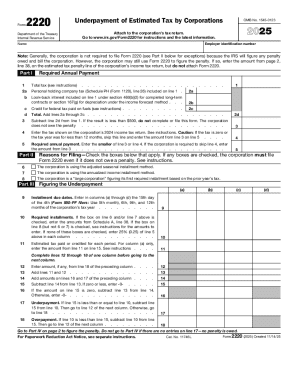
IRS 1120-W 2015 free printable template


Get Form
pdfFiller is not affiliated with IRS
Screenshot
Screenshot
Screenshot

Get, Create, Make, and Sign IRS 1120-W

Edit your IRS 1120-W online
Type text, complete fillable fields, insert images, highlight or blackout data for discretion, add comments, and more.
Screenshot
Add your legally-binding signature
Draw or type your signature, upload a signature image, or capture it with your digital camera.
Screenshot
Share your form instantly
Email, fax, or share your IRS 1120-W via URL. You can also download, print, or export forms to your preferred cloud storage service.
Screenshot

Instructions and Help about IRS 1120-W

How to edit IRS 1120-W

Editing IRS 1120-W requires careful attention to detail. Use a PDF editor like pdfFiller to make changes to the document without losing formatting. Ensure that any modifications remain compliant with IRS guidelines. After making edits, review the form to confirm the accuracy of the information.

How to fill out IRS 1120-W

Filling out IRS 1120-W involves several key steps. Start by gathering necessary financial data and documentation. The form includes sections for income, expenses, and estimated tax payments. Follow the instructions provided with the form carefully, and consider consulting a tax professional if needed.
01
Gather financial documents, including income statements and invoices.
02
Use a calculator to determine estimated tax payments.
03
Fill in all required fields accurately.

About IRS 1120-W 2015 previous version

What is IRS 1120-W?

IRS 1120-W is a tax form used by corporations to calculate their estimated tax liability for the year. This form helps businesses project the taxes they will owe, ensuring they make timely estimated tax payments throughout the year. The use of IRS 1120-W is essential for tax compliance and helps avoid penalties for underpayment.

Who needs the form?

Corporations that expect to owe tax of $500 or more must complete IRS 1120-W. This includes domestic corporations of all sizes. Start-up businesses, ongoing corporations, and those with fluctuating incomes should also use the form to estimate their tax payments accurately.

Components of the form

The IRS 1120-W includes several components crucial for estimating tax payments. Key sections include the calculation of expected income, deductions, and the resultant estimated tax liability. Additionally, the form consists of lines for adjustments and previous tax payments, providing a comprehensive overview of a corporation's tax position.

What information do you need when you file the form?

To file IRS 1120-W, corporations need specific financial information, including revenue projections, expenses, and prior year tax liability. Collecting this data ahead of time streamlines the filing process and reduces the risk of errors. Detailed documentation is essential to support the figures presented on the form.

Where do I send the form?

The completed IRS 1120-W should be sent to the appropriate IRS address based on the corporation's principal business location. The mailing address can vary by state and should be verified with the IRS guidelines. Ensure that you send the form via a method that confirms delivery to avoid potential issues.

What is the purpose of this form?

The primary purpose of IRS 1120-W is to assist corporations in estimating their tax obligations. By submitting this form, businesses can ensure they meet their tax responsibilities and avoid underpayment. The form provides a structured way to calculate expected tax payments based on projected income and deductions.

When am I exempt from filling out this form?

Taxpayers may be exempt from filing IRS 1120-W if they do not expect to owe taxes or if their total tax liability is less than $500 for the year. Additionally, corporations that qualify for certain IRS exceptions or fall under specific tax statuses may also be exempt. It is essential to check the qualifications before deciding not to file.

What are the penalties for not issuing the form?

Failing to file IRS 1120-W when required can result in penalties for underpayment and late filing. Corporations may incur interest charges and fines, which can accumulate quickly if the tax is unpaid. To avoid penalties, organizations should assess their eligibility for the form and ensure timely submission of estimated payments.

Is the form accompanied by other forms?

When filing IRS 1120-W, corporations may need to submit additional forms depending on their specific tax situations. Commonly associated forms include IRS Form 1120, the corporation tax return, and any relevant schedules that outline deductions or specific income types. Ensure all necessary documentation is included for a complete submission.

FAQ about IRS 1120-W

If you discover an error after submitting the 1120 w instructions 2015, you can file an amended return to correct the mistake. It’s important to clearly indicate which parts you are amending and ensure that all related documentation is accurate. Keep in mind that the amendment process may also involve additional fees, especially if you are e-filing.

To verify the status of your filed 1120 w instructions 2015, you can use the IRS online tracking system or contact their support directly. Ensure you have your submission details handy, as they may ask for specific information to help identify your filing. Checking the status can help you confirm whether it was received and is being processed correctly.

Common errors when filing the 1120 w instructions 2015 include miscalculating figures, providing incorrect taxpayer identification numbers, and failing to sign the form. To avoid these mistakes, it’s advisable to double-check all entries and use tax preparation software that validates your inputs before submission. Taking the time to ensure accuracy can prevent potential delays and rejections.

If your e-filed 1120 w instructions 2015 is rejected, the e-filing system should provide a specific rejection code indicating the issue. Review this code carefully, make necessary corrections, and resubmit the form as soon as possible. Paying attention to the error messages can significantly decrease the chances of facing the same issues upon re-submission.

Yes, electronic signatures are generally acceptable for filing the 1120 w instructions 2015, provided you use the IRS-approved e-filing software. Ensure that your electronic signature complies with IRS guidelines to avoid any complications. This allows for a smoother submission process and can save time compared to traditional signing methods.

See what our users say

Read user feedback and try pdfFiller to explore all its benefits for yourself
So far so good. Need to find out more information about this program.
Mary Lou G
Very Resourceful Tool Very resourceful tool for completing PDF forms. MAJOR time saver and stress reducer. Will continue to use!
Professa D
See what our users say
Trust Seal
Trust Seal
Trust Seal
Trust Seal
Trust Seal
Trust Seal
Trust Seal
Trust Seal
Rate free form
4.0
satisfied
60 votes

How to Fill Out Small Business Tax Forms Online with pdfFiller

Struggling with your Schedule C or not sure how to file business taxes as a sole proprietor, LLC, or self-employed professional? This step-by-step pdfFiller tutorial walks you through completing IRS Schedule C quickly and accurately — no printing, no scanning, no stress. Whether you're handling small business tax deductions, tracking self-employed taxes, or preparing your full business tax return, pdfFiller makes it simple right in your browser.

If you believe that this page should be taken down, please follow our DMCA take down process here .
This form may include fields for payment information. Data entered in these fields is not covered by PCI DSS compliance.