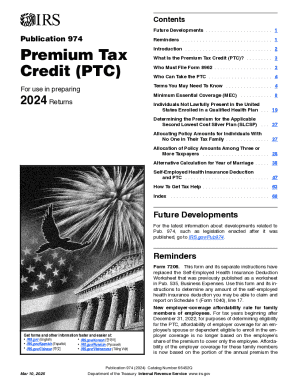
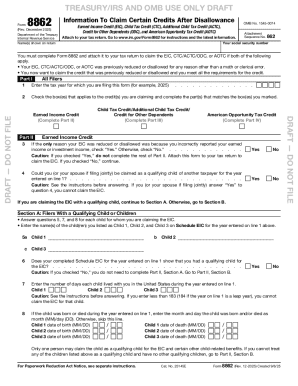
Form preview

IRS 8962 2023 free printable template


Get Form
pdfFiller is not affiliated with IRS
Screenshot
Screenshot
Screenshot

Get, Create, Make, and Sign IRS 8962

Edit your IRS 8962 online
Type text, complete fillable fields, insert images, highlight or blackout data for discretion, add comments, and more.
Screenshot
Add your legally-binding signature
Draw or type your signature, upload a signature image, or capture it with your digital camera.
Screenshot
Share your form instantly
Email, fax, or share your IRS 8962 via URL. You can also download, print, or export forms to your preferred cloud storage service.
Screenshot

Instructions and Help about IRS 8962

How to edit IRS 8962

To edit IRS 8962, utilize tools that allow for electronic modifications. Making changes can be necessary for correcting errors or updating information. Online platforms like pdfFiller can facilitate this process, enabling you to adjust the form digitally before submission.

How to fill out IRS 8962

Filling out IRS 8962 involves several key steps to ensure accuracy in reporting premium tax credits. Follow these general instructions:
01
Obtain a copy of IRS 8962.
02
Gather necessary documentation, including your Form 1095-A, which details your health insurance coverage.
03
Accurately input your covered individuals and their respective policy information.
04
Calculate your premium tax credit using the instructions provided on the form.
05
Review your form for completeness and accuracy before submission.

About IRS 8 previous version

What is IRS 8962?

IRS 8962 is the “Premium Tax Credit (PTC)” form used by individuals to reconcile their premium tax credits received for health insurance coverage obtained through the Health Insurance Marketplace. It is essential for determining eligibility for a premium tax credit based on family size and household income.

Who needs the form?

Individuals who received a premium tax credit through the Health Insurance Marketplace must complete IRS 8962 when filing their federal income tax returns. This includes people who enrolled in a qualified health plan and received advance payments of the premium tax credit during the year.

Components of the form

IRS 8962 consists of several parts, including sections for reporting personal information, details about covered individuals, calculations for the premium tax credit, and information about your Form 1095-A. Accurately completing each section is crucial for ensuring compliance and correct credit calculation.

What information do you need when you file the form?

When filing IRS 8962, you will need the following information:
01
Your Form 1095-A, which includes the details of your health coverage.
02
Your tax return for the year, including other income statements and deductions.
03
Details regarding household members and their coverage information.
04
The total premium amounts you paid for health insurance during the year.

What is the purpose of this form?

The primary purpose of IRS 8962 is to calculate the premium tax credit that can reduce monthly health insurance payments. The form helps taxpayers reconcile the amount of premium tax credit they received against the amount they were actually eligible for, which is determined by their annual income and family size.

When am I exempt from filling out this form?

You are exempt from filling out IRS 8962 if you did not receive premium tax credits or if you obtained health coverage outside the Health Insurance Marketplace. Additionally, those who are not required to file a federal tax return may not need to complete this form.

What are the penalties for not issuing the form?

Failing to complete IRS 8962 when required can result in a delay or denial of your premium tax credit. Additionally, the IRS may impose penalties for incorrect claims or failing to file necessary forms, potentially affecting your tax refund or resulting in tax liabilities.

Is the form accompanied by other forms?

IRS 8962 is typically filed alongside your federal income tax return (Form 1040). You may also need to include Form 1095-A which provides the details necessary for completing IRS 8962.

Where do I send the form?

After completing IRS 8962, submit it along with your federal income tax return to the designated IRS address found in the Form 1040 instructions. If you are filing electronically, the form will be submitted through tax preparation software that supports e-filing.

FAQ about IRS 8962

If you find an error after submitting your IRS 8962, you need to file an amended return using Form 1040-X. Be sure to include the corrected information on the appropriate forms and submit it to the IRS. This process allows you to rectify mistakes and ensure that your health coverage data is accurate.

To verify the status of your filed IRS 8962, you can use the IRS 'Where's My Refund?' tool, which gives updates on your return processing. If filed electronically, check for common e-file rejection codes that indicate issues with your submission and ensure your details match IRS records to avoid delays.

Upon receiving an IRS notice pertaining to your IRS 8962, carefully read the document to understand the issues raised. Prepare any supporting documentation and respond promptly, either by providing the requested information or by clarifying any discrepancies in your filings.

Be cautious of common errors like incorrect income reporting or mismatched coverage information when submitting your IRS 8962. Double-check your entries against your health insurance statements to minimize the chance of rejection or additional queries from the IRS.

Ensure that the software you choose for e-filing the IRS 8962 is updated to the latest version, as compatibility issues can arise with older software or certain browsers. Review technical requirements for e-filing, including internet connectivity and system compatibility, to avoid submission problems.

See what our users say

Read user feedback and try pdfFiller to explore all its benefits for yourself
Just started using it. So far it is really easy and effecient.
Katie T
So far so good. It has done everything that I want it to do and is very user friendly.
Lucinda L
See what our users say
Trust Seal
Trust Seal
Trust Seal
Trust Seal
Trust Seal
Trust Seal
Trust Seal
Trust Seal
Rate free form
4.1
satisfied
58 votes

How to Fill Out Small Business Tax Forms Online with pdfFiller

Struggling with your Schedule C or not sure how to file business taxes as a sole proprietor, LLC, or self-employed professional? This step-by-step pdfFiller tutorial walks you through completing IRS Schedule C quickly and accurately — no printing, no scanning, no stress. Whether you're handling small business tax deductions, tracking self-employed taxes, or preparing your full business tax return, pdfFiller makes it simple right in your browser.

If you believe that this page should be taken down, please follow our DMCA take down process here .
This form may include fields for payment information. Data entered in these fields is not covered by PCI DSS compliance.