IRS W-12 2023 free printable template



Get, Create, Make, and Sign IRS W-12



Instructions and Help about IRS W-12
How to edit IRS W-12
How to fill out IRS W-12
About IRS W-12 2023 previous version
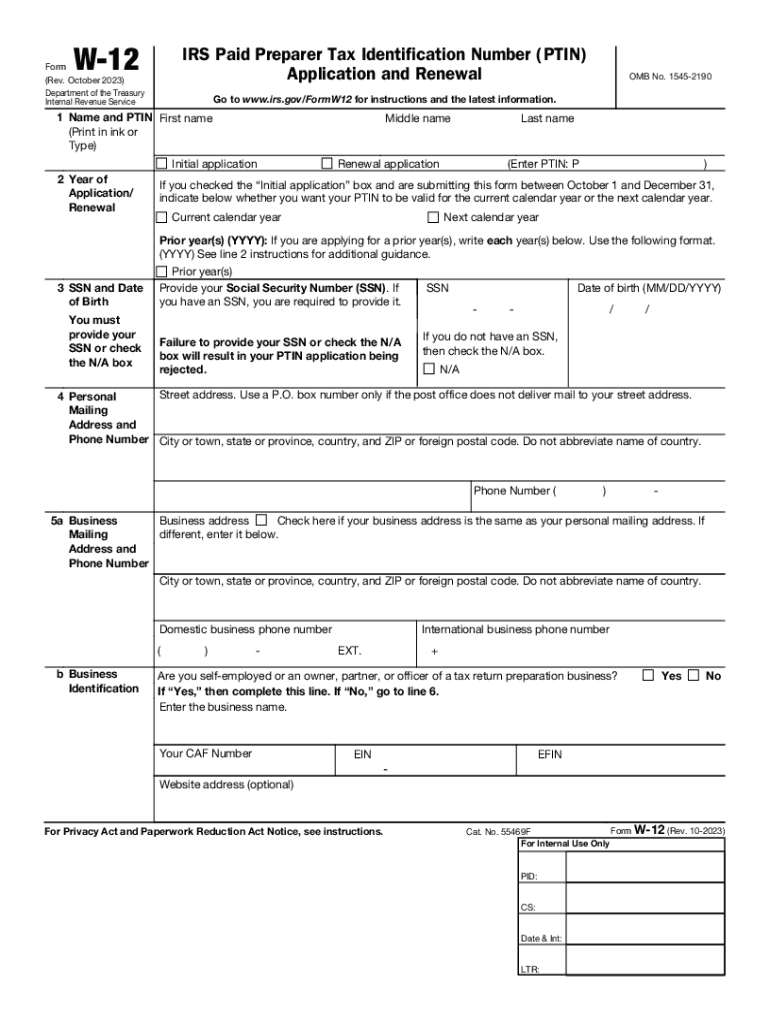
What is IRS W-12?
Who needs the form?
Components of the form
What information do you need when you file the form?
Where do I send the form?
What is the purpose of this form?
When am I exempt from filling out this form?
What are the penalties for not issuing the form?
Is the form accompanied by other forms?
FAQ about IRS W-12
What should I do if I discover an error after submitting the IRS W-12?
If you find a mistake after submitting the IRS W-12, you should file an amended form as soon as possible. Correcting the IRS W-12 is crucial to ensure accurate reporting. Be sure to follow the specific guidelines for amendments to avoid further complications.
How can I track the status of my submitted IRS W-12?
To track the status of your filed IRS W-12, you can contact the IRS directly or use the IRS online tools if available. This helps you verify whether your submission was received and processed correctly, which is important for your records.
What should I do if my e-filed IRS W-12 is rejected?
If your e-filed IRS W-12 is rejected, review the rejection codes provided by the IRS. Common errors may include incorrect information or formatting issues. Rectify these issues and resubmit the form promptly to ensure compliance and avoid penalties.
Are there any privacy concerns related to filing the IRS W-12?
Yes, when filing the IRS W-12, it's important to handle personal information securely to protect against data breaches. Ensure that your software meets privacy standards and that sensitive data is properly encrypted during electronic submission.
What are common errors to avoid when filing the IRS W-12?
Common errors when filing the IRS W-12 include incorrect taxpayer identification numbers and mismatching names. To avoid these mistakes, double-check all information before submission and confirm its accuracy against official documents.








How to Fill Out Small Business Tax Forms Online with pdfFiller
Struggling with your Schedule C or not sure how to file business taxes as a sole proprietor, LLC, or self-employed professional? This step-by-step pdfFiller tutorial walks you through completing IRS Schedule C quickly and accurately — no printing, no scanning, no stress. Whether you're handling small business tax deductions, tracking self-employed taxes, or preparing your full business tax return, pdfFiller makes it simple right in your browser.