Form preview

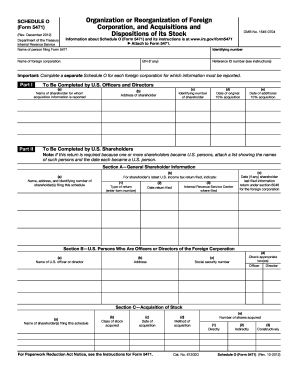
IRS 990 - Schedule O 2023 free printable template


Get Form
pdfFiller is not affiliated with IRS
Screenshot
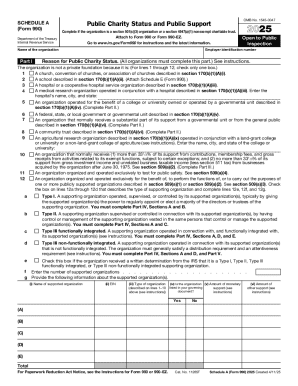
Screenshot
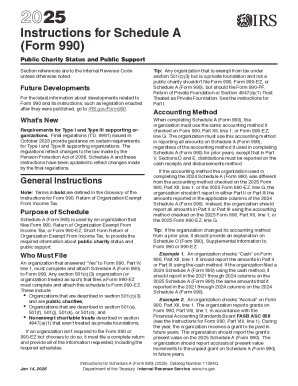
Screenshot

Get, Create, Make, and Sign IRS 990 - Schedule O

Edit your IRS 990 - Schedule O online
Type text, complete fillable fields, insert images, highlight or blackout data for discretion, add comments, and more.
Screenshot
Add your legally-binding signature
Draw or type your signature, upload a signature image, or capture it with your digital camera.
Screenshot
Share your form instantly
Email, fax, or share your IRS 990 - Schedule O via URL. You can also download, print, or export forms to your preferred cloud storage service.
Screenshot

Instructions and Help about IRS 990 - Schedule O

How to edit IRS 990 - Schedule O

To edit IRS 990 - Schedule O, utilize a PDF editor like pdfFiller. This tool allows users to make necessary adjustments before filing. Simply upload the form, modify the required fields, and save the changes for submission.

How to fill out IRS 990 - Schedule O

To fill out IRS 990 - Schedule O, begin by reviewing the current guidelines from the IRS. The form requires detailed information regarding your organization's mission and activities. Follow these steps:
01
Download the IRS 990 - Schedule O form from the official IRS website.
02
Complete the organizational information at the top of the form.
03
Provide a clear description of your mission and how it supports your charitable activities.
04
Detail any relevant programs and activities, including their outcomes and impact.
05
Review for completeness and accuracy before submission.

About IRS 990 - Schedule O 2023 previous version

What is IRS 990 - Schedule O?

IRS 990 - Schedule O is an integral part of the Form 990 series used by tax-exempt organizations to provide additional information about their operations. This schedule is crucial for organizations that want to clarify their mission, programs, and financial activities to the IRS and the public.

Who needs the form?

Nonprofits and tax-exempt organizations that file Form 990 are required to include Schedule O. This includes charities, foundations, and some social welfare organizations seeking transparency in their financial practices. Organizations filing Form 990-EZ or Form 990-PF also include an abbreviated version of Schedule O.

Components of the form

IRS 990 - Schedule O consists of several key components that include the organization's mission statement, a description of its primary activities, and financial narratives detailing accomplishments. These elements provide a comprehensive overview that enhances understanding among stakeholders.

What information do you need when you file the form?

When filing IRS 990 - Schedule O, gather detailed information about your organization, including the mission, program descriptions, and financial summaries. Accurate figures from your organization's financial statements are also essential to provide a complete view of its activities.

Where do I send the form?

Once completed, IRS 990 - Schedule O should be submitted through the same process as Form 990. The filing location will depend on your organization's location and may vary based on the specific form. Ensure to check the IRS guidelines to determine the correct submission address or electronic filing procedures.

What is the purpose of this form?

The purpose of IRS 990 - Schedule O is to supplement the Form 990, offering a narrative description of the organization's mission, programs, and accomplishments. This form helps the IRS evaluate the organization’s compliance with tax requirements while ensuring transparency for donors and the public.

When am I exempt from filling out this form?

You may be exempt from filling out IRS 990 - Schedule O if your organization qualifies for exceptions under IRS guidelines. These exemptions usually apply to smaller organizations that meet specific eligibility criteria, such as those exempt under section 501(a) and with gross receipts below a certain threshold.

What are the penalties for not issuing the form?

Organizations that fail to submit IRS 990 - Schedule O may face penalties, including monetary fines and potential loss of tax-exempt status. The IRS can impose these penalties for incomplete or missing information, which could lead to scrutiny during audits.

Is the form accompanied by other forms?

IRS 990 - Schedule O typically accompanies Form 990 or its variants, including Form 990-EZ and Form 990-PF. These forms must be filed in conjunction to ensure compliance with IRS reporting requirements and provide a comprehensive overview of the organization’s activities.

FAQ about IRS 990 - Schedule O

If you've submitted IRS 990 - Schedule O and discover an error, you can file an amended return. Follow the IRS guidelines on how to submit corrections to ensure proper processing. It's important to make these adjustments promptly to maintain compliance.

To verify the processing and receipt of your IRS 990 - Schedule O submission, you can use the IRS e-file tracking system. This tool helps you check whether your form has been received and provides updates if there are any issues, such as rejection codes.

Common errors on IRS 990 - Schedule O often include incorrect information about amendments, misclassified items in financial reporting, or inaccuracies in organizational details. To avoid these mistakes, double-check all entries and ensure they align with your primary IRS 990 form.

If you receive a notice or audit related to IRS 990 - Schedule O, it's crucial to respond promptly. Prepare the necessary documentation requested in the notice and consult with a tax professional for guidance on formulating your response effectively.

When e-filing IRS 990 - Schedule O, ensure your software meets the IRS specifications and is compatible with the latest browser versions. Check the technical requirements on the IRS website to ensure a smooth e-filing process without any hiccups.

See what our users say

Read user feedback and try pdfFiller to explore all its benefits for yourself
Easy use and simple! Easy use and simple!
M Nguyen
Great So much more than just a pdf editor
Sofia Anca
Accidentally subscribed after the free… Accidentally subscribed after the free trial but the customer service team was super helpful at refunding. Also the software seemed really good when I briefly used it. A very trustworthy company.
Chris Tongue
Superb Superb, pdffiller is just amazing
Methodist Church
Good Good. Looks like so easy to use. I need use it for my work.
mark li
Happy documents All the documents I needed were at one place, easy to find, easy to modify, site was easy to navagiate.
Danny Marr
See what our users say
Trust Seal
Trust Seal
Trust Seal
Trust Seal
Trust Seal
Trust Seal
Trust Seal
Trust Seal
Rate free form
4.2
satisfied
52 votes

How to Fill Out Small Business Tax Forms Online with pdfFiller

Struggling with your Schedule C or not sure how to file business taxes as a sole proprietor, LLC, or self-employed professional? This step-by-step pdfFiller tutorial walks you through completing IRS Schedule C quickly and accurately — no printing, no scanning, no stress. Whether you're handling small business tax deductions, tracking self-employed taxes, or preparing your full business tax return, pdfFiller makes it simple right in your browser.

Related Forms

If you believe that this page should be taken down, please follow our DMCA take down process here .
This form may include fields for payment information. Data entered in these fields is not covered by PCI DSS compliance.