
Last updated on
Oct 30, 2026
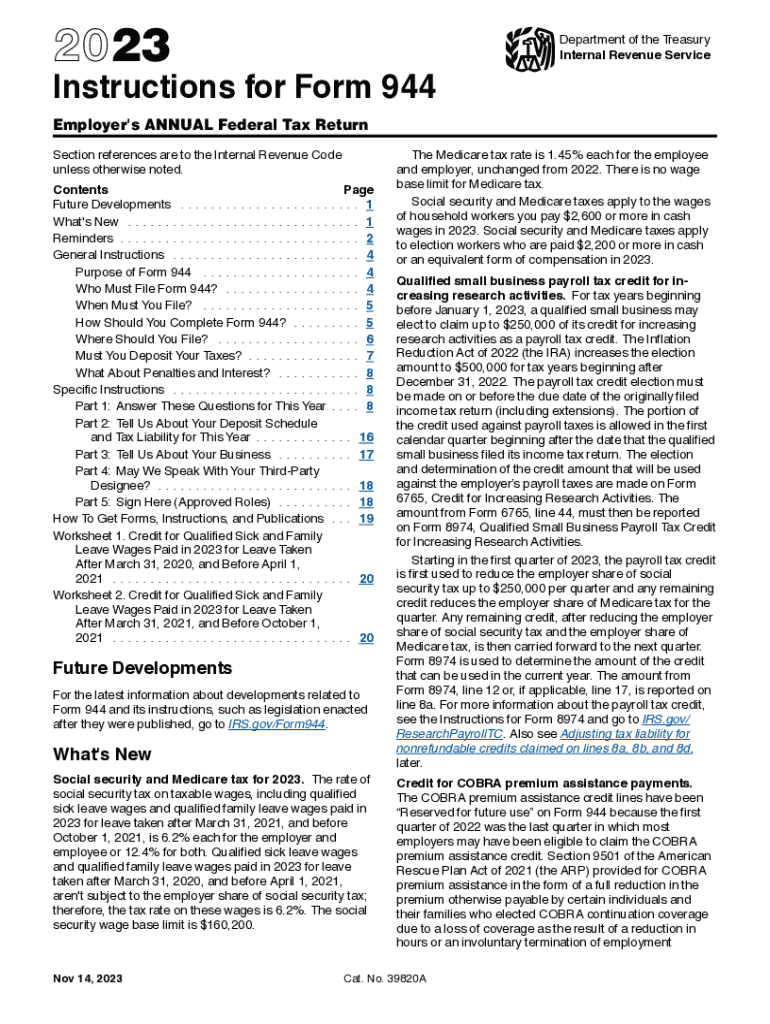
IRS 944 Instructions 2023 free printable template
pdfFiller is not affiliated with IRS

Fill out
Complete the form online in a simple drag-and-drop editor.

eSign
Add your legally binding signature or send the form for signing.

Share
Share the form via a link, letting anyone fill it out from any device.

Export
Download, print, email, or move the form to your cloud storage.
Why pdfFiller is the best tool for your documents and forms


End-to-end document management
From editing and signing to collaboration and tracking, pdfFiller has everything you need to get your documents done quickly and efficiently.
Accessible from anywhere
pdfFiller is fully cloud-based. This means you can edit, sign, and share documents from anywhere using your computer, smartphone, or tablet.
Secure and compliant
pdfFiller lets you securely manage documents following global laws like ESIGN, CCPA, and GDPR. It's also HIPAA and SOC 2 compliant.
What is IRS 944 Instructions
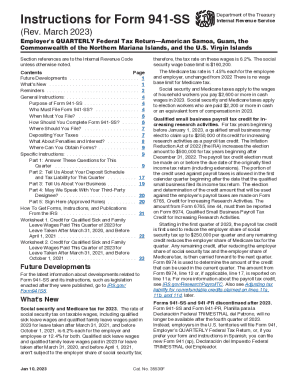
The Instructions for Form 944 is a tax document used by employers to accurately complete their Employer's Annual Federal Tax Return.
pdfFiller scores top ratings on review platforms




Who needs IRS 944 Instructions?
Explore how professionals across industries use pdfFiller.

IRS 944 Instructions is needed by:
-
Employers filing federal taxes annually.
-
HR professionals managing employee tax information.
-
Accountants preparing tax returns for businesses.
-
Tax preparers assisting clients with IRS forms.
-
Small business owners handling payroll and taxes.
Comprehensive Guide to IRS 944 Instructions
What is the Instructions for Form 944?
Form 944 is an annual federal tax return specifically designed for employers to report their payroll taxes to the Internal Revenue Service (IRS). For the tax year 2023, this form consolidates the information that previously required more frequent reporting. Following the provided instructions is crucial, as it helps prevent common errors that can lead to penalties or delays in tax processing.
Purpose and Benefits of the Instructions for Form 944
The instructions for Form 944 serve as a vital resource for employers, ensuring accurate and timely tax filings. These instructions outline the legal obligations that employers must adhere to regarding Form 944 submissions. By utilizing the instructions, employers can better understand their tax liability and the corresponding deposit schedules, ensuring compliance with federal regulations.
Key Features of the Instructions for Form 944
The Instructions for Form 944 include several essential sections, guiding users through the complex landscape of tax regulations. Key features of the instructions encompass:
-
Detailed explanations of how to fill out each section of the form.
-
Guidelines for interpreting deposit schedules and tax liabilities effectively.
-
Specific instructions tailored to various parts of the form, including exemptions or unique scenarios.
Who Needs the Instructions for Form 944?
Employers are required to file Form 944 if their annual employment tax liability is $1,000 or less. Specific situations that necessitate filing include small businesses and non-profits. Understanding the eligibility criteria helps employers determine their tax reporting requirements accurately based on their business structure and payroll size.
When and How to File Instructions for Form 944
The deadlines for submitting Form 944 are pivotal in avoiding late fees and penalties. Employers should be aware of the following key steps when filing:
-
Identify the filing deadline, typically slated for January 31 of the year following the tax year.
-
Complete the form accurately, following each directive outlined in the instructions.
-
Select a submission method, choosing between electronic filing and mailing a hard copy.
Common Errors and How to Avoid Them
Common mistakes when completing Form 944 can lead to delays or rejections. Frequent errors include incorrect reporting of employee wages and miscalculating tax liabilities. To ensure accuracy, employers should review their entries thoroughly and use a validation checklist prior to submission. This proactive approach minimizes potential issues and enhances compliance.
Security and Compliance for Instructions for Form 944
Safeguarding sensitive information during tax filing is of utmost importance. Employers must implement security measures to protect personal and financial data. Compliance with standards such as HIPAA and GDPR is critical when utilizing online tools for document submission. Using reliable platforms like pdfFiller ensures that all tax documents are handled securely with encryption protocols.
How pdfFiller Can Help with Form 944
pdfFiller provides an invaluable service for employers tackling Form 944 by offering features that simplify the process. Users can create, edit, and submit their form seamlessly, with capabilities such as eSigning and document sharing. This platform prioritizes user security and compliance, making it an excellent choice for managing IRS forms effectively.
What Happens After You Submit Form 944?
Upon submission of Form 944, employers can expect confirmation of receipt from the IRS, which may come via mail or electronically. The IRS subsequently processes the submission, and employers should keep track of their application status to address any potential issues. Being aware of this process helps maintain compliance and facilitates smoother interactions with the IRS.
Next Steps After Understanding Instructions for Form 944
After familiarizing themselves with the instructions for Form 944, employers are encouraged to leverage pdfFiller for streamlined document management. The importance of utilizing comprehensive instructions cannot be overstated, as they ensure accurate and timely tax filing. Employers should commit to fulfilling their tax obligations promptly with the tools available through pdfFiller.
How to Fill Out Small Business Tax Forms Online with pdfFiller
Struggling with your Schedule C or not sure how to file business taxes as a sole proprietor, LLC, or self-employed professional? This step-by-step pdfFiller tutorial walks you through completing IRS Schedule C quickly and accurately — no printing, no scanning, no stress. Whether you're handling small business tax deductions, tracking self-employed taxes, or preparing your full business tax return, pdfFiller makes it simple right in your browser.

How to fill out the IRS 944 Instructions
-
1.To start, access pdfFiller and search for 'Form 944 Instructions.' Click on the relevant document to open it in the editor.
-
2.Familiarize yourself with the pdfFiller interface. Use the toolbar to navigate through the sections of the form to locate specific instructions.
-
3.Before filling out the form, gather necessary documents such as previous tax returns, employee payroll records, and employer identification details.
-
4.As you review the instructions, identify which parts apply to your situation, focusing on deposit schedules and tax liability areas.
-
5.Complete the relevant sections by clicking on the editable fields. Enter the required information per the guidelines provided in the instructions.
-
6.Regularly save your progress to ensure no information is lost. Utilize the tool's save function in the upper-right corner of the editor.
-
7.Once all information is entered, carefully review the completed instructions for accuracy and completeness.
-
8.Finalize your document by clicking the download option, selecting the preferred file format, and confirming your choice.
-
9.You can also submit your completed form directly through pdfFiller, following the prompts for submission.

Who is required to file Form 944?
Employers with an estimated annual payroll tax liability of $1,000 or less should file Form 944. This form helps them report and pay their federal payroll taxes.
What is the deadline for submitting Form 944?
Form 944 must be filed by January 31 of the following year for which you are reporting taxes. If January 31 falls on a weekend or holiday, the due date is the next business day.
How can I submit Form 944 once completed?
Once your Form 944 is completed on pdfFiller, you can submit it electronically through the IRS e-file system, mail it directly to the IRS, or keep it for your records if not required to submit.
What supporting documents are needed for Form 944?
You typically need payroll records, previous tax forms, and other financial documents that detail your employee's wages and withheld taxes to complete Form 944 effectively.
What are common mistakes to avoid when filing Form 944?
Common mistakes include incorrect entity identification, missing signatures, and inaccurate payroll calculations. Always double-check your input and follow the instructions closely.
How long does it take to process Form 944?
Generally, processing times for Form 944 can vary. Expect around 2-4 weeks for the IRS to process your form, but it may take longer during peak filing seasons.
Are there fees associated with filing Form 944?
Filing Form 944 itself does not incur a fee; however, you may incur costs if using tax preparation services or electronic filing options that charge for their services.
IRS 944 Instructions Form Versions
Related Content
Related Forms
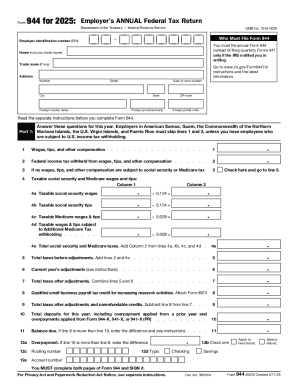




Get the latest insights from our blog


If you believe that this page should be taken down, please follow our DMCA take down process
here
.
This form may include fields for payment information. Data entered in these fields is not covered by PCI DSS compliance.