
Last updated on
Oct 28, 2026
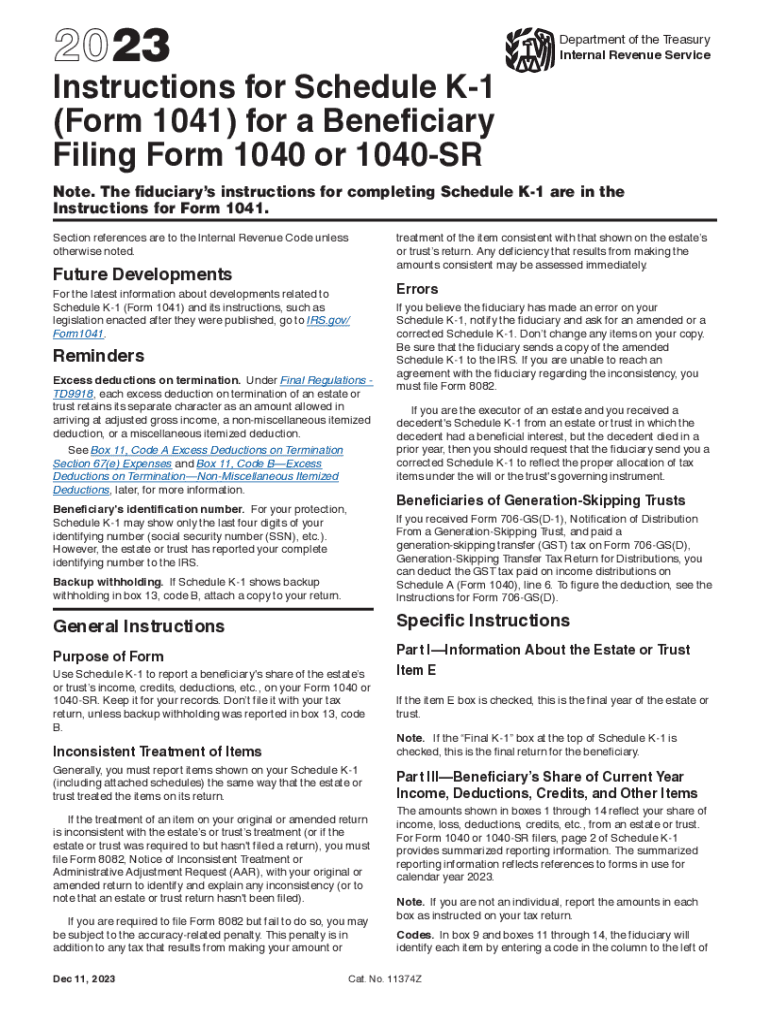
IRS Instructions 1041 - Schedule K-1 2023 free printable template
pdfFiller is not affiliated with IRS

Fill out
Complete the form online in a simple drag-and-drop editor.

eSign
Add your legally binding signature or send the form for signing.

Share
Share the form via a link, letting anyone fill it out from any device.

Export
Download, print, email, or move the form to your cloud storage.
Why pdfFiller is the best tool for your documents and forms


End-to-end document management
From editing and signing to collaboration and tracking, pdfFiller has everything you need to get your documents done quickly and efficiently.
Accessible from anywhere
pdfFiller is fully cloud-based. This means you can edit, sign, and share documents from anywhere using your computer, smartphone, or tablet.
Secure and compliant
pdfFiller lets you securely manage documents following global laws like ESIGN, CCPA, and GDPR. It's also HIPAA and SOC 2 compliant.
What is IRS Instructions 1041 - Schedule K-1
The Instructions for Schedule K-1 (Form 1041) is a tax document used by beneficiaries of estates or trusts to report income, deductions, and credits on their Form 1040 or 1040-SR.
pdfFiller scores top ratings on review platforms




Who needs IRS Instructions 1041 - Schedule K-1?
Explore how professionals across industries use pdfFiller.

IRS Instructions 1041 - Schedule K-1 is needed by:
-
Beneficiaries of estates
-
Trust beneficiaries
-
Tax preparers for estates and trusts
-
Individuals filing Form 1040 or 1040-SR
-
Estate administrators
-
Financial advisors
-
Accountants handling estate tax matters
Comprehensive Guide to IRS Instructions 1041 - Schedule K-1
Understanding the Instructions for Schedule K-1 (Form 1041)
The Instructions for Schedule K-1 (Form 1041) is an essential tax document issued by the IRS. It serves to guide beneficiaries of estates or trusts in accurately reporting their respective income, deductions, and credits. This understanding is crucial for proper compliance and tax reporting.
Beneficiaries utilize this form to maintain clarity and ensure they adhere to IRS regulations concerning their estate tax form obligations. Knowledge of the instructions for Schedule K-1 is integral to proper tax filings.
Purpose and Benefits of the Instructions for Schedule K-1 (Form 1041)
Grasping how to report income correctly on Form 1040 or 1040-SR is vital for beneficiaries. This understanding helps them avoid costly tax errors and manage their financial responsibilities effectively.
Among the numerous benefits are ensuring compliance with IRS guidelines and enhancing overall tax accuracy. Familiarity with the form ensures that beneficiaries can navigate their tax obligations smoothly.
Who Needs the Instructions for Schedule K-1 (Form 1041)
The primary users of Schedule K-1 include beneficiaries of estates and trusts. Various scenarios necessitate the use of this form, such as when a beneficiary receives distributions or is involved in an estate settlement process.
Understanding the demographics of those who need this IRS form ensures that all eligible beneficiaries are informed and prepared for their filing processes.
Key Features of the Instructions for Schedule K-1 (Form 1041)
These instructions include critical content such as guidance on inconsistent item treatment and backup withholding protocols. Features within the document also speak to its relevance for the tax year 2023.
Beneficiaries can expect detailed explanations that aid in their understanding of various aspects of tax compliance and reporting requirements.
Step-by-Step Guide on How to Fill Out the Instructions for Schedule K-1 (Form 1041)
Follow these steps to accurately fill out Schedule K-1:
-
Begin by entering the name and identification details of the estate or trust.
-
Input the beneficiary's information accurately to avoid discrepancies.
-
Carefully report any income distributions and deductions as outlined in the instructions.
Practical tips include double-checking all entered values and consulting IRS guidelines to prevent common mistakes during the filing process.
Filing and Submission of the Instructions for Schedule K-1 (Form 1041)
Timely filing of Schedule K-1 is crucial. Beneficiaries should submit the completed form to the IRS by the specified deadlines to avoid penalties.
Understanding the consequences of late filing helps beneficiaries manage their tax responsibilities and maintain compliance with IRS expectations.
Understanding Security and Compliance for the Instructions for Schedule K-1 (Form 1041)
Secure handling of sensitive tax documents is of utmost importance. Beneficiaries must follow data protection practices that comply with regulations such as HIPAA and GDPR.
This ensures that personal information remains confidential and protected throughout the tax filing process.
How to Download and Use the Instructions for Schedule K-1 (Form 1041) with pdfFiller
Users can effortlessly download the PDF version of the instructions for Schedule K-1. The pdfFiller platform offers tools that streamline the processes of filling, editing, eSigning, and securely sharing the document.
This capability enhances user experience and ensures that all requirements are met effectively.
Common Errors When Filing Schedule K-1 and How to Avoid Them
Frequent mistakes when filling out Schedule K-1 include data entry errors and misunderstanding item treatment. To avoid these pitfalls, beneficiaries should review their entries thoroughly and consult the instructions carefully.
-
Double-check personal and financial information for accuracy.
-
Ensure consistency in reporting items and income.
Implementing best practices can significantly enhance the accuracy and success of the filing process.
Get Started with Filling Out Your Instructions for Schedule K-1 (Form 1041) Using pdfFiller
Utilizing pdfFiller can greatly assist beneficiaries in managing their tax documents. Its services ensure ease of use while maintaining high levels of security and efficiency.
The platform simplifies the editing and submission processes, empowering users to complete their filings with confidence.
How to Fill Out Small Business Tax Forms Online with pdfFiller
Struggling with your Schedule C or not sure how to file business taxes as a sole proprietor, LLC, or self-employed professional? This step-by-step pdfFiller tutorial walks you through completing IRS Schedule C quickly and accurately — no printing, no scanning, no stress. Whether you're handling small business tax deductions, tracking self-employed taxes, or preparing your full business tax return, pdfFiller makes it simple right in your browser.

How to fill out the IRS Instructions 1041 - Schedule K-1
-
1.Access pdfFiller and search for 'Instructions for Schedule K-1 (Form 1041)'.
-
2.Open the form directly in your browser using the pdfFiller interface.
-
3.Gather necessary information such as income statements, deductions, and any previous tax documents related to the estate or trust.
-
4.Start completing the form by following the narrative provided in the instructions. Click on fields to enter information as prompted.
-
5.Use the tools available on pdfFiller to highlight important sections and notes that may require additional attention.
-
6.Regularly save your progress as you complete different parts of the form to avoid losing information.
-
7.Once all fields are filled, review your entries for accuracy by cross-referencing with any supporting documents you have.
-
8.Finalize the form by checking for any alerts or necessary actions indicated by pdfFiller's interface.
-
9.When satisfied with your entries, use the ‘Save’ or ‘Download’ options to retain a copy of the form for your records.
-
10.Consider submitting the form electronically if this option is available through pdfFiller, or print it out for mailing purposes.

What are the eligibility requirements for using Schedule K-1 (Form 1041)?
Eligibility to use Schedule K-1 (Form 1041) typically applies to individuals who are beneficiaries of estates or trusts who receive income, deductions, or credits that they must report on their personal tax returns.
What is the deadline for submitting Schedule K-1 (Form 1041)?
The deadline for submitting Schedule K-1 (Form 1041) coincides with the tax filing deadline for estates or trusts. Generally, this is April 15 of the following year unless an extension is filed.
How can I submit Schedule K-1 (Form 1041)?
You can submit Schedule K-1 (Form 1041) by including it with your federal tax return Form 1040 or 1040-SR. If filing by mail, ensure it's sent to the correct IRS address based on your location.
Are there any required supporting documents for Schedule K-1 (Form 1041)?
Common supporting documents for Schedule K-1 (Form 1041) include trust or estate tax returns, income statements, and any documentation related to deductions or credits received. It's essential to keep these records organized.
What common mistakes should I avoid when completing Schedule K-1 (Form 1041)?
Avoid leaving fields blank, misreporting income amounts, and failing to match your K-1 information with other tax documents. Double-check entries for accuracy before submission.
How long does it take to process Schedule K-1 (Form 1041) submissions?
Processing times for Schedule K-1 (Form 1041) can vary based on the IRS workload and the method of submission. Generally, allow several weeks after filing to receive updates or refunds.
Is there a fee associated with filing Schedule K-1 (Form 1041)?
There is no specific fee for filing Schedule K-1 (Form 1041), but tax preparation services or e-filing platforms like pdfFiller may charge fees. Always check with the platform for their pricing.
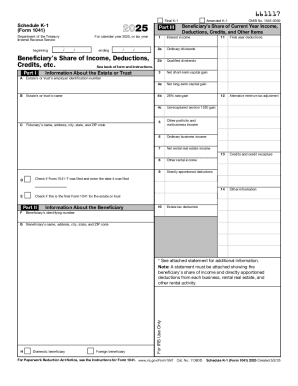
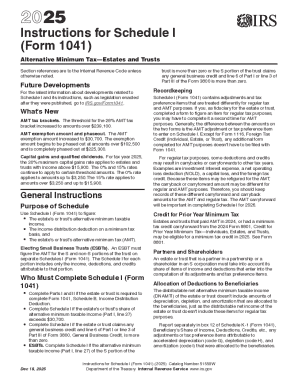
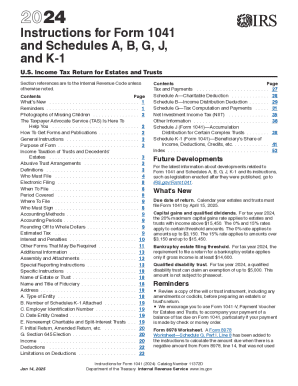
IRS Instructions 1041 - Schedule K-1 Form Versions
Related Content
Related Forms




Get the latest insights from our blog


If you believe that this page should be taken down, please follow our DMCA take down process
here
.
This form may include fields for payment information. Data entered in these fields is not covered by PCI DSS compliance.