
Last updated on
Oct 17, 2026
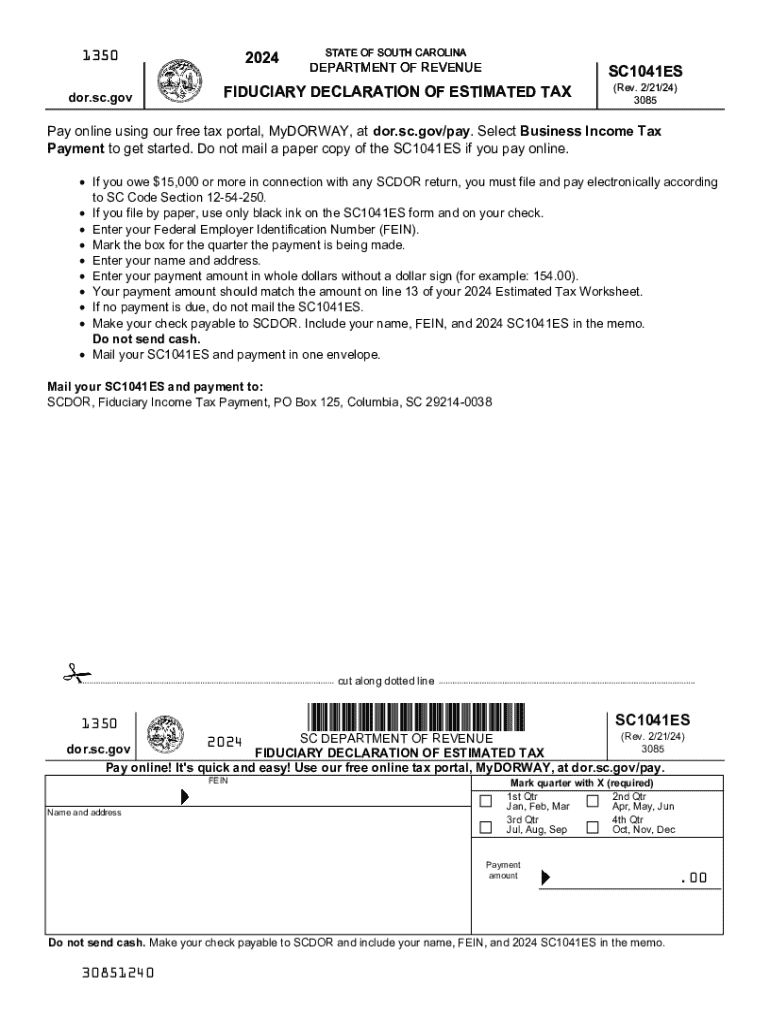
SC SC1041ES 2024 free printable template
pdfFiller is not affiliated with any government organization

Fill out
Complete the form online in a simple drag-and-drop editor.

eSign
Add your legally binding signature or send the form for signing.

Share
Share the form via a link, letting anyone fill it out from any device.

Export
Download, print, email, or move the form to your cloud storage.
Why pdfFiller is the best tool for your documents and forms


End-to-end document management
From editing and signing to collaboration and tracking, pdfFiller has everything you need to get your documents done quickly and efficiently.
Accessible from anywhere
pdfFiller is fully cloud-based. This means you can edit, sign, and share documents from anywhere using your computer, smartphone, or tablet.
Secure and compliant
pdfFiller lets you securely manage documents following global laws like ESIGN, CCPA, and GDPR. It's also HIPAA and SOC 2 compliant.
What is SC SC1041ES
The South Carolina Fiduciary Declaration of Estimated Tax is a state tax document used by fiduciaries to declare estimated tax for income tax liabilities of $100 or more.
pdfFiller scores top ratings on review platforms




Who needs SC SC1041ES?
Explore how professionals across industries use pdfFiller.

SC SC1041ES is needed by:
-
Resident fiduciaries managing estates
-
Nonresident fiduciaries handling South Carolina income
-
Trustees responsible for trusts in South Carolina
-
Executors of estates with tax liabilities
-
Financial advisors assisting clients with tax planning
Comprehensive Guide to SC SC1041ES
Understanding the South Carolina Fiduciary Declaration of Estimated Tax
The South Carolina Fiduciary Declaration of Estimated Tax, also known as the SC1041ES form, is crucial for fiduciaries managing trusts and estates. This form is used to declare estimated tax obligations for individuals or entities expecting to owe a tax liability of $100 or more. Filing this form helps avoid penalties that arise from underpayment.
Resident and nonresident fiduciaries are legally obligated to submit the SC1041ES form when necessary. Failing to do so can result in significant penalties, adding further financial burden to the fiduciary.
Who Needs the South Carolina Fiduciary Declaration of Estimated Tax?
Both resident and nonresident fiduciaries must be aware of their requirements concerning the SC1041ES form. Individuals and organizations managing estates, trusts, or other fiduciary duties are typically required to file if they anticipate an income tax liability.
-
Individuals who expect to owe taxes of $100 or more.
-
Entities that hold and distribute taxable income through trusts.
-
Non-residents earning income in South Carolina that incurs tax obligations.
Key Features of the South Carolina Fiduciary Declaration of Estimated Tax
The SC1041ES form includes several important fields that need to be completed correctly to ensure compliance. Critical components include providing the Federal Employer Identification Number (FEIN) and indicating the payment amount accurately.
Moreover, this form includes specific instructions for completion, guiding fiduciaries through the process. Understanding the important deadlines for submission and payment is essential for avoiding penalties.
How to Fill Out the South Carolina Fiduciary Declaration of Estimated Tax Online
Completing the SC1041ES form online is a straightforward process that includes several key steps. Start by entering the FEIN in the designated field, then proceed to fill out your legal name and address as required.
-
Access the form through a reliable online platform.
-
Input your FEIN accurately.
-
Complete all required fields, ensuring no information is missing.
-
Review your entries to minimize errors.
-
Submit the form electronically or save it for mailing.
Utilizing tools like pdfFiller can help create a fillable form, streamlining the process further.
Payment Methods for the South Carolina Fiduciary Declaration of Estimated Tax
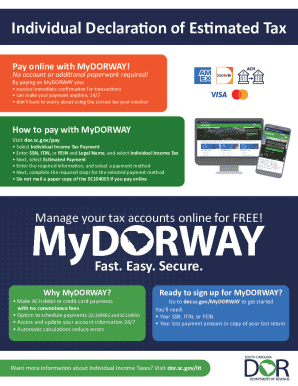
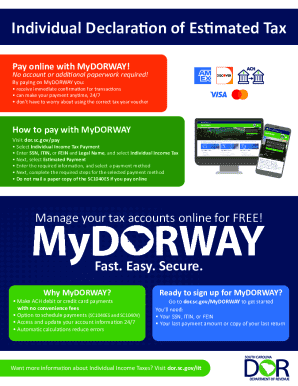
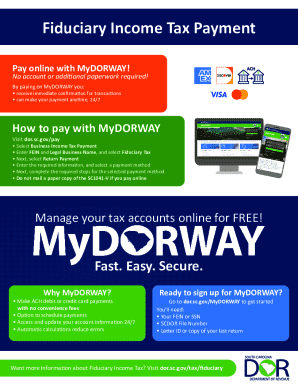
Various payment options are available for settling estimated taxes using the SC1041ES form. Fiduciaries can make payments online via the MyDORWAY portal, ensuring a quick and efficient process.
-
Online payments are processed securely through designated portals.
-
Paper submissions can be mailed; however, fee waivers may apply under certain conditions.
-
Understanding the implications of late payments is crucial, as it can lead to additional penalties.
Where and How to Submit the South Carolina Fiduciary Declaration of Estimated Tax
Submission of the SC1041ES form can occur through online platforms or by traditional mail. It is vital to choose the method that best suits your needs for efficiency and compliance.
-
Online submissions typically provide immediate confirmation of receipt.
-
Mail submissions should be tracked for assurance and compliance.
-
Retention of records post-submission is necessary to safeguard against future inquiries or audits.
Security and Privacy Aspects of Handling the South Carolina Fiduciary Declaration of Estimated Tax
When handling the SC1041ES form, maintaining the security of sensitive information is paramount. Fiduciaries must be aware of the proper practices to protect personal data during form completion.
-
Ensure compliance with security standards like HIPAA and GDPR.
-
Use platforms with encrypted data handling to secure personal information.
-
Understand the importance of data protection when sharing or submitting documents electronically.
Common Issues and How to Correct the South Carolina Fiduciary Declaration of Estimated Tax
Fiduciaries may encounter various issues when filing the SC1041ES form. Knowing the typical reasons for rejection can aid in successfully completing the form.
-
Common rejection reasons include missing FEIN or incorrect payment amounts.
-
Clear procedures for correcting or amending forms post-submission are available for fiduciaries.
-
Regularly checking the application status can help resolve issues promptly.
Utilizing pdfFiller for Your South Carolina Fiduciary Declaration of Estimated Tax
Leveraging pdfFiller can significantly enhance the process of completing the SC1041ES form. This platform offers robust features designed to simplify form management and ensure compliance.
-
Utilize fillable forms for ease of data entry and management.
-
Take advantage of eSigning features to expedite the process.
-
Explore tools for converting and sharing PDF documents to facilitate smoother workflows.
How to fill out the SC SC1041ES
-
1.To access the SC1041ES form on pdfFiller, visit their website and use the search function to find 'South Carolina Fiduciary Declaration of Estimated Tax'.
-
2.Once you have located the form, open it to view the fillable fields using pdfFiller's user-friendly interface.
-
3.Before filling out the form, gather your essential information such as your Federal Employer Identification Number (FEIN), legal business name, and the payment amount you plan to declare.
-
4.Begin completing the form by entering your FEIN in the designated field followed by your legal business name and address. Ensure accuracy to avoid future issues.
-
5.Next, proceed to the payment amount field. Enter the total estimated tax you expect to owe, ensuring that you input amounts without a dollar sign.
-
6.On the form, mark the quarter for which you are declaring the estimated tax by placing an 'X' in the corresponding checkbox to ensure clarity.
-
7.After filling out all required fields, review the form carefully for accuracy and completeness. Ensure that all provided information aligns with your records.
-
8.Once you are satisfied with the completed form, you can save it or download it as a PDF using the options provided by pdfFiller.
-
9.To submit the form, follow the outlined submission options, either online via MyDORWAY or by mailing a printed copy to the appropriate address indicated in the form instructions.

Who is required to file the SC1041ES form?
Individuals or entities that expect to owe $100 or more in South Carolina income tax liability must file the SC1041ES form. This typically includes resident and nonresident fiduciaries managing estates or trusts.
What are the deadlines for submitting the SC1041ES form?
The SC1041ES form deadlines align with the estimated tax payment schedule. Payments are typically due quarterly, and specific dates can be found in the form instructions or on the South Carolina Department of Revenue website.
How can I submit my SC1041ES form?
You can submit the SC1041ES form online using the MyDORWAY portal, or print and mail a paper copy to the designated tax authority address provided in the form instructions.
What supporting documents are required for the SC1041ES form?
Generally, you will not need additional documents when filing the SC1041ES form. However, it is advisable to have your financial records and previous tax filings available for accurate reporting of the estimated tax liability.
What common mistakes should be avoided when completing the SC1041ES form?
Common mistakes include failing to provide accurate identification information, incorrectly calculating the estimated payment amount, and missing deadlines for submission. It's critical to double-check all entries before submission.
How long does it take to process the SC1041ES form?
Processing times can vary; however, state tax forms like the SC1041ES are typically processed within a few weeks. For the latest updates, consult the South Carolina Department of Revenue website.
Is notarization required for the SC1041ES form?
No, notarization is not required for the SC1041ES form. You simply need to complete the fillable sections and follow the submission instructions provided on the form.
SC SC1041ES Form Versions
Related Content
Related Forms



Get the latest insights from our blog


If you believe that this page should be taken down, please follow our DMCA take down process
here
.
This form may include fields for payment information. Data entered in these fields is not covered by PCI DSS compliance.