
Last updated on
Oct 19, 2026
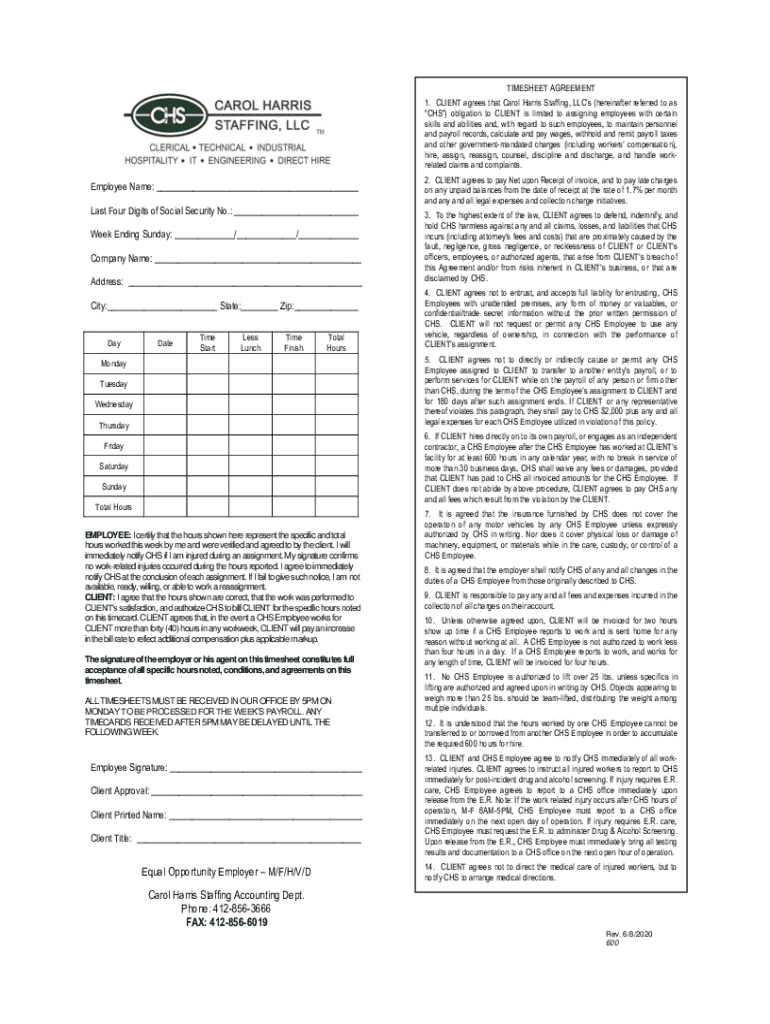
PA CHS Solutions Timesheet Agreement 2020-2026 free printable template
pdfFiller is not affiliated with any government organization

Fill out
Complete the form online in a simple drag-and-drop editor.

eSign
Add your legally binding signature or send the form for signing.

Share
Share the form via a link, letting anyone fill it out from any device.

Export
Download, print, email, or move the form to your cloud storage.
Why pdfFiller is the best tool for your documents and forms


End-to-end document management
From editing and signing to collaboration and tracking, pdfFiller has everything you need to get your documents done quickly and efficiently.
Accessible from anywhere
pdfFiller is fully cloud-based. This means you can edit, sign, and share documents from anywhere using your computer, smartphone, or tablet.
Secure and compliant
pdfFiller lets you securely manage documents following global laws like ESIGN, CCPA, and GDPR. It's also HIPAA and SOC 2 compliant.
What is PA CHS Solutions Timesheet Agreement
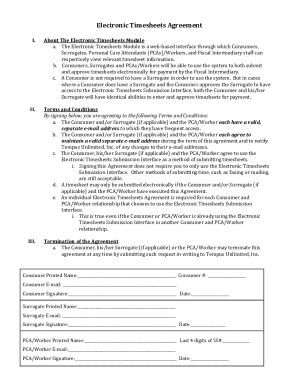
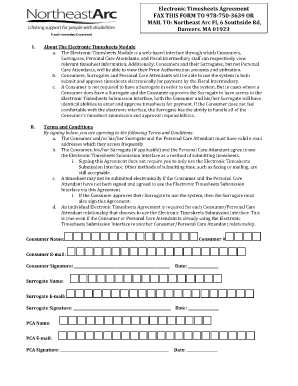
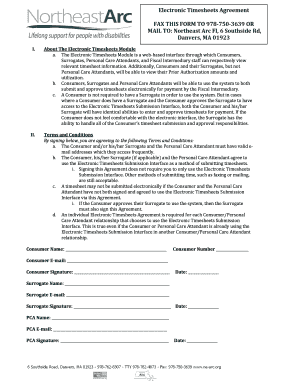
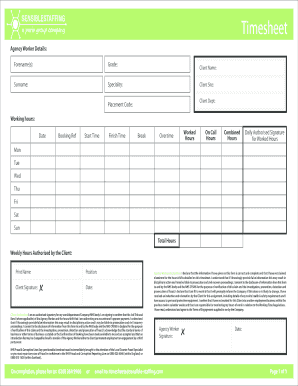
The Timesheet Agreement is a business document used by Carol Harris Staffing, LLC and their clients to outline employee assignment terms and payment responsibilities.
pdfFiller scores top ratings on review platforms




Who needs PA CHS Solutions Timesheet Agreement?
Explore how professionals across industries use pdfFiller.

PA CHS Solutions Timesheet Agreement is needed by:
-
Employers outlining employee work hours and payment terms
-
Clients of staffing agencies needing employee management agreements
-
Human resources professionals implementing staffing compliance
-
Accountants handling invoicing and payment for staffing services
-
Employees needing formal agreements regarding working hours
Comprehensive Guide to PA CHS Solutions Timesheet Agreement
What is the Timesheet Agreement?
The Timesheet Agreement serves as a pivotal document between Carol Harris Staffing, LLC (CHS) and its clients, delineating the terms under which employees are assigned. This document outlines essential agreements regarding payment, liabilities, and responsibilities to ensure clarity and mutual understanding.
The significance of the Timesheet Agreement lies in its structured content, which provides both employees and clients with a clear framework. It details the critical components like work hours, employee information, and a defined payment schedule, ultimately fostering a transparent working relationship.
Purpose and Benefits of the Timesheet Agreement
The main functions of the Timesheet Agreement include setting clear guidelines for employee hours and payment expectations. This helps in reducing misunderstandings and aligns both parties on responsibilities related to staffing, ensuring a smooth operational process.
Benefits for employees include better clarity regarding their pay and job expectations. For clients, this agreement mitigates liability risks by outlining legal obligations, thereby streamlining the staffing process and enhancing trust between the parties involved.
Key Features of the Timesheet Agreement
The Timesheet Agreement includes various essential elements such as:
-
Employee identification details
-
Work hours documentation
-
Payment terms
-
Signature requirements from both parties
Fillable fields within the form enable users to input specific data, including employee names, work hours, and the week ending dates. These critical sections ensure that all necessary information is collected and documented correctly.
Who Needs the Timesheet Agreement?
Primary users of the Timesheet Agreement include employers, employees, and clients associated with staffing agencies. It is particularly essential in scenarios where clear terms are needed around employee assignments, payment, and responsibilities to ensure compliance and mutual understanding.
Employers benefit from having a structured format for tracking employee hours, while clients appreciate the clarification of their financial obligations. This agreement acts as a safeguard for all parties involved in the staffing process.
How to Fill Out the Timesheet Agreement Online (Step-by-Step)
Completing the Timesheet Agreement using pdfFiller is straightforward. Follow these steps:
-
Open the Timesheet Agreement form on pdfFiller.
-
Enter the employee’s name and the last four digits of their Social Security number.
-
Fill in the relevant work hours for the week ending on Sunday.
-
Provide the company name and address.
-
Have both the employee and client add their signatures.
This process ensures that all necessary fields are completed efficiently, streamlining the documentation of employee assignments.
Review and Validation Checklist for Your Timesheet Agreement
Before finalizing the Timesheet Agreement, it’s crucial to ensure that all information is accurate. Here are important points to check:
-
Confirm that all employee and client details are correctly filled in.
-
Verify the accuracy of work hours and payment terms.
-
Ensure signatures are present where required.
Reviewing these elements can help avoid common mistakes that might lead to disputes or payment delays.
Signing the Timesheet Agreement: Digital vs. Wet Signatures
The signing requirements for the Timesheet Agreement can be fulfilled through either digital eSignatures or traditional wet signatures. Digital signatures are often faster and more convenient, offering the added benefit of detailed tracking and enhanced security.
Legally, both options are valid, but digital signatures provide a more efficient method, especially in a remote work environment. By implementing digital signing, clients and employees can complete their agreements promptly without physical meetings.
Security and Compliance for the Timesheet Agreement
When handling sensitive documents like the Timesheet Agreement, robust security measures are paramount. pdfFiller employs 256-bit encryption and ensures compliance with SOC 2 Type II, HIPAA, and GDPR standards.
This commitment to security protects personal information from unauthorized access, making pdfFiller a trustworthy platform for managing important business documents.
What Happens After You Submit Your Timesheet Agreement?
Once you submit your Timesheet Agreement, tracking the submission and confirming receipt is essential. You will often receive a confirmation to ensure that it was processed correctly.
If issues arise, understanding how to amend or correct the form is crucial. Be prepared to provide updated information if necessary to avoid complications with payroll or billing.
Experience Seamless Document Management with pdfFiller
Explore the features of pdfFiller for managing the Timesheet Agreement effortlessly. The platform not only allows you to fill out and edit your agreements but also ensures strong security and usability.
With its intuitive interface, pdfFiller makes it easy to navigate your document management needs while keeping your sensitive information secure.
How to fill out the PA CHS Solutions Timesheet Agreement
-
1.To access the Timesheet Agreement form on pdfFiller, begin by visiting the pdfFiller website. Use the search bar to find 'Timesheet Agreement' and select it from the search results.
-
2.Once opened, navigate through the form using the toolbar on the left. Click on each field to enter information, such as 'Employee Name' and 'Company Name'.
-
3.Gather necessary information before starting, including employee details, work hours, and any relevant company information to ensure accurate completion of the form.
-
4.Fill in all required sections, including 'Last Four Digits of Social Security No.', address fields, and signature lines. Ensure each field is completed clearly and accurately.
-
5.After filling out the form, review each section for correctness. Check for missing information that could prevent processing.
-
6.Once satisfied with the information provided, finalize the form by clicking the 'Save' or 'Submit' button. Confirm any prompts that appear to ensure your changes are saved.
-
7.To save or download the completed form, select the download option and choose your preferred format. You can also directly submit the form through pdfFiller if necessary.

Who is eligible to use the Timesheet Agreement?
The Timesheet Agreement is suitable for employees and clients of Carol Harris Staffing, LLC who need to formalize the terms of employment and hours worked.
Is there a deadline for submitting the Timesheet Agreement?
While there is no strict deadline for submission, it is advisable to complete and submit the Timesheet Agreement promptly alongside weekly invoicing to ensure timely payments.
How can I submit the Timesheet Agreement?
You can submit the Timesheet Agreement through pdfFiller by using the 'Submit' option, or save it to your device and send it via email to the concerned parties.
What supporting documents are needed with the Timesheet Agreement?
Typically, no additional supporting documents are required; however, you may need personal identification information for the employee and any client-specific details.
What common mistakes should I avoid when filling out this form?
Common mistakes include failing to complete all mandatory fields, providing inaccurate employee information, or not obtaining necessary signatures from both parties.
How long does it take to process the Timesheet Agreement?
Processing time can vary based on client response, but completed forms should ideally be reviewed and approved within a few business days.
Are there any fees associated with the Timesheet Agreement?
There are generally no fees specifically associated with completing the Timesheet Agreement, but standard billing practices may apply for client services.
PA CHS Solutions Timesheet Agreement Form Versions
Related Forms

Get the latest insights from our blog



If you believe that this page should be taken down, please follow our DMCA take down process
here
.
This form may include fields for payment information. Data entered in these fields is not covered by PCI DSS compliance.