
Last updated on
Nov 7, 2026

Canada GSC Dental Claim Form 2015-2026 free printable template
We are not affiliated with any brand or entity on this form

Fill out
Complete the form online in a simple drag-and-drop editor.

eSign
Add your legally binding signature or send the form for signing.

Share
Share the form via a link, letting anyone fill it out from any device.

Export
Download, print, email, or move the form to your cloud storage.
Why pdfFiller is the best tool for your documents and forms


End-to-end document management
From editing and signing to collaboration and tracking, pdfFiller has everything you need to get your documents done quickly and efficiently.
Accessible from anywhere
pdfFiller is fully cloud-based. This means you can edit, sign, and share documents from anywhere using your computer, smartphone, or tablet.
Secure and compliant
pdfFiller lets you securely manage documents following global laws like ESIGN, CCPA, and GDPR. It's also HIPAA and SOC 2 compliant.
What is Canada GSC Dental Claim Form
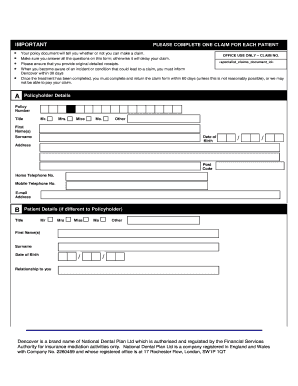
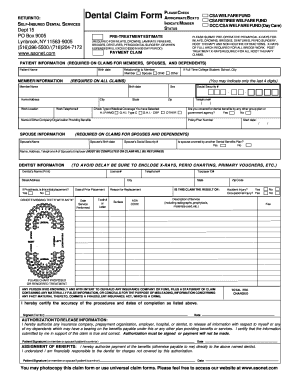
The Dental Claim Form is a healthcare document used by patients and plan members in Ontario, Canada, to submit dental treatment claims to insurance providers.
pdfFiller scores top ratings on review platforms




Who needs Canada GSC Dental Claim Form?
Explore how professionals across industries use pdfFiller.

Canada GSC Dental Claim Form is needed by:
-
Patients seeking reimbursement for dental treatments.
-
Plan members of Canadian dental insurance policies.
-
Parents or guardians submitting claims for their dependents.
-
Dentists providing services covered by insurance.
-
Insurance agents processing dental claims.
-
Healthcare professionals involved in dental billing.
Comprehensive Guide to Canada GSC Dental Claim Form
Understanding the Dental Claim Form
The Dental Claim Form is a vital document for patients and plan members in Ontario who seek to submit insurance claims for dental treatments. It serves as a structured way to relay necessary information about dental services to insurance providers. Timely submission of this form is crucial to ensure coverage, as many plans require the claim to be filed within specific timeframes.
Both patients receiving treatment and plan members associated with the insurance are responsible for completing this form. Their collaboration ensures that all pertinent details are accurately captured to facilitate processing.
Why You Need the Ontario Dental Claim Form
Using the Ontario Dental Claim Form offers significant advantages for individuals seeking reimbursement for dental treatments. The form simplifies the process by ensuring that all required information is documented systematically, thereby increasing the likelihood of a smooth claim approval.
-
Submitting a claim is the primary way to recover costs for dental treatments.
-
The form clearly details the services rendered, aiding the insurance in evaluating claims.
-
Both the patient and plan member must provide their signatures, which legitimizes the submission.
Key Features of the Dental Claim Form
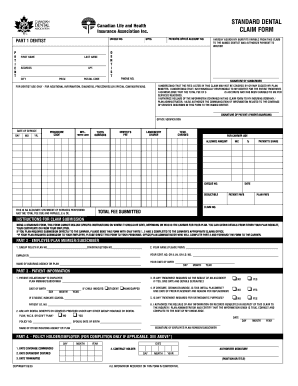
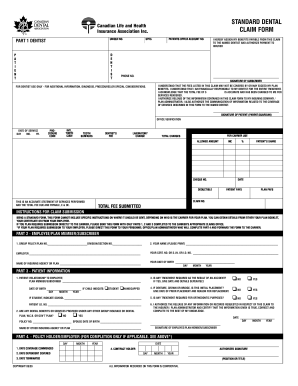
The Dental Claim Form is structured with essential components that users must navigate for successful submission. Key features include fields for essential patient information such as the patient's name, contact details, and specific treatments received.
-
Required fields include patient name, address, and service details.
-
An authorization section allows for the release of information to the insurer, streamlining processing.
-
Instructions and checkboxes are included to aid the user in filling out the form correctly.
Who Should Complete the Dental Claim Form?
The Dental Claim Form is intended for patients and their plan members, each holding specific roles in the completion process. Patients are typically those receiving medical services, while plan members may be family members or guardians covered under a dental plan.
-
Identification of the patient is crucial and can include adults or minors, with guardians signing when necessary.
-
Both the patient and plan member's signatures are required to validate the claim submission.
-
The form is necessary post-treatment to initiate the claim process and secure reimbursement.
How to Fill Out the Dental Claim Form Online
Completing the Dental Claim Form online can be streamlined using pdfFiller. Follow these steps to ensure a thorough submission.
-
Access the form on the pdfFiller platform.
-
Fill out required sections, making sure to include accurate patient and service details.
-
Ensure both patient and plan member sign the document as required.
-
Review the completed form meticulously to confirm accuracy before final submission.
Submitting Your Dental Claim Form
Submitting the completed Dental Claim Form can be done through various methods depending on your preference. Understanding the options available can save you time and ensure your claim is processed swiftly.
-
You can submit the form online via pdfFiller or through traditional mail.
-
Claims must generally be filed within 12 months from the date of the service.
-
Once submitted, you will receive a confirmation to ensure your claim is being processed.
Common Errors When Filling the Dental Claim Form
Awareness of common mistakes when filling out the Dental Claim Form can prevent delays in claims processing. Ensuring accuracy is crucial for a successful claim.
-
Common errors include missing signatures or incorrect patient details.
-
Double-checking all information before submission can prevent minor mistakes.
-
If errors are detected post-submission, follow established procedures to correct them promptly.
Security and Compliance for Your Dental Claim Form
Data security is paramount when submitting the Dental Claim Form. It is essential to trust that your sensitive information is being handled with care and compliance with relevant regulations.
-
Form submissions utilize 256-bit encryption to protect your data during transit.
-
Adherence to HIPAA and GDPR compliance ensures that personal information remains private.
-
Understanding the measures in place for privacy during submission can put users at ease.
Experience the Convenience of pdfFiller for Your Dental Claim Form
pdfFiller transforms the way you manage your Dental Claim Form, enhancing accessibility and ease of use. By opting for this online platform, users can benefit from a range of features designed for maximum efficiency.
-
pdfFiller provides a user-friendly interface that simplifies the form-filling process.
-
Its cloud-based accessibility allows for easy sharing and editing from any device.
-
Robust security features help protect your information throughout the form management process.
How to fill out the Canada GSC Dental Claim Form
-
1.To access the Dental Claim Form on pdfFiller, visit the website and enter 'Dental Claim Form' in the search bar.
-
2.Select the appropriate form from the search results to open it in the pdfFiller interface.
-
3.Begin by reading through the form to understand the information you need to provide.
-
4.Gather necessary information before filling out the form, such as the patient's last name, given name, address, and details about dental services received.
-
5.Use the fillable fields in pdfFiller to accurately enter information in the designated areas.
-
6.Complete all required fields, checking off any boxes that apply to your treatment.
-
7.Refer to the instructions provided on the form to ensure all sections are completed correctly.
-
8.Once the form is filled out, review all entries for accuracy and completeness.
-
9.Pay attention to the signature fields; both the patient and plan member must sign the form.
-
10.Explore pdfFiller's review options to confirm that all information is clearly legible.
-
11.Save your completed form by clicking the 'Save' button, which allows for easy access later.
-
12.To download a copy for your records, choose the 'Download' option from the File menu.
-
13.Finally, submit the form by following the insurer's specific submission procedure, which may involve faxing or mailing the completed document.

Who is eligible to use the Dental Claim Form?
Eligibility includes patients receiving dental treatments and plan members of Canadian dental insurance policies. Both parties must provide their signatures on the form for successful submission.
What is the deadline for submitting the Dental Claim Form?
The form must be submitted within 12 months from the date of service to be eligible for reimbursement. Ensure to keep track of submission dates to avoid delays.
How do I submit the completed Dental Claim Form?
Submission methods vary by insurance provider. Common practices include faxing the form to the insurer or mailing it to the designated address provided by your insurance company.
What supporting documents are needed with the Dental Claim Form?
Typically, supporting documents include the invoice from the dental provider outlining the services rendered. Ensure that all required paperwork accompanies your claim for processing.
What common mistakes should I avoid when completing the form?
Avoid leaving any required fields blank, and ensure all signatures are collected. Double-check for misspellings or incorrect information before submitting to prevent processing delays.
How long does it take to process a dental claim?
Processing times can vary by insurer but generally range from 2 to 6 weeks. To avoid delays, ensure all information is accurate and submissions are timely.
Can I fill out the Dental Claim Form online?
Yes, you can fill out the Dental Claim Form online using pdfFiller, which allows for easy entry and submission while ensuring that all required fields are accessible.
Canada GSC Dental Claim Form Form Versions
Related Forms



Get the latest insights from our blog


If you believe that this page should be taken down, please follow our DMCA take down process
here
.
This form may include fields for payment information. Data entered in these fields is not covered by PCI DSS compliance.