
Last updated on
Nov 9, 2026
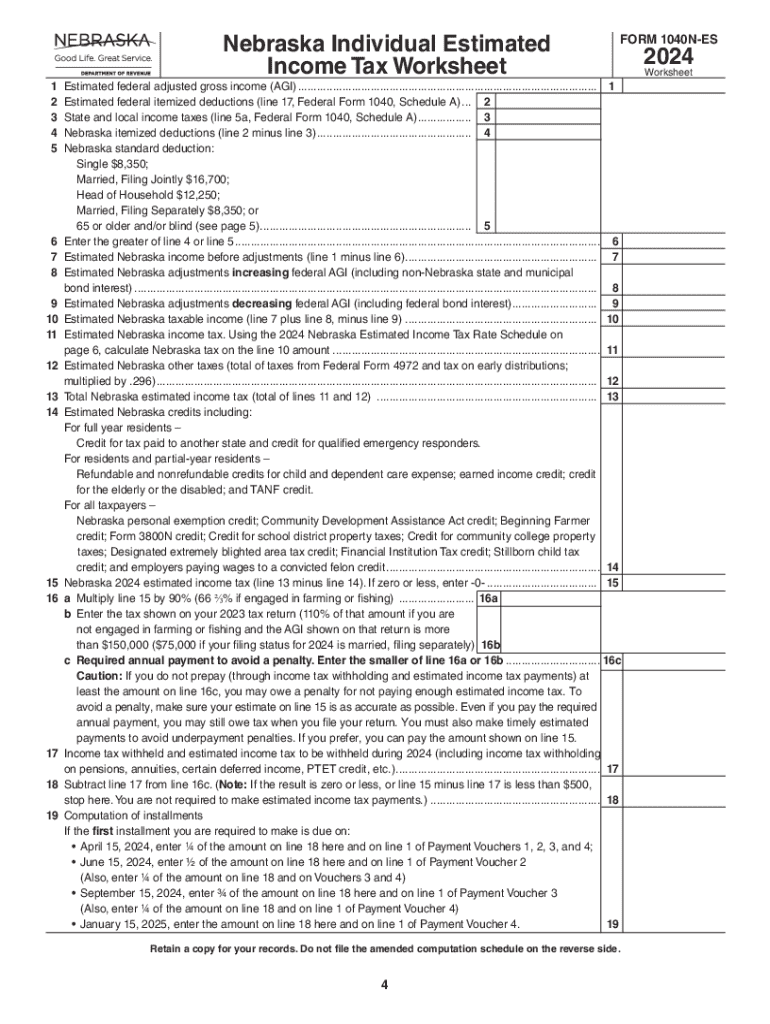
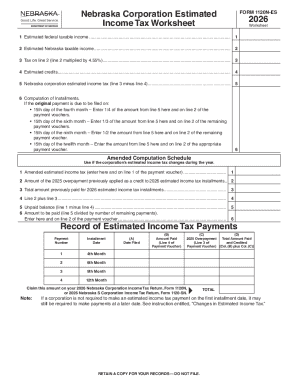
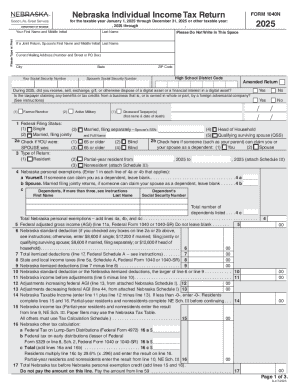
NE DoR 1040N-ES 2024 free printable template
pdfFiller is not affiliated with any government organization

Fill out
Complete the form online in a simple drag-and-drop editor.

eSign
Add your legally binding signature or send the form for signing.

Share
Share the form via a link, letting anyone fill it out from any device.

Export
Download, print, email, or move the form to your cloud storage.
Why pdfFiller is the best tool for your documents and forms


End-to-end document management
From editing and signing to collaboration and tracking, pdfFiller has everything you need to get your documents done quickly and efficiently.
Accessible from anywhere
pdfFiller is fully cloud-based. This means you can edit, sign, and share documents from anywhere using your computer, smartphone, or tablet.
Secure and compliant
pdfFiller lets you securely manage documents following global laws like ESIGN, CCPA, and GDPR. It's also HIPAA and SOC 2 compliant.
What is NE DoR 1040N-ES
The NE DoR 1040N-ES is a tax form used by Nebraska residents to report estimated tax payments for the year.
pdfFiller scores top ratings on review platforms




I fill out a lot of forms from different organizations. Found PDF Filler after searching for a federal form. It was the top result and I started using it from there. Some organizations do not even realize how they have deployed PFD files. When you show up, or fax them their completed PDF file you get some odd reactions.
Very useful. Need some improvement in numbers insertion. But very useful.
IT REALLY DOESN'T GET ANY BETTER THAN THIS. VERY EASY TO USE THUS FAR EVEN THOUGH I AM STILL LEARNING.
Quite good quality service along with reasonable pricing.
This program saved me hours of work. I love it.
Great product!
Great product!Does what it should do in a simple and intuitive way.Hope it also keeps me private
Who needs NE DoR 1040N-ES?
Explore how professionals across industries use pdfFiller.

NE DoR 1040N-ES is needed by:
-
Nebraska residents who owe estimated taxes
-
Self-employed individuals in Nebraska
-
Business owners in Nebraska
-
Freelancers and independent contractors in Nebraska
-
Individuals with substantial non-wage income
-
Tax professionals assisting Nebraska clients
Comprehensive Guide to NE DoR 1040N-ES
What is the NE DoR 1040N-ES?
The NE DoR 1040N-ES is a crucial tax form designed specifically for Nebraska taxpayers. This form serves as an essential tool in the tax filing process, facilitating timely income tax payments. Understanding its significance is vital for individuals aiming to maintain compliance with state tax regulations.
For Nebraska residents, the NE DoR 1040N-ES plays a pivotal role in ensuring that tax obligations are met efficiently, thereby avoiding any potential inconveniences with state tax authorities.
Purpose and Benefits of the NE DoR 1040N-ES
This form is necessary for expediting the tax filing process. Filing the NE DoR 1040N-ES on time can provide numerous benefits, including the opportunity to avoid penalties associated with late payments. Moreover, accurate reporting through this form enhances the likelihood of claiming various tax credits and deductions that can substantially reduce tax liabilities.
Who Needs to Fill Out the NE DoR 1040N-ES?
The NE DoR 1040N-ES must be completed by a range of individuals and specific entities. Typically, those required to fill out this form include taxpayers with self-employment income and certain business owners. Additionally, there are distinct scenarios where this form is relevant for Nebraska residents compared to non-residents.
How to Fill Out the NE DoR 1040N-ES Online (Step-by-Step)
Completing the NE DoR 1040N-ES online using pdfFiller is straightforward. Follow these steps to accurately fill out each section of the form:
-
Access the NE DoR 1040N-ES template on pdfFiller.
-
Fill in your personal information at the top of the form.
-
Provide details regarding your income and any deductions in the designated sections.
-
Review your entries for accuracy before submitting.
-
Submit the completed form either online or via the appropriate mailing address.
Pay close attention to common fields that require precision to ensure a smooth filing experience.
Common Errors and How to Avoid Them
While filling out the NE DoR 1040N-ES, several common errors may arise. Typical mistakes include inputting incorrect financial figures, missing signatures, and failing to provide all required documentation. To avoid these pitfalls, consider the following tips:
-
Double-check all entries for accuracy.
-
Ensure all required sections of the form are completed.
-
Seek assistance if uncertain about specific fields.
How to Submit the NE DoR 1040N-ES After Completion
Once the NE DoR 1040N-ES is completed, you have various submission methods at your disposal. You can either file the form online using pdfFiller or send it by mail. Be mindful of important deadlines and processing times associated with your submission to ensure timely compliance.
After submission, it’s also a good practice to confirm receipt and track the status of your filing to guard against any potential issues.
Post-Submission: What to Expect After Filing the NE DoR 1040N-ES
Following the submission of the NE DoR 1040N-ES, processing times may vary. It’s essential to know how to check your submission status. In case your form is rejected, be prepared for possible outcomes, and understand the steps necessary to amend any errors that might necessitate resubmission.
Security and Privacy Protection While Handling the NE DoR 1040N-ES
When using pdfFiller to handle your NE DoR 1040N-ES, you can be assured of rigorous security measures. pdfFiller adheres to strict encryption and compliance standards that protect sensitive information during the filling and submission process. Utilizing a secure platform for tax document management is crucial for safeguarding personal data.
Utilizing pdfFiller for Your NE DoR 1040N-ES Needs
PdfFiller offers an array of tools that greatly enhance the user experience when filling out the NE DoR 1040N-ES. With its user-friendly editing and filling capabilities, you can conveniently access the platform from any browser without needing downloads. Additionally, the ability to eSign and securely share completed documents further simplifies the process.
Sample or Example of a Completed NE DoR 1040N-ES
A visual reference of a completed NE DoR 1040N-ES can serve as a helpful guide. This example highlights key sections and the type of information typically included, allowing users to refer to it while filling in their own forms, ensuring accuracy and completeness.
How to fill out the NE DoR 1040N-ES
-
1.Access pdfFiller and search for 'NE DoR 1040N-ES' in the form library to locate the document.
-
2.Open the form by clicking on it within the pdfFiller interface to begin filling it out.
-
3.Before you start, gather necessary information such as your previous year’s tax return, income data, and any previous estimated tax payments.
-
4.Once the form is open, navigate through the fields, entering your information in the designated areas, utilizing pdfFiller’s tools for easy editing.
-
5.Review each section carefully to ensure accuracy, making sure to include all required figures for your estimated tax payments.
-
6.After completing the form, utilize pdfFiller’s review features to check for any errors in your entries.
-
7.Finalize the form by saving it within pdfFiller, either to your account or on your device as a PDF.
-
8.You can also submit the form directly through pdfFiller, or download it to send to the appropriate tax authorities.

Who needs to file the NE DoR 1040N-ES?
Nebraska residents who expect to owe $100 or more in income tax for the year are required to file the NE DoR 1040N-ES to report their estimated tax payments.
What is the deadline for submitting the NE DoR 1040N-ES?
The NE DoR 1040N-ES should typically be filed quarterly, with specific deadlines aligned with tax quarters; be sure to check Nebraska's Department of Revenue website for exact dates.
How do I submit the NE DoR 1040N-ES form?
You can submit the NE DoR 1040N-ES electronically via pdfFiller or print and mail it to the Nebraska Department of Revenue. Ensure you keep a copy for your records.
What supporting documents do I need for this form?
While the NE DoR 1040N-ES mainly requires your income information, having your previous year's tax return and any payment receipts will help streamline the process.
What are common mistakes to avoid when filling out the NE DoR 1040N-ES?
Ensure all income is accurately reported and double-check the figures for calculations. It's also important to file by the deadline to avoid penalties.
How long does it take to process the NE DoR 1040N-ES?
Processing times can vary, but typically allow several weeks after submission for the Nebraska Department of Revenue to process your estimated tax payment.
Do I need to notarize the NE DoR 1040N-ES?
No, notarization is not required for the NE DoR 1040N-ES; you simply need to complete and submit the form as directed.
NE DoR 1040N-ES Form Versions
Related Content
Related Forms





Get the latest insights from our blog


If you believe that this page should be taken down, please follow our DMCA take down process
here
.
This form may include fields for payment information. Data entered in these fields is not covered by PCI DSS compliance.