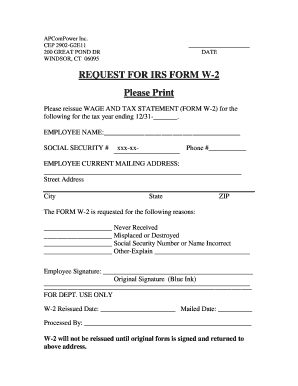
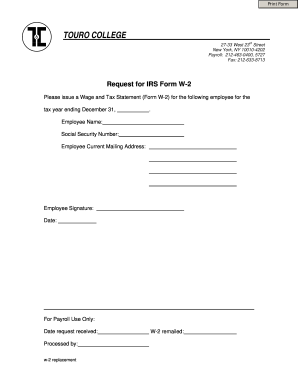
Form preview

IRS W-2c 2024 free printable template


Get Form
pdfFiller is not affiliated with IRS
Screenshot
Screenshot
Screenshot

Get, Create, Make, and Sign IRS W-2c

Edit your IRS W-2c online
Type text, complete fillable fields, insert images, highlight or blackout data for discretion, add comments, and more.
Screenshot
Add your legally-binding signature
Draw or type your signature, upload a signature image, or capture it with your digital camera.
Screenshot
Share your form instantly
Email, fax, or share your IRS W-2c via URL. You can also download, print, or export forms to your preferred cloud storage service.
Screenshot

Instructions and Help about IRS W-2c

How to edit IRS W-2c

To edit the IRS W-2c form, you should first obtain a blank version of the form from the IRS website or through authorized providers. Ensure you have the necessary software, like pdfFiller, to make edits easily. Locate the specific fields that need correction, enter the correct data, and double-check for accuracy before saving the document.
For users who prefer a guided approach, pdfFiller offers tools that allow you to edit the form digitally. This includes capabilities to fill in fields, add or remove content, and ensure all corrections comply with IRS requirements.

How to fill out IRS W-2c

Filling out the IRS W-2c involves a few critical steps. First, you must ensure that you have the original W-2 at hand since the W-2c is used to correct errors found in the initial form. Then, proceed to accurately transfer the corrected information onto the W-2c form, distinguishing between the original and corrected amounts.
It is essential to provide a detailed explanation of each correction in the space provided on the form. Once completed, the form must be signed and submitted in line with IRS guidelines.

Latest updates to IRS W-2c

The IRS regularly updates forms to reflect changes in tax law or reporting requirements. As of late 2023, there have been no significant changes to the W-2c form itself, but filers should always check for updates that may affect filing procedures.

About IRS W-2c 2024 previous version

What is IRS W-2c?

The IRS W-2c, officially known as the "Corrected Wage and Tax Statement," is used to rectify mistakes present on a previously issued W-2 form. Taxpayers, along with their employers, utilize this form to report corrected amounts for wages, taxes withheld, and other critical employment-related information.

Who needs the form?

Any employer who finds discrepancies in the information reported on the original W-2 must file a W-2c. Employees who receive a W-2 with incorrect details also require this form for their records and tax filings. It is essential for maintaining accurate tax documentation and ensuring compliance with IRS regulations.

What are the penalties for not issuing the form?

Failing to issue a W-2c when errors are detected can lead to significant penalties imposed by the IRS. Employers may face fines based on the number of days the form is late, starting at $50 per form. This penalty can increase significantly if the failure continues beyond a designated period, underscoring the importance of prompt correction and reporting.

Is the form accompanied by other forms?

The IRS W-2c can be accompanied by other forms such as the original W-2 if it is necessary to clarify the changes made. It's vital to refer to IRS guidelines to determine whether any additional documentation is required for your specific situation.

Where do I send the form?

The completed IRS W-2c form should be sent to the Social Security Administration (SSA) and the employee. When submitting to the SSA, be sure to use the address specified in the IRS instructions, as this may vary depending on the filing method (mail or electronic submission).

What is the purpose of this form?

The purpose of the IRS W-2c is to provide a mechanism for employers and employees to correct wage-related inaccuracies reported to the IRS. This ensures that the recipient’s tax returns accurately reflect their income and taxes withheld, thus allowing for correct tax calculations and compliance.

When am I exempt from filling out this form?

You may be exempt from filling out the IRS W-2c if there are no errors present in your W-2 form. Additionally, if the discrepancy does not affect your tax return or if the errors have no tax consequences, you may not need to file a W-2c.

Components of the form

The IRS W-2c comprises several components, including detailed fields for employee and employer information, wages, and tax withholdings. Each section must be filled out with corrected figures, which clearly denote the original amounts versus the updated ones. Furthermore, a specific area is designated for indicating the reasons for correction.

What information do you need when you file the form?

When filing the IRS W-2c, you will need various pieces of information, including the employee's correct and incorrect wages, taxes withheld, and all relevant employer identification details. Additionally, a clear explanation of corrections will ensure the form is accurately processed by the IRS.

FAQ about IRS W-2c

If you discover an error on your IRS W-2c after submission, you can file an amended return, which allows for corrections to previously reported information. Be sure to indicate the correct figures, clearly state the reasons for the amendment, and submit it to the appropriate IRS address. Timely submission is crucial to avoid potential complications with your tax filings.

If your e-filed IRS W-2c is rejected, review the rejection codes provided, as they typically indicate the specific issues causing the rejection. Make necessary corrections and resubmit the form promptly. Keeping documentation of the rejection and your corrected submissions is vital for tracking purposes.

E-signatures are acceptable for submitting IRS W-2c forms, provided that they meet the IRS guidelines for electronic submissions. This can help streamline the correction process as it allows for faster and easier transmission of corrected information while maintaining compliance with legal requirements.

Receiving an IRS notice regarding your W-2c indicates that there may be discrepancies in your reported earnings. Carefully review the notice and compare it against your records. Gather relevant documentation, including your W-2c and any additional proof of income, and respond promptly to clarify and resolve the issue.

When e-filing your IRS W-2c, ensure that you use compatible software that meets IRS specifications for electronic submissions. Common requirements include using a PDF format for attachments, following file size limits, and ensuring the correct version of the form is utilized. Always check for updates to technical specifications annually.

See what our users say

Read user feedback and try pdfFiller to explore all its benefits for yourself
This program is so easy to use...any document can be converted in to a fillable form, and even saved as a Word doc. Really love this program!
Cindi S
Amending the future The software is designed to edit PDFs. Makes updating documents and personal files very easy. I wouldn't change anything for this product.
Kory O.
See what our users say
Trust Seal
Trust Seal
Trust Seal
Trust Seal
Trust Seal
Trust Seal
Trust Seal
Trust Seal
Rate free form
4.3
satisfied
40 votes

How to Fill Out Small Business Tax Forms Online with pdfFiller

Struggling with your Schedule C or not sure how to file business taxes as a sole proprietor, LLC, or self-employed professional? This step-by-step pdfFiller tutorial walks you through completing IRS Schedule C quickly and accurately — no printing, no scanning, no stress. Whether you're handling small business tax deductions, tracking self-employed taxes, or preparing your full business tax return, pdfFiller makes it simple right in your browser.

If you believe that this page should be taken down, please follow our DMCA take down process here .
This form may include fields for payment information. Data entered in these fields is not covered by PCI DSS compliance.