
Last updated on
Oct 31, 2026

IRS 1040 - Schedule 2 2024 free printable template
pdfFiller is not affiliated with IRS

Fill out
Complete the form online in a simple drag-and-drop editor.

eSign
Add your legally binding signature or send the form for signing.

Share
Share the form via a link, letting anyone fill it out from any device.

Export
Download, print, email, or move the form to your cloud storage.
Why pdfFiller is the best tool for your documents and forms


End-to-end document management
From editing and signing to collaboration and tracking, pdfFiller has everything you need to get your documents done quickly and efficiently.
Accessible from anywhere
pdfFiller is fully cloud-based. This means you can edit, sign, and share documents from anywhere using your computer, smartphone, or tablet.
Secure and compliant
pdfFiller lets you securely manage documents following global laws like ESIGN, CCPA, and GDPR. It's also HIPAA and SOC 2 compliant.
What is IRS 1040 - Schedule 2
Schedule 2 (Form 1040) is a federal tax document used by individuals and businesses in the US to report additional taxes and alternative minimum tax.
pdfFiller scores top ratings on review platforms




IS WORKING WELL FOR OUR CLAIMS, THANK YOU
allows me to fillin pdf's w/out having to scan,allows me to fax w/out a land line at no charge,allows me to sign w/out scanning
The program seems intuitive, and probably would have been easier to absorb had I taken the time to read the instructions.
Without any training was able to work through the basic process, uploaded a pdf document and was able to fill it in.
Easy to use. I really like being able to save different pages as separate documents.
I had a positive experience, the side was easy to used.
Who needs IRS 1040 - Schedule 2?
Explore how professionals across industries use pdfFiller.

IRS 1040 - Schedule 2 is needed by:
-
Individuals filing federal tax returns.
-
Self-employed individuals reporting self-employment tax.
-
Businesses subject to additional tax obligations.
-
Tax professionals assisting clients with tax filings.
-
Individuals claiming tax credits like Form 8962.
-
Entities needing to calculate alternative minimum tax.
Comprehensive Guide to IRS 1040 - Schedule 2
What is Schedule 2 (Form 1040) Additional Taxes?
Schedule 2 (Form 1040) is an essential document used for reporting additional taxes in conjunction with Form 1040. Its primary purpose is to accurately report various types of additional taxes that individuals and businesses may incur.
This schedule covers several key areas, including self-employment tax, alternative minimum tax, and other specific taxes that may arise. Taxpayers must follow specific instructions based on whether they are filing as individuals or businesses to ensure accurate reporting.
Purpose and Benefits of Schedule 2 (Form 1040)
This form is necessary for comprehensive tax reporting, ensuring that all applicable taxes are correctly calculated and submitted to the IRS. Accurately reporting additional taxes is crucial for compliance and can prevent potential penalties.
Failure to understand or neglecting to file Schedule 2 can lead to significant consequences, including underreported taxes and associated fines. Therefore, careful attention when completing this form is vital.
Key Features of Schedule 2 (Form 1040)
Schedule 2 includes different sections that cater to various tax calculations relevant to taxpayers. Key types of taxes reported on this form may include self-employment tax and additional taxes that arise from specific situations.
Attachments like Form 8962 and Form 8936 are often required to support certain claims, reinforcing the need for comprehensive documentation when completing the form.
Who Needs to File Schedule 2 (Form 1040)?
Taxpayers who need to file Schedule 2 generally include those subject to the alternative minimum tax, among other criteria. It's essential for individuals and businesses to understand if they are required to complete this form based on their tax situation.
-
Individuals with self-employment income
-
People liable for the additional tax on early distributions
-
Taxpayers subject to the alternative minimum tax
These criteria highlight the importance of consulting the regulations surrounding taxes to determine eligibility for filing this schedule.
When and How to File Schedule 2 (Form 1040)
Filing deadlines for Schedule 2 align with the overall timelines set for Form 1040 submissions, typically due on April 15th, unless extended. Taxpayers should be aware of the specific deadlines to avoid late penalties.
-
Determine if e-filing or paper filing suits your needs
-
Follow a step-by-step process to complete the form online
-
Ensure all attached forms are included with your submission
This systematic approach helps ensure that your filings are complete and accurate.
Common Errors When Completing Schedule 2 (Form 1040)
Many taxpayers encounter frequent mistakes while completing Schedule 2. Common errors include miscalculations of taxes or overlooking required fields, which can lead to complications during the submission process.
To mitigate these issues, it's essential to review your form carefully and validate calculations to ensure compliance with IRS reporting standards.
How to Download and Fill Out Schedule 2 (Form 1040)
The PDF version of Schedule 2 can be obtained directly from IRS resources or via platforms like pdfFiller. This cloud-based service offers a user-friendly platform for completing the form.
Using the pdfFiller platform allows for easy navigation through the fields, with fillable features that simplify the editing process.
Security and Compliance When Filing Schedule 2 (Form 1040)
When handling sensitive tax information, security and compliance are paramount. pdfFiller implements robust data protection measures, including encryption and compliance with federal regulations.
-
256-bit encryption to safeguard your information
-
Regular audits to ensure adherence to compliance standards
-
Secure management solutions for your tax documents
Such measures highlight the importance of using secure platforms for tax-related submissions.
What Happens After You Submit Schedule 2 (Form 1040)?
After submitting Schedule 2, taxpayers can expect a processing timeframe that may vary based on submission methods. Tracking your submission status is crucial in case of any delays or issues.
-
Monitor the confirmation of your submission for verification
-
Be prepared to address any notices or rejections from the IRS
Understanding these procedures helps taxpayers stay informed and proactive after submission.
Leveraging pdfFiller for Your Completed Schedule 2 (Form 1040)
Utilizing pdfFiller simplifies the completion and submission process for Schedule 2. Features like eSigning and secure document storage enhance user experience while ensuring that documents remain protected.
The platform's user-friendly interface makes navigation straightforward, and support options are available for any questions that may arise.
How to Fill Out Small Business Tax Forms Online with pdfFiller
Struggling with your Schedule C or not sure how to file business taxes as a sole proprietor, LLC, or self-employed professional? This step-by-step pdfFiller tutorial walks you through completing IRS Schedule C quickly and accurately — no printing, no scanning, no stress. Whether you're handling small business tax deductions, tracking self-employed taxes, or preparing your full business tax return, pdfFiller makes it simple right in your browser.

How to fill out the IRS 1040 - Schedule 2
-
1.To begin, access pdfFiller and search for 'Schedule 2 (Form 1040).' Open the form by clicking on the provided link or template.
-
2.Once the form is loaded, navigate through the fields using the toolbar. Each input area will highlight as you hover over it, guiding you to fill them in properly.
-
3.Gather necessary information before starting, including your Social Security number, tax details, and supporting documentation like Form 8962 and Form 8936.
-
4.Fill in the required fields labeled clearly within the form. Ensure all information provided is accurate and complete to avoid processing delays.
-
5.After filling in all sections, review each field for correctness. Check that you have attached all necessary supplemental forms as outlined on Schedule 2.
-
6.When satisfied with your completion, proceed to the pdfFiller save options. Here you can download a copy, save it to your account, or directly submit it online if available.
-
7.Select the 'Submit' option to send it electronically if you choose this method, or save a copy for your records before mailing to the IRS.

Who is required to file Schedule 2 (Form 1040)?
Any taxpayer who needs to report additional taxes, such as self-employment tax or alternative minimum tax, must file Schedule 2 with their Form 1040.
What are the submission methods for Schedule 2?
Schedule 2 can be submitted electronically with your Form 1040 through approved e-filing software or mailed to the IRS as part of your tax return package.
What supporting documents do I need with Schedule 2?
When completing Schedule 2, ensure you have Form 8962, Form 8936, and Schedule A if necessary, according to the specific additional taxes you are reporting.
What are common mistakes to avoid when completing Schedule 2?
Common mistakes include omitting required information, miscalculating additional taxes owed, and failing to attach necessary supplementary forms.
Are there specific deadlines for filing Schedule 2?
Schedule 2 must be filed by the tax deadline, which is typically April 15. Extensions may apply if filing for a refund.
How long does it take to process Schedule 2 once filed?
Processing times can vary, but typically, the IRS takes several weeks to process tax returns including Schedule 2. Checking the IRS portal can provide more current status updates.
Is notarization required for Schedule 2?
No, Schedule 2 does not require notarization. It must be completed and submitted according to IRS guidelines.
IRS 1040 - Schedule 2 Form Versions
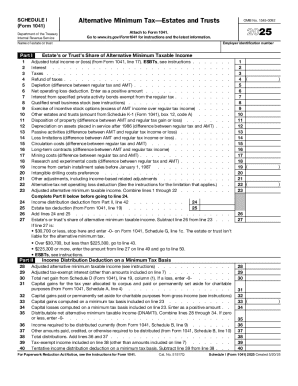
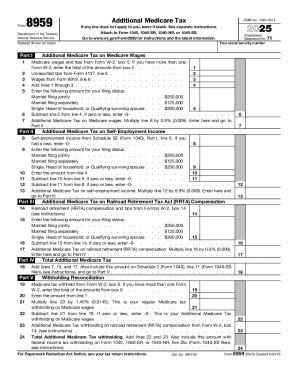
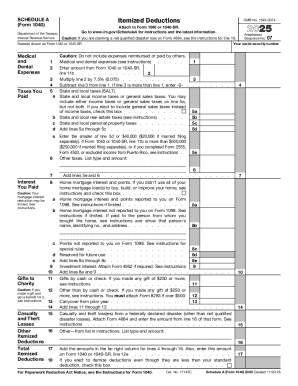
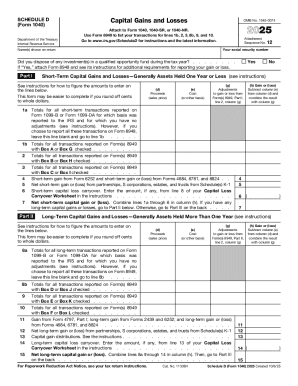
Related Forms


Get the latest insights from our blog


If you believe that this page should be taken down, please follow our DMCA take down process
here
.
This form may include fields for payment information. Data entered in these fields is not covered by PCI DSS compliance.