
Last updated on
Nov 6, 2026
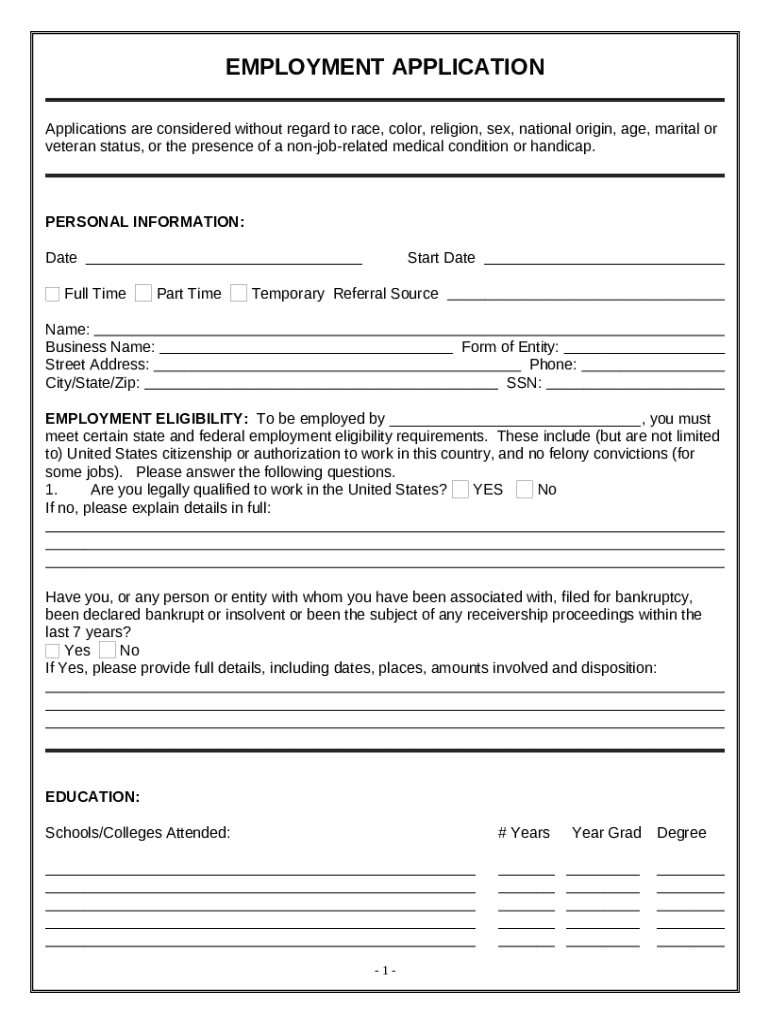
Get the free Employment Application Form
We are not affiliated with any brand or entity on this form

Fill out
Complete the form online in a simple drag-and-drop editor.

eSign
Add your legally binding signature or send the form for signing.

Share
Share the form via a link, letting anyone fill it out from any device.

Export
Download, print, email, or move the form to your cloud storage.
Why pdfFiller is the best tool for your documents and forms


End-to-end document management
From editing and signing to collaboration and tracking, pdfFiller has everything you need to get your documents done quickly and efficiently.
Accessible from anywhere
pdfFiller is fully cloud-based. This means you can edit, sign, and share documents from anywhere using your computer, smartphone, or tablet.
Secure and compliant
pdfFiller lets you securely manage documents following global laws like ESIGN, CCPA, and GDPR. It's also HIPAA and SOC 2 compliant.
What is Employment Application
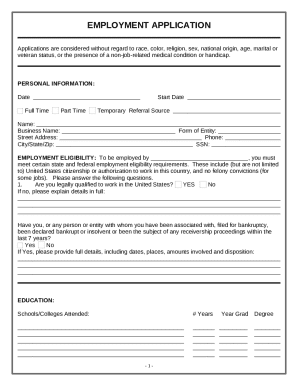
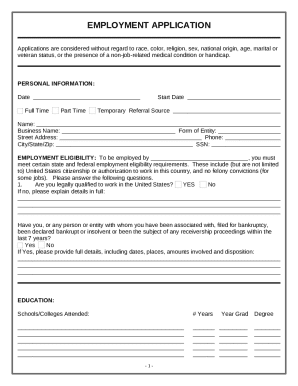
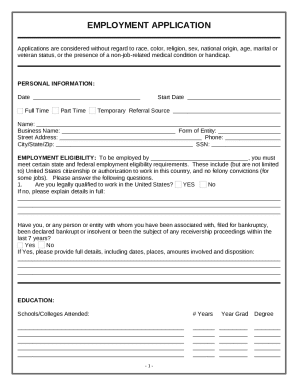
The Employment Application Form is a formal document used by job applicants to provide essential personal and employment details for assessment during the hiring process.
pdfFiller scores top ratings on review platforms




est pdf ive ever found been looking since 2008
It is the most convenient when the IRS was shut down the month of January 2019, and forms still needed to be filed.
Very trust worthy people behind the system of PDFfiller. They are extremely fast, even in the midst of work load demands of the clients like me.
Amazing tool! Easy and practic to use and it worked perfectly for me.
There are a number of forms and editing them is very easy. Still learning the ins and outs so not yet ready to give it a 5 star.
Awesome way to edit PDF. Go PDFFiller !!
Who needs Employment Application?
Explore how professionals across industries use pdfFiller.

Employment Application is needed by:
-
Job seekers applying for positions in various industries
-
Employers and HR professionals conducting hiring processes
-
Recruitment agencies assisting candidates with job placement
-
Educational institutions offering career services to students
-
Individuals seeking to understand employment requirements
-
Organizations that need to maintain a record of applicants
Comprehensive Guide to Employment Application
What is the Employment Application Form?
The Employment Application Form serves as a crucial tool in the job application process, allowing applicants to provide their vital personal and professional information. This form typically includes sections for personal information, work experience, and references, which are essential for evaluating candidates. By utilizing the employment application form, employers can assess applicants’ qualifications systematically, ensuring a fair hiring process.
Purpose and Benefits of the Employment Application Form
This form is indispensable for both job seekers and employers. It helps employers evaluate candidates fairly and consistently, fostering an unbiased recruitment process. For applicants, it standardizes the way qualifications and experiences are communicated, simplifying their presentation. Moreover, utilizing an employment application form sample can streamline job applications in 2024, enhancing clarity and organization.
Key Features of the Employment Application Form
The Employment Application Form includes unique features designed for efficient data entry. Key components consist of fillable fields and checkboxes that allow for straightforward completion. Applicants must also affirm the accuracy of the information they provide and authorize the release of such data to potential employers. The job application template exemplifies these elements effectively.
Who Needs the Employment Application Form?
This form is essential for various stakeholders in the job market. Primarily, it is designed for job seekers applying for roles across diverse industries. Additionally, employers leverage the employment application form to streamline their hiring processes and maintain consistent standards in candidate evaluation. It can be tailored for specific regions, such as the employment application form for the US, aligning with local requirements.
How to Fill Out the Employment Application Form Online (Step-by-Step)
-
Begin by entering your personal information, including full name and contact details.
-
Detail your work history, ensuring accurate dates and responsibilities.
-
Provide references who can verify your qualifications and work ethic.
-
Review all sections for completeness and accuracy before finalizing.
-
Save or print the completed application as a PDF for submission.
These steps emphasize the importance of accuracy and thoroughness when filling out your employment application form. Avoid common pitfalls by double-checking your entries and ensuring everything is correctly filled out.
Common Errors and How to Avoid Them
Many applicants encounter similar issues when completing the employment application form. Common inaccuracies often include incorrect employment dates or missing information. To mitigate these errors, it is vital to review your application thoroughly prior to submission. Taking the time to ensure that everything is accurate can greatly enhance your chances of being noticed by potential employers.
How to Sign the Employment Application Form
Signing the Employment Application Form is an important step that validates the information provided. There are significant differences between digital and traditional signatures. Digital signatures are increasingly accepted and offer convenience, while wet signatures are often used for formal paper submissions. Instructions for utilizing eSignature solutions—such as those provided by pdfFiller—ensure compliance with legal requirements.
Submission Methods and Delivery
Applicants can submit their completed Employment Application Form through several methods. Options include online submissions via company websites, email attachments, or traditional mail. Each submission method may have its own processing times, and it is recommended to verify specific employer requirements to ensure a smooth application process.
Security and Compliance for the Employment Application Form
Protecting sensitive information in the Employment Application Form is paramount. pdfFiller implements robust security measures, including 256-bit encryption and compliance with HIPAA, ensuring that personal information remains confidential. Understanding the importance of privacy and data protection during the application process helps applicants feel secure when providing their details.
Unlock a Seamless Application Experience with pdfFiller
pdfFiller enhances the job application experience by offering tools that simplify the process. Features such as editable templates and secure document management aid in submitting applications efficiently. User testimonials reveal the reliability and ease of utilizing pdfFiller for the employment application form, creating a seamless experience for job seekers.
How to fill out the Employment Application
-
1.Visit pdfFiller's website and sign in or create an account if you don't have one.
-
2.In the search bar, type 'Employment Application Form' and click on the correct form from the results.
-
3.Once the form opens, use the fillable fields to enter your personal information, including your full name, address, and contact details.
-
4.Proceed to fill out sections concerning your employment eligibility by answering questions like 'Are you legally qualified to work in the United States?'
-
5.Gather relevant information beforehand, such as your educational background, employment history, references, and any required licenses or certifications.
-
6.Use features like checkboxes for qualifications and text fields for detailing your previous work experience and skills.
-
7.After entering all the necessary information, carefully review the form for accuracy and completeness, making sure no fields are left empty.
-
8.If your information is accurate, finalize the form by scrolling to the signature section, where you will need to sign to certify the truthfulness of your application.
-
9.Once completed, save your progress on pdfFiller, then download the form or choose to submit it directly from the platform based on your employer's submission preference.

Who is eligible to fill out the Employment Application Form?
Generally, anyone seeking a job can fill out the Employment Application Form, provided they meet the basic employment eligibility requirements such as being of legal working age and being legally authorized to work in the United States.
What information do I need to gather before completing the form?
Before filling out the form, you should gather your personal details, education history, employment experience, references, and any licenses or certifications relevant to the job you are applying for.
How should I submit the Employment Application Form?
The submission method may vary by employer. Typically, you can either upload the completed form to the employer's online portal or send it via email. Check the specific instructions provided by the employer.
What common mistakes should I avoid when filling out this form?
Avoid leaving blank fields, providing inaccurate information, or failing to sign the form. Double-check your spelling and ensure all sections are completed to avoid processing delays.
Is there a processing time for the Employment Application Form?
Processing times can vary by employer. Often, you should allow a few days to weeks for your application to be reviewed, depending on the company’s hiring timeline and workload.
What supporting documents should I include with my application?
While not always required, including a resume, cover letter, and relevant transcripts or certifications can enhance your application and provide comprehensive information to potential employers.
Can I edit my Employment Application Form after submitting it?
Editing options depend on the employer's policies. If updates are necessary after submission, contact the hiring manager or HR department to discuss the possibility of making amendments.
Related Forms




Get the latest insights from our blog



If you believe that this page should be taken down, please follow our DMCA take down process
here
.
This form may include fields for payment information. Data entered in these fields is not covered by PCI DSS compliance.