
Last updated on
Oct 31, 2026
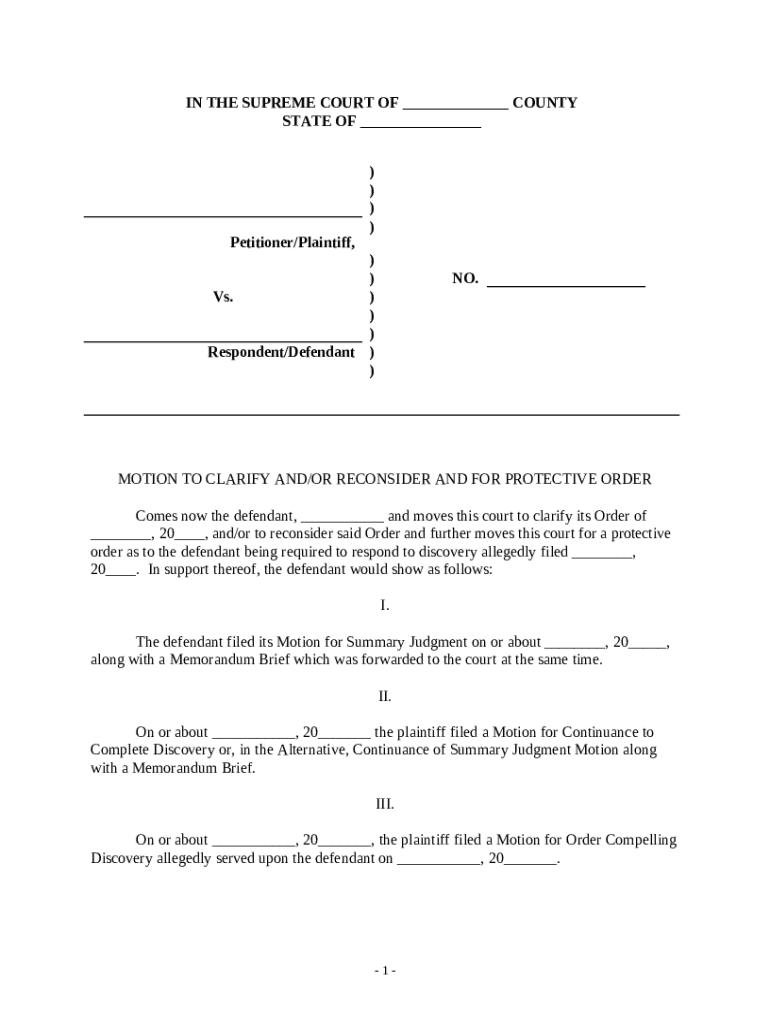
Get the free Motion to Clarify and Reconsider
We are not affiliated with any brand or entity on this form

Fill out
Complete the form online in a simple drag-and-drop editor.

eSign
Add your legally binding signature or send the form for signing.

Share
Share the form via a link, letting anyone fill it out from any device.

Export
Download, print, email, or move the form to your cloud storage.
Why pdfFiller is the best tool for your documents and forms


End-to-end document management
From editing and signing to collaboration and tracking, pdfFiller has everything you need to get your documents done quickly and efficiently.
Accessible from anywhere
pdfFiller is fully cloud-based. This means you can edit, sign, and share documents from anywhere using your computer, smartphone, or tablet.
Secure and compliant
pdfFiller lets you securely manage documents following global laws like ESIGN, CCPA, and GDPR. It's also HIPAA and SOC 2 compliant.
What is Motion Clarify Reconsider
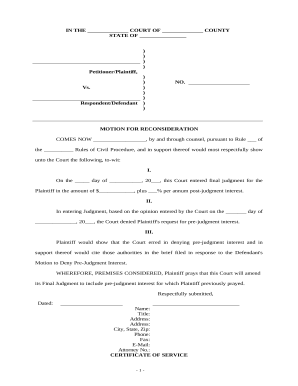
The Motion to Clarify and Reconsider is a legal document used by a defendant to request clarification or reconsideration of a previous court order.
pdfFiller scores top ratings on review platforms




Easy to use. Works well for what we need at this time
The PDFfiller has greatly improved on my efficiency's.
PDFfiller is a good value application for PDF file editing, filling and file management. My limited use of the application so far leaves a lot of its functionality to be discovered. However, it is very user friendly and simple to work with.
i like that every thing is at your convenient and its easy to use.
It makes my documents needs very convenient.
It great it help me have all my document neatly done
Who needs Motion Clarify Reconsider?
Explore how professionals across industries use pdfFiller.

Motion Clarify Reconsider is needed by:
-
Defendants in court cases seeking clarification on court decisions
-
Legal professionals preparing motions for clients
-
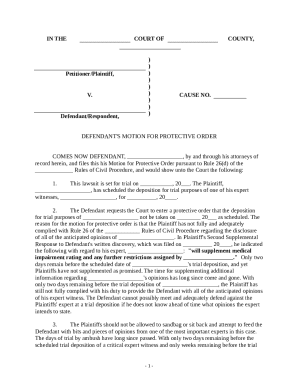
Individuals filing protective orders related to discovery
-
Law students studying court document procedures
-
Litigants involved in appeals or reconsideration requests
Comprehensive Guide to Motion Clarify Reconsider
Understanding the Motion to Clarify and Reconsider
The Motion to Clarify and Reconsider is a legal mechanism employed by defendants within court cases. This motion aims to request a clearer interpretation of existing court orders or to seek a reconsideration of decisions that may significantly impact the case. Filing this motion is critical for defendants, as it allows them to address ambiguities in legal standings and potentially enhance their legal strategies.
This process involves a formal legal motion form that outlines the necessary components, including arguments and a request for hearings. Utilizing a motion to clarify template can streamline this process.
Purpose and Benefits of the Motion to Clarify and Reconsider
Filing the Motion to Clarify and Reconsider brings several advantages for defendants. Primarily, it provides a means to clarify legal standings that could affect the outcome of the case. This clarity is essential for making informed decisions regarding legal strategies.
-
Request a protective order regarding discovery.
-
Address ambiguous or conflicting court orders.
-
Enhance the overall outcome by reinforcing legal arguments.
Key Features of the Motion to Clarify and Reconsider
The motion itself consists of several standard sections that need to be completed accurately. These sections typically include arguments supporting the request and a designated space for the hearing request.
-
Templates provide blank fields for specific details such as dates, names, and signatures.
-
Completing the form thoroughly is crucial for its acceptance by the court.
Who Needs the Motion to Clarify and Reconsider
The primary audience for this legal motion includes defendants involved in ongoing cases where court orders may need clarification. Scenarios warranting the filing of this motion can vary widely, but it is essential to understand who qualifies to use this legal avenue.
-
Defendants facing complexities in court orders.
-
Individuals seeking to clarify specific legal standings.
-
Those in need of legal representation to assist with the filing process.
Eligibility Criteria for Filing the Motion
To successfully file a Motion to Clarify and Reconsider, certain eligibility criteria must be met. Each state has unique jurisdictional requirements that can vary significantly.
-
Familiarity with state-specific rules related to filing motions.
-
Understanding of circumstances that warrant clarification or reconsideration.
-
Knowledge of any related legal documentation, including previous court orders.
How to Fill Out the Motion to Clarify and Reconsider Online
Completing the Motion to Clarify and Reconsider online is a straightforward process that enhances accessibility. Step-by-step guidance can simplify this task for users.
-
Access the online form and start filling in information.
-
Follow field-by-field instructions to ensure accuracy.
-
Review the completed motion for completeness before submission.
Submitting the Motion to Clarify and Reconsider
After completing the motion, the next step is submission. Understanding the various submission methods and associated fees is essential for a successful process.
-
Choose between online submission or mailing options.
-
Be aware of deadlines and processing times that apply.
-
Track submissions and await confirmation of receipt.
What Happens After You Submit
Post-submission, defendants should be prepared for potential outcomes from the Motion to Clarify and Reconsider. Familiarity with the possible rejections and necessary responses can ease the process.
-
Understand common reasons for motion rejection.
-
Be prepared to clarify issues if needed.
-
Know what to expect regarding hearings related to the motion.
Security and Compliance in Handling Your Motion
Security is paramount when handling sensitive legal documents. Using a trusted platform, such as pdfFiller, ensures compliance with necessary regulations and protects user data.
-
Data protection measures include encryption and regulatory compliance.
-
The importance of securing sensitive documentation cannot be overstated.
-
Users should be informed about record retention and privacy considerations.
Empower Yourself with pdfFiller for Your Motion to Clarify and Reconsider
Utilizing pdfFiller can significantly streamline the paperwork process involved in filing a Motion to Clarify and Reconsider. This platform offers various features that enhance user experience.
-
Key features include eSigning and cloud-based access for convenience.
-
pdfFiller simplifies the motion process, ensuring high accuracy and compliance.
-
Starting to use pdfFiller can make navigating legal forms easier.
How to fill out the Motion Clarify Reconsider
-
1.Access pdfFiller and log into your account. Search for 'Motion to Clarify and Reconsider' in the template library.
-
2.Open the form and familiarize yourself with its structure, noting the blank fields designated for specific information.
-
3.Gather necessary details such as case numbers, the original court order, and personal information before filling out the form.
-
4.Begin filling each section systematically, entering relevant dates, names, and arguments as required by the motion.
-
5.Use the formatting tools in pdfFiller to adjust text size, font, or style if necessary, ensuring all information is clear and legible.
-
6.Once all fields are completed, review the form thoroughly. Check for any missing information or typographical errors.
-
7.After final review, save your completed form on pdfFiller. You can also download it in your preferred format for personal records.
-
8.Submit the form according to the court's instructions, which may include electronic filing or sending via postal mail.

Who is eligible to use the Motion to Clarify and Reconsider?
Any defendant involved in a civil or criminal court case can use this motion to clarify previous orders or seek reconsideration.
What is the deadline for filing this motion?
Deadlines for filing a Motion to Clarify and Reconsider vary by jurisdiction. It's important to check your local court’s rules to avoid missing the submission timeline.
How can I submit the Motion to Clarify and Reconsider?
You can submit the motion either electronically through the court's online portal or by mailing a physical copy to the appropriate court address.
What supporting documents are required with this motion?
Typically, you must include a copy of the original court order you wish to clarify or reconsider, along with any relevant evidence that supports your request.
What are common mistakes to avoid when filling out this motion?
Common mistakes include failing to fill all required fields, incorrect formatting, and missing signatures. Ensure that all sections are completed accurately.
How long does it take for a motion to be processed?
Processing times can vary significantly depending on the court's workload. It's advisable to consult your local court for specifics on expected timelines.
Can I make changes to the motion after submission?
Once submitted, you typically cannot alter the motion without filing a formal amendment or a new motion. Check your local court policies for guidance.
Related Forms




Get the latest insights from our blog


If you believe that this page should be taken down, please follow our DMCA take down process
here
.
This form may include fields for payment information. Data entered in these fields is not covered by PCI DSS compliance.