
Last updated on
Oct 19, 2026
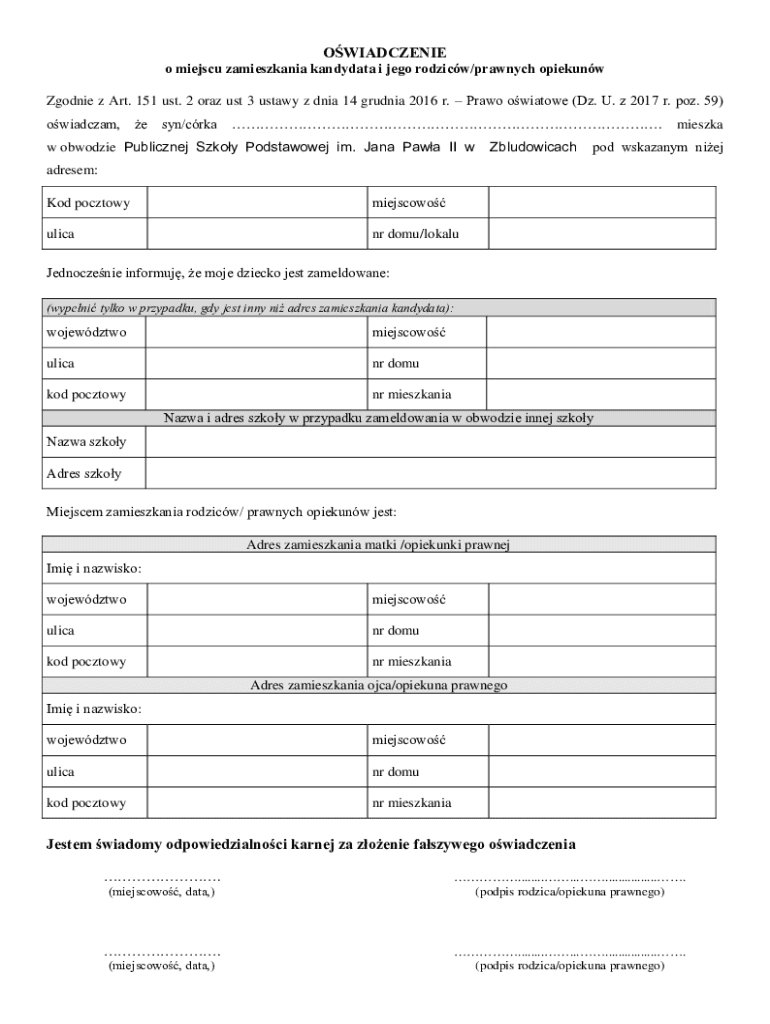
Get the free Residence Declaration for School Admission
We are not affiliated with any brand or entity on this form

Fill out
Complete the form online in a simple drag-and-drop editor.

eSign
Add your legally binding signature or send the form for signing.

Share
Share the form via a link, letting anyone fill it out from any device.

Export
Download, print, email, or move the form to your cloud storage.
Why pdfFiller is the best tool for your documents and forms


End-to-end document management
From editing and signing to collaboration and tracking, pdfFiller has everything you need to get your documents done quickly and efficiently.
Accessible from anywhere
pdfFiller is fully cloud-based. This means you can edit, sign, and share documents from anywhere using your computer, smartphone, or tablet.
Secure and compliant
pdfFiller lets you securely manage documents following global laws like ESIGN, CCPA, and GDPR. It's also HIPAA and SOC 2 compliant.
What is School Residence Form
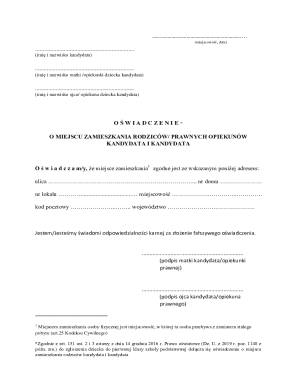
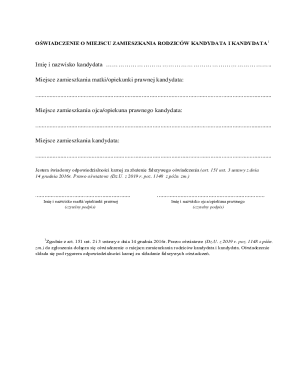
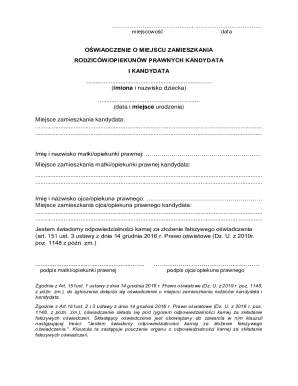
The Oświadczenie o miejscu zamieszkania is an official form used by parents or legal guardians in Poland to declare the residence of a candidate for educational purposes.
pdfFiller scores top ratings on review platforms




Who needs School Residence Form?
Explore how professionals across industries use pdfFiller.

School Residence Form is needed by:
-
Parents or legal guardians enrolling a child in school
-
Individuals applying for public primary schools in Poland
-
Education administrators handling student registrations
-
Social workers assisting families with educational documentation
Comprehensive Guide to School Residence Form
What is the Oświadczenie o miejscu zamieszkania?
The Oświadczenie o miejscu zamieszkania is a crucial residency documentation form in Poland. It serves to officially declare an individual's residence, which is essential for various legal and administrative purposes. This form ensures that authorities have accurate information about where individuals reside, facilitating matters such as tax reporting and legal residency verification.
This form holds significant legal purpose, acting as a verification tool for individuals seeking to establish residency rights or update their official records. Its relevance cannot be overstated, as it forms the foundation for numerous administrative processes.
Purpose and Benefits of the Oświadczenie o miejscu zamieszkania
Using the Oświadczenie o miejscu zamieszkania offers various advantages for personal situations, including confirming legal residency for tax obligations and school enrollments. Completing this form can streamline the verification process, ensuring that all required documentation is in order.
A key benefit of using pdfFiller for this form is its ease of use. Users can access the platform from any device to fill out, edit, and submit their form efficiently. The accessibility and intuitive design of pdfFiller significantly enhance the user experience.
Who Needs the Oświadczenie o miejscu zamieszkania?
This residency documentation is essential for various individuals, such as those relocating to a new area or establishing a formal residence. People in situations like moving to a different city, enrolling children in school, or needing official residency verification may find this form necessary.
There are several scenarios where individuals must submit the Oświadczenie o miejscu zamieszkania, including applying for government benefits, educational enrollments, or housing applications. Understanding who needs this form is vital for ensuring compliance with residency requirements.
How to Fill Out the Oświadczenie o miejscu zamieszkania Online (Step-by-Step)
Filling out the Oświadczenie o miejscu zamieszkania online using pdfFiller involves several straightforward steps:
-
Access pdfFiller's website and log in or create an account.
-
Locate the Oświadczenie o miejscu zamieszkania form in the document library.
-
Start filling out the form by entering your personal information in each designated field.
-
Review the information for accuracy before submission.
-
Finalize the process by signing the form electronically.
The platform provides a field-by-field breakdown to help users understand what information is required in each section, ensuring a smooth filling experience.
Common Errors and How to Avoid Them with the Oświadczenie o miejscu zamieszkania
When filling out the Oświadczenie o miejscu zamieszkania, individuals commonly make several errors, such as incorrect personal information or failure to provide required signatures. These mistakes can lead to processing delays or outright rejection of the form.
To ensure accurate completion and submission, consider the following tips:
-
Double-check personal details before submitting.
-
Ensure that all required fields are completed.
-
Read the instructions thoroughly.
Submission Methods for the Oświadczenie o miejscu zamieszkania
Once the Oświadczenie o miejscu zamieszkania is completed, there are several methods available for submission:
-
Online submission through the pdfFiller platform.
-
Mailing the completed form to the appropriate local office.
Specific requirements may apply to different submission methods, so it's essential to verify the preferred option for your local jurisdiction.
What Happens After You Submit the Oświadczenie o miejscu zamieszkania
After submission, individuals can expect a process that includes confirmation and timelines for processing the Oświadczenie o miejscu zamieszkania. Typically, a notification will be sent out confirming receipt and outlining the next steps.
Users can track their submission status conveniently through pdfFiller, providing transparency and peace of mind as they await a response from the relevant authorities.
Security and Compliance When Handling the Oświadczenie o miejscu zamieszkania
When handling sensitive information through the Oświadczenie o miejscu zamieszkania, security is paramount. pdfFiller implements robust measures to protect user data, utilizing 256-bit encryption and adhering to SOC 2 Type II standards.
Moreover, pdfFiller's compliance with regulations such as HIPAA and GDPR ensures that all documents are managed in accordance with legal standards, building trust with users who need to manage sensitive residency documentation.
Sample or Example of a Completed Oświadczenie o miejscu zamieszkania
Providing users with a visual example of a completed Oświadczenie o miejscu zamieszkania can enhance understanding. A template illustrating how to accurately fill out the form can be particularly helpful.
Key areas to highlight within the form include the necessary personal information, signatures, and dates, ensuring users recognize the critical sections they must complete.
Maximize Your Experience with pdfFiller
To get the most out of pdfFiller, users should take advantage of its features for editing, eSigning, and document management. These tools are designed to simplify the form-filling process, making it easier and more efficient.
Additionally, pdfFiller offers support resources for users who may have questions or need assistance, ensuring they can navigate the platform with confidence.
How to fill out the School Residence Form
-
1.Access pdfFiller and search for 'Oświadczenie o miejscu zamieszkania' to locate the form.
-
2.Open the form by clicking on it once you find it, launching the interactive PDF editor.
-
3.Review the instructions within the form, as they provide guidance on the information needed.
-
4.Begin filling out the required fields such as 'syn/córka' for the child's name and 'ulica nr domu/lokalu' for the residence address.
-
5.Gather necessary information including the candidate's residential address and the address where the child is registered.
-
6.Provide details for the parents or legal guardians, ensuring all addresses and names are accurately filled.
-
7.Use the tools on pdfFiller to navigate between fields, utilize auto-fill options, and check for any validation prompts.
-
8.Once all fields are completed, review the entire form for accuracy to avoid errors or omissions.
-
9.Finalize your document by electronically signing it where indicated, ensuring compliance with signing requirements.
-
10.After reviewing and confirming that all details are correct, save your changes.
-
11.Download the completed form to your device or choose to submit it electronically through the provided options in pdfFiller.

Who is eligible to fill out this form?
This form is appropriate for parents or legal guardians of children enrolling in educational programs in Poland. It must be completed by the adult responsible for the candidate's registration.
Are there any deadlines for submitting this form?
While specific deadlines can vary based on school policies, it is advisable to submit the Oświadczenie o miejscu zamieszkania as early as possible during the enrollment process to ensure your child's admission.
What is the process for submitting the completed form?
Completed forms can be submitted directly to the school where the child is enrolling. Ensure the form is signed and all information is correctly filled out before submission.
What supporting documents are required with this form?
Typically, you may need to provide proof of residence such as a utility bill, a rental agreement, or any official documentation that verifies your current address alongside the form.
What common mistakes should I avoid when filling out this form?
Common mistakes include leaving fields blank, miswriting addresses, or failing to sign the document. Carefully review the form and follow all instructions to avoid these issues.
How long does processing take after submitting the form?
Processing times can vary by school; however, it generally takes a few days to a few weeks. Checking with the school for specific timelines is recommended to ensure you're informed.
What if I need to make changes after submitting the form?
If changes are necessary, contact the school administration immediately. They will guide you on how to correct or resubmit the form as needed for accurate records.
Related Forms
Get the latest insights from our blog


If you believe that this page should be taken down, please follow our DMCA take down process
here
.
This form may include fields for payment information. Data entered in these fields is not covered by PCI DSS compliance.