
Last updated on
Sep 30, 2026
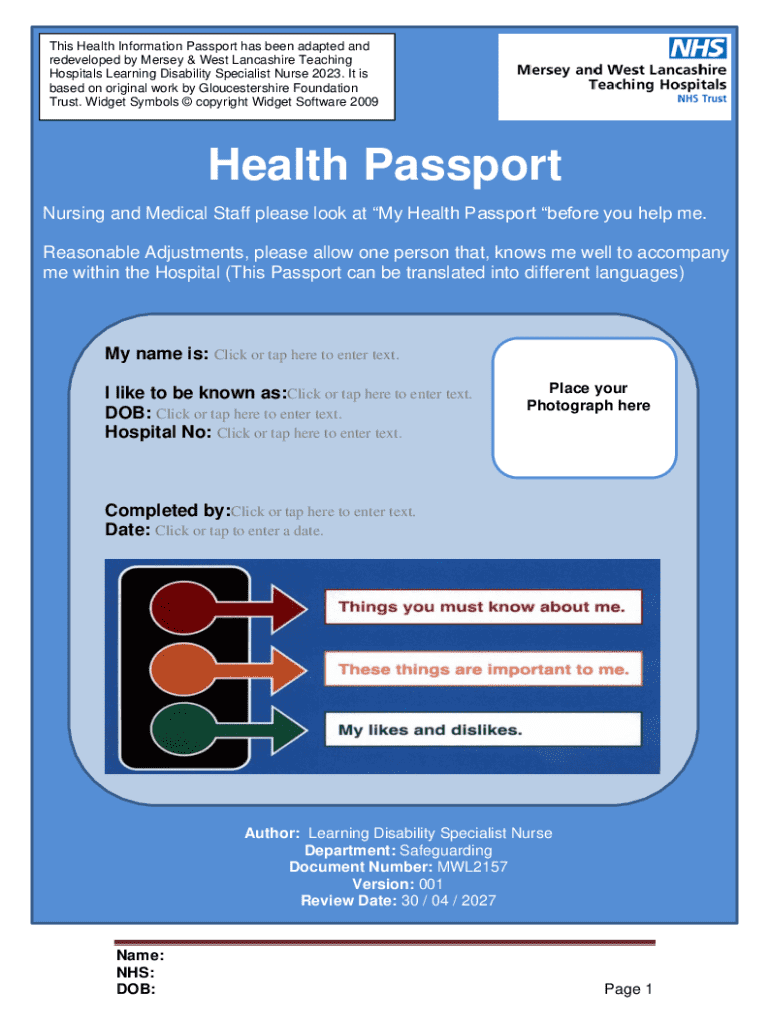
Get the free Health Information Passport
We are not affiliated with any brand or entity on this form

Fill out
Complete the form online in a simple drag-and-drop editor.

eSign
Add your legally binding signature or send the form for signing.

Share
Share the form via a link, letting anyone fill it out from any device.

Export
Download, print, email, or move the form to your cloud storage.
Why pdfFiller is the best tool for your documents and forms


End-to-end document management
From editing and signing to collaboration and tracking, pdfFiller has everything you need to get your documents done quickly and efficiently.
Accessible from anywhere
pdfFiller is fully cloud-based. This means you can edit, sign, and share documents from anywhere using your computer, smartphone, or tablet.
Secure and compliant
pdfFiller lets you securely manage documents following global laws like ESIGN, CCPA, and GDPR. It's also HIPAA and SOC 2 compliant.
What is Health Passport
The Health Information Passport is a healthcare form used by individuals to provide essential health and personal information to medical staff.
pdfFiller scores top ratings on review platforms




Who needs Health Passport?
Explore how professionals across industries use pdfFiller.

Health Passport is needed by:
-
Individuals managing their medical history
-
Patients requiring clear communication preferences
-
Families of individuals with learning disabilities
-
Healthcare providers needing comprehensive patient information
-
Specialist nurses assisting in patient care
-
Nursing homes accommodating patient needs
-
Individuals accessing NHS services
Comprehensive Guide to Health Passport
What is the Health Information Passport?
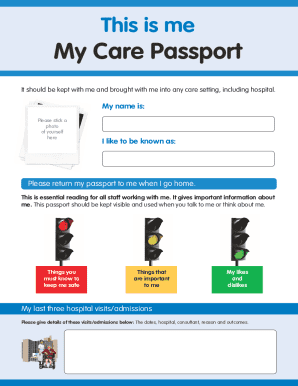
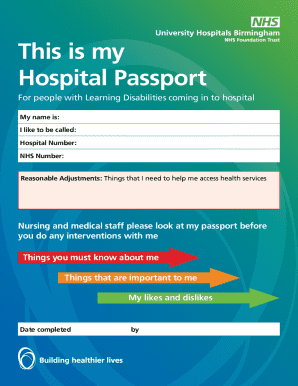
The Health Information Passport is a vital document in healthcare settings, facilitating effective communication between patients and providers. This form, adapted by Mersey & West Lancashire Teaching Hospitals, gathers essential personal details and medical history to ensure healthcare professionals fully understand patient needs.
It collects information such as medical history, allergies, and communication preferences, which are crucial for consistent and personalized care.
By utilizing the health information passport, patients can directly convey their important health information to medical staff, improving overall treatment outcomes.
Purpose and Benefits of the Health Information Passport
The Health Information Passport serves multiple purposes for both patients and healthcare providers. It ensures that medical staff is well-informed about patient needs, enabling personalized and effective care.
-
Enhances communication regarding medical history and patient preferences.
-
Helps in emergency situations by rapidly conveying critical information.
With such a document, patients can feel secure knowing that their specific requirements and preferences are clearly understood.
Key Features of the Health Information Passport
This passport includes several key features that enhance its usability and effectiveness.
-
Sections for personal details, communication preferences, and emergency contacts.
-
Fillable fields and checkboxes designed for user-friendly completion.
-
Adaptability for various patient needs, including provisions for disabilities.
These features make the health information passport an essential tool for both patients and healthcare professionals.
Who Needs the Health Information Passport?
The Health Information Passport is crucial for individuals with chronic illnesses, disabilities, or specific care needs. It is designed for anyone who may require a tailored approach to their healthcare.
-
Patients transitioning between different healthcare settings.
-
Caregivers and family members involved in supporting patient needs.
This form enables better coordination of care and ensures that patients receive the attention they deserve.
How to Fill Out the Health Information Passport Online (Step-by-Step)
Filling out the Health Information Passport online is straightforward and efficient with pdfFiller. Here’s how to do it:
-
Access the form on pdfFiller.
-
Gather all necessary personal and medical information.
-
Complete each section accurately, utilizing fillable fields.
-
Save and review your form before submission.
Utilizing pdfFiller’s editing tools can greatly simplify the filling process, making it more efficient for users.
Review and Validation Checklist for the Health Information Passport
Before submitting the Health Information Passport, it’s crucial to ensure the provided information is accurate and complete.
-
Check for any errors or omissions in contact information.
-
Verify the accuracy of your medical history entered on the form.
pdfFiller provides accessible features that enable easy review and edits, enhancing the reliability of the submitted information.
Submission Methods for the Health Information Passport
Upon completion, the Health Information Passport can be submitted through various methods. Understanding these options ensures confidentiality and security throughout the process.
-
Online submission via email or secure upload.
-
In-person handover to healthcare facilities.
-
Fax submission where applicable.
Tracking your submission status can also be easily accomplished, ensuring peace of mind regarding your information.
Security and Compliance for the Health Information Passport
Security is paramount when handling sensitive health information. The Health Information Passport adheres to HIPAA and GDPR regulations, ensuring a secure environment for users.
-
256-bit encryption is utilized to protect data.
-
Regular assessments to maintain compliance with data protection laws.
Maintaining patient privacy in the handling of health information is essential to foster trust and security.
Sample or Example of a Completed Health Information Passport
To assist users in understanding how to fill out the form, we provide an example of a completed Health Information Passport.
-
An example form filled out illustrates the significance of each section in a real patient scenario.
-
Demonstrates how to effectively use the template for comprehensive information gathering.
This practical illustration can guide users in correctly completing their own passports.
Get Started with pdfFiller for Your Health Information Passport
Utilizing pdfFiller for your Health Information Passport is an excellent choice for efficiency and security.
-
pdfFiller offers ease of use and robust security features for handling health documents.
-
Additional tools are available, including eSigning and sharing options.
Start your journey towards seamless form filling with pdfFiller, ensuring your health information is managed securely and efficiently.
How to fill out the Health Passport
-
1.To access the Health Information Passport on pdfFiller, visit pdfFiller's website, and use the search function to find the form, or upload it directly if you already have the file.
-
2.Open the form in pdfFiller's editor, which features intuitive navigation tools. Use the sidebar to locate sections like personal details, medical history, and communication preferences.
-
3.Gather necessary information before filling out the form, including your name, contact information, medical history, details for emergency contacts, and any special adjustments you may need.
-
4.Click on each field to enter your information. You can type directly in the fillable areas, tick checkboxes for options like family arrangements, or use the text box for additional notes.
-
5.Ensure all mandatory fields are completed to avoid any processing delays. Take your time to review information for accuracy.
-
6.Once you have filled in all sections, review your answers. pdfFiller provides options to edit and modify any entries before finalizing.
-
7.When satisfied with your input, save the document using the save feature on pdfFiller. You can also download a copy to your device or submit it directly through the platform.

Who needs to fill out the Health Information Passport?
Individuals managing their health conditions, patients needing to communicate care preferences, and families of those with learning disabilities may require this form to ensure proper healthcare delivery.
Are there any deadlines for submitting the Health Information Passport?
While there may not be strict deadlines, it's advisable to complete the Health Information Passport ahead of any scheduled medical appointments to facilitate seamless communication with healthcare providers.
How do I submit the completed Health Information Passport?
After filling out the form on pdfFiller, you can submit it directly through the platform or download it for physical submission to your healthcare provider.
What information is required when filling out the form?
You will need to provide your personal details, medical history, communication preferences, reasonable adjustments, and emergency contact information when completing the Health Information Passport.
Can I make changes after I fill out the Health Information Passport?
Yes, you can easily edit any sections in the Health Information Passport within pdfFiller before saving or submitting the final version.
How long does it take to fill out the Health Information Passport?
The time required to complete the Health Information Passport varies based on the individual's health history and preferences; however, most users can finish it in 15-30 minutes.
What should I avoid when completing the Health Information Passport?
Ensure all fields are filled accurately and avoid skipping important sections. Double-check for typos or incomplete entries before finalizing the form.
Related Forms




Get the latest insights from our blog


If you believe that this page should be taken down, please follow our DMCA take down process
here
.
This form may include fields for payment information. Data entered in these fields is not covered by PCI DSS compliance.