
Last updated on
Oct 31, 2026
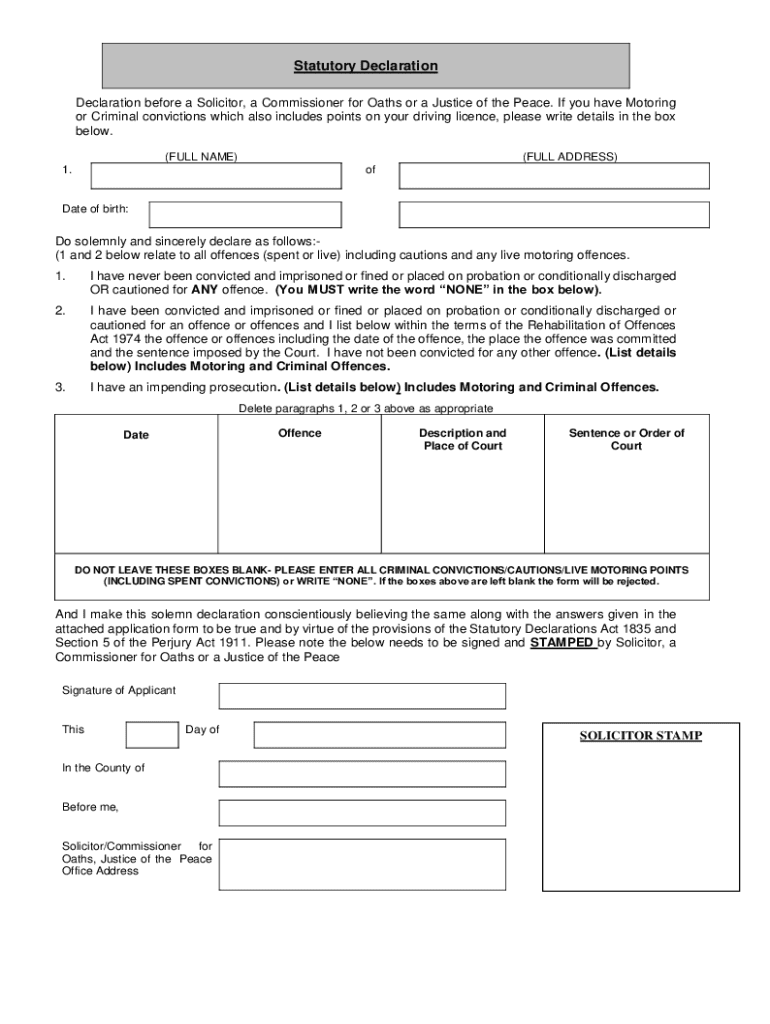
Get the free Statutory Declaration Form
We are not affiliated with any brand or entity on this form

Fill out
Complete the form online in a simple drag-and-drop editor.

eSign
Add your legally binding signature or send the form for signing.

Share
Share the form via a link, letting anyone fill it out from any device.

Export
Download, print, email, or move the form to your cloud storage.
Why pdfFiller is the best tool for your documents and forms


End-to-end document management
From editing and signing to collaboration and tracking, pdfFiller has everything you need to get your documents done quickly and efficiently.
Accessible from anywhere
pdfFiller is fully cloud-based. This means you can edit, sign, and share documents from anywhere using your computer, smartphone, or tablet.
Secure and compliant
pdfFiller lets you securely manage documents following global laws like ESIGN, CCPA, and GDPR. It's also HIPAA and SOC 2 compliant.
What is Statutory Declaration
The Statutory Declaration Form is a legal document used by individuals in the UK to declare their criminal and motoring convictions.
pdfFiller scores top ratings on review platforms




Who needs Statutory Declaration?
Explore how professionals across industries use pdfFiller.

Statutory Declaration is needed by:
-
Individuals applying for taxi driver licenses
-
Applicants for legal proceedings requiring a declaration
-
Persons needing to disclose convictions for employment purposes
-
Solicitors and legal professionals assisting clients
-
Individuals required to complete a rehabilitation offences act declaration
Comprehensive Guide to Statutory Declaration
What is the Statutory Declaration Form?
The Statutory Declaration Form is a legal document used in the United Kingdom, serving a vital role in the legal framework. This form enables individuals to declare significant information regarding their criminal and motoring convictions, ensuring transparency in legal processes. The form is essential for various applications, such as those for taxi driver licenses, where validation of one's criminal history is necessary to maintain public safety.
Purpose and Benefits of the Statutory Declaration Form
The Statutory Declaration Form is required in specific scenarios, including applications for professional licenses. By providing a clear declaration of one's history, this form fosters legal compliance, which is critical for the safety of the public and for satisfying regulatory requirements.
-
Ensures transparency in professional licensing.
-
Facilitates the legal employment of individuals in sensitive roles.
-
Helps maintain community trust in services provided by licensed professionals.
Who Needs the Statutory Declaration Form?
Various professions and situations necessitate the filing of the Statutory Declaration Form. It is primarily required for individuals in roles such as taxi drivers, where declaring past convictions can affect their eligibility to operate within the public domain.
-
Taxi drivers applying for or renewing their licenses.
-
Individuals involved in certain legal applications where criminal history is relevant.
-
Professionals serving in positions of trust or safety.
How to Fill Out the Statutory Declaration Form Online (Step-by-Step)
Completing the Statutory Declaration Form online involves a straightforward process. To assist users, the following step-by-step instructions outline how to access and fill in the critical sections of the form.
-
Access the Statutory Declaration Form through a reliable document management platform.
-
Enter your personal information including full name and address in the designated fields.
-
Provide details of past convictions in the appropriate sections, adhering to the legal guidelines.
-
Review all information entered for accuracy before proceeding to the signing phase.
Key Features of the Statutory Declaration Form
The Statutory Declaration Form consists of specific sections designed to capture essential information about an individual's legal history. Key features within the form include:
-
Sections for listing convictions and cautions accurately.
-
Designated fields for providing personal identification data, such as date of birth.
-
Requirements for notarization, ensuring the document is legally binding.
Common Errors When Filling Out the Statutory Declaration Form and How to Avoid Them
When completing the Statutory Declaration Form, users may encounter several common errors that can undermine the validity of the submission. Recognizing these pitfalls is essential for successful completion.
-
Failing to complete all required fields properly.
-
Not providing accurate details regarding past convictions.
-
Overlooking the requirement for notarization, which can lead to rejection.
How to Sign and Notarize the Statutory Declaration Form
Proper signing and notarization of the Statutory Declaration Form are crucial to confirm its authenticity. It is important to understand the distinction between digital signatures and wet signatures, as both serve different purposes.
-
Digital signatures may be accepted for online submissions through compliant platforms.
-
Wet signatures require physical acknowledgment by a certified professional such as a Solicitor, Justice of the Peace, or Commissioner for Oaths.
-
The notarization process involves certain legal stipulations that must be adhered to for the declaration to be valid.
Where to Submit the Statutory Declaration Form
Submitting the Statutory Declaration Form requires awareness of the appropriate locations and methods. Understanding where to deliver this form ensures timely processing.
-
Submit the form online, if the option is available through the service you are applying for.
-
In-person submissions may be required at local council offices or legal institutions.
-
Postal submissions should be sent to the relevant authority with consideration for delivery time and tracking.
What Happens After You Submit the Statutory Declaration Form?
After submitting the Statutory Declaration Form, users can expect a specific timeline for processing. It is advisable to be prepared for the subsequent steps following this submission.
-
The processing time can vary, but users should follow up based on the guidelines provided at the submission point.
-
Tracking the application status may be available through the authority’s online portal or customer service.
Securing Your Statutory Declaration Form with pdfFiller
For those looking to complete their Statutory Declaration Form with ease, pdfFiller offers invaluable benefits. Using pdfFiller allows users to fill, eSign, and secure their documents in a compliant environment.
-
Take advantage of robust security features, including 256-bit encryption.
-
Utilize the platform's capabilities for creating fillable forms and managing documents seamlessly.
-
Ensure compliance with privacy standards such as HIPAA and GDPR while handling sensitive information.
How to fill out the Statutory Declaration
-
1.Access the Statutory Declaration Form by visiting pdfFiller and searching for the form name in the search bar.
-
2.Open the form in pdfFiller's editor. Familiarize yourself with the interface, where you will find fields for filling in your personal information.
-
3.Before starting, gather necessary information including your full name, full address, date of birth, and details of any criminal or motoring convictions you need to declare.
-
4.Begin completing the form by clicking on the blank fields and entering your information, using the provided labels as a guide.
-
5.Make use of checkboxes provided in the form for any required declarations, ensuring you fill them out accurately.
-
6.Navigate through the form section by section, ensuring all fields are completed and that your signatures are placed where required.
-
7.After filling in all information, carefully review the completed form for accuracy, making any necessary corrections.
-
8.Finalize the document by signing in the required signature fields, either electronically using pdfFiller's tools or by printing it for a physical signature.
-
9.Once satisfied with your declaration, save the form in pdfFiller. You can download it as a PDF, submit it electronically to the necessary parties, or print a hard copy.

Who is eligible to complete the Statutory Declaration Form?
Any individual in the UK needing to declare criminal or motoring convictions, typically for legal proceedings or licensing applications like taxi driving, is eligible to complete this form.
What supporting documents are needed when submitting this form?
While the form itself requires personal information, you might need to provide documents that verify your identity and any declarations made, such as court records or licensing documentation.
Where should I submit the completed Statutory Declaration Form?
The completed form should be submitted to the authority or organization that requested it. This may include local councils, courts, or licensing agencies, depending on your purpose.
Does the Statutory Declaration Form require notarization?
Yes, the Statutory Declaration Form must be signed and stamped by a Solicitor, Commissioner for Oaths, or Justice of the Peace to be legally valid.
What are common mistakes to avoid when filling out this form?
Common mistakes include omitting required information, providing incorrect personal details, or failing to obtain the necessary signatures. Ensure you double-check all entries before submission.
How long does it take to process the Statutory Declaration Form?
Processing times can vary based on the entity receiving the form. Typically, once submitted, you can expect a response or receipt within a few days to a week.
Can I edit the Statutory Declaration Form after submitting it?
If you need to make changes after submission, it's best to contact the organization that received it. In most cases, you'll need to complete a new form.
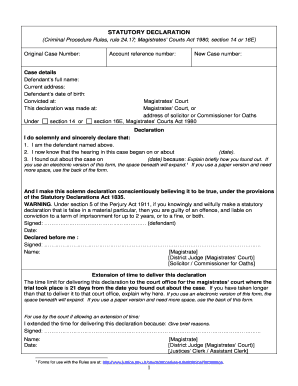
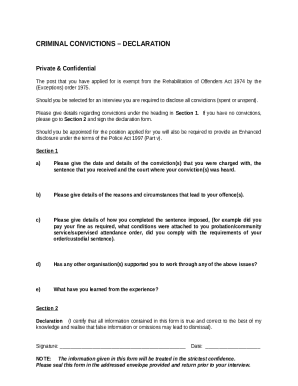
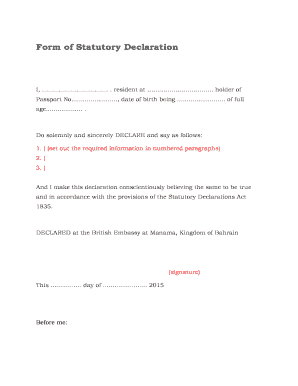
Related Forms



Get the latest insights from our blog


If you believe that this page should be taken down, please follow our DMCA take down process
here
.
This form may include fields for payment information. Data entered in these fields is not covered by PCI DSS compliance.