
Last updated on
Nov 7, 2026

CA FTB 100S 2025-2026 free printable template
pdfFiller is not affiliated with any government organization

Fill out
Complete the form online in a simple drag-and-drop editor.

eSign
Add your legally binding signature or send the form for signing.

Share
Share the form via a link, letting anyone fill it out from any device.

Export
Download, print, email, or move the form to your cloud storage.
Why pdfFiller is the best tool for your documents and forms


End-to-end document management
From editing and signing to collaboration and tracking, pdfFiller has everything you need to get your documents done quickly and efficiently.
Accessible from anywhere
pdfFiller is fully cloud-based. This means you can edit, sign, and share documents from anywhere using your computer, smartphone, or tablet.
Secure and compliant
pdfFiller lets you securely manage documents following global laws like ESIGN, CCPA, and GDPR. It's also HIPAA and SOC 2 compliant.
What is CA FTB 100S
The California S Corporation Franchise or Income Tax Return 100S is a tax document used by S corporations to report annual income and franchise tax in California.
pdfFiller scores top ratings on review platforms




Who needs CA FTB 100S?
Explore how professionals across industries use pdfFiller.

CA FTB 100S is needed by:
-
S corporation owners filing taxes in California
-
Business accountants preparing state tax documents
-
Tax professionals assisting clients with California state taxes
-
Corporate officers required to sign tax forms
-
California residents operating S corporations
-
Companies needing to report franchise taxes to the state
Comprehensive Guide to CA FTB 100S
What is the California S Corporation Franchise or Income Tax Return 100S?
The California S Corporation Franchise or Income Tax Return 100S is a critical tax document specifically designed for S corporations operating within California. This form serves to report annual income and franchise tax obligations, ensuring compliance with state regulations. S corporations required to file this form are those that meet the state's business criteria, which typically include entities formed under California law.
Unlike federal tax forms such as those filed with the IRS, the California 100S tax form is distinct and tailored to the state's tax requirements. Understanding its purpose helps S corporations avoid complications and ensures timely reporting.
Purpose and Benefits of the California S Corporation Franchise or Income Tax Return 100S
The California S Corporation Franchise or Income Tax Return 100S serves multiple purposes, primarily to accurately report annual income while fulfilling franchise tax requirements. By adhering to the state’s guidelines, corporations can gain several benefits, including the avoidance of penalties and the maintenance of good standing in California.
Additionally, filing this form correctly opens the door to various tax credits and deductions, which can provide significant financial advantages. Thus, diligent reporting not only adheres to regulatory obligations but also promotes financial health for S corporations.
Who Needs to File the California S Corporation Franchise or Income Tax Return 100S?
The obligation to file the California S Corporation Franchise or Income Tax Return 100S primarily lies with S corporations conducting business in California. This includes entities that have elected S corporation status and meet specific operational benchmarks.
While most S corporations are mandated to file, certain exemptions and special circumstances may apply. It is also essential for corporate officers to understand their roles in completing this form accurately to maintain compliance.
Required Documents and Information for Filing the California S Corporation Franchise or Income Tax Return 100S
To successfully complete the California S Corporation Franchise or Income Tax Return 100S, several critical pieces of information must be gathered beforehand. This includes:
-
Corporation name
-
Federal Employer Identification Number (FEIN)
-
Business address
-
Financial figures, including total income and deductions
Gathering these documents is crucial to ensure a smooth filing process. Additionally, there may be state-specific documentation required, which should be organized prior to submission.
How to Fill Out the California S Corporation Franchise or Income Tax Return 100S Online
To fill out the California S Corporation Franchise or Income Tax Return 100S online, follow these steps:
-
Access the form using pdfFiller's platform.
-
Input the corporation name and FEIN as indicated in the designated fields.
-
Complete all required financial sections accurately.
-
Review the form for consistency and verify all entries.
Utilizing pdfFiller’s online interface simplifies the process, ensuring a user-friendly experience that enhances accuracy in data entry.
Reviewing and Validating Your California S Corporation Franchise or Income Tax Return 100S Submission
Before submitting the California S Corporation Franchise or Income Tax Return 100S, it is vital to review and validate the entire submission. Consider the following checklist:
-
Confirm that all key information is accurately entered.
-
Be aware of common errors, such as incorrect financial figures.
-
Ensure the officer's signature and necessary affirmations are included.
Final validation can be done using pdfFiller's built-in tools, further protecting against potential submission issues.
Where and How to Submit the California S Corporation Franchise or Income Tax Return 100S
Submitting the California S Corporation Franchise or Income Tax Return 100S can be done in various ways. Options include:
-
Electronic submission through the California Franchise Tax Board's online portal.
-
Physical mailing of the completed form to the designated address.
Be mindful of submission deadlines, as they are critical for timely compliance with state regulations. Additionally, understanding the processing times and confirmation methods will help ensure successful submission.
Post-Submission Process for the California S Corporation Franchise or Income Tax Return 100S
After submitting the California S Corporation Franchise or Income Tax Return 100S, tracking your submission status becomes essential. You can monitor it through the California Franchise Tax Board’s online services or contact their office for updates.
If there are issues with the filing, it is important to understand the potential outcomes and next steps. In some cases, amendments or corrections may be necessary, so being prepared for such scenarios is critical.
Understanding Security Measures When Filing Your California S Corporation Franchise or Income Tax Return 100S
Security is paramount when handling sensitive tax documents, including the California S Corporation Franchise or Income Tax Return 100S. pdfFiller employs robust security measures, including 256-bit encryption, to protect user data.
Compliance with regulations such as SOC 2 Type II standards further ensures that your data remains secure. Users can feel confident about their privacy throughout the filing process.
Experience Simplified Tax Filing with pdfFiller
By utilizing pdfFiller, users can streamline the tax filing process for the California S Corporation Franchise or Income Tax Return 100S. This platform offers features such as document editing, eSigning, and easy organization for all tax-related documents.
Starting to use pdfFiller can enhance your overall experience in managing and completing tax forms, providing a practical solution for S corporations in California.
How to fill out the CA FTB 100S
-
1.Access pdfFiller and search for the California S Corporation Franchise or Income Tax Return 100S form.
-
2.Open the form from the results to start completing it online.
-
3.Gather necessary information, including your corporation name, FEIN, address, and financial figures.
-
4.Use pdfFiller's tools to click on each blank field and input the required data smoothly.
-
5.Check for any dropdowns or checkboxes that apply to your situation and complete them as needed.
-
6.Refer to the provided instructions on the form if clarification is needed on any section.
-
7.Before finalizing, review all entries for accuracy and completeness to avoid common filing errors.
-
8.Save your progress frequently, and once satisfied, download the completed form in your preferred format.
-
9.Submit your form to the California Franchise Tax Board according to their guidelines, ensuring proper channels are utilized.

Who is eligible to file the California S Corporation Franchise or Income Tax Return 100S?
Only S corporations registered in California that wish to report their annual income and pay franchise tax are eligible to file this form.
What is the deadline for submitting the 100S tax return?
The California S Corporation Franchise or Income Tax Return 100S is generally due on the 15th day of the 3rd month following the end of the corporation's tax year.
How do I submit the California S Corporation 100S form?
The form can be submitted electronically through the California Franchise Tax Board's e-file system or mailed to the appropriate address specified on the form.
What documents do I need to support my 100S submission?
You'll need to prepare supporting documents such as balance sheets, income statements, and any relevant tax credits or adjustments that impact your tax return.
What common mistakes should be avoided when filing the 100S form?
Common mistakes include incorrect financial figures, missing signatures from corporate officers, and failure to report all necessary income or deductions.
How long does it take to process the 100S form?
Processing times can vary, but typically, it takes about four to six weeks for the California Franchise Tax Board to process your tax return.
Can I make changes after submitting my 100S form?
If you need to make changes after submission, you must file an amended return with the California Franchise Tax Board.
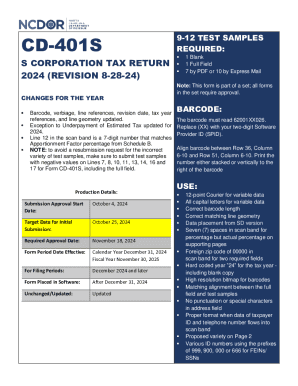
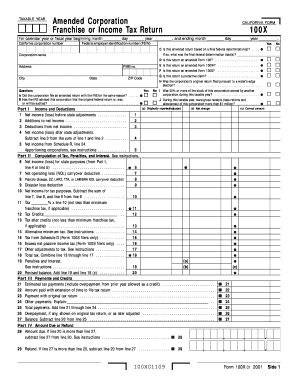
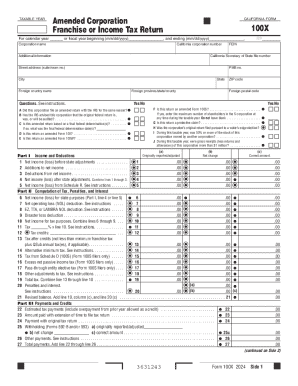
CA FTB 100S Form Versions
Related Content
Related Forms



Get the latest insights from our blog


If you believe that this page should be taken down, please follow our DMCA take down process
here
.
This form may include fields for payment information. Data entered in these fields is not covered by PCI DSS compliance.