

Get the free EU Blue Card Application Form
We are not affiliated with any brand or entity on this form

Fill out
Complete the form online in a simple drag-and-drop editor.

eSign
Add your legally binding signature or send the form for signing.

Share
Share the form via a link, letting anyone fill it out from any device.

Export
Download, print, email, or move the form to your cloud storage.
Why pdfFiller is the best tool for your documents and forms


End-to-end document management
From editing and signing to collaboration and tracking, pdfFiller has everything you need to get your documents done quickly and efficiently.
Accessible from anywhere
pdfFiller is fully cloud-based. This means you can edit, sign, and share documents from anywhere using your computer, smartphone, or tablet.
Secure and compliant
pdfFiller lets you securely manage documents following global laws like ESIGN, CCPA, and GDPR. It's also HIPAA and SOC 2 compliant.
What is EU Blue Card
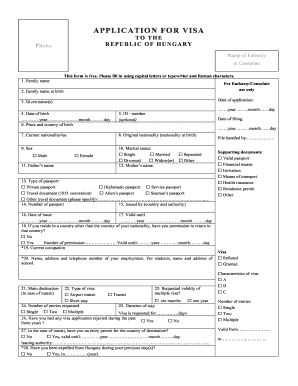
The EU Blue Card Application Form is a visa application document used by non-EU citizens to apply for a residence permit in Hungary for employment requiring advanced skills.
pdfFiller scores top ratings on review platforms




Who needs EU Blue Card?
Explore how professionals across industries use pdfFiller.

EU Blue Card is needed by:
-
Non-EU citizens seeking employment in Hungary
-
Individuals applying for advanced skills work permits
-
Professionals in fields with labor shortages
-
Applicants for a residence permit for employment
-
People relocating to Hungary for work
-
Employers sponsoring foreign workers
How to fill out the EU Blue Card
-
1.To access the EU Blue Card Application Form on pdfFiller, visit the pdfFiller website and log into your account. Search for the 'EU Blue Card Application Form' in the template library.
-
2.Once you find the form, click to open it. Familiarize yourself with the layout, noting the different sections for personal information, employer data, and required proofs of financial means.
-
3.Before starting, gather necessary documents, including your personal identification, passport information, employment offer, accommodation details, and proof of financial stability. This will ensure you can complete the form accurately.
-
4.Begin filling in the personal data fields first. Use pdfFiller's filling tools to click into each field and enter your information. Ensure all provided data matches your official documents to avoid discrepancies.
-
5.Next, navigate to sections detailing your employment offer. Fill in the employer data accurately, providing the company's name and address, as well as the nature of your employment.
-
6.Make sure to complete the section relating to your planned residence period, specifying the dates clearly and ensuring they align with your job offer.
-
7.Check off any applicable checkboxes regarding your situation, like prior visas or other immigration matters, if present. Review this information carefully, as inaccuracies may lead to processing delays.
-
8.Once all fields are filled out, utilize pdfFiller's features to review the document. PdfFiller offers editing options that allow you to adjust any entries and ensure your application is thorough.
-
9.Before finalizing, double-check the filled information against your documents for accuracy. Pay special attention to signature requirements and ensure your signature is placed where indicated.
-
10.After reviewing everything, click on 'Save' to retain your changes. You can then download the document as a PDF or submit it electronically, depending on the submission method for your application.
-
11.If required, upload any supporting documents requested alongside the application before submission. Make sure all files are clear and legible.
-
12.Finally, once submitted, keep a copy of the application and all additional documents for your records. Monitor your email for any responses or requests from the immigration authority.

What are the eligibility requirements for the EU Blue Card?
To be eligible for the EU Blue Card, applicants must hold a valid employment offer in Hungary, possess the necessary qualifications or skills, and meet minimum salary requirements specified by the Hungarian authorities.
Is there a deadline for submitting the EU Blue Card Application?
While the application should ideally be submitted before traveling, there is no specific deadline. However, it's advisable to apply as soon as you have a confirmed job offer to avoid any delays in processing.
How do I submit my EU Blue Card application?
Applications can be submitted in person at the responsible immigration office in Hungary or electronically when permitted. Be sure to check local submission guidelines for detailed instructions.
What supporting documents are required with the application?
Applicants typically need to provide proof of employment, accommodation details, passport copies, educational certificates, and financial means. Check specific requirements from the immigration authority for any additional documents needed.
What common mistakes should I avoid when filling out this form?
Common mistakes include providing inaccurate information, missing signatures, or failing to include supporting documents. Ensure all data matches your official documents and closely follow form instructions.
How long does the processing take for the EU Blue Card application?
Processing times can vary, but it generally takes a few weeks to a few months. Consider following up with the relevant authority if you do not receive updates within the expected timeframe.
Can I apply for an EU Blue Card if I am already in Hungary?
Yes, individuals already in Hungary with a valid residence permit may apply for an EU Blue Card from within the country as long as they meet all eligibility requirements.
Related Forms

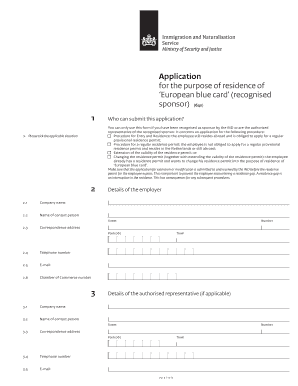

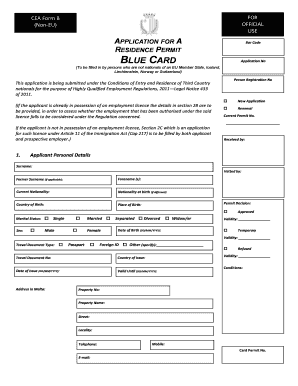


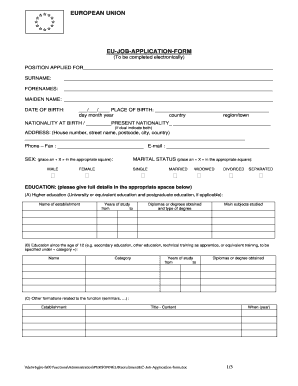


Related Catalogs
Get the latest insights from our blog


If you believe that this page should be taken down, please follow our DMCA take down process
here
.
This form may include fields for payment information. Data entered in these fields is not covered by PCI DSS compliance.