
Last updated on
Nov 6, 2026
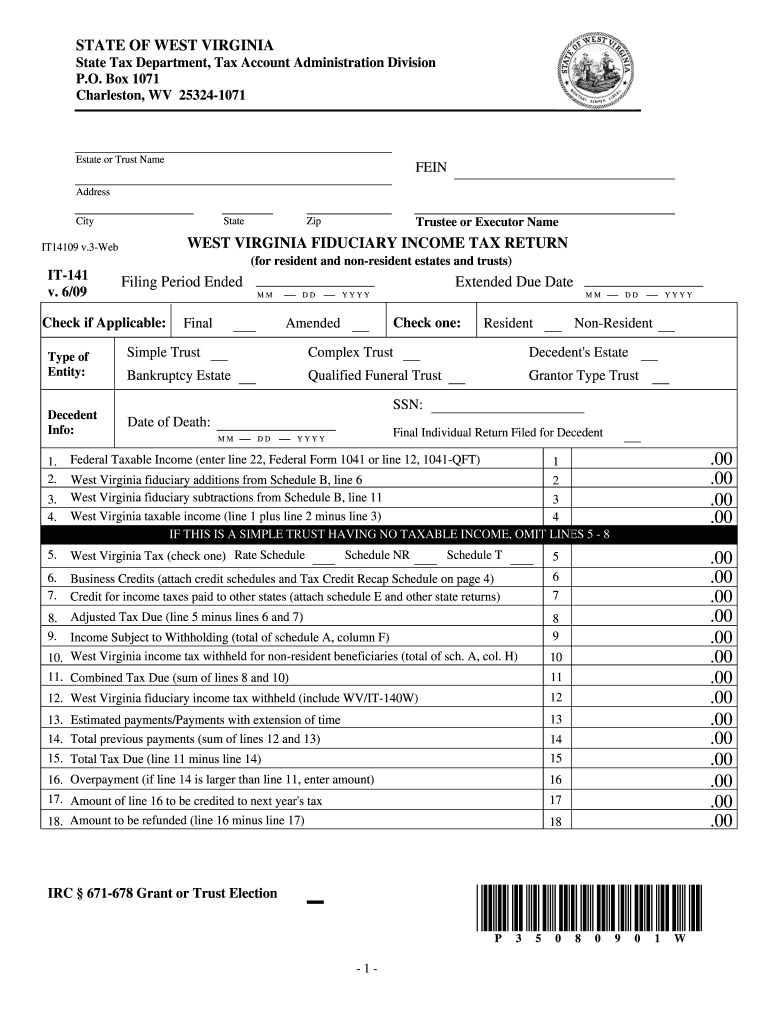
WV DoR IT-141 2009 free printable template
pdfFiller is not affiliated with any government organization

Fill out
Complete the form online in a simple drag-and-drop editor.

eSign
Add your legally binding signature or send the form for signing.

Share
Share the form via a link, letting anyone fill it out from any device.

Export
Download, print, email, or move the form to your cloud storage.
Why pdfFiller is the best tool for your documents and forms


End-to-end document management
From editing and signing to collaboration and tracking, pdfFiller has everything you need to get your documents done quickly and efficiently.
Accessible from anywhere
pdfFiller is fully cloud-based. This means you can edit, sign, and share documents from anywhere using your computer, smartphone, or tablet.
Secure and compliant
pdfFiller lets you securely manage documents following global laws like ESIGN, CCPA, and GDPR. It's also HIPAA and SOC 2 compliant.
What is WV DoR IT-141
The West Virginia Fiduciary Income Tax Return is a tax document used by estates and trusts to report taxable income to the West Virginia State Tax Department.
pdfFiller scores top ratings on review platforms




Had PDFfiller for a couple of months now and has been very helpful. A Great Service
Just made my form and contract Distribution much easier. Thank you
Dennis Campbell, President,COO
My Landscaper LLC. Denver, CO
Am pleased with ease of use. This program has been extremely helpful
Very easy to do, instructions are always available.
Incredible tool
Incredible tool, big posibilities!
Excellent program and very easy to use…
Excellent program and very easy to use and navigate.
Who needs WV DoR IT-141?
Explore how professionals across industries use pdfFiller.

WV DoR IT-141 is needed by:
-
Fiduciaries managing estates or trusts
-
Tax preparers assisting fiduciaries
-
Individuals handling estate or trust income
-
Non-resident estate representatives
-
Trust administrators in West Virginia
Comprehensive Guide to WV DoR IT-141
What is the West Virginia Fiduciary Income Tax Return?
The West Virginia Fiduciary Income Tax Return is a specific form used by both resident and non-resident estates and trusts to report taxable income to the West Virginia State Tax Department. This tax return plays a crucial role in ensuring that fiduciaries report income accurately and comply with state tax regulations. The form is essential for maintaining transparency and accountability in managing estates and trusts.
Purpose and Benefits of the West Virginia Fiduciary Income Tax Return
The primary purpose of the West Virginia Fiduciary Income Tax Return is to facilitate the accurate reporting of taxable income from estates and trusts. Completing this form correctly brings several benefits, including:
-
Compliance with state tax laws that prevent penalties.
-
Accurate representation of the estate or trust's financial situation.
-
Ensures beneficiaries receive their rightful distributions without complications.
By understanding the importance of this tax return, fiduciaries can avoid issues that arise from non-compliance.
Who Needs to Complete the West Virginia Fiduciary Income Tax Return?
This tax return must be completed by fiduciaries who manage estates or trusts. Various scenarios require the filing of this form, including:
-
Establishing a new trust or estate that generates taxable income.
-
Making distributions to beneficiaries from an estate or trust.
-
Ending an estate or trust and reporting final income.
Those involved in these scenarios should be familiar with the requirements for submitting the West Virginia estate tax return.
How to Fill Out the West Virginia Fiduciary Income Tax Return (Step-by-Step)
To successfully fill out the West Virginia Fiduciary Income Tax Return, follow these steps:
-
Begin by entering the 'Estate or Trust Name' clearly in the designated field.
-
Provide the Federal Employer Identification Number (FEIN) for the estate or trust.
-
Fill out the address details as required in the form.
-
Include all necessary financial information related to taxable income.
-
Ensure that you sign the document both as the fiduciary and the preparer, if applicable.
Utilizing the correct format and detail will streamline the process of completing the wv it-141 form.
Common Errors and How to Avoid Them
Filing the West Virginia Fiduciary Income Tax Return can be prone to errors. Common mistakes include:
-
Incorrect entries in financial sections that misrepresent income.
-
Omitting signatures or required attachments, leading to rejection.
-
Failing to check for updated tax laws that affect the returns.
To avoid these pitfalls, fiduciaries should double-check all entries and follow the best practices for completing the form accurately.
Submission Methods for the West Virginia Fiduciary Income Tax Return
Once the form is completed, it can be submitted via two methods:
-
Electronically, through the West Virginia State Tax Department’s online portal.
-
By mail, sending the completed forms to the appropriate tax office.
It's essential to be aware of submission deadlines to avoid penalties and understand the processing times for each method.
Fees, Deadlines, and Consequences of Late Filing
Filing the West Virginia Fiduciary Income Tax Return comes with certain deadlines that must be adhered to in order to avoid fees. Key aspects include:
-
Filing fees that may apply based on the estate or trust's gross income.
-
The importance of submitting the form on or before the due date to avoid late filing penalties.
-
Potential consequences such as interest on unpaid taxes, and additional fines for failure to file.
Understanding these elements can mitigate financial repercussions of late submissions.
Security and Compliance for the West Virginia Fiduciary Income Tax Return
Handling the West Virginia Fiduciary Income Tax Return involves securing sensitive information about the estate or trust. Key security measures include:
-
Ensuring electronic submissions use encryption to protect data.
-
Storing completed forms in secure areas to prevent unauthorized access.
Using secure platforms like pdfFiller can help maintain compliance with regulations regarding sensitive information.
How pdfFiller Can Help You with the West Virginia Fiduciary Income Tax Return
pdfFiller provides numerous features that simplify the completion of the West Virginia Fiduciary Income Tax Return, including:
-
Fillable fields that guide users through essential sections of the form.
-
eSigning capabilities that streamline the approval process.
-
Cloud-based access for anytime accessibility and document sharing.
This user-friendly platform empowers fiduciaries to manage their forms efficiently.
Taking the Next Steps after Completing Your West Virginia Fiduciary Income Tax Return
After submitting the West Virginia Fiduciary Income Tax Return, it's crucial to stay organized by:
-
Tracking the submission status through the state tax department.
-
Keeping records of all documents filed for future reference.
-
Following up on any rejections to address issues promptly.
Staying proactive will help ensure that all matters related to the tax return are resolved effectively.
How to fill out the WV DoR IT-141
-
1.Access pdfFiller and search for the 'West Virginia Fiduciary Income Tax Return (Form IT-141)'.
-
2.Once the form appears, click to open it in the editor.
-
3.Familiarize yourself with the fillable fields and instructions included in the document.
-
4.Before starting, gather all necessary financial documents, including federal taxable income and beneficiary details.
-
5.Begin filling in the form by entering the estate or trust name in the designated field.
-
6.Continue to fill in the FEIN and address, ensuring accuracy in every detail.
-
7.Utilize checkbox options provided for any applicable sections, like tax deductions or additions.
-
8.Refer to the instructions within the form for guidance on specific calculations required.
-
9.Once you have completed all sections, review the form thoroughly for missed entries or errors.
-
10.After validating all information, have the fiduciary and preparer sign the document electronically if required.
-
11.Finally, save the completed form by selecting the download option on pdfFiller or directly submit it through the platform.

Who is eligible to file the West Virginia Fiduciary Income Tax Return?
Eligibility includes resident and non-resident estates and trusts that must report taxable income to the West Virginia State Tax Department.
What is the deadline for submitting the fiduciary income tax return?
Typically, the return is due on the 15th day of the fourth month after the end of the tax year. Make sure to verify specific deadlines for your situation.
How can I submit the West Virginia Fiduciary Income Tax Return?
You can submit the form electronically via pdfFiller, ensuring it's completed and signed by the fiduciary and preparer before submission.
What supporting documents are required with this return?
You will need to attach relevant financial documentation, such as federal taxable income reports, beneficiary information, and any applicable state-specific forms.
What are common mistakes when completing the form?
Common mistakes include omitting information, incorrect calculations, and failing to secure required signatures from fiduciaries and preparers.
How long does it take to process the fiduciary income tax return?
Processing times can vary but generally take several weeks. Check with the West Virginia State Tax Department for specific timelines or updates.
Is notarization required for the West Virginia Fiduciary Income Tax Return?
No, notarization is not required for the West Virginia Fiduciary Income Tax Return; however, required signatures must be included.
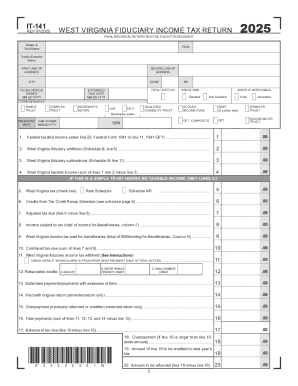
WV DoR IT-141 Form Versions
Related Content
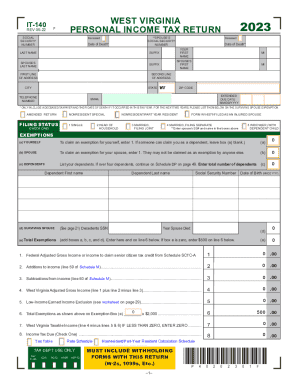
Related Forms








Related Catalogs
Get the latest insights from our blog


If you believe that this page should be taken down, please follow our DMCA take down process
here
.
This form may include fields for payment information. Data entered in these fields is not covered by PCI DSS compliance.