
Last updated on
Oct 19, 2026

Get the free OPM-630-A Leave Donation Request
We are not affiliated with any brand or entity on this form

Fill out
Complete the form online in a simple drag-and-drop editor.

eSign
Add your legally binding signature or send the form for signing.

Share
Share the form via a link, letting anyone fill it out from any device.

Export
Download, print, email, or move the form to your cloud storage.
Why pdfFiller is the best tool for your documents and forms


End-to-end document management
From editing and signing to collaboration and tracking, pdfFiller has everything you need to get your documents done quickly and efficiently.
Accessible from anywhere
pdfFiller is fully cloud-based. This means you can edit, sign, and share documents from anywhere using your computer, smartphone, or tablet.
Secure and compliant
pdfFiller lets you securely manage documents following global laws like ESIGN, CCPA, and GDPR. It's also HIPAA and SOC 2 compliant.
What is Leave Donation Request
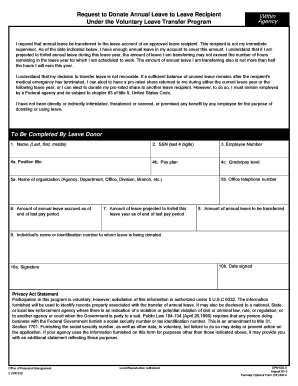
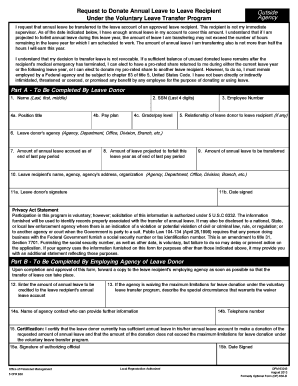
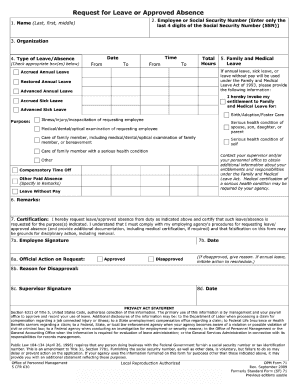
The OPM-630-A Leave Donation Request is a government form used by federal employees to request the donation of annual leave from one employee to another under the Voluntary Leave Transfer Program.
pdfFiller scores top ratings on review platforms




Who needs Leave Donation Request?
Explore how professionals across industries use pdfFiller.

Leave Donation Request is needed by:
-
Federal employees who are facing a medical emergency
-
Employees wishing to donate their annual leave
-
Human resources personnel in federal agencies
-
Supervisors of federal employees
-
Federal employee benefits coordinators
Comprehensive Guide to Leave Donation Request
What is the OPM-630-A Leave Donation Request?
The OPM-630-A form serves to request the donation of annual leave from one federal employee to another as part of the Voluntary Leave Transfer Program. This form plays a crucial role in assisting federal employees who experience medical emergencies or personal crises and require additional leave. By utilizing the OPM-630-A form, employees can seek the help of their colleagues, thereby fostering a supportive work environment.
Benefits of Using the OPM-630-A Leave Donation Request
Utilizing the OPM-630-A form offers numerous advantages for both leave donors and recipients. Donors can contribute to their coworkers' well-being and demonstrate compassion, while recipients receive essential help during challenging times. This process not only aids individual employees but also boosts overall employee morale and solidarity within federal agencies.
Eligibility Criteria for the OPM-630-A Leave Donation Request
To qualify as a leave recipient or donor under the Voluntary Leave Transfer Program, certain eligibility criteria must be met. Generally, both donors and recipients must be federal employees who are in good standing and have the necessary annual leave balances. Those wishing to submit the OPM-630-A form should ensure they meet the specific employment status requirements outlined by their agencies.
How to Fill Out the OPM-630-A Leave Donation Request Online
Completing the OPM-630-A form digitally is straightforward. Follow these steps:
-
Access the OPM-630-A form on pdfFiller.
-
Enter personal information, including names, addresses, and employment details for both donor and recipient.
-
Indicate the amount of leave being donated.
-
Review all information for accuracy before proceeding.
-
Sign the form electronically if required.
-
Submit the form as directed.
Each field should be filled with the appropriate data, ensuring that both parties understand their responsibilities in the leave donation process.
Common Errors to Avoid When Filing the OPM-630-A Leave Donation Request
When filing the OPM-630-A leave donation request, avoid common pitfalls that can lead to rejection or processing delays. Frequent mistakes include incomplete personal information, failure to secure necessary signatures, and improper submission methods. Use the following checklist to validate your submission:
-
Check that all fields are filled out completely.
-
Ensure both donor and recipient have signed the form.
-
Confirm submission method aligns with agency guidelines.
-
Review for any typographical errors.
Submission Methods for the OPM-630-A Leave Donation Request
The OPM-630-A form can be submitted through various methods to accommodate federal employees. Options include electronic submission via pdfFiller, mailing the completed form to the appropriate office, or delivering it in-person. Be sure to check your agency's specific requirements for where and to whom the form should be submitted to ensure timely processing.
What Happens After You Submit the OPM-630-A Leave Donation Request?
After submitting the OPM-630-A form, you can expect a processing period, which may vary by agency. Employees should track the status of their submission, as some agencies provide mechanisms for monitoring progress. Anticipated outcomes include confirmation of donation processing or additional requests for information if necessary.
Security and Compliance for the OPM-630-A Leave Donation Request
Handling sensitive employee information on the OPM-630-A form requires stringent security measures. pdfFiller ensures compliance with relevant regulations, including GDPR and HIPAA, providing protection for all data processed through its platform. Employees can trust that their private details remain secure while using this online form service.
How pdfFiller Can Help with the OPM-630-A Leave Donation Request
pdfFiller simplifies the OPM-630-A form-filling process by offering features such as eSigning, saving, and easy sharing options. The platform’s user-friendly interface is designed to enhance accessibility while ensuring a secure environment for form completion. By choosing pdfFiller, users benefit from a reliable tool that caters to their specific needs related to the OPM leave transfer form.
Sample OPM-630-A Leave Donation Request
To assist users, a sample OPM-630-A leave donation request is available for download. This completed example can provide reference points for individuals filling out the form. Accessing this sample through pdfFiller’s platform will ensure that users have the guidance needed for successful submissions.
How to fill out the Leave Donation Request
-
1.To access the OPM-630-A Leave Donation Request form on pdfFiller, visit the pdfFiller website and use the search bar to find the form by entering 'OPM-630-A'.
-
2.Once you locate the form, click on it to open the document in the pdfFiller dashboard.
-
3.Before filling out the form, gather the necessary information such as your personal details, your employment information, and the recipient’s details including their supervisor's name.
-
4.Start filling in the required fields by clicking on the text boxes. You can navigate through the form using the tab key or by clicking on different sections.
-
5.Ensure that both the leave recipient and donor sections are completed. Use the notes or comments feature if you need to clarify any specific points.
-
6.Double-check the filled information to avoid mistakes. Verify that all mandatory fields are filled and that dates and signatures are accurate.
-
7.After reviewing your work, you can save your progress by clicking on the 'Save' button located at the top of the dashboard.
-
8.To download the completed form, select the download option available under the 'File' menu or toolbar.
-
9.If you wish to submit it electronically, follow the pdfFiller prompts for submitting via email or directly to your HR department.

Who is eligible to use the OPM-630-A Leave Donation Request?
Federal employees facing a medical emergency or personal crisis may be eligible to use the OPM-630-A form to request leave donations. The donor must also be a federal employee.
Is there a deadline for submitting the leave donation request?
While the OPM-630-A form does not specify a strict deadline, it is advisable to submit the request as soon as the need arises to facilitate timely processing of the leave donation.
How do I submit the OPM-630-A form once it's completed?
Once you've completed the OPM-630-A form on pdfFiller, you can submit it electronically via email to your HR department or print and mail it, following your agency’s specified submission methods.
What supporting documents are required with the OPM-630-A form?
Typically, you may need to provide documentation supporting the leave recipient's medical situation, such as a doctor's note, along with the OPM-630-A form.
What are some common mistakes to avoid when filling out the OPM-630-A form?
Common mistakes include leaving mandatory fields blank, failing to obtain signatures from both the donor and recipient, and not providing accurate dates. Review the form thoroughly before submission.
How long does it take for the leave donation request to be processed?
Processing times for the OPM-630-A form can vary by agency, but typically it may take a few weeks to receive a decision. Ensure to follow up with HR if there are any delays.
Can the leave donation be used for any purpose?
The donated leave must be used for the specific medical or personal emergencies as defined under the Voluntary Leave Transfer Program, ensuring it's for the stated recipient's needs.
Related Content
Related Forms




Related Catalogs
Get the latest insights from our blog


If you believe that this page should be taken down, please follow our DMCA take down process
here
.
This form may include fields for payment information. Data entered in these fields is not covered by PCI DSS compliance.