
Last updated on
Oct 2, 2026

Get the free California Seller’s Permit Application
We are not affiliated with any brand or entity on this form

Fill out
Complete the form online in a simple drag-and-drop editor.

eSign
Add your legally binding signature or send the form for signing.

Share
Share the form via a link, letting anyone fill it out from any device.

Export
Download, print, email, or move the form to your cloud storage.
Why pdfFiller is the best tool for your documents and forms


End-to-end document management
From editing and signing to collaboration and tracking, pdfFiller has everything you need to get your documents done quickly and efficiently.
Accessible from anywhere
pdfFiller is fully cloud-based. This means you can edit, sign, and share documents from anywhere using your computer, smartphone, or tablet.
Secure and compliant
pdfFiller lets you securely manage documents following global laws like ESIGN, CCPA, and GDPR. It's also HIPAA and SOC 2 compliant.
What is CA Seller’s Permit
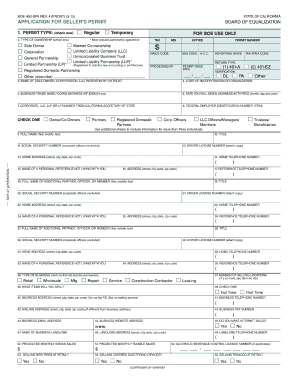
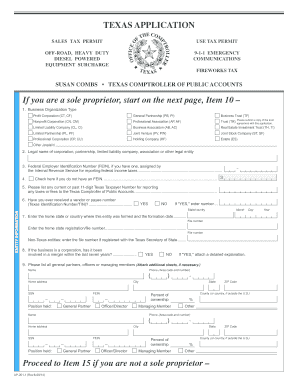
The California Seller’s Permit Application is a government form used by businesses to obtain a seller’s permit for selling or leasing taxable items in California.
pdfFiller scores top ratings on review platforms




Who needs CA Seller’s Permit?
Explore how professionals across industries use pdfFiller.

CA Seller’s Permit is needed by:
-
Individuals starting a retail business in California
-
Corporations looking to sell taxable goods
-
Partnerships involved in leasing taxable items
-
Non-profit organizations planning to sell products
-
Freelancers offering taxable services
Comprehensive Guide to CA Seller’s Permit
What is the California Seller’s Permit Application?
The California Seller’s Permit Application is a crucial document for any individual or business looking to sell or lease taxable items within the state. Its primary purpose is to ensure compliance with California tax regulations, particularly concerning sales tax. Obtaining a seller's permit is significant as it legally authorizes businesses to collect sales tax from customers. This permit is issued by the State Board of Equalization, ensuring that businesses operate within state laws and regulations.
Purpose and Benefits of the California Seller’s Permit Application
Having a seller's permit provides several benefits for businesses operating in California. Firstly, it allows for the legal collection of sales tax from customers, which is essential for maintaining compliance and avoiding potential legal issues. Additionally, a seller's permit enables businesses to establish trustworthiness with customers and suppliers. In certain situations, such as when applying for business loans or partnerships, demonstrating that a business has the necessary permits can be crucial for gaining credibility.
Key Features of the California Seller’s Permit Application
The California Seller’s Permit Application includes several key sections that applicants must complete accurately. Main sections cover ownership details, business information, and projected sales. Essential requirements include fields such as the business trade name and ownership structure (individual, corporation, LLC). Specific instructions within the application guide applicants on how to fill out the document correctly, ensuring all necessary information is provided for successful approval.
Who Needs the California Seller’s Permit Application?
The seller's permit is required for various individuals and entities, including sole proprietors, partnerships, corporations, and other organizations that sell or lease taxable goods. Eligibility criteria extend across multiple business types, ensuring compliance is met at all levels. Operating without a seller’s permit can lead to severe consequences, including fines and legal actions, making it essential for any business engaged in taxable sales.
How to Fill Out the California Seller’s Permit Application Online (Step-by-Step)
Filling out the California Seller’s Permit Application online involves several key steps to ensure accuracy and completeness. Follow the steps below:
-
Visit the State Board of Equalization website to access the application form.
-
Complete essential fields like the business trade name and the date you will begin business activities.
-
Review all information for accuracy before submission, ensuring that all required sections are filled correctly.
Common Errors and How to Avoid Them
During the application process, applicants often make common errors that can lead to delays or rejections. To avoid these pitfalls, consider the following tips:
-
Double-check all personal and business information for accuracy.
-
Ensure all required fields are completed before submission.
-
Follow specific application instructions carefully to prevent mistakes.
Submission Methods and Delivery
Applicants can submit the California Seller’s Permit Application through various methods, including online submission, mail, or in-person delivery. Each method may have associated fees, so it's important to check for any charges that apply. Processing times may vary based on the submission method, so applicants should plan accordingly to receive their permits in a timely manner.
What Happens After You Submit the California Seller’s Permit Application?
After submitting the application, applicants can expect a follow-up process that includes tracking their application status. Notifications about the application's progress will be sent, and applicants should remain aware of potential reasons for rejection, such as incomplete information or inaccuracies that need correction.
How pdfFiller Can Help with the California Seller’s Permit Application
pdfFiller offers a user-friendly platform that simplifies the process of editing and filling out the California Seller’s Permit Application. With features like eSigning and secure document storage, users can manage their applications efficiently. Emphasizing data security is essential when handling sensitive documents, making pdfFiller a reliable solution for applicants seeking to simplify their paperwork.
Get Started with Your California Seller’s Permit Application Today!
Using pdfFiller for completing the California Seller’s Permit Application provides an efficient and streamlined experience. Embrace the convenience of managing your documents online while ensuring accuracy in every step of the application process.
How to fill out the CA Seller’s Permit
-
1.To access and open the California Seller’s Permit Application on pdfFiller, begin by visiting the pdfFiller website. Use the search bar to enter the form name or browse government forms until you locate it.
-
2.Once you’ve opened the form, familiarize yourself with the different sections displayed on the interface. You will see fillable fields marked clearly for data entry. Click on each field to input the necessary information.
-
3.Before starting, gather required details like your business name, owners' names, expected sales figures, and type of goods sold. Having this information at hand will make filling out the form easier.
-
4.As you complete the fields, ensure that all information is accurate and complete. Pay special attention to required fields, which are typically marked with asterisks or highlighted in red.
-
5.When you finish entering data, take time to review the form for any errors or omissions. Utilize pdfFiller’s review features for a final check before submission.
-
6.To save your progress, click the 'Save' option available in pdfFiller. You can download a copy of the completed application for your records by selecting the download button.
-
7.Once everything is in order, submit the form through pdfFiller’s submission options, which may provide an option to send it directly to the State Board of Equalization electronically.

Who is eligible to apply for a California Seller’s Permit?
Any individual, partnership, corporation, or organization planning to sell or lease taxable items in California is eligible to apply for a Seller’s Permit.
What information do I need to complete the application?
You will need your business name, ownership type, trade name, expected sales information, and the date you plan to start business activities to complete the California Seller’s Permit Application.
How do I submit the completed application?
After completing your application on pdfFiller, you can submit it electronically to the State Board of Equalization or download and mail it as instructed within the form.
Are there any fees associated with applying for a Seller’s Permit?
The application for a California Seller’s Permit does not typically incur any fees. However, ongoing compliance with sales tax may involve other costs.
What are common mistakes to avoid when filling out the form?
Common mistakes include leaving required fields blank, providing inaccurate business information, and failing to sign the application where indicated.
How long does it take to process the Seller’s Permit application?
Processing times for the California Seller’s Permit application can vary, but it typically takes a few weeks. It’s recommended to apply well in advance of business start dates.
Do I need to notarize the application?
No, you do not need to notarize the California Seller’s Permit Application; it is a straightforward government form that can be submitted directly.
Related Content
Related Forms



Related Catalogs
Get the latest insights from our blog


If you believe that this page should be taken down, please follow our DMCA take down process
here
.
This form may include fields for payment information. Data entered in these fields is not covered by PCI DSS compliance.