

Get the free TRS EFT Cancellation Request Form
We are not affiliated with any brand or entity on this form

Fill out
Complete the form online in a simple drag-and-drop editor.

eSign
Add your legally binding signature or send the form for signing.

Share
Share the form via a link, letting anyone fill it out from any device.

Export
Download, print, email, or move the form to your cloud storage.
Why pdfFiller is the best tool for your documents and forms


End-to-end document management
From editing and signing to collaboration and tracking, pdfFiller has everything you need to get your documents done quickly and efficiently.
Accessible from anywhere
pdfFiller is fully cloud-based. This means you can edit, sign, and share documents from anywhere using your computer, smartphone, or tablet.
Secure and compliant
pdfFiller lets you securely manage documents following global laws like ESIGN, CCPA, and GDPR. It's also HIPAA and SOC 2 compliant.
What is TRS Cancellation Form
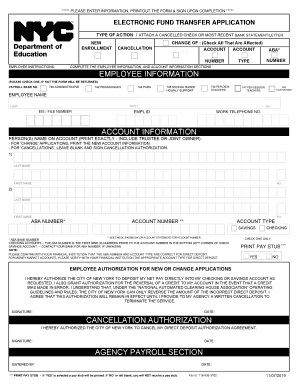
The TRS EFT Cancellation Request Form is a personal finance document used by retirees of the Teachers' Retirement System of the City of New York to cancel electronic fund transfers of their retirement payments.
pdfFiller scores top ratings on review platforms




Who needs TRS Cancellation Form?
Explore how professionals across industries use pdfFiller.

TRS Cancellation Form is needed by:
-
Retirees from the Teachers' Retirement System in New York
-
Individuals wishing to cancel direct deposits
-
Pensioners needing assistance with payment methods
-
Guardians or family members of retirees
-
Financial advisors managing retirement funds
How to fill out the TRS Cancellation Form
-
1.Access the TRS EFT Cancellation Request Form on pdfFiller by searching for its name in the platform's search bar.
-
2.Once opened, navigate through the form interface to identify required fields — highlighted in red, usually — that need your details.
-
3.Before starting to fill out the form, gather essential personal information including your full name, social security number, home address, and details about your financial institution.
-
4.Begin filling in your accurate personal details in the provided fields, making sure to carefully check the spelling and information for accuracy.
-
5.When filling out information concerning your retirement benefits, take your time to ensure you indicate the correct type of retirement allowance.
-
6.Use the checkboxes where necessary to confirm your intentions, such as indicating you want to cancel direct deposits.
-
7.Sign the form in the designated signing area and remember to include your initials as required for verification.
-
8.Since notarization is required, make arrangements to have your form signed in front of a notary public, ensuring they complete their section as needed.
-
9.Review the entire form for completeness and accuracy before moving on to finalizing your submission.
-
10.To save and submit the form, click on the 'Save' button to ensure your changes are stored, and then download the completed form for your records.
-
11.Lastly, follow the submission instructions provided by the Teachers' Retirement System, typically involving mailing the signed and notarized form to their specified address.

Who is eligible to use the TRS EFT Cancellation Request Form?
The TRS EFT Cancellation Request Form is designed for retirees of the Teachers' Retirement System of the City of New York who are currently receiving electronic fund transfers of their monthly retirement allowance.
What is the typical processing time for this cancellation request?
Once TRS receives your completed TRS EFT Cancellation Request Form, it usually takes 15 to 45 days for the cancellation to take effect, after which paper checks will be issued.
What documents are required to complete this form?
You need to provide personal information such as your name, social security number, mailing address, and details about your financial institution when completing the TRS EFT Cancellation Request Form.
Is notarization necessary for this request?
Yes, the TRS EFT Cancellation Request Form must be signed and notarized before submission, ensuring the authenticity of the request.
How do I submit the completed form?
The completed TRS EFT Cancellation Request Form should be mailed directly to the address provided by the Teachers' Retirement System along with any specific instructions they provide regarding submission.
What mistakes should I avoid when filling out this cancellation form?
Common mistakes include incorrect personal information, failure to sign or notarize the form, and not checking the box to indicate your intent to cancel direct deposits, which can delay processing.
Are there any fees associated with processing this cancellation request?
There are typically no fees associated with submitting the TRS EFT Cancellation Request Form, but you should verify through the Teachers' Retirement System for any potential costs.
Related Content
Related Forms



Related Catalogs
Get the latest insights from our blog


If you believe that this page should be taken down, please follow our DMCA take down process
here
.
This form may include fields for payment information. Data entered in these fields is not covered by PCI DSS compliance.